Workflow Maps: View linked workflows together in the Workflow Canvas
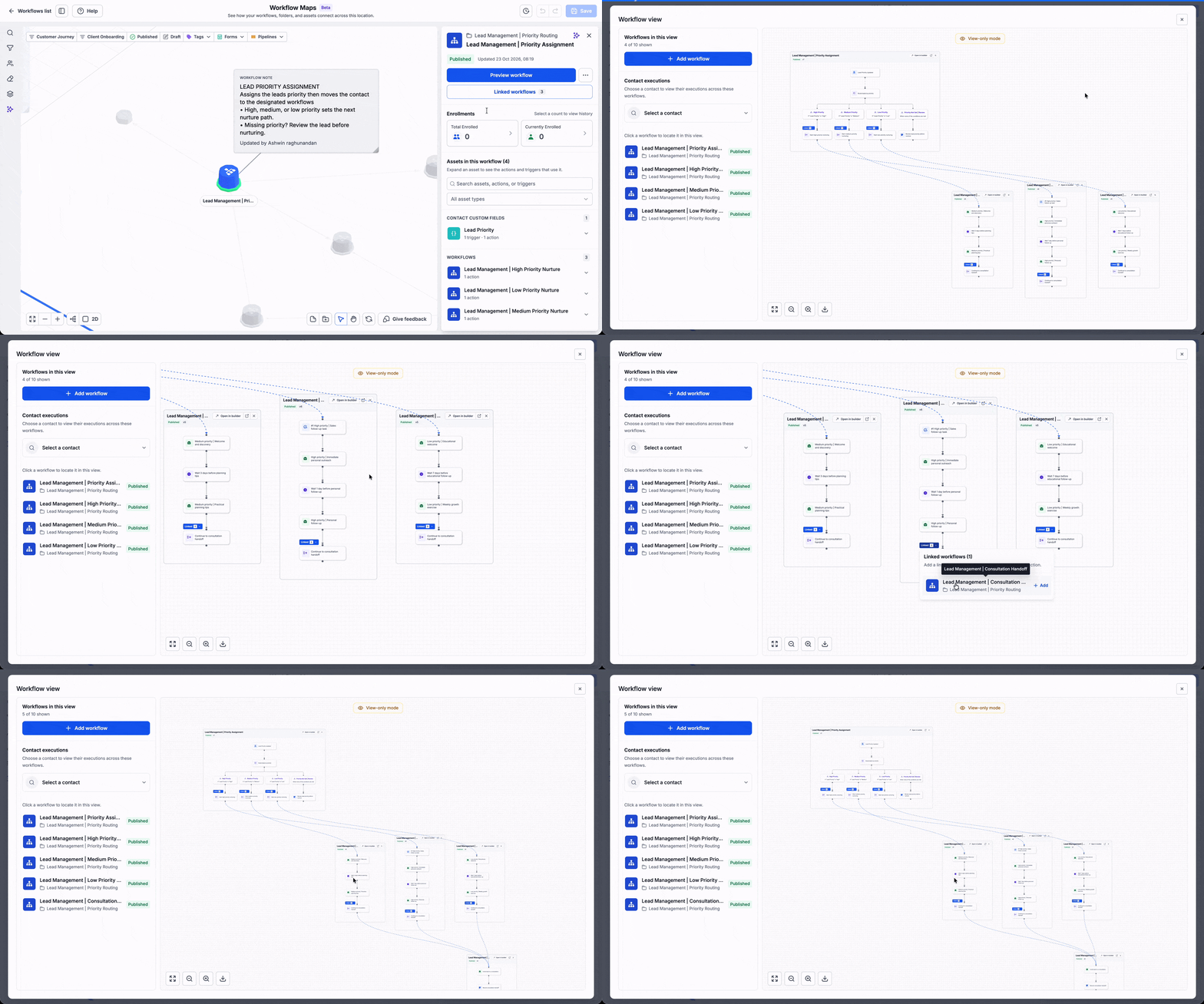
You can now see linked workflows together in the Workflow Canvas. When a workflow connects to another workflow, both appear in one connected view, so you can follow the full journey without switching between workflows.
👀 What's New?
A new linked workflow view has been added to the Workflow Canvas. When a workflow has a sub-workflow or is linked to another workflow, you can open the full picture in one place.
- See linked workflows together: Open a workflow and its linked workflows in the same canvas.
- Follow the full journey: Trace how a contact moves from one workflow to the next, end to end.
🌟 Why This Matters
- Get the full picture: See how workflows connect, instead of guessing where one ends and another begins.
- Troubleshoot faster: Follow the chain to find where a contact's journey breaks down.
- Work with more confidence: Make changes knowing which workflows are connected to the one you are editing.
🛠️ How It Works
- Open a workflow that is linked to another workflow.
- In the Workflow Canvas, click the Linked workflows icon.
- Select a linked workflow to view it in the same canvas.
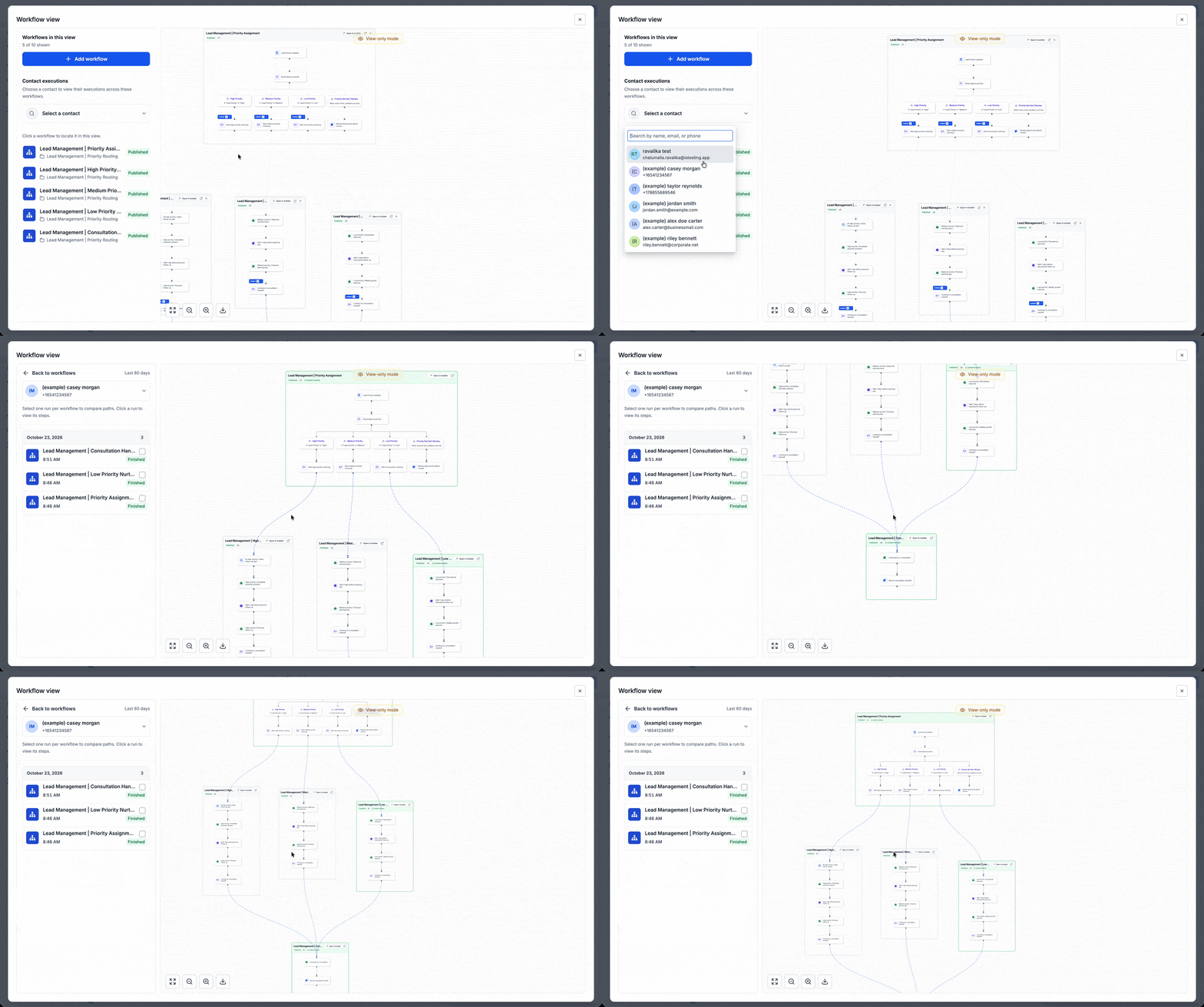
- Switch between linked workflows from the same view, or open any of them directly.
📝 Additional Notes
- A workflow can be linked in more than one place: as a sub-workflow action, or through a Wait for workflow completion action.
- When you open the Workflow Canvas for a workflow, the linked workflows are shown in the header.
- Sub-workflows are shown as a tab, and workflows linked through a Wait for workflow completion action are shown in a side panel.
🚀 Launch Access
- Available to all users, but you will only see the linked workflows you can access, based on your permissions.
- Access is available only to reseller agency users and reseller agency admins, and it is also available to sub-account admins and users if the reseller agency enables it.
- To enable it for sub-accounts, go to Settings → Business Profile, then scroll down to AI Tools and turn on Workflow Maps.