WhatsApp typing indicator action for workflows
You've built the perfect workflow, a customer messages on WhatsApp, and your customer-facing auto-reply begins with a short 'Please wait' notice, then... silence. The contact waits, sees nothing happening, and wonders whether anyone actually read their message. A tiny three-dot typing indicator changes that: it tells the customer you're replying right now.
Now, that reassuring typing bubble works with your workflows too.
What's new
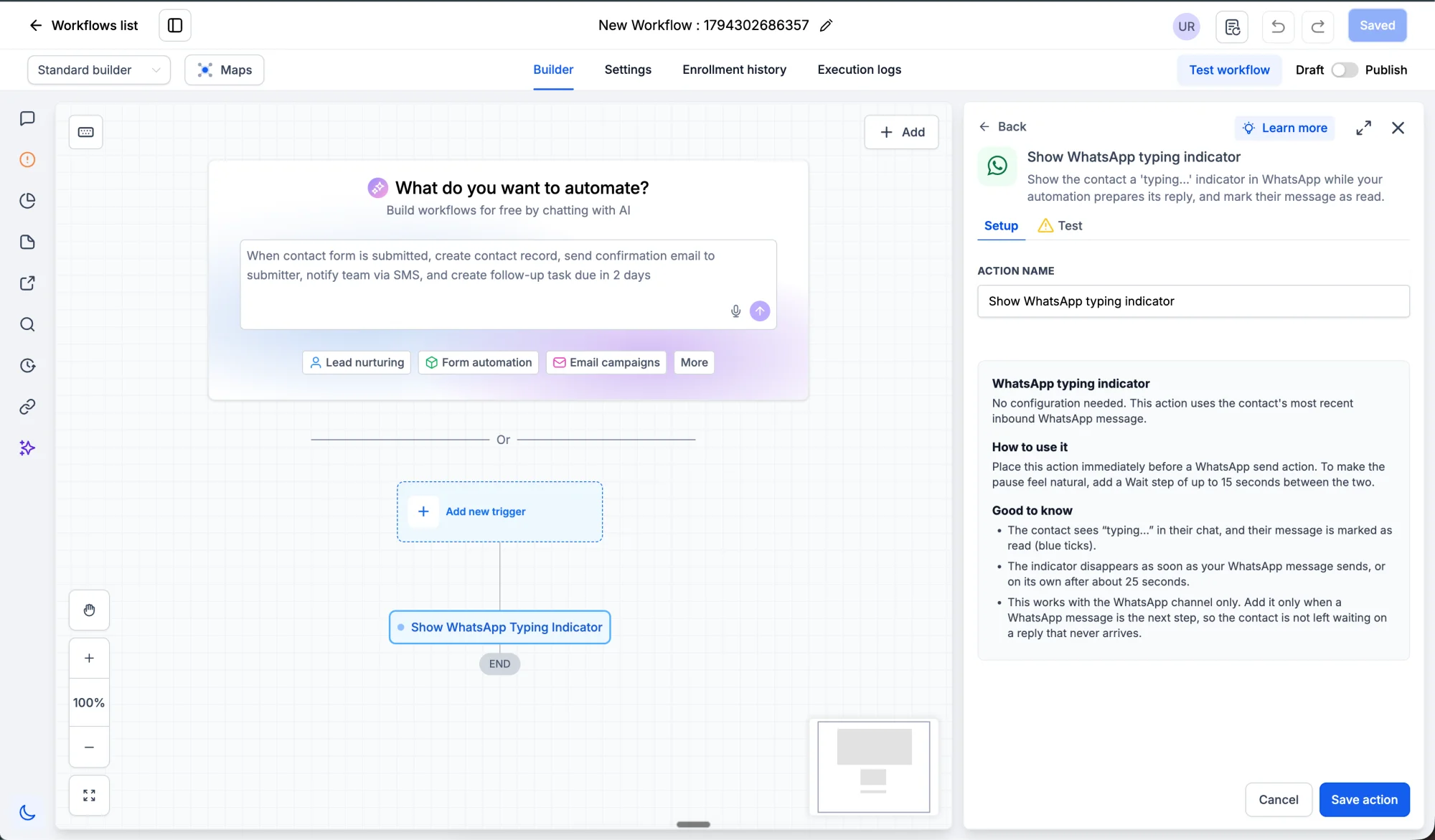
You can now show a typing indicator while a workflow prepares its reply on WhatsApp.
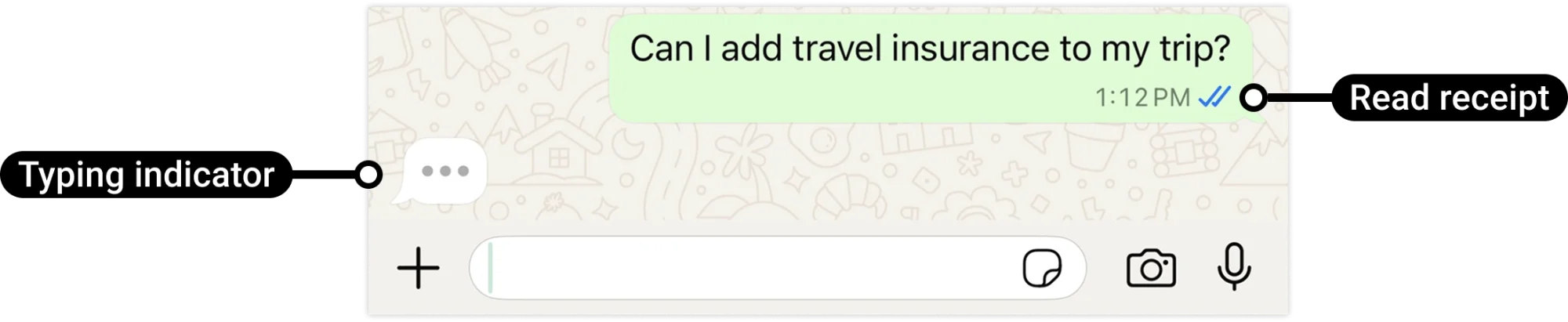
The new Send typing indicator action triggers WhatsApp's typing indicator on the customer's phone for a short, natural pause while your workflow works, such as checking availability or looking up a record, then sends the reply. Each time the workflow reaches the action, the customer sees that familiar 'typing…' bubble, which keeps them engaged while their answer is being prepared.
How this helps
- Feels more human: Even when an automation is replying, the conversation feels like a real person responding in real time, not a silent queue.
- Stops the 'did they read it?' messages: With the typing indicator and read receipts showing alongside, contacts know their message is being worked on.
- Smooths out slow steps: Workflows that look up records or run logic get a natural-feeling pause before replying, so the conversation doesn't feel stalled.
How this helps in real life
- Appointment bookings: A contact asks about open times. Instead of a silent delay, the workflow shows the typing bubble while it checks the calendar, then replies with the available slots.
- Quote requests: The workflow looks up pricing while the customer sees the typing indicator, instead of wondering whether their message was received.
- After-hours enquiries: An automation can acknowledge the message and show the typing indicator before replying with opening times or next steps.
How to use it
In a workflow, search for Send typing indicator in the Actions menu. Add it before a WhatsApp message step, wherever you want the customer to see that you're preparing a reply. For example, add it in a workflow that's collecting the contact's details, then have it ask the customer for their preferred contact time.
Tip: Add the action right before the reply step, not at the start of the workflow.
Why this matters for your business
Customers judge a conversation by how quickly it feels like someone is there. A short typing pause makes automation feel more personal, keeps contacts engaged, and reduces the chance they'll message again, call, or drift away while waiting for a reply. And it's completely optional: use it in the moments where a little human touch matters most, like a first response or a reply that needs a lookup.
We can't wait to hear what you think, and we'd love your feedback.