Web Search Now Available in the AI Agent Action
Your AI Agent can now search the internet. Turn on Web search in the new Built-in tools section, and it will find current information during a run.
What's New
A Built-in tools section
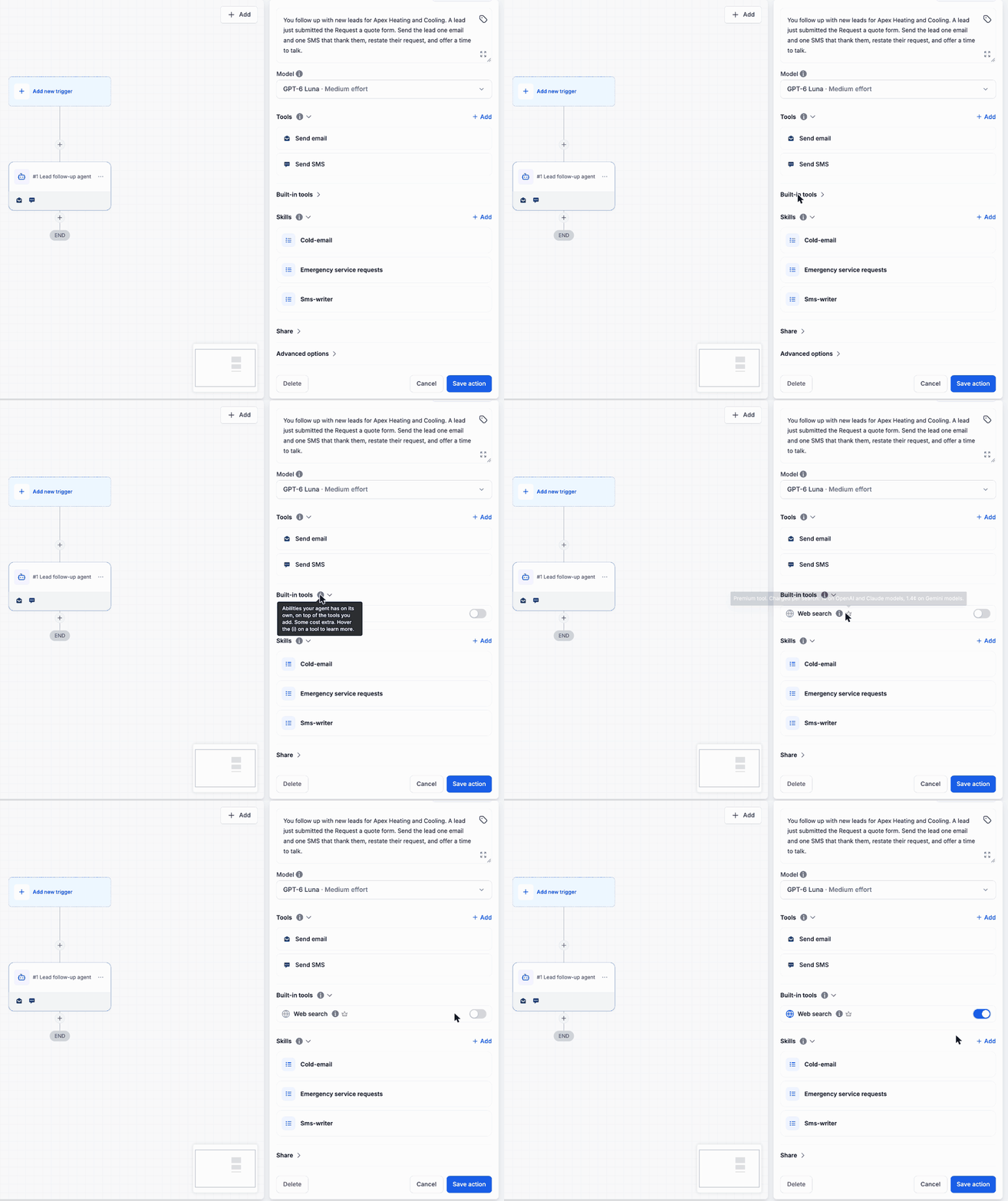
- Built-in tools sits right below Tools in the AI Agent Action. These are abilities your agent has on its own, without you adding an extra tool.
- Hover the (i) on a built-in tool to see what it does. Hover the crown to see what it costs.
Web search
- One toggle: Turn on Web search and the agent can search the internet during any run.
- The agent decides: It searches only when the task needs information it does not have.
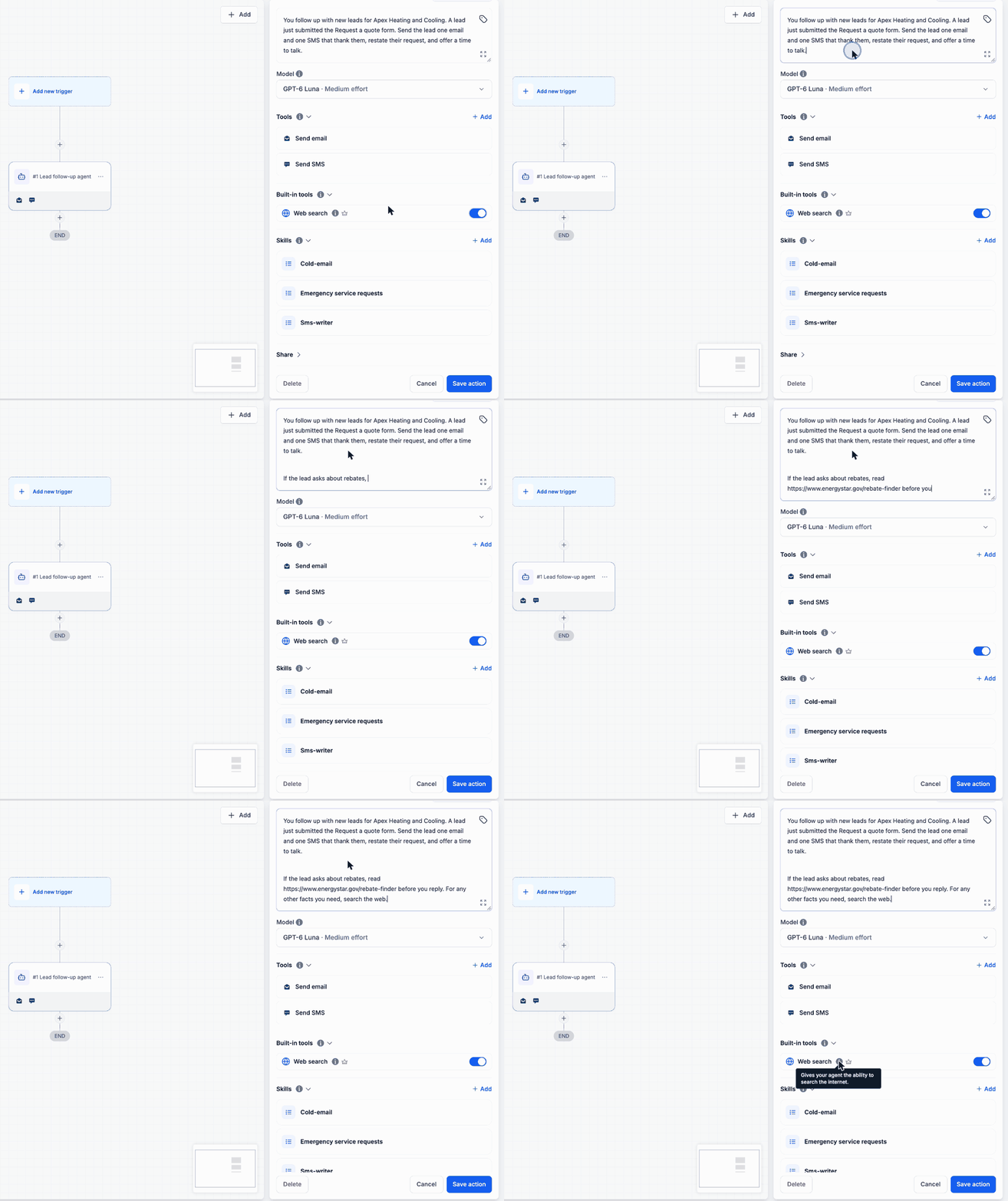
- Your own sources: Paste a URL in the Instructions, and the agent refers to that page when the run calls for it.
- Static or live: Give the agent the pages you trust, and let it search the web for everything else.
Coming soon to Built-in tools
AI image generation and AI video generation are already live as separate actions. Both are coming to the AI Agent Action as built-in tools very soon.
Pricing
Web search is a premium tool. It is billed per search, on top of the AI Agent Action.
- OpenAI and Claude models: 1¢ per search.
- Gemini models: 1.4¢ per search.
How to Use
- Go to Automation > Workflows.
- Open a workflow, then add or open an AI Agent Action.
- Scroll down to Built-in tools and expand it.
- Turn on Web search.
- To point the agent to specific pages, paste their URLs in the Instructions. This step is optional.
- Save the action.
Worked Example: Rebate Questions, Answered From the Source
A heating and cooling company follows up on every quote request. Some leads ask about rebates, and rebate amounts change often. The agent uses the company's own page first, then the web.
The AI Agent Action is set up like this:
- Instructions: "If the lead asks about rebates, read https://www.energystar.gov/rebate-finder before you reply. For any other facts you need, search the web."
- Tools: Send email and Send SMS.
- Built-in tools: Web search on.
A lead asks about heat pump rebates. The agent checks the rebate page you gave it before it replies.
Why This Matters
Your agent is no longer limited to what it already knows. Prices, programs, and public details change often. Now it can check them when it needs to.
You stay in control of the sources. Name the pages you trust in the Instructions, and tell the agent to search the web for the rest.
You pay only when the agent searches. A run that needs no search costs nothing extra.
Good to Know
- Each search is charged. A run with three searches is billed for three searches.
- Web search finds information. To act on it, the agent still needs the right tools, such as Send email or Send SMS.