Trigger Stats Improved: View your trigger enrollments at a glance
What’s new?
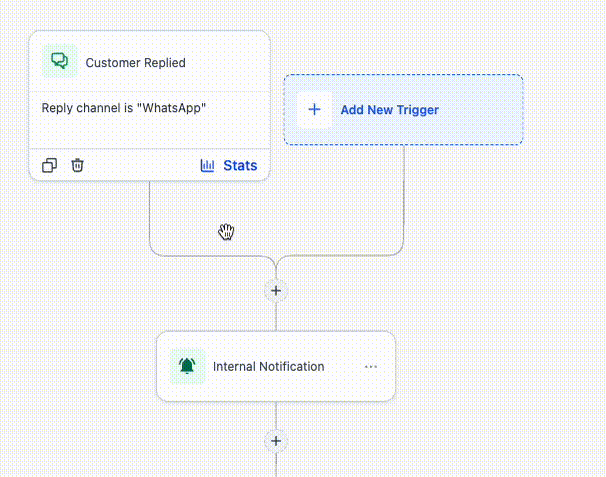
We’ve improved the Trigger Stats experience in the workflow builder so it’s easier to view and understand trigger enrollment activity without leaving the workflow. You can now open a built-in stats view on the trigger itself to quickly see enrollment performance contacts attempted, matched / unmatched based on filtering criteria.
How it works
The stats section on each trigger gives you a quick snapshot of how contacts are moving through that trigger. From there, you can open a full dashboard to review attempted enrollments, matched and unmatched contacts, contact-level details, top unmatched reasons, and search results for specific contacts.
How to use it
- Open a workflow and click the trigger in the builder.
- Open the stats section to view trigger enrollment details.
- Click on any of the stats or on the detailed stats view to review contacts, filter results, and unmatched reasons.
Why we built it
Trigger Stats helps you understand whether contacts are entering a workflow as expected and where filters may be blocking enrollment. With this improvement, it’s much faster to spot patterns, investigate specific contacts, and troubleshoot trigger behavior from the builder itself.
Additional notes
- Available in both the standard builder and advanced builder.
- The detailed view shows attempted, matched, and unmatched enrollments, plus top unmatched reasons.
- You can search for a specific contact to check whether they matched and why they did not enroll.