Social Comments in Conversations
Turn social engagement into conversations, leads, and opportunities — all from one inbox.
With Social Comments in Conversations, comments on posts published through Social Planner now appear directly in the Conversations Team Inbox, alongside SMS, email, and DMs. Your team can respond to comments, continue conversations privately, identify high-intent leads, and automate follow-ups without switching between platforms.
What's New
1. Social Comments in the Team Inbox
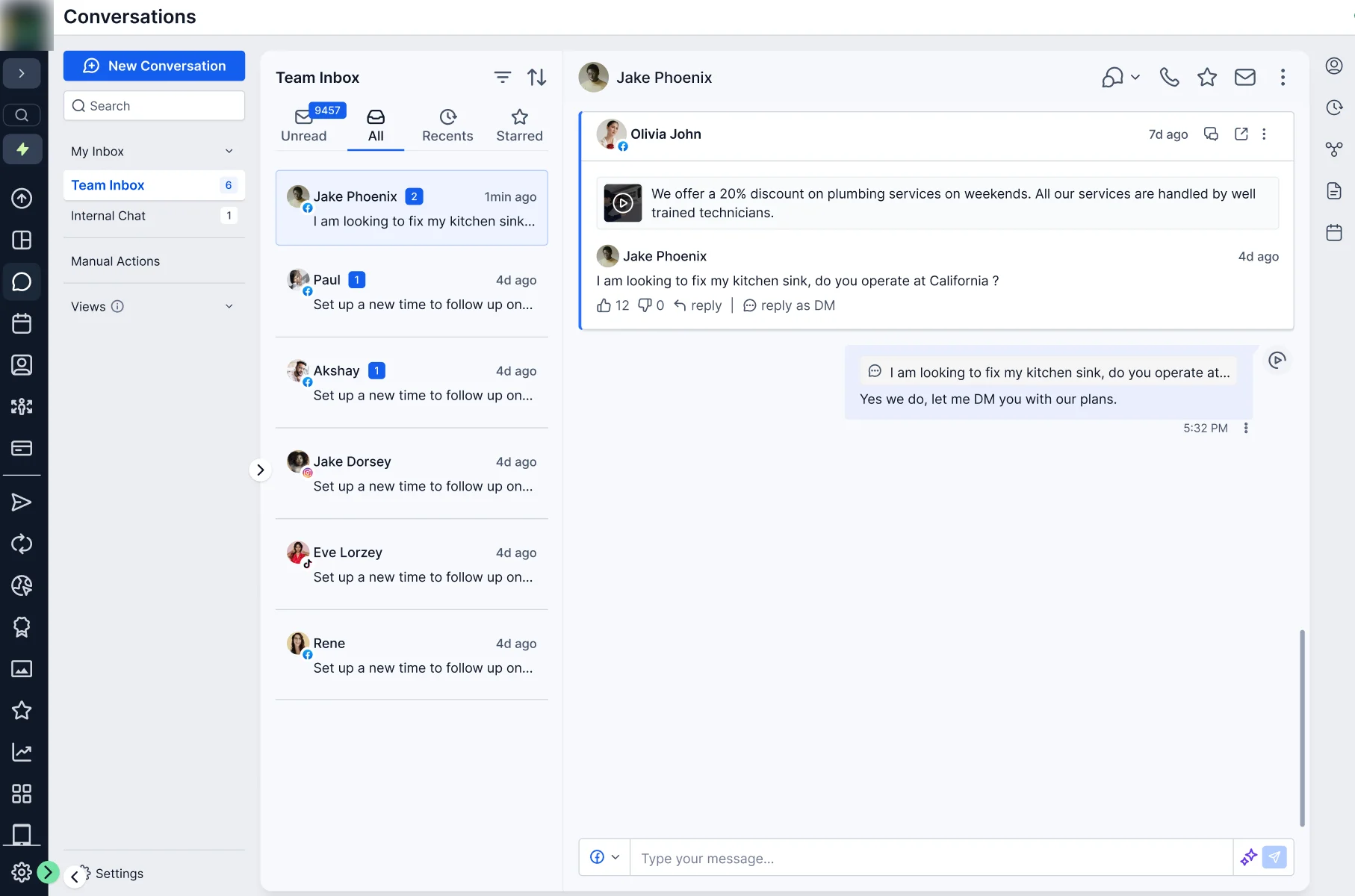
View social comments directly in Conversations with key context including:
- Commenter name or social handle
- Comment preview
- Original post
- Social platform
- Timestamp
Use the Social Comments filter to quickly find and manage social comment conversations.
2. Post Context in Every Conversation
Every social comment conversation includes the original post, giving your team the context they need before responding.
View the post thumbnail, caption, social account, platform, and a View Post link to open the original post.
3. Automatic Contact Creation
Every new commenter is automatically created as a contact, making it easier to turn social engagement into leads and opportunities.
If someone comments again, their existing contact is matched automatically, preventing duplicate contacts.
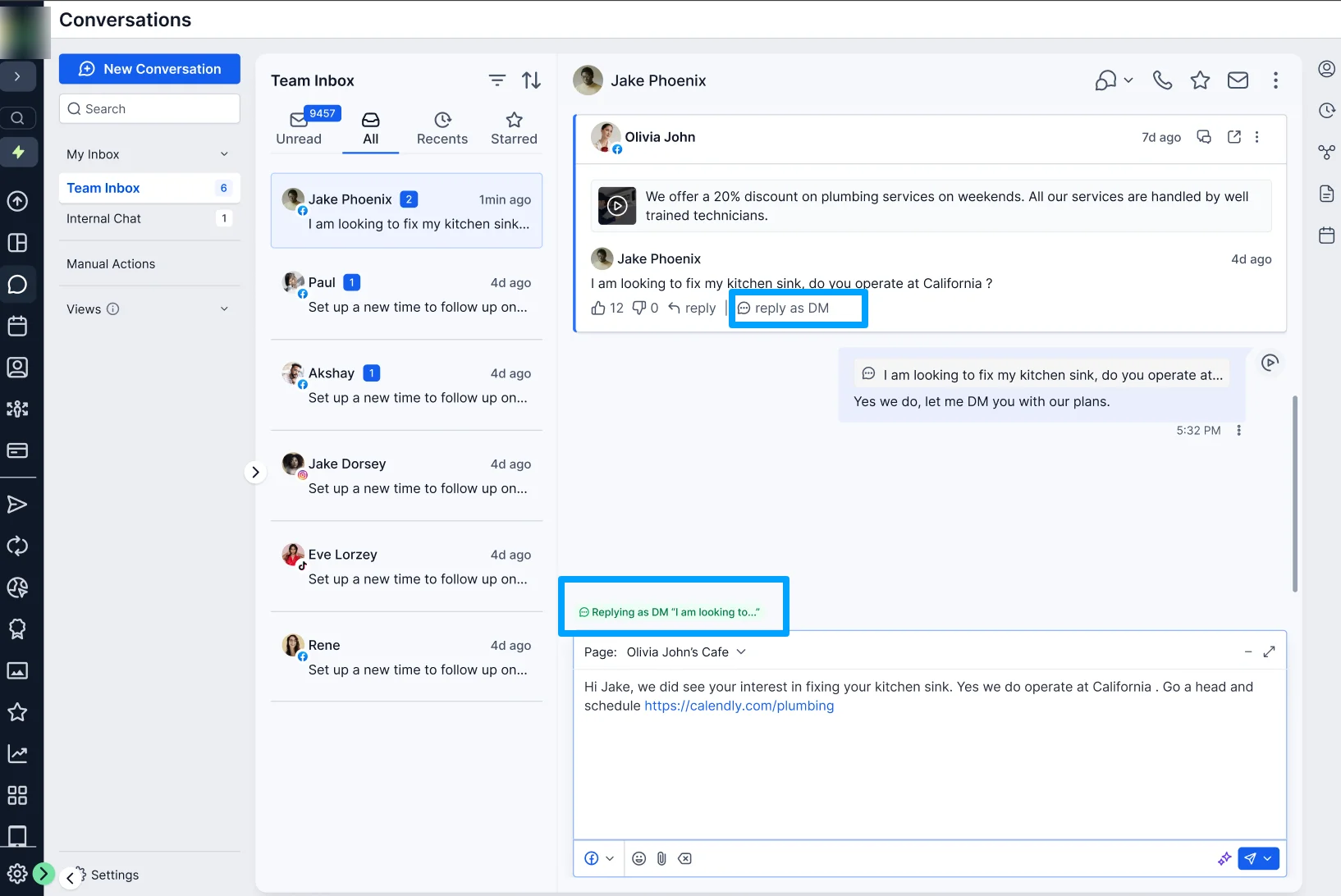
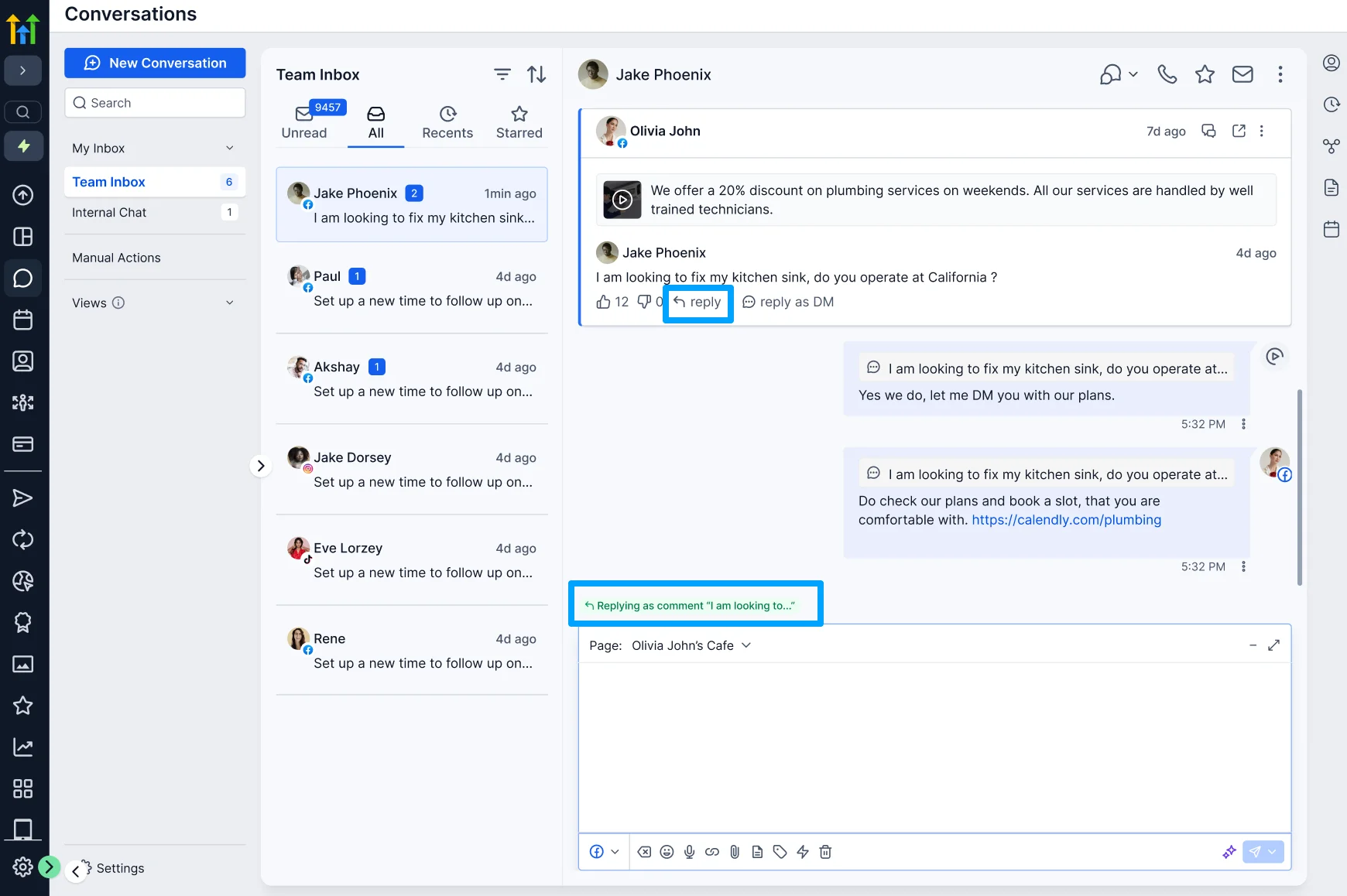
4. Public Replies & Private DMs
Respond directly from Conversations:
- Public Reply: Reply underneath the original social comment.
- Send DM: Continue the conversation privately through a standard DM thread in the inbox.
This lets your team move from a public interaction to a one-to-one sales conversation without leaving Web Wisconsin's Connect CRM.
5. Prioritize High-Intent Comments
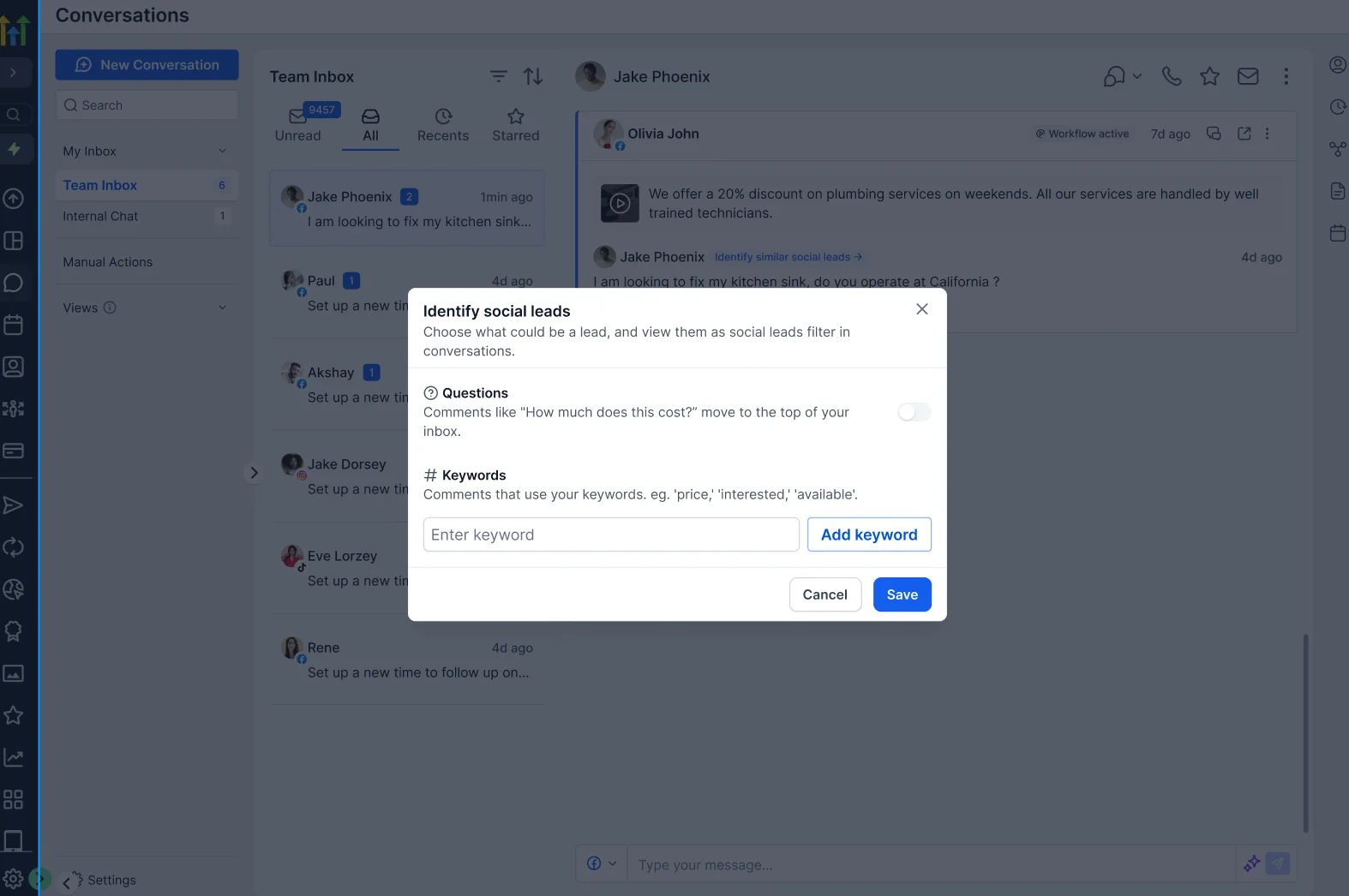
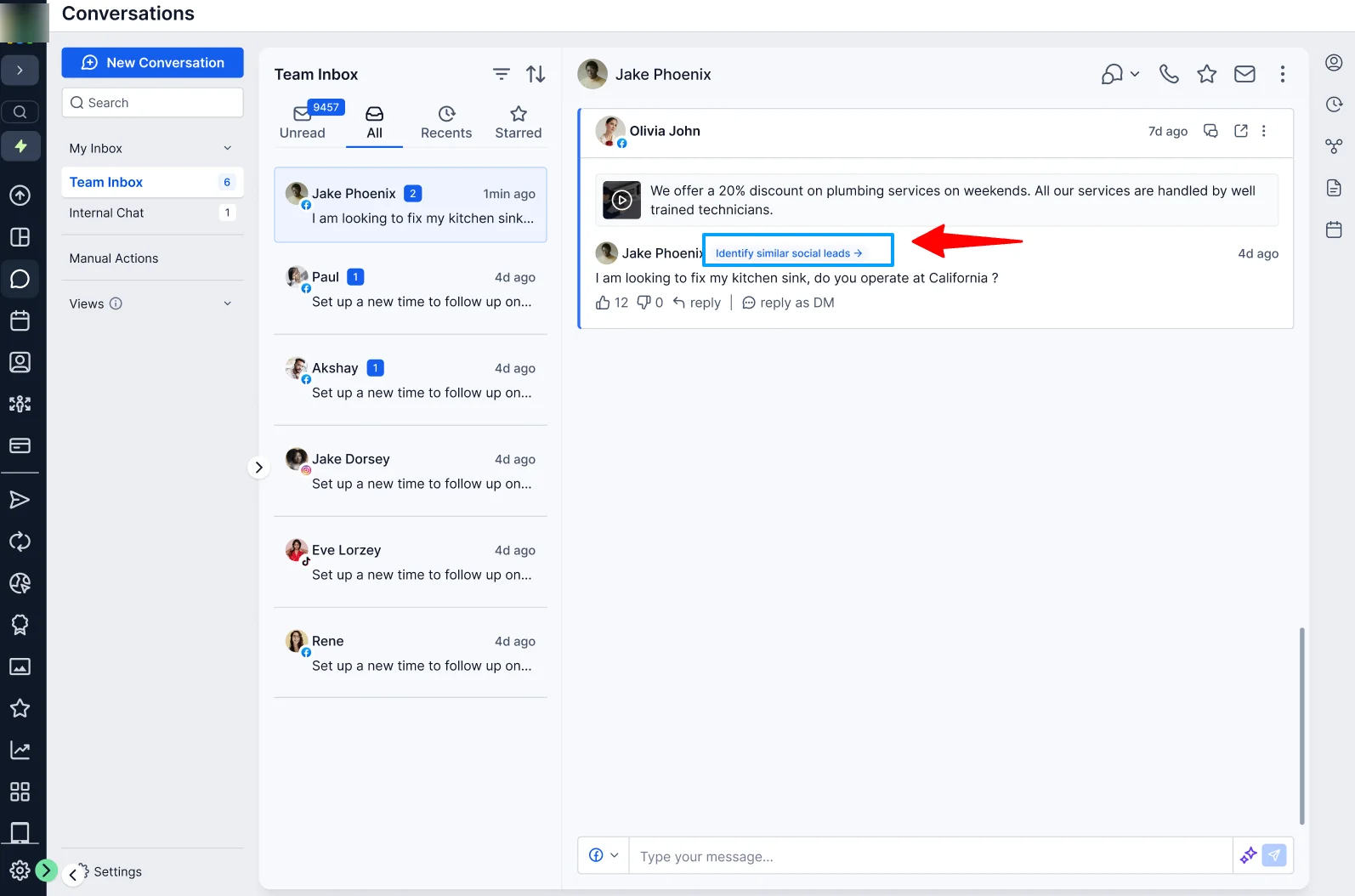
Focus on the comments most likely to become leads by adding buying-intent keywords such as "price," "interested," or "how much."
You can also prioritize comments that contain questions, helping your team quickly identify potential purchase intent.
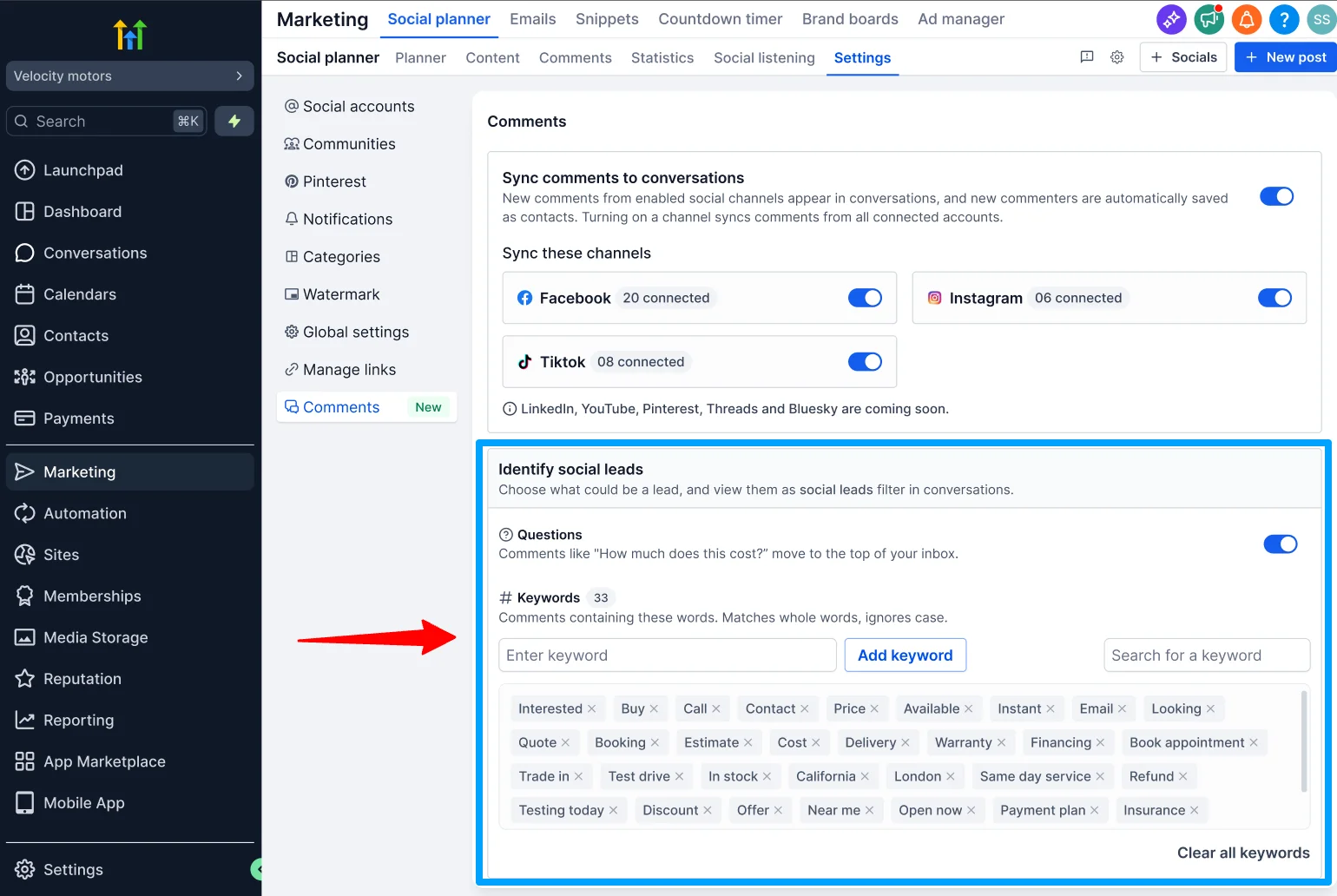
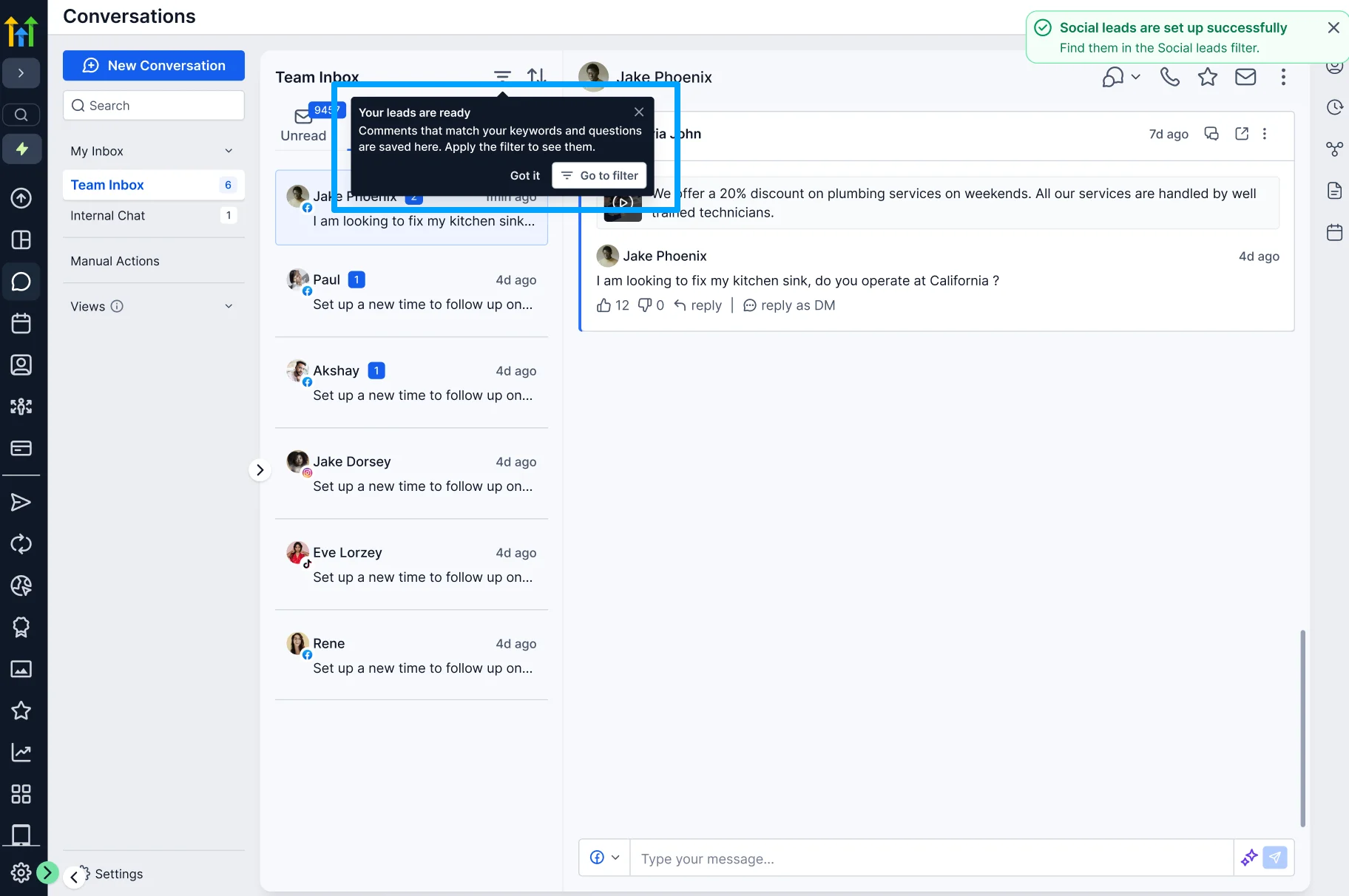
You can configure these settings from Social Planner Settings too.

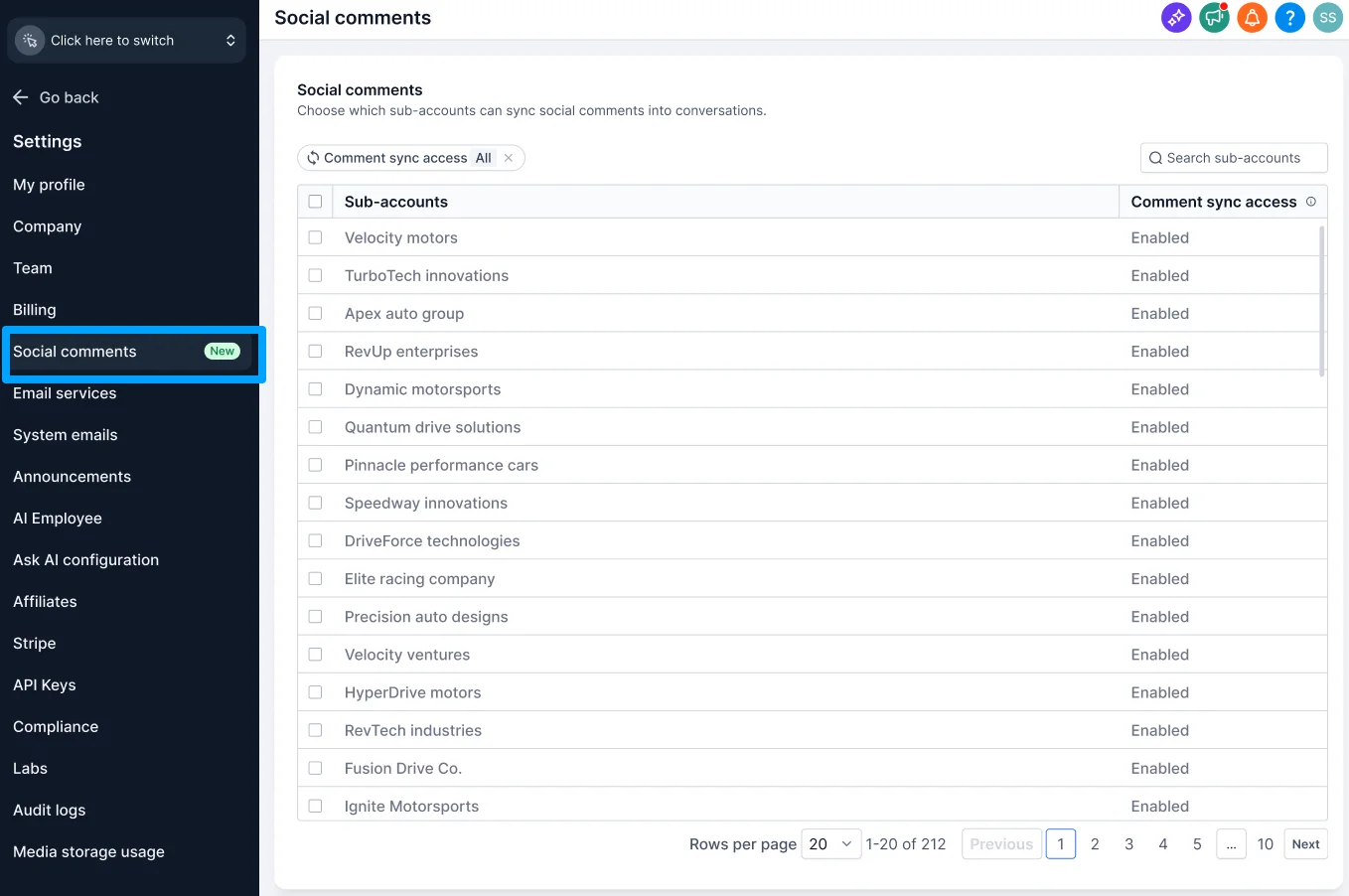
6. Agency & Channel-Level Controls
Reseller Agency admins can control comment sync for eligible sub-accounts from: Reseller Agency Settings → Social Comments
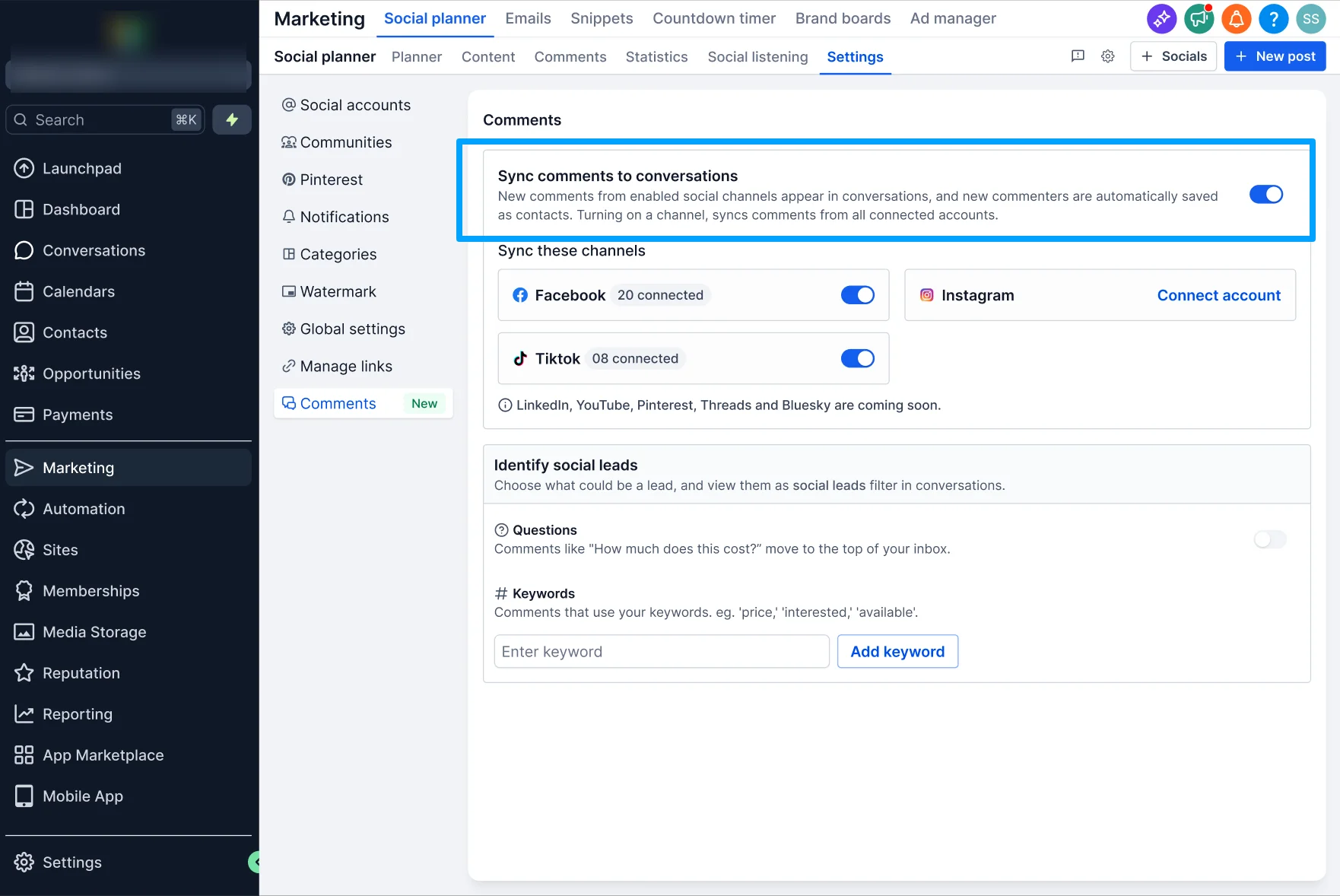
At the sub-account level, choose which connected social platforms should sync comments from: Marketing → Social Planner → Settings → Comments
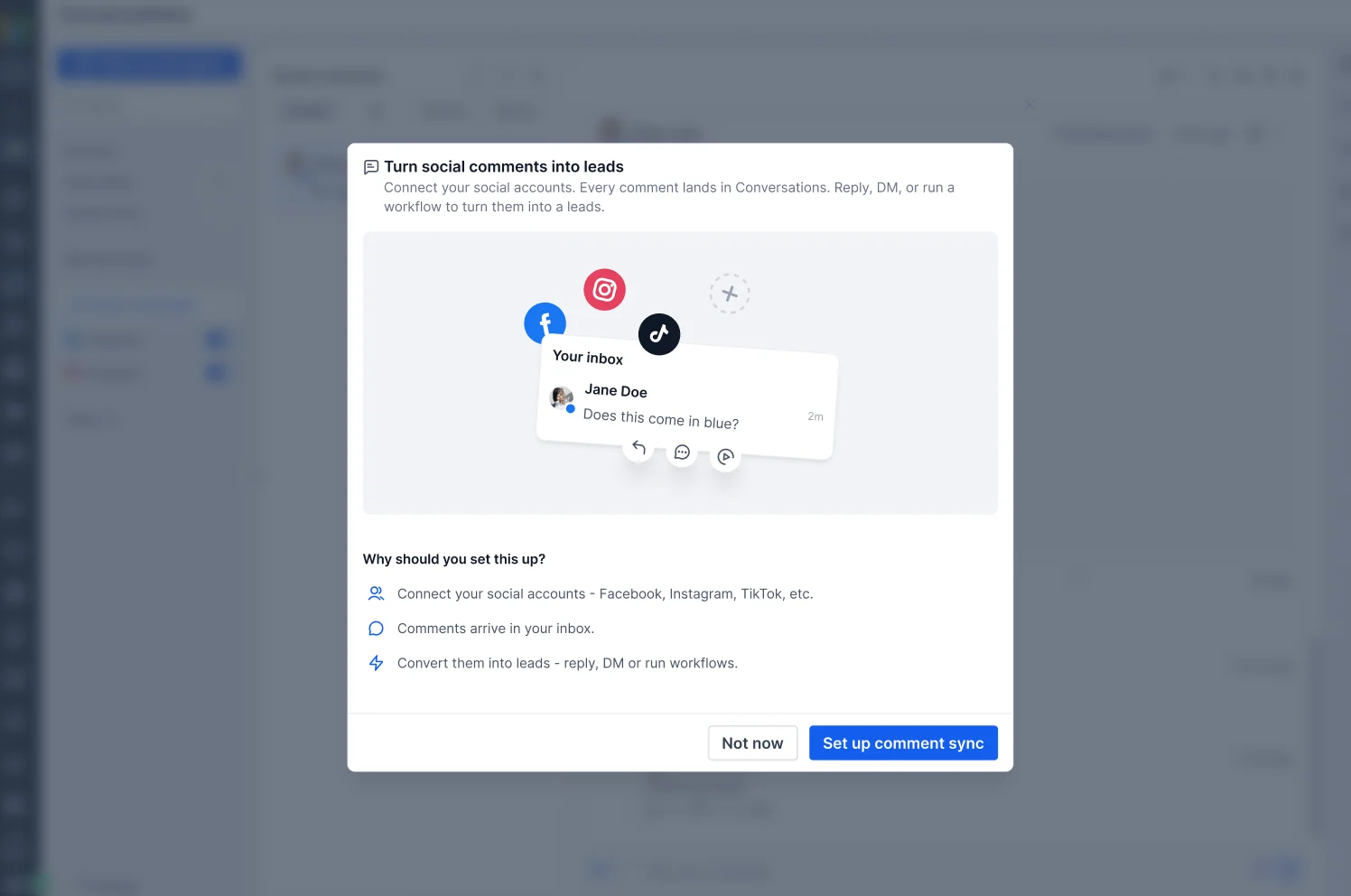
Why It Matters
Social comments are often the first signal of customer interest. Now, teams can turn that engagement into action by:
- Turning social engagement into leads and opportunities
- Managing social conversations alongside all other inbox conversations
- Responding faster without switching platforms
- Automatically capturing commenters as contacts
- Prioritizing high-intent conversations
- Reducing context switching between Social Planner and Conversations
Supported Platforms
Available at launch:
- TikTok
Coming soon:
- YouTube
- Threads
- Bluesky
- Community
Notes
- Only comments on posts published through Social Planner are synced to Conversations.
- Enabling comment sync automatically creates contacts for new commenters.
- Disabling comment sync stops new comments from syncing but does not delete existing contacts, conversations, or workflows.
- Existing comment workflow triggers continue to work as before.
- Comment management in Social Planner continues to work as usual.
- If a social account connection expires, reconnect the account from Social Planner Settings to resume syncing.
- Instagram DM and Instagram interactive messenger workflow actions aren't supported for Instagram accounts connected through Facebook in Social Planner.