Slack integration: 5 new triggers for workflows!
You can now start Connect CRM workflows from Slack in more ways. Five new Slack triggers are available, so messages, reactions, and channel activity can kick off the right follow-up automatically.
👀 What's New?
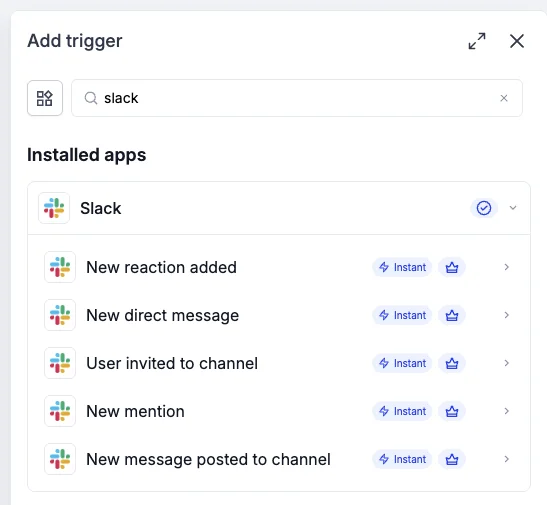
Five new Slack triggers are now available in workflows:
- New channel message: Start a workflow when a message is sent in a Slack channel.
- New message in a direct message: Start a workflow when a message is sent in a direct message.
- New reaction added: Start a workflow when a reaction is added to a message.
- New user joins a channel: Start a workflow when a user joins a Slack channel.
- New channel created: Start a workflow when a channel is created in Slack.
🌟 Why This Matters
- Act on conversations in real time: Messages, reactions, and channel activity can trigger follow-up as soon as they happen.
- Keep teams aligned: Important Slack activity reaches the right workflow without someone having to pass it along.
- Automate more of the follow-up: Turn everyday Slack moments into contacts, tasks, and messages automatically.
🛠️ How It Works
- Add the Slack trigger to a workflow.
- Connect Slack by signing in with your Slack account.
- Choose one of the new triggers and select the channel or conditions you want to use.
- Add your next workflow action, such as creating or updating a contact, sending a message, or assigning a task.
📝 Additional Notes
- You can also select a specific emoji for the new reaction added trigger.
- For the new channel created trigger, choose to watch for public channels, private channels, or both.