Skills Now Available in the AI Agent Action in Workflows
Skills are now available in the AI Agent action in Workflows, letting you reuse repeatable AI behavior instead of configuring it from scratch in every workflow. Create, manage, and scale Skills in the AI Agent action, and assign them to your AI Agents within the workflow builder.
What's new?
What is a Skill?
A Skill is a bundle of curated tools, instructions, and reusable prompts that captures how your AI Agent should handle a task or step. Instead of rewriting prompts, selecting tools, and defining instructions for every workflow, you save that logic once and reuse it. When an AI Agent uses a Skill, it receives a dedicated set of tools, instructions, and a system prompt with specific guidance to execute tasks effectively and efficiently.
How Skills work
• Tools: The AI Agent gets a curated set of tools it can use in the workflow.
• Instructions: The Skill defines how the AI Agent should behave, including steps, tone, and rules.
• Prompt: The system prompt gives the AI Agent clear context and direction for the task.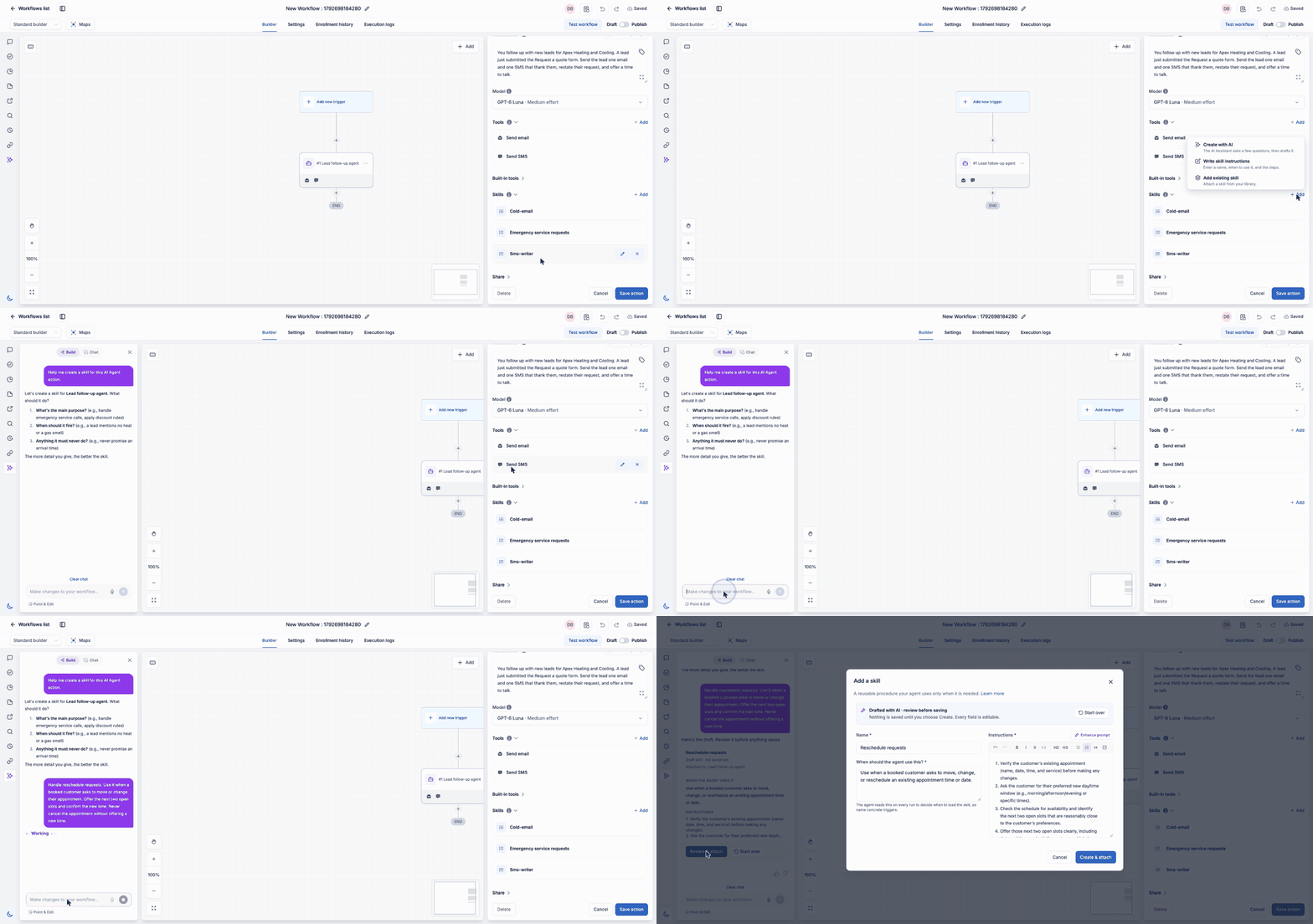
How to use Skills
- In Workflows, open the AI Agent action.
- Select a Skill from the Skills library to use in the workflow.
- When the AI Agent action runs, it uses the Skill's tools, instructions, and prompts to complete the task.
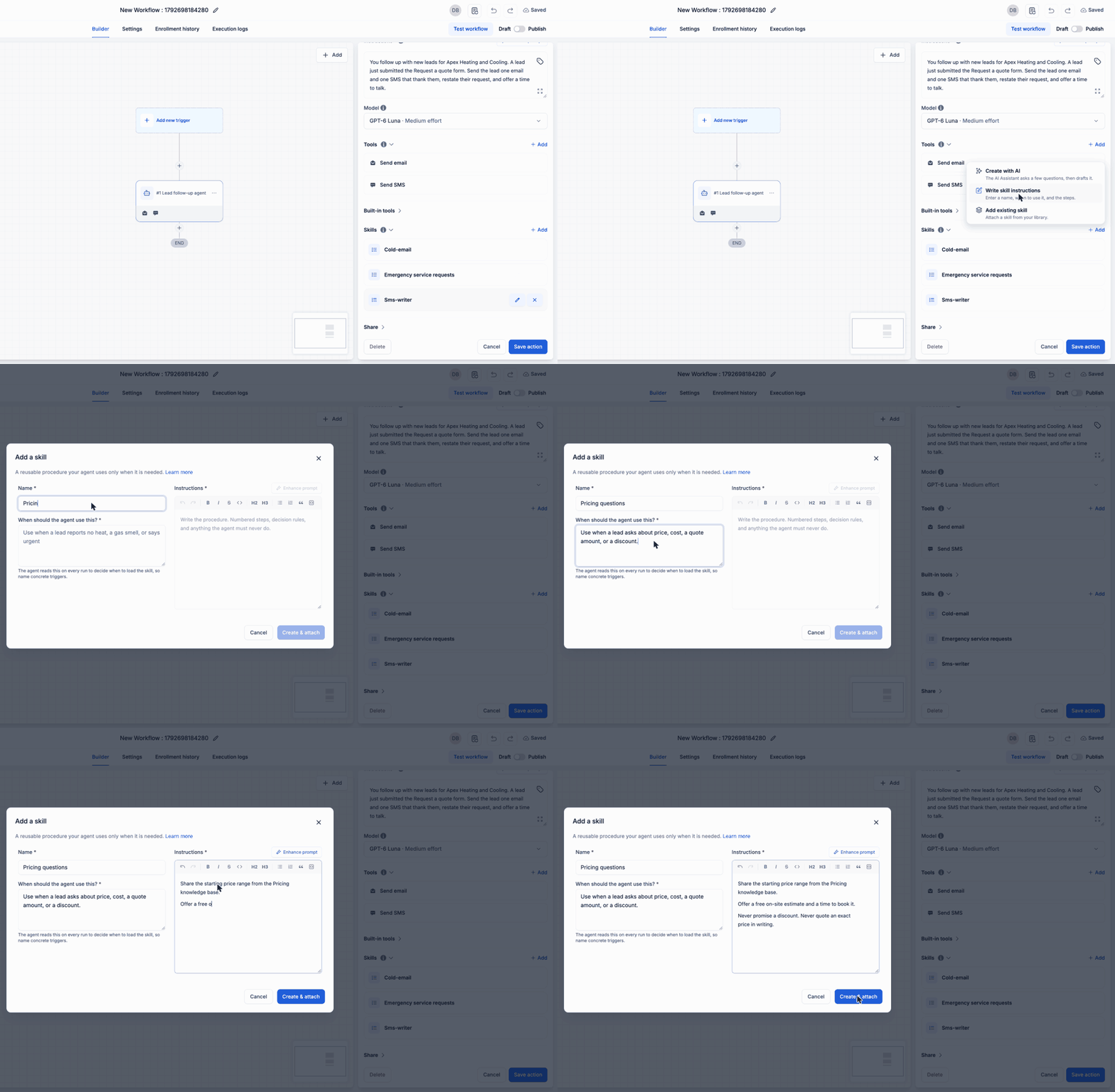
Where can Skills be used?
Skills can be added to the AI Agent action in Workflows, including those created through the Visual Workflow Builder, and in Workflow Templates.
• Visual Workflow Builder: select the AI Agent action and choose the Skills you need.
• Workflow Templates: use the AI Agent action to assign relevant Skills that align with the template's purpose.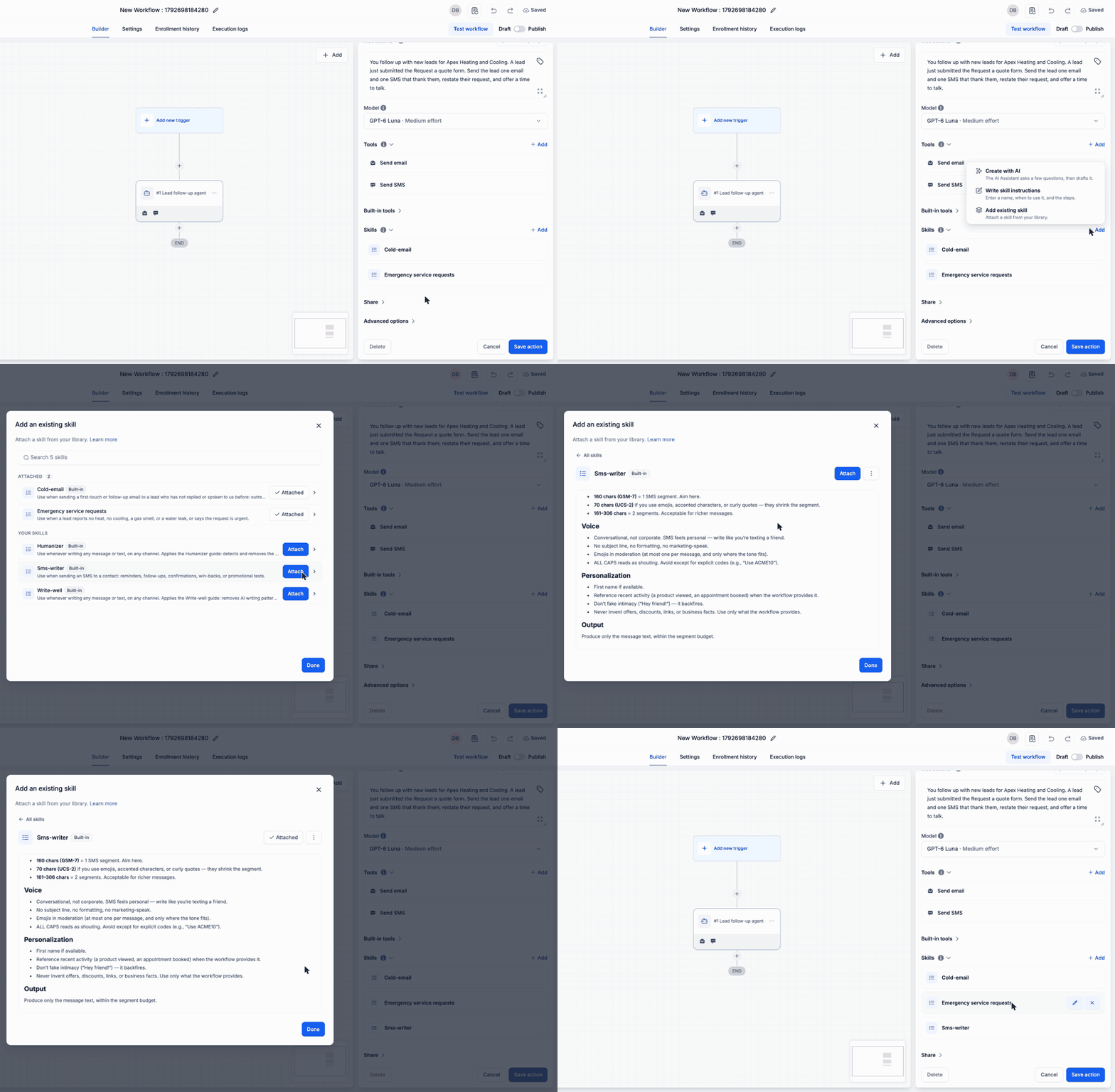
Why this matters
• Consistent AI behavior: Skills save the tools, instructions, and prompts you rely on, so your AI Agents behave the same way every time.
• No repetitive setup: Build it once, reuse it everywhere, and stop rewriting prompts and reselecting tools for every workflow.
• Flexible by scope: Skills can be scoped to a single Reseller Agency (the parent account) or shared across all Reseller Agencies in the organization.
• Better execution: A Skill tells the AI Agent exactly what to do, how to do it, and which tools to use, so it can focus and do it well.
How Skills work
• Your team will now see an announcement and a dedicated Skills library in the AI Agent action to browse available Skills.
• The Skills scope can be configured to be available to one Reseller Agency or shared across all Reseller Agencies in the organization.
• Skills can be assigned based on their visibility and access settings.
• To create a new Skill, open the Skills tab in the AI Agent action.