Shareable Agents in Workflows: Give Your AI Agent Its Own Chat Page
Your AI agent Action in workflows can now live on its own page. Turn on a hosted chat page inside the AI Agent Action, share the link, and your customers chat with the agent directly. No website, no widget, no code.
What's New
- Hosted Chat Page: Every AI Agent Action can get its own shareable link from the Share section.
- Verified Visitors: Visitors sign in with their email and a one time code. The email must belong to an existing contact in your account.
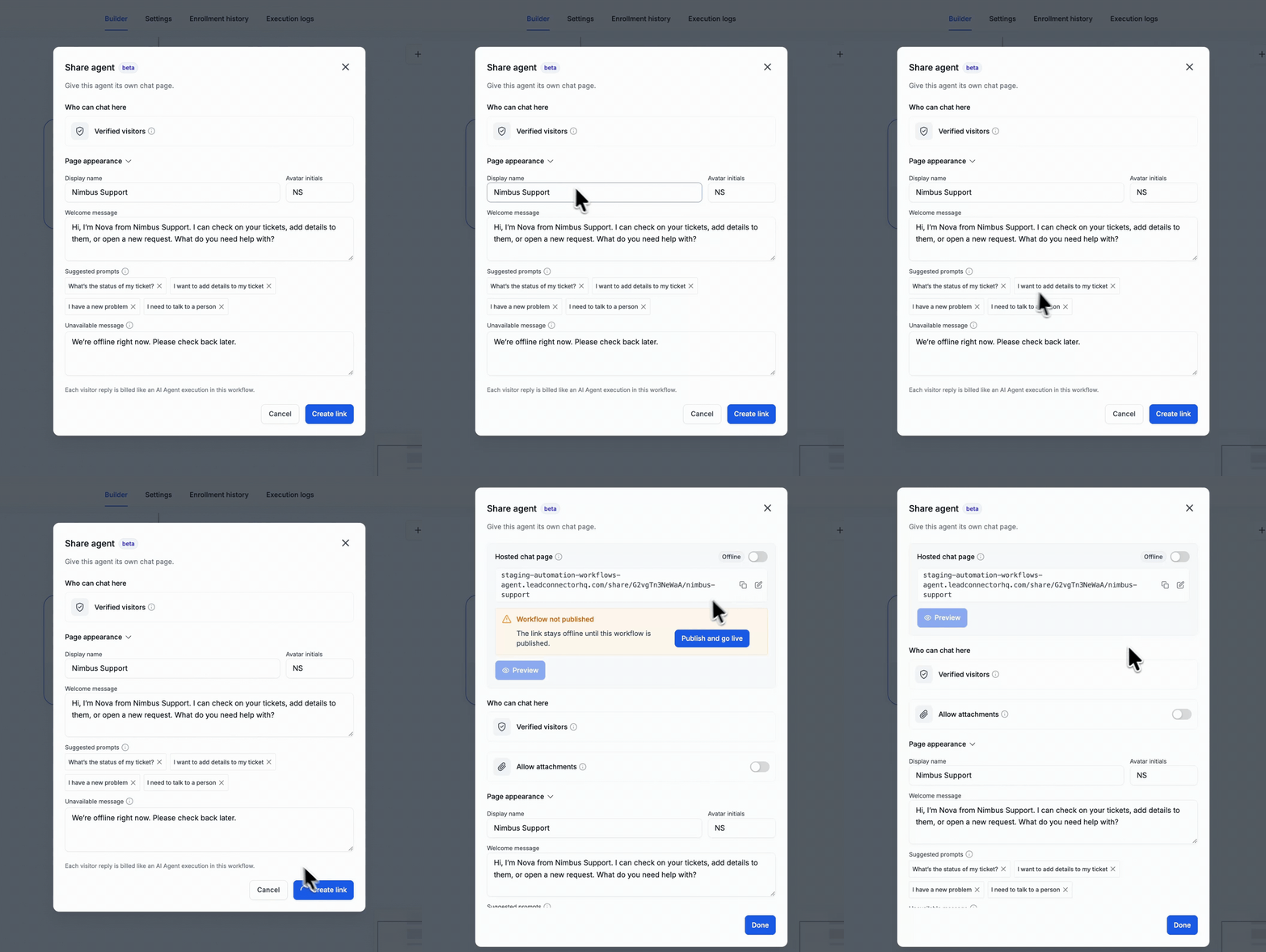
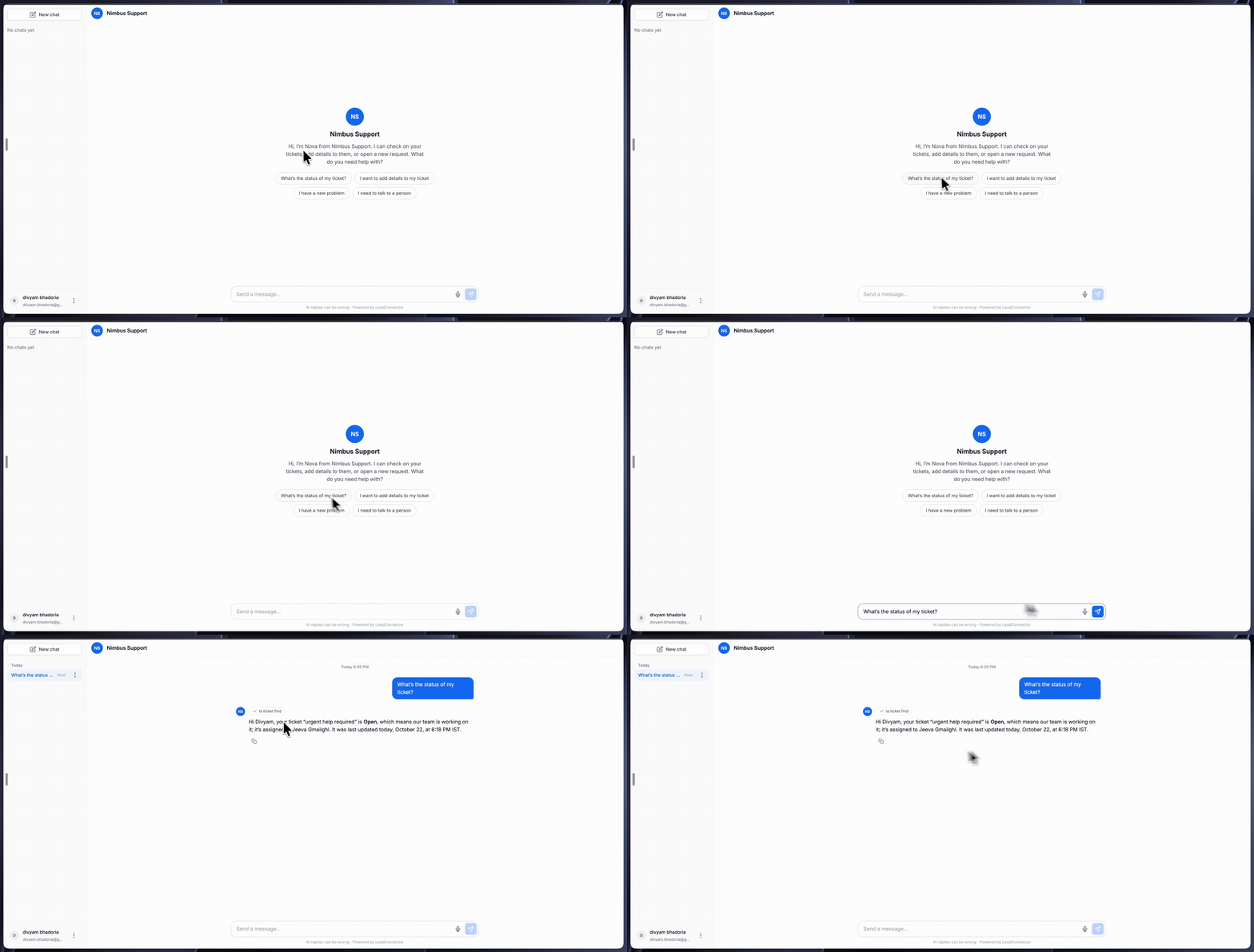
- Page Appearance: Set a display name, avatar initials, and a welcome message that visitors see first.
- Suggested Prompts: Add quick replies so visitors can start a chat with one click.
- Unavailable Message: Choose what visitors see when the page is offline.
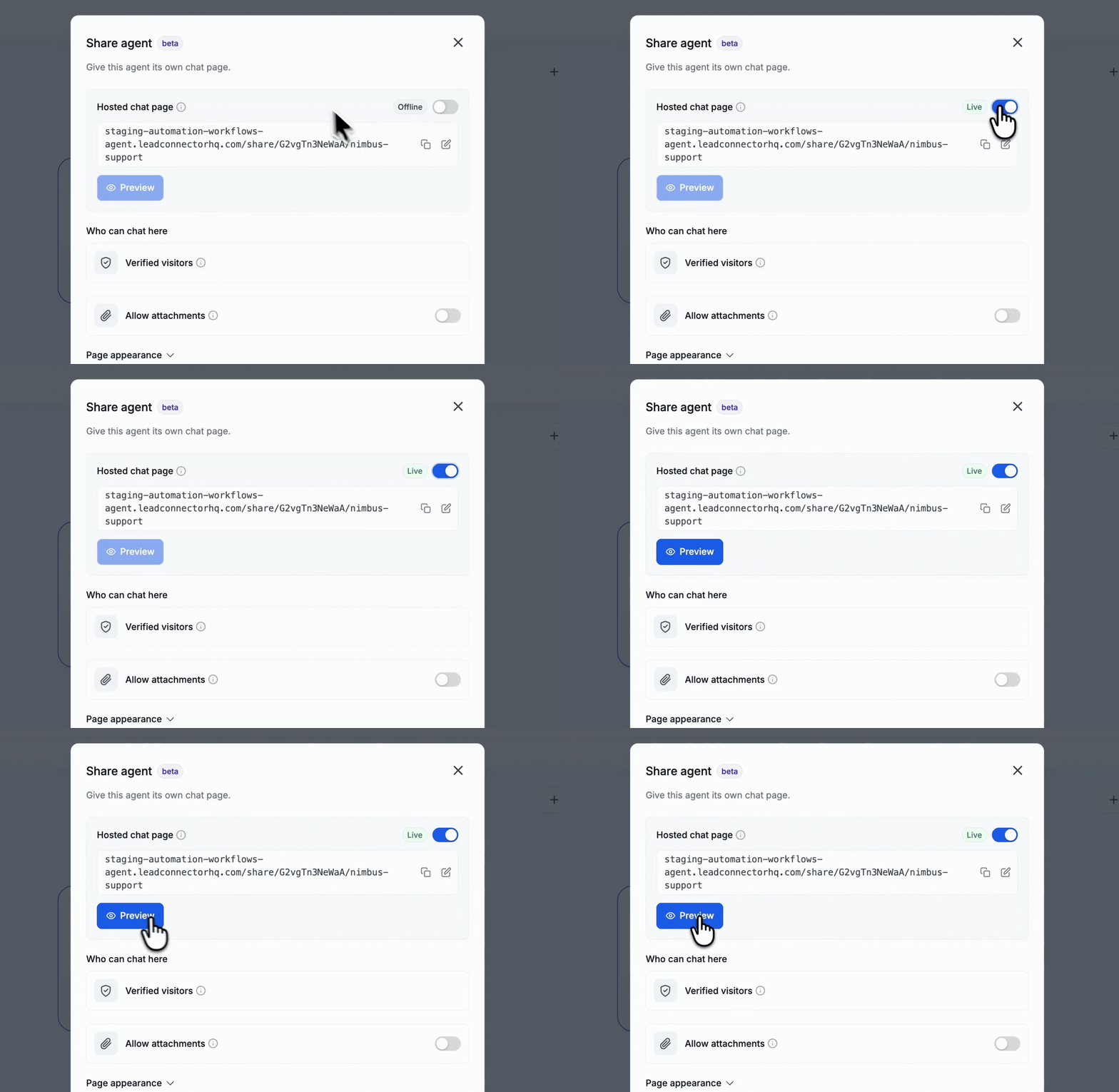
- Offline or Live: The page stays offline until you switch it on. Preview it before you share it.
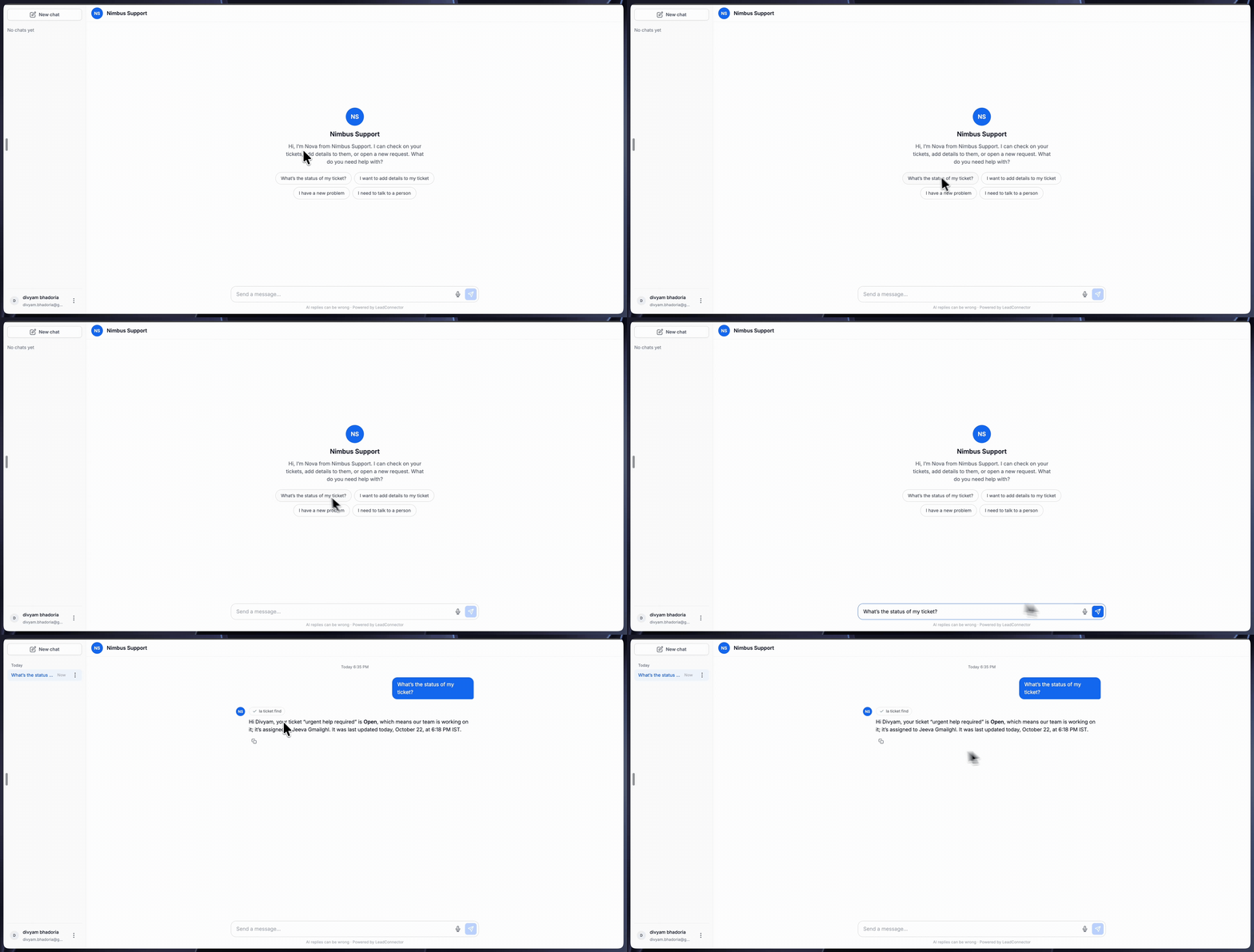
- Full Chat Experience: Visitors can type or dictate, start a new chat, and come back to past chats in the sidebar.
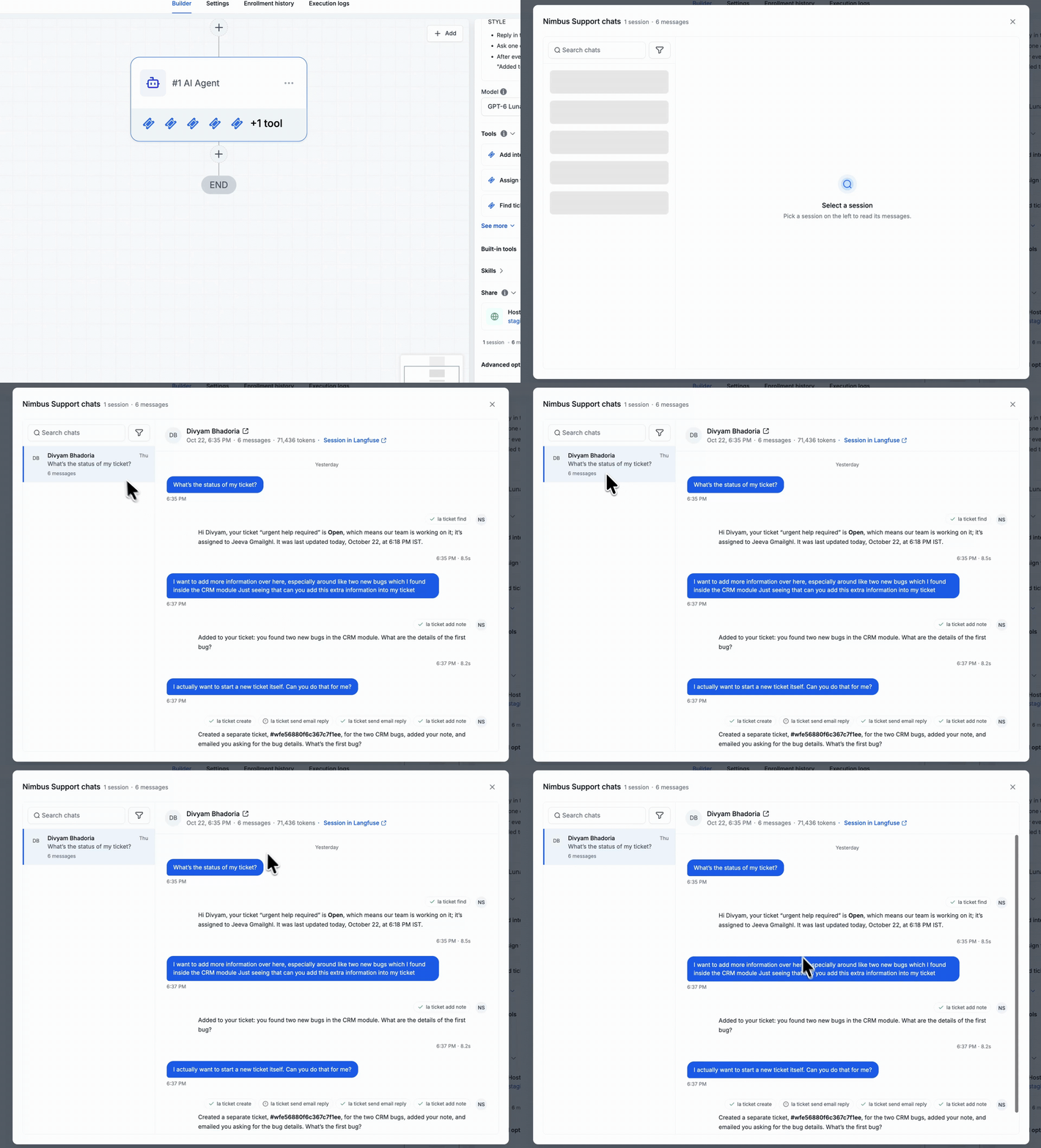
- Agent Chats: See every session in one place, with each message, the tools the agent called, and the tokens used.
How to Use
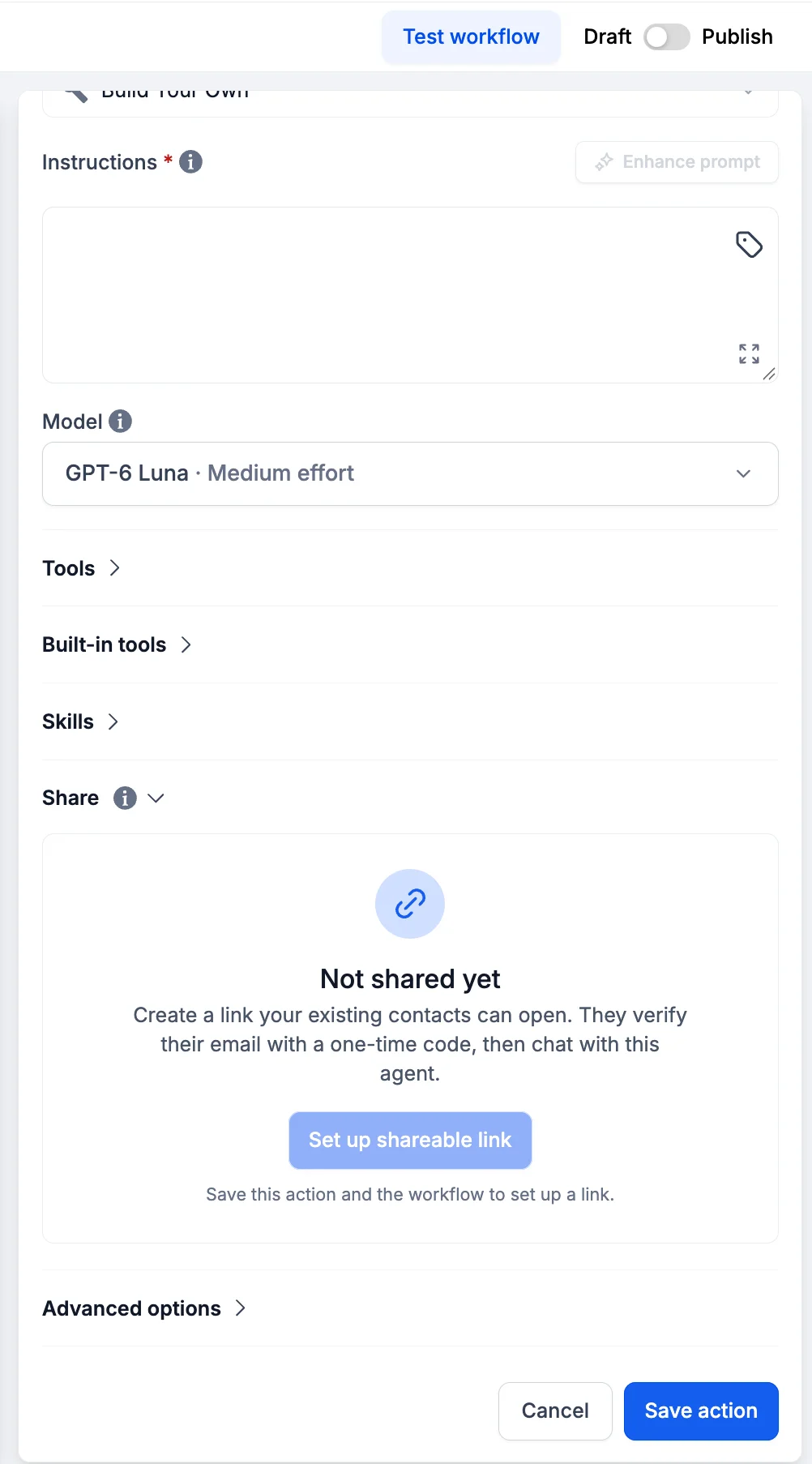
- In a workflow, add an AI Agent Action, then open Share in the Action.
- In the Share section, set up the public link for your agent.
- Add your display name, avatar initials, and welcome message.
- Add suggested prompts for visitors to start from.
- Enter the message visitors see when the page is offline.
- Preview the page to check how it looks and responds.
- Switch the page Live to share it.
- Share the link with your customers.
- From the Share section, open agent chats to review each session.
- Open the agent chats from the Share section to review each session.
Important: Each visitor reply is billed like an AI Agent execution in your workflow. The link stays offline until the workflow is published.
Worked Example: A Support Desk That Never Closes
The goal is a support page that answers customer questions even when the team is away.
The AI Agent Action gets one instruction: use a supportive tone and answer ticket questions using the Help Centre.
On the shared page, a customer signs in and asks: What's the status of my ticket?
Why This Matters
Your AI agent can help customers without a website or widget, and it works for teams who need support outside business hours.
- Faster answers: Customers get help at any time, without waiting for a team member.
- Verified visitors: Visitors are real contacts, so sessions are tied to a person and the agent can look up their ticket history.
- Live when ready: The page stays offline until you switch it on, so nothing goes public early.
Good to Know
- Keep AI executions in view: Each visitor reply counts as an AI Agent execution.
- Sessions are easy to review: Agent chats show every session, the tools used, and the token count.