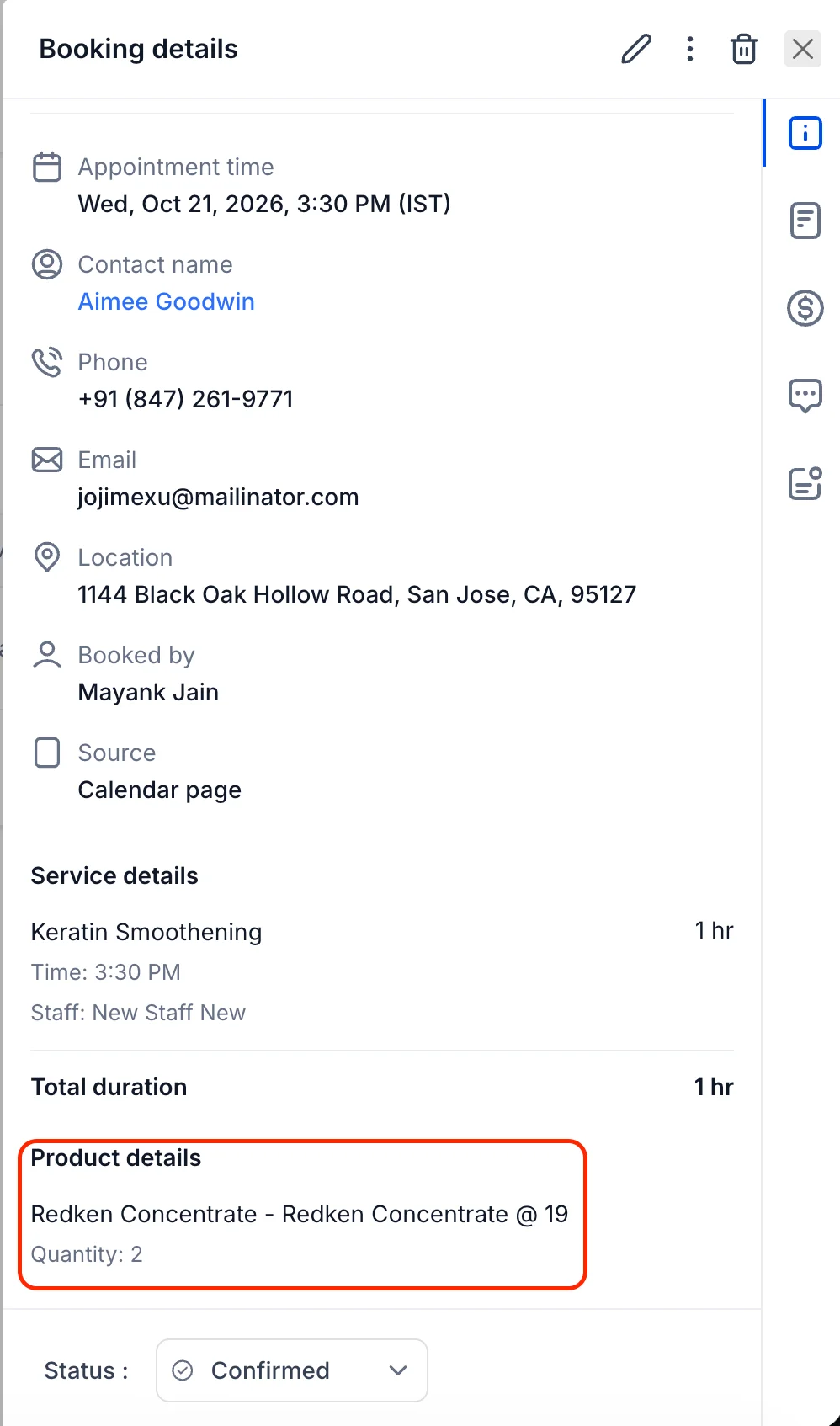
🛍️ Sell Retail Products Right from Service Appointments
🧭 Overview
Every appointment is a chance to help a customer a little more — and now, it's also a chance to grow your revenue. You can now sell retail products right from a service appointment, without switching screens, opening another app, or creating a separate invoice.
✨ What's New?
🛍️ Sell Retail Products from Appointments
Service providers can now add retail products directly to an appointment and collect payment in the same flow. Whether it's a shampoo after a haircut, a filter after a service visit, or a care kit after a treatment, you can offer it, add it, and get paid — all in one place.
- Sell without leaving the appointment — Add products from the appointment screen while the customer is still with you.
- Faster, simpler checkout — Products are added to the same payment flow as the service, so there's no second invoice to chase.
- More revenue from every visit — Turn routine appointments into opportunities to sell the products your customers already need.
🔍 How It Works
What Are Retail Products?
Retail products are the physical items your business sells alongside its services — shampoos, conditioners, aftercare kits, accessories, supplements, and more. Until now, selling them meant a separate transaction. Now they're part of the appointment itself.
A Smoother Experience for Everyone
- For your team — No more juggling two checkouts. Add the product, take payment, and move on to the next customer.
- For your customers — One simple payment for the service and the product together, with everything itemized clearly.
🛠️ How to Use It
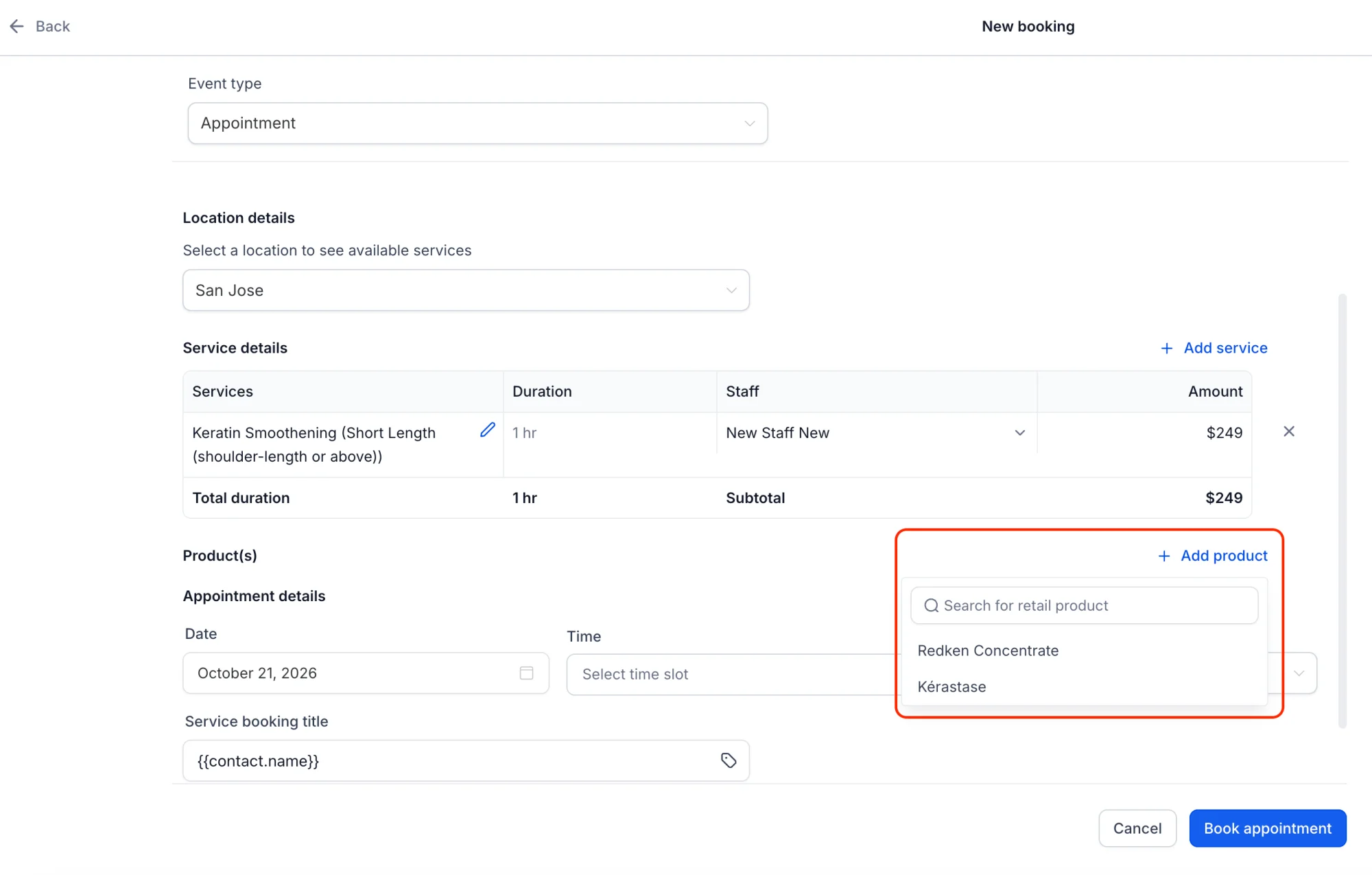
Step 1: Open the appointment
Open the appointment you want to add a product to. You'll see the option to add a retail product right from the appointment screen.
Step 2: Add a retail product
Choose the product, set the quantity, and add it to the appointment. The product price is added to the appointment total automatically.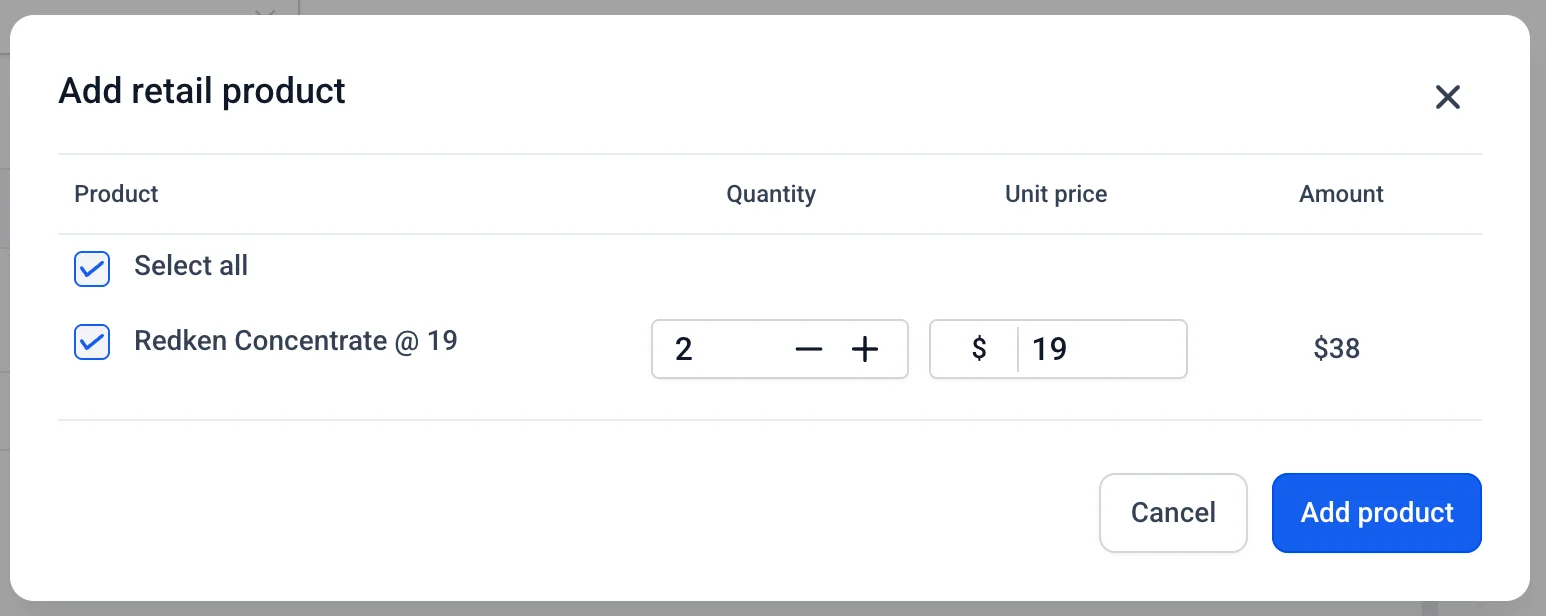
Step 3: Collect payment
Head to the Payments tab in the appointment to collect payment for the service and the retail product together. The product appears as its own line item, so the customer can see exactly what they're paying for.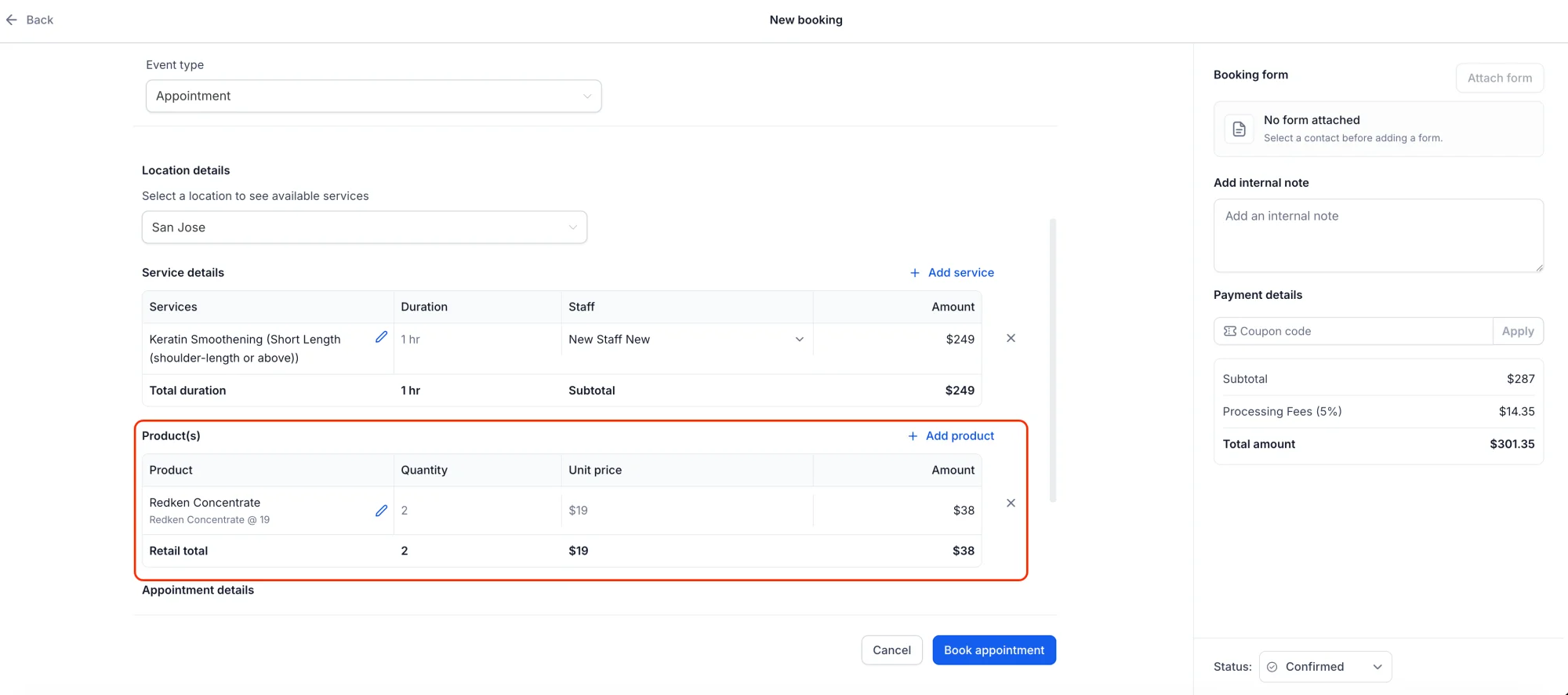
💡 Why This Matters
- More revenue, same appointment — Every service visit becomes a chance to sell the products your customers need.
- One simple checkout — Service and products are paid for together, so there's nothing extra to reconcile.
- A better customer experience — Customers leave with the product they need, recommended at exactly the right moment.