See Look-Alike Companies Before You Add a New One
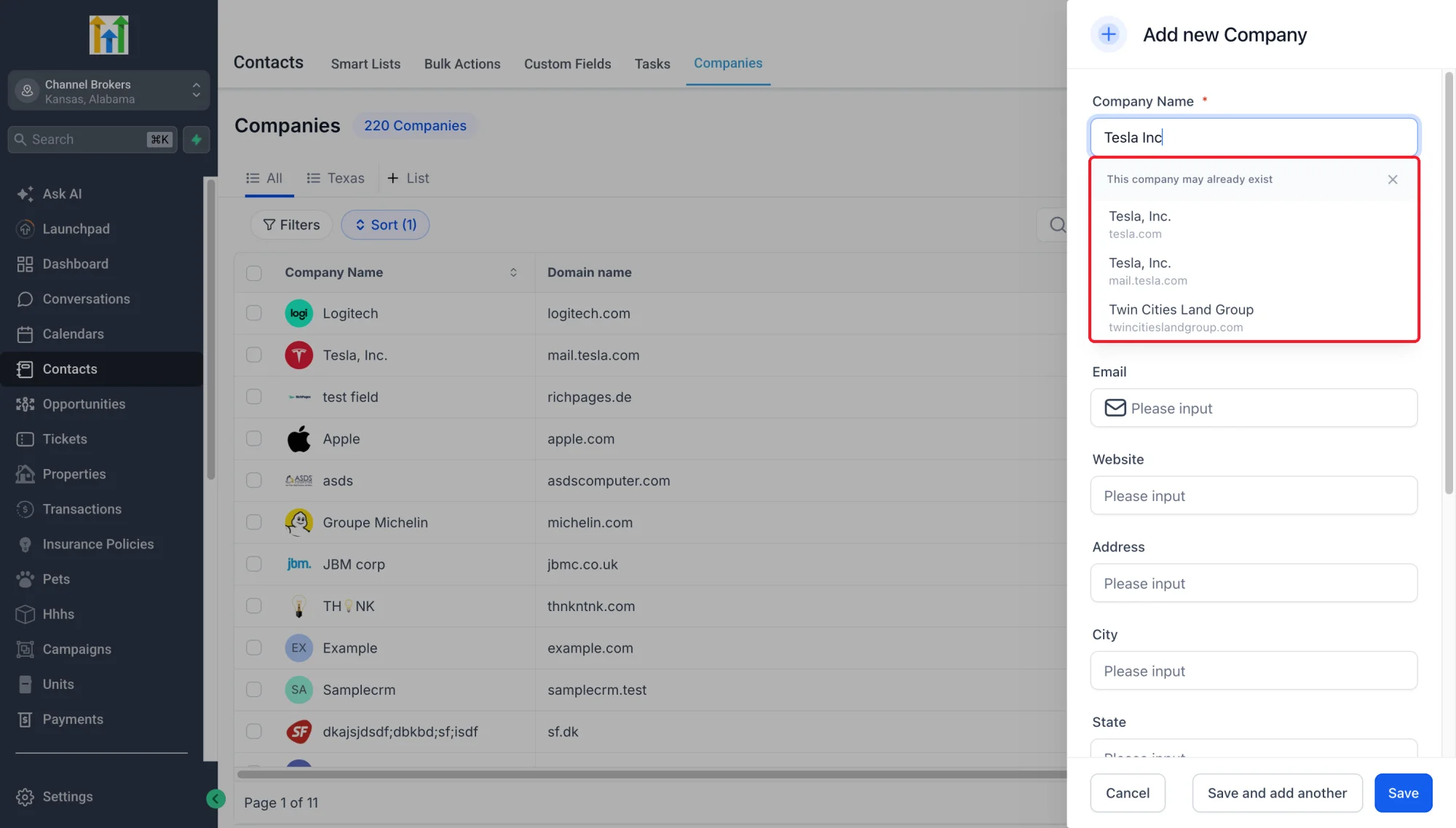
Teams often create the same Company twice under names that look alike, such as Tesla, Inc. and Tesla Inc, or with a small typo, which splits Contacts, deals and history across two records. Preemptive Duplicate Detection for Companies checks the name and domain as you type in Add Company and shows Companies that may already exist, so you can open the existing record instead.
What’s New?
• Suggestions as you type: See possible existing Companies while entering a company name or domain in Add Company.
• Names that look alike: Partial names, punctuation differences and common typos still find the existing Company. Typing “Tesla Inc” suggests Tesla, Inc.
• Open the existing Company: Select a suggestion to review the record already in your CRM.
• Control over what you save: Dismiss suggestions and create a separate Company when needed. Suggestions do not merge records or prevent saving.
Why This Matters
Avoid splitting account information and associated work across accidental duplicates. Check for existing Companies when entering new ones — without extra steps.
How It Works
- Go to Companies → Add Company.
- Enter the Company name or website domain.
- If a similar Company exists, you'll see a warning with the matching Company.
- Open the existing record, or dismiss the suggestion to continue creating a new one.
Good To Know
• Suggestions only appear for Companies; they do not check Contacts.
• Suggestions do not merge records. Use Merge to combine duplicates if needed.
• Suggestions depend on the Companies already in your CRM. If there is no similar Company, no suggestion appears.
• Companies created before this release are not affected.