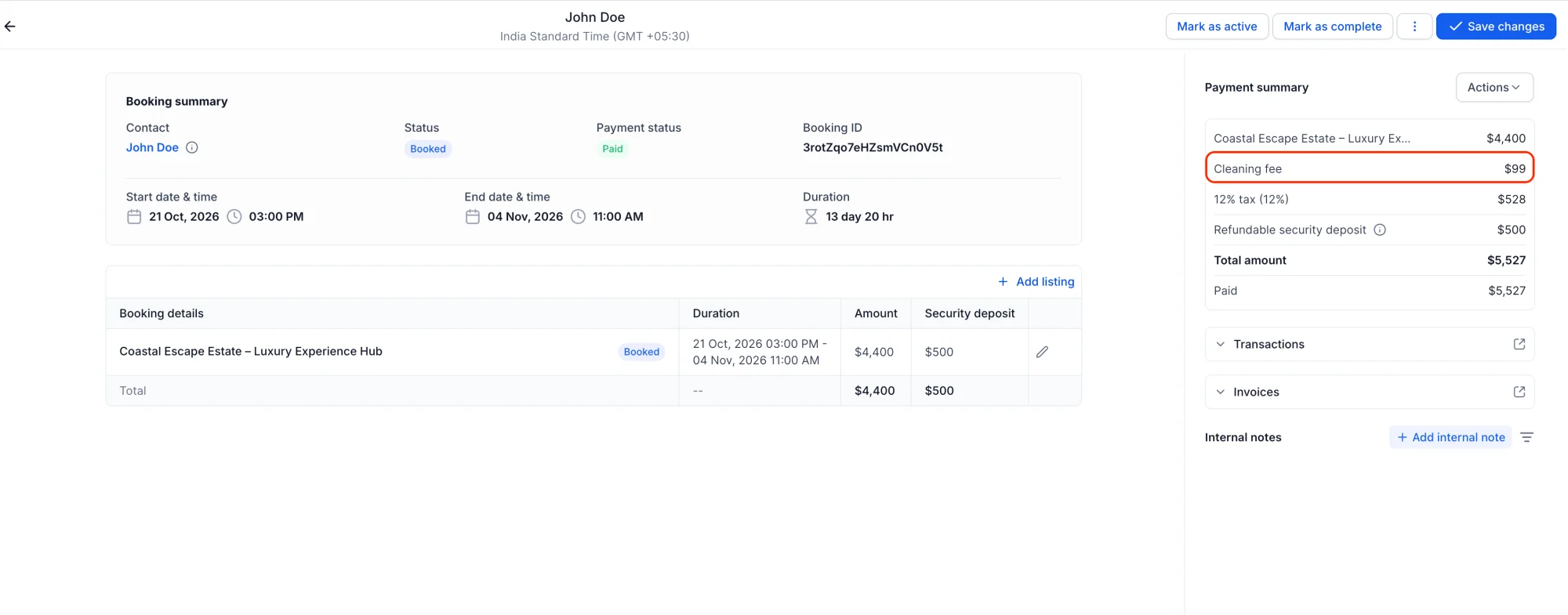
💰 Rentals: Additional Fees — Mandatory Charges on Bookings
🧭 Overview
Mandatory charges shouldn't be an afterthought. With Additional Fees for Rentals, you can now define fees that are automatically applied to every booking for a listing — no manual work, no missed charges, and no surprises at checkout.
✨ What's New?
💰 Additional Fees
You can now create mandatory fees for your rental listings and have them applied automatically to bookings. These fees are perfect for charges that always apply — like cleaning fees, service charges, or resort fees — and they show up clearly for both your team and your customers.
🌍 Global Fee Catalog
- Create a global fee once, use it everywhere — Define fees at the business level and reuse them across any listing.
- Built for mandatory charges — Every fee is automatically added to bookings, so nothing is ever missed.
- Full control over pricing — Set a flat amount or a percentage, apply taxes if needed, and choose whether the fee applies to all listings or just selected ones.
🛠️ How to Use It
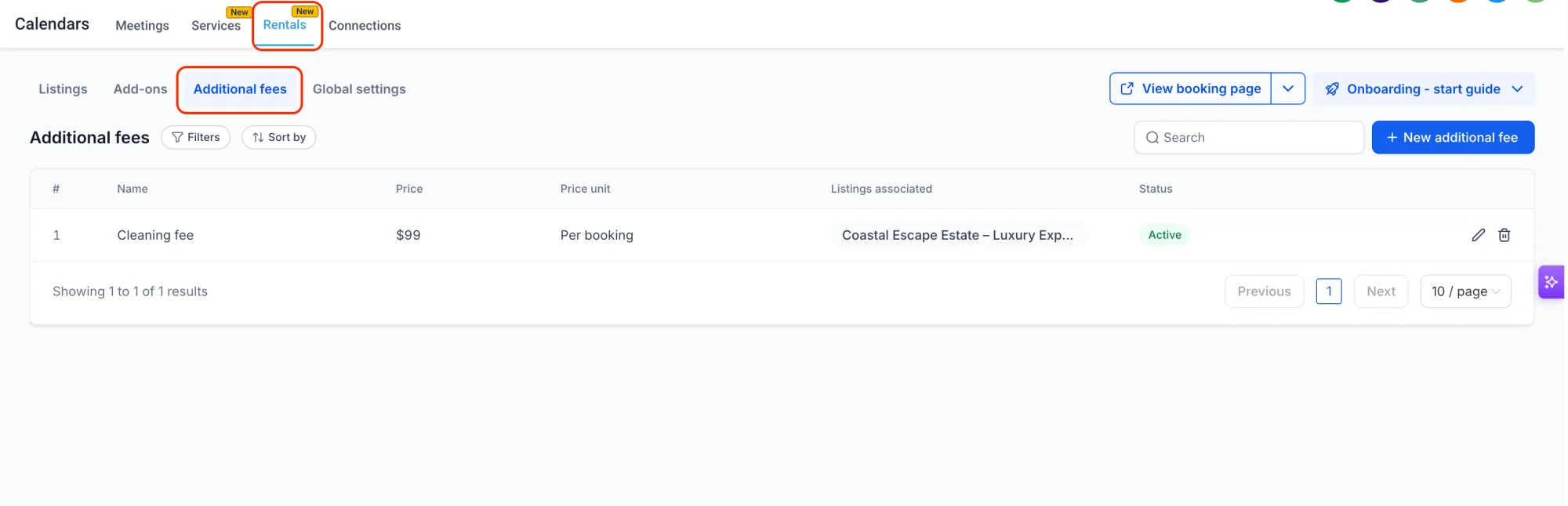
Step 1: Go to Rentals → Additional fees
Head to the Rentals section and open the Additional fees tab to see all your fees in one place.
Step 2: Create a new fee
Click New additional fee and enter the fee name, amount (flat or percentage), and any tax settings. You can also choose whether the fee applies to all listings or only specific ones.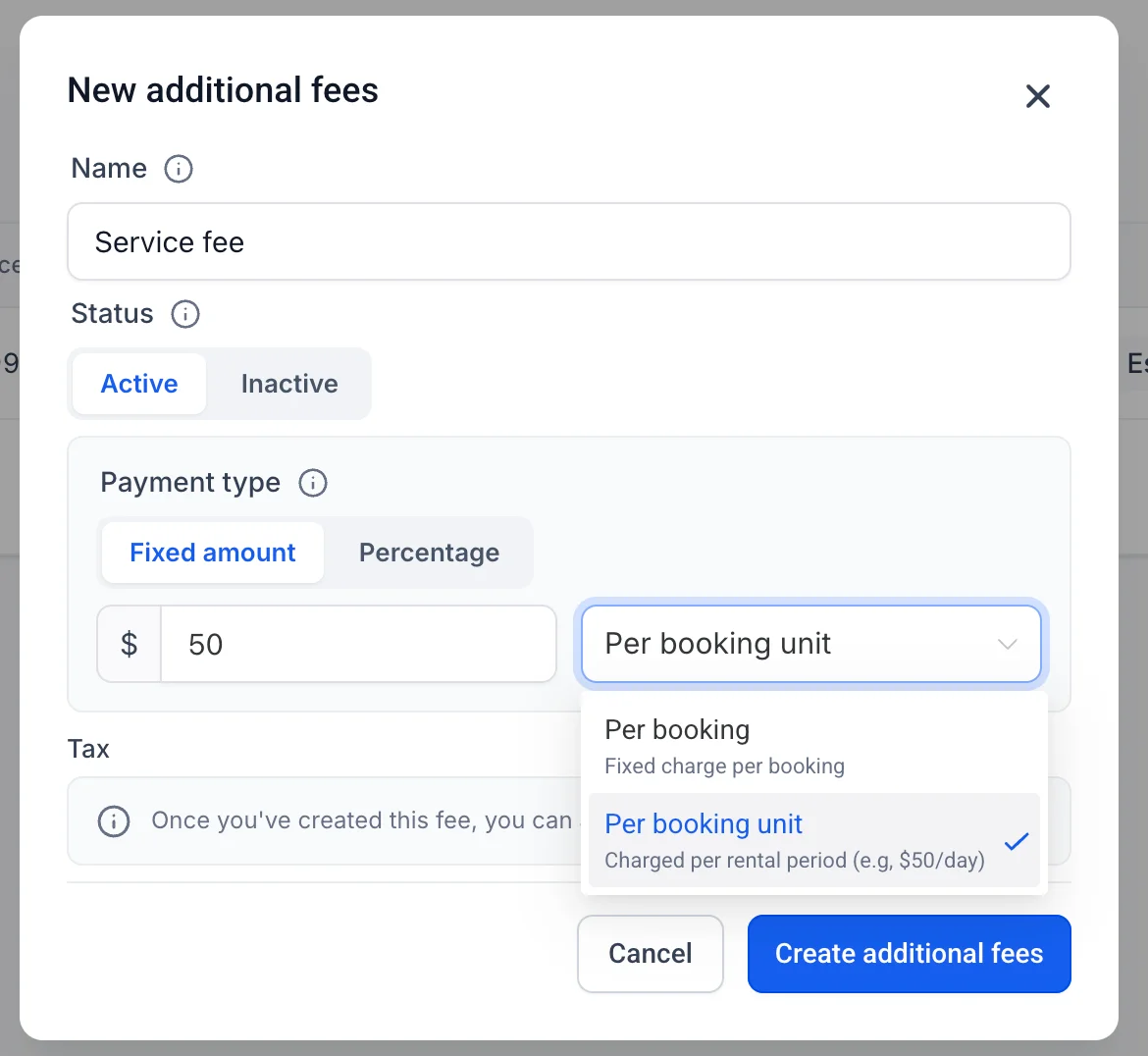
Step 3: Attach the fee to a listing
Open a listing, go to its Additional fees section, and attach the fees that should apply to that listing. Attached fees are applied automatically to every booking for that listing.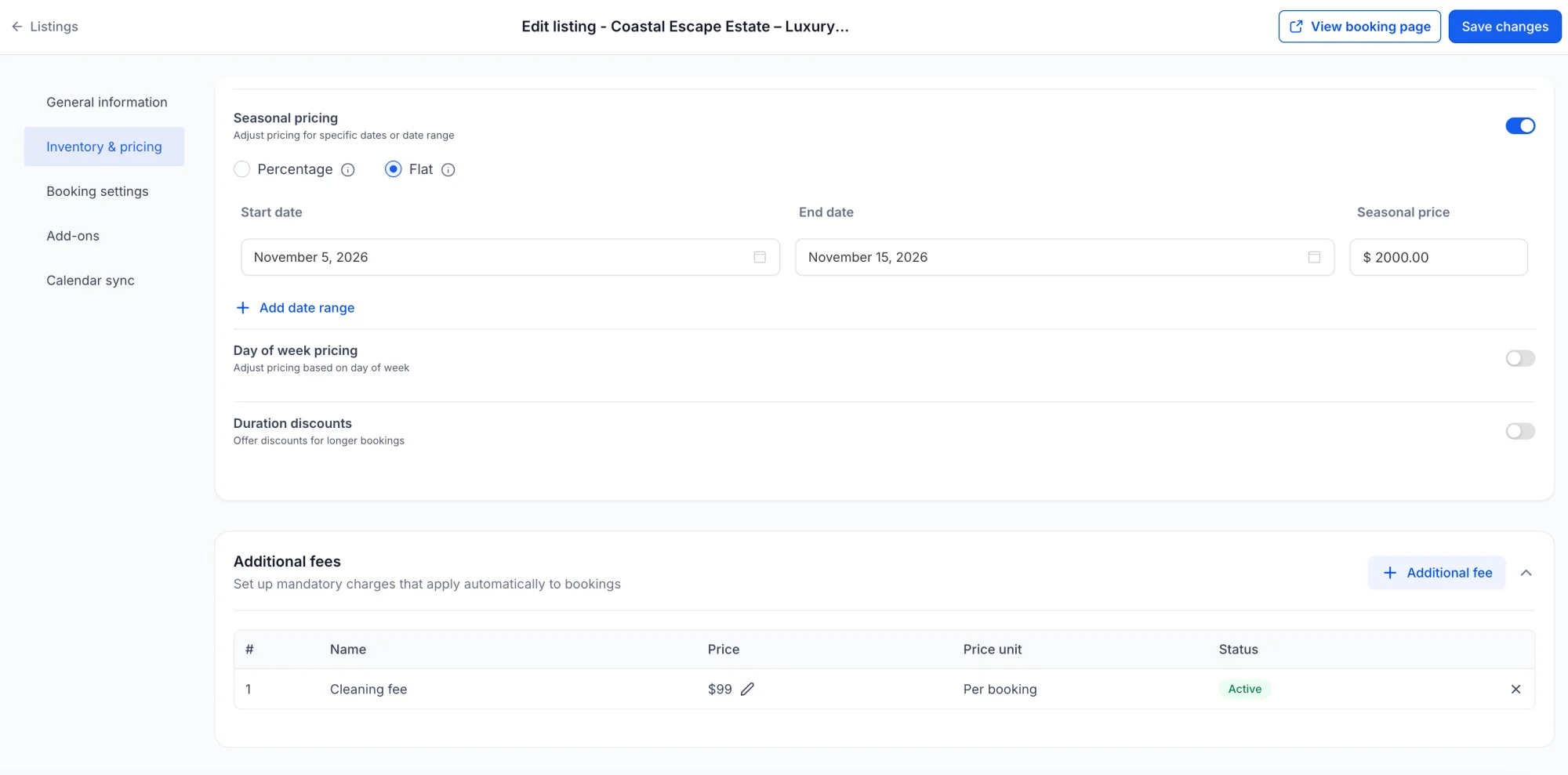
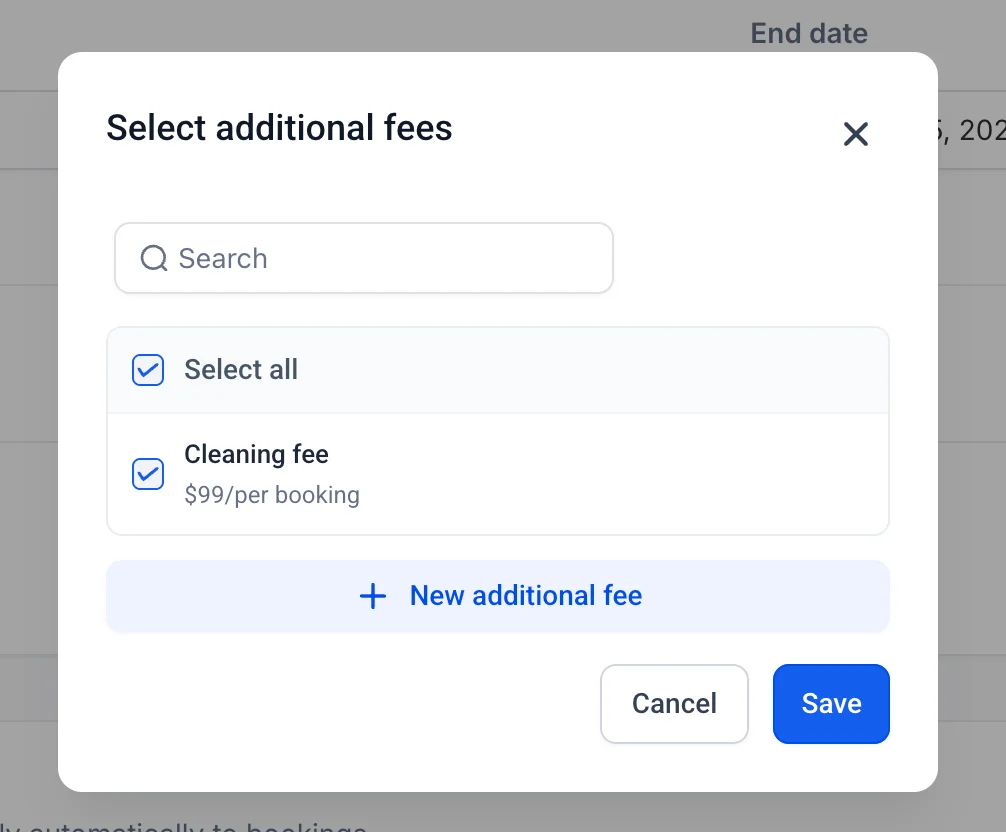
Step 4: Override a fee for a single listing (optional)
Need a different amount for one listing? Edit the fee for that listing only — the global fee stays unchanged for everything else.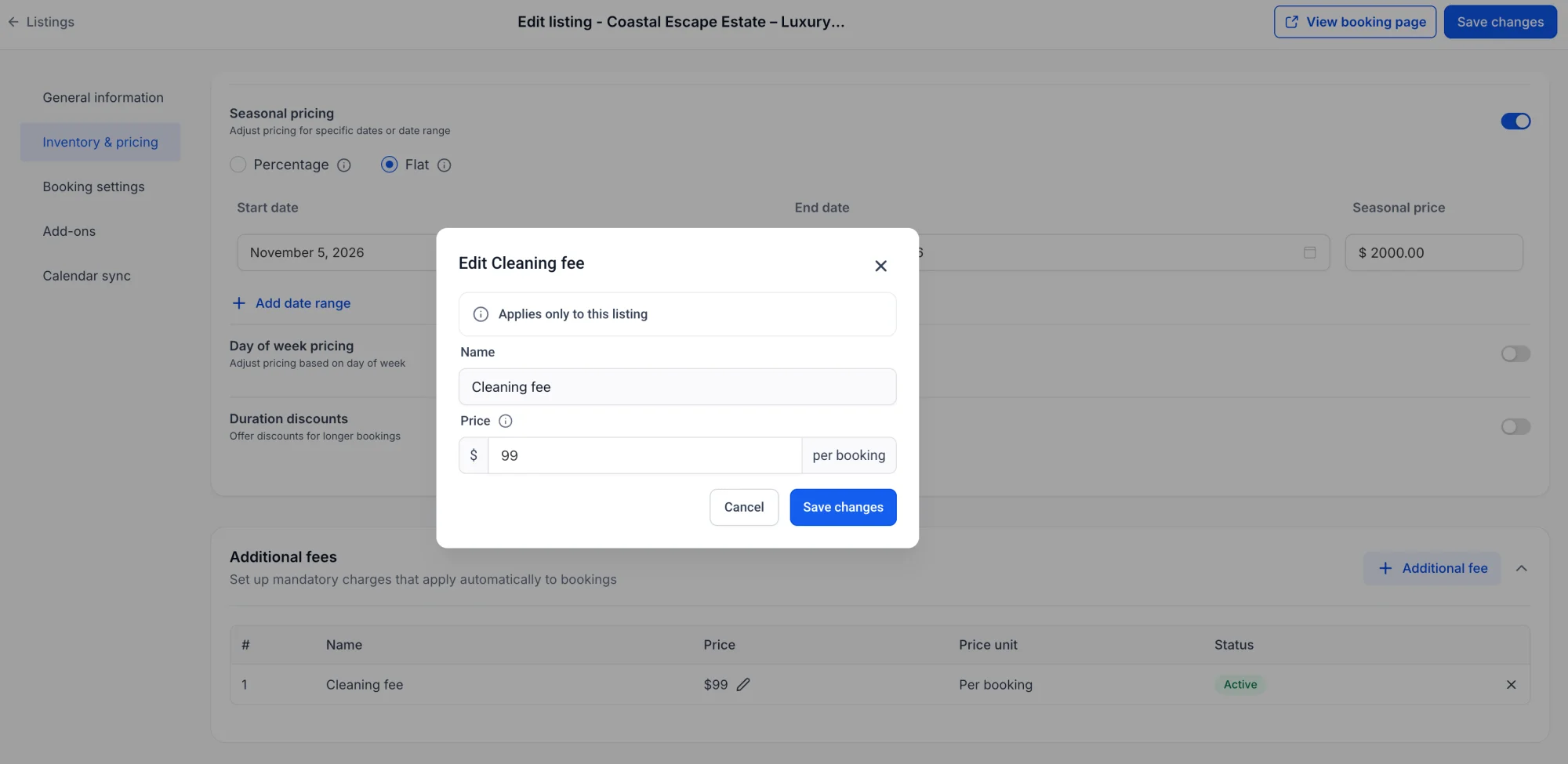
👀 Transparent Customer Experience
Fees aren't hidden in the fine print. Customers see each additional fee broken out on the booking page, so they know exactly what they're paying for before they confirm.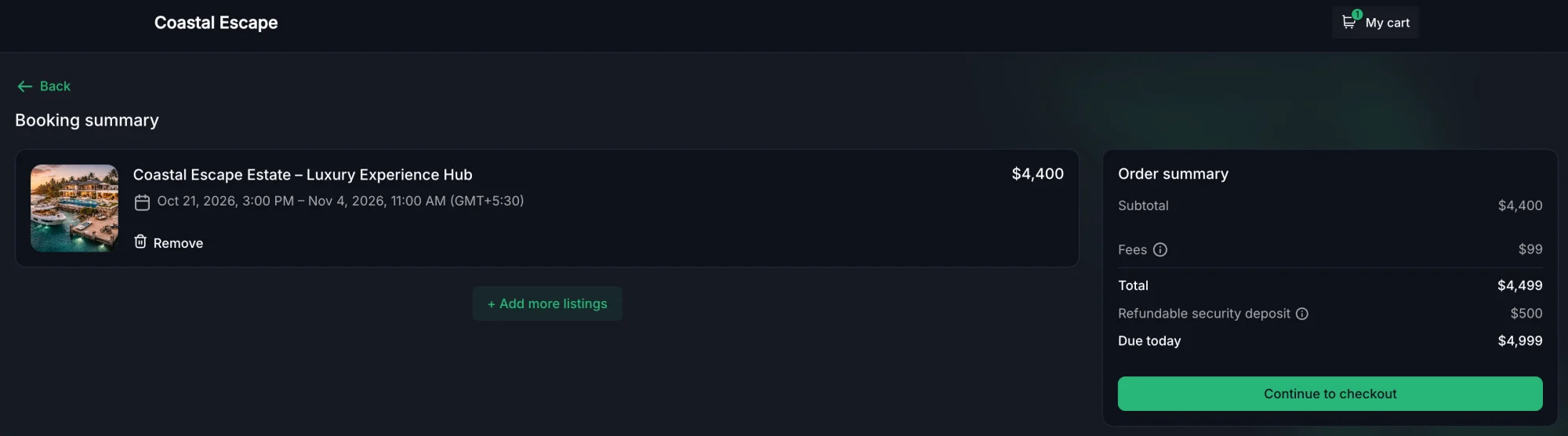
💡 Why This Matters
- Never miss a charge again — Mandatory fees are applied automatically, so your team doesn't have to remember to add them.
- Clear, transparent pricing — Customers see exactly what they're paying for, which builds trust and reduces disputes.
- Flexible where it counts — Set fees globally, then override them for individual listings when you need to.