🎒 Rentals: Add-ons — Optional Extras on Bookings
🧭 Overview
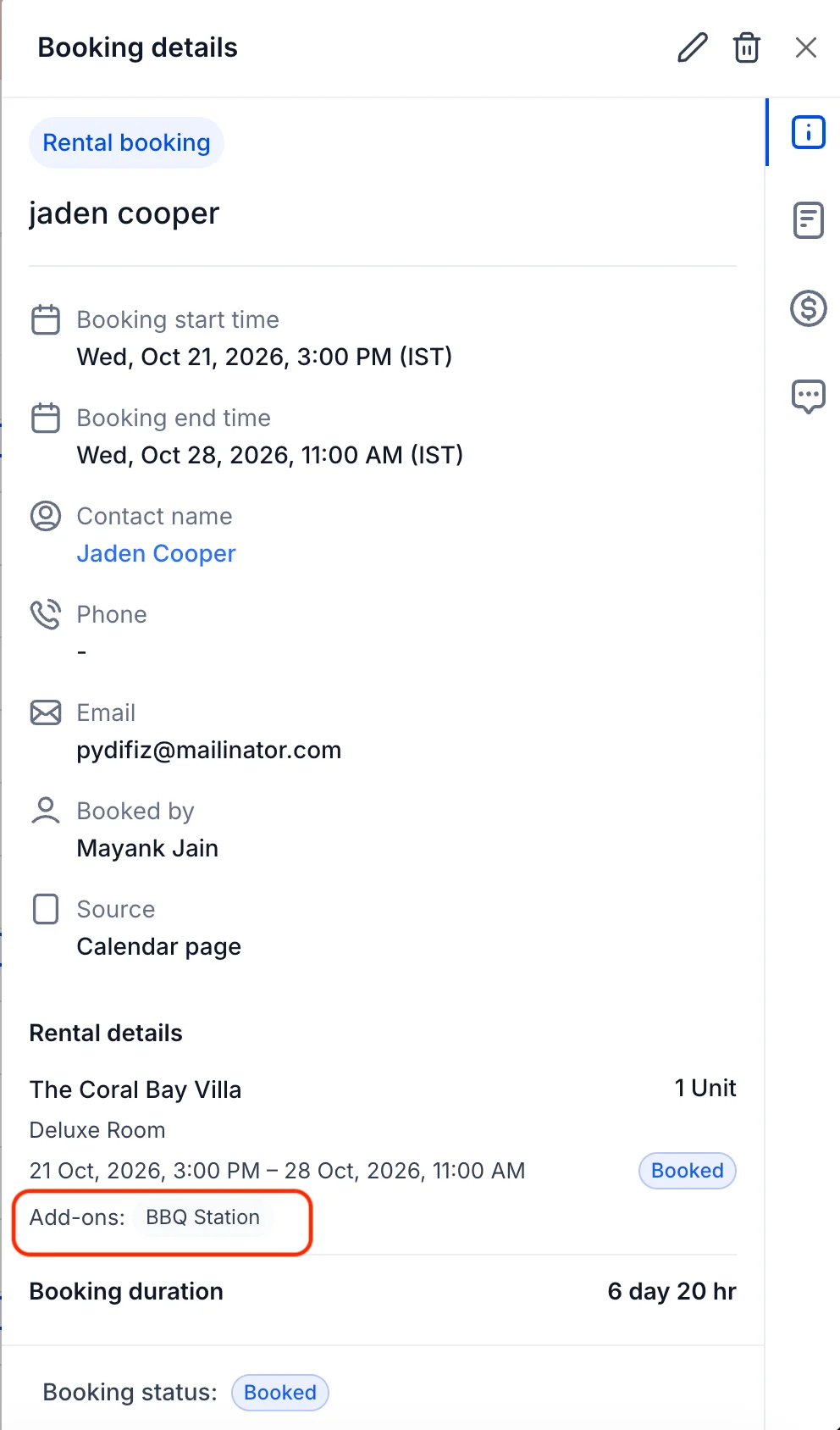
Not every customer wants the same thing — and now your bookings can reflect that. With Add-ons for Rentals, you can offer optional extras that customers choose for themselves, like a late checkout, an extra bed, or a pet fee, and have them added to the booking automatically.
✨ What's New?
🎒 Add-ons
You can now create optional extras for your rental listings and let customers add them to their bookings. Add-ons are perfect for anything that's nice to have but not required — and they give your customers more choice while giving you more revenue per booking.
🌍 Global Add-on Catalog
- Create an add-on once, use it everywhere — Define add-ons at the business level and reuse them across any listing.
- Built for optional extras — Customers choose which add-ons they want, so they only pay for what they actually use.
- Full control over pricing — Set a flat amount or a percentage, apply taxes if needed, and choose whether the add-on applies to all listings or just selected ones.
🛠️ How to Use It
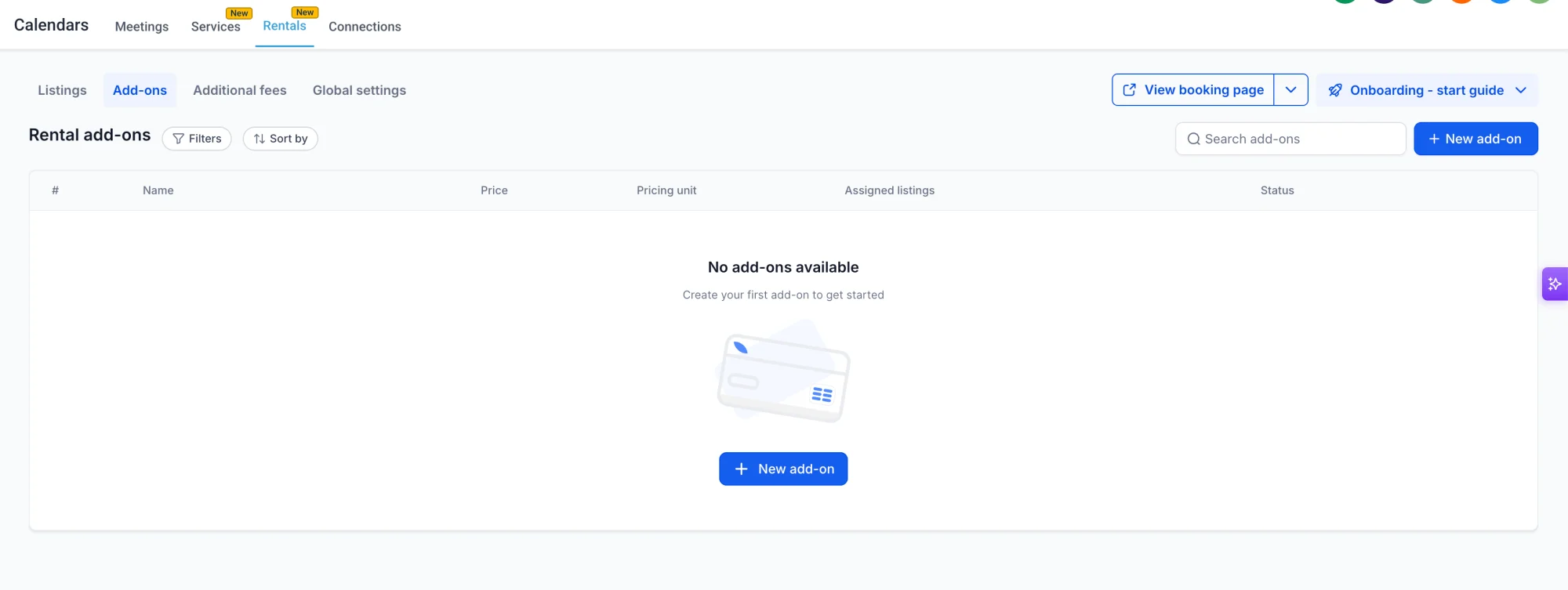
Step 1: Go to Rentals → Add-ons
Head to the Rentals section and open the Add-ons tab to see all your add-ons in one place.
Step 2: Create a new add-on
Click New add-on and enter the add-on name, amount (flat or percentage), and any tax settings. You can also choose whether the add-on applies to all listings or only specific ones.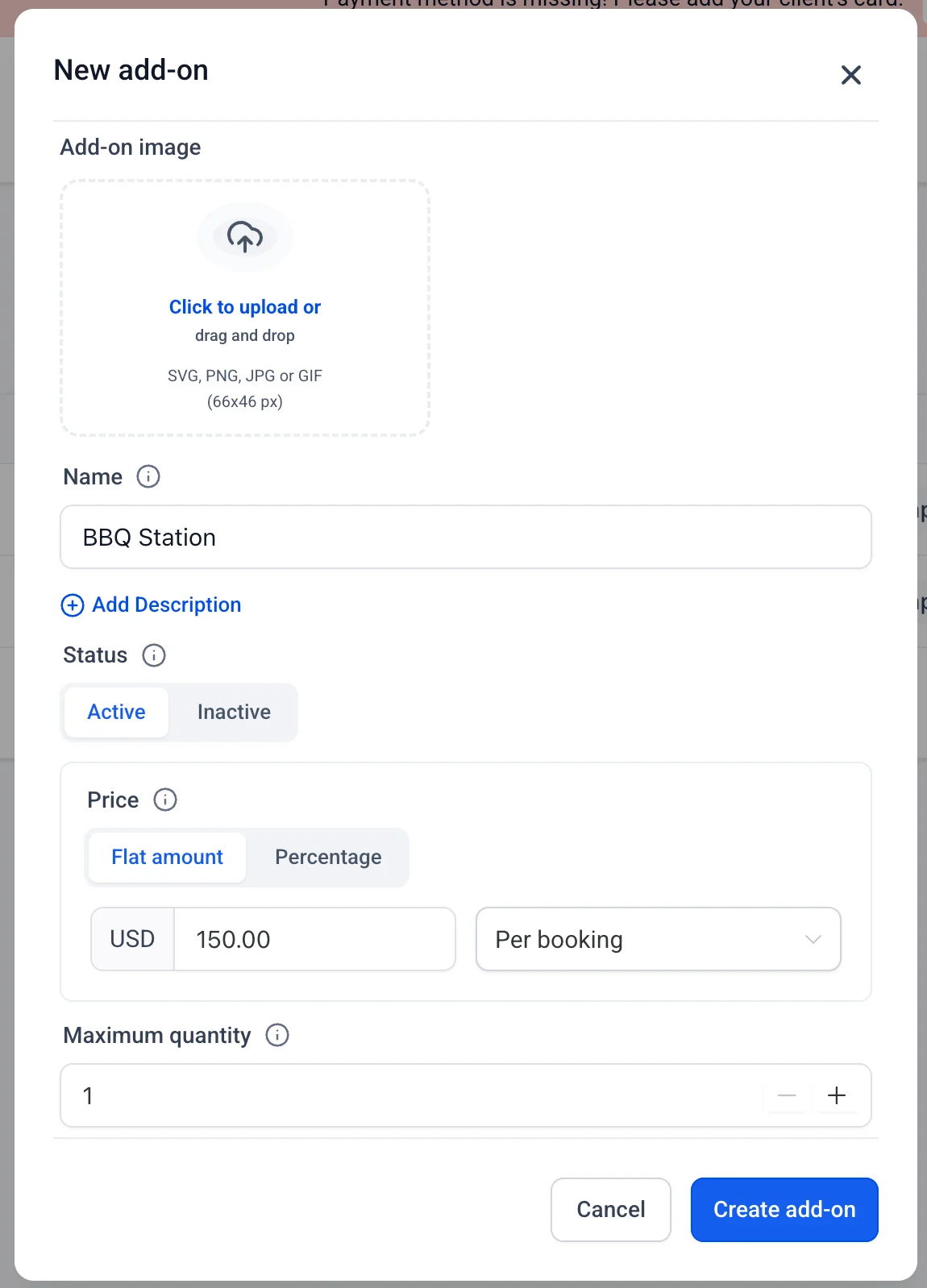
Step 3: Attach the add-on to a listing
Open a listing, go to its Add-ons section, and attach the add-ons that should be available for that listing. Attached add-ons are offered automatically on every booking for that listing.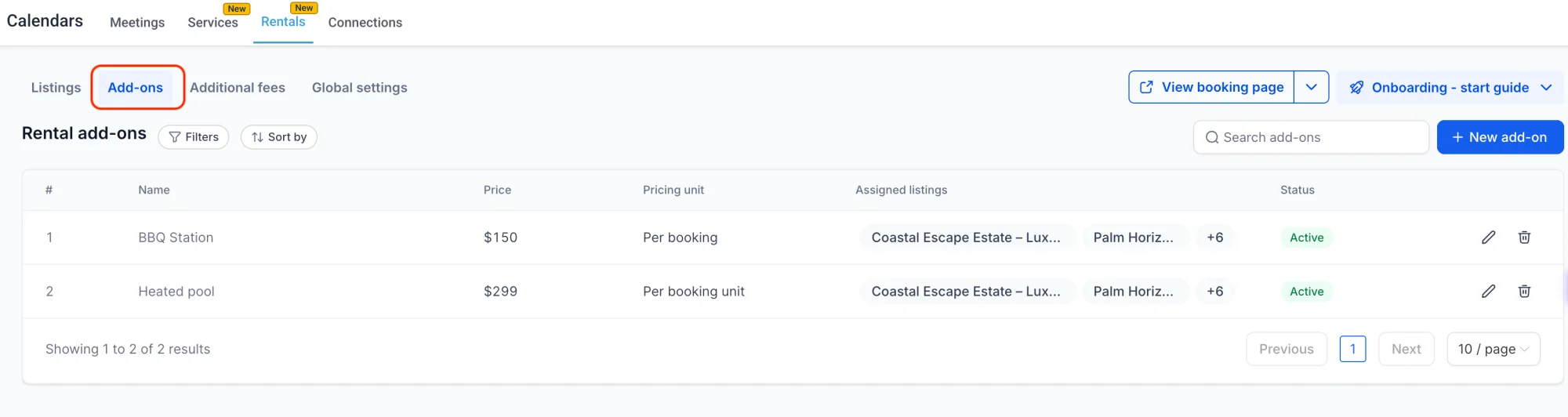
Step 4: Override an add-on for a single listing (optional)
Need a different amount for one listing? Edit the add-on for that listing only — the global add-on stays unchanged for everything else.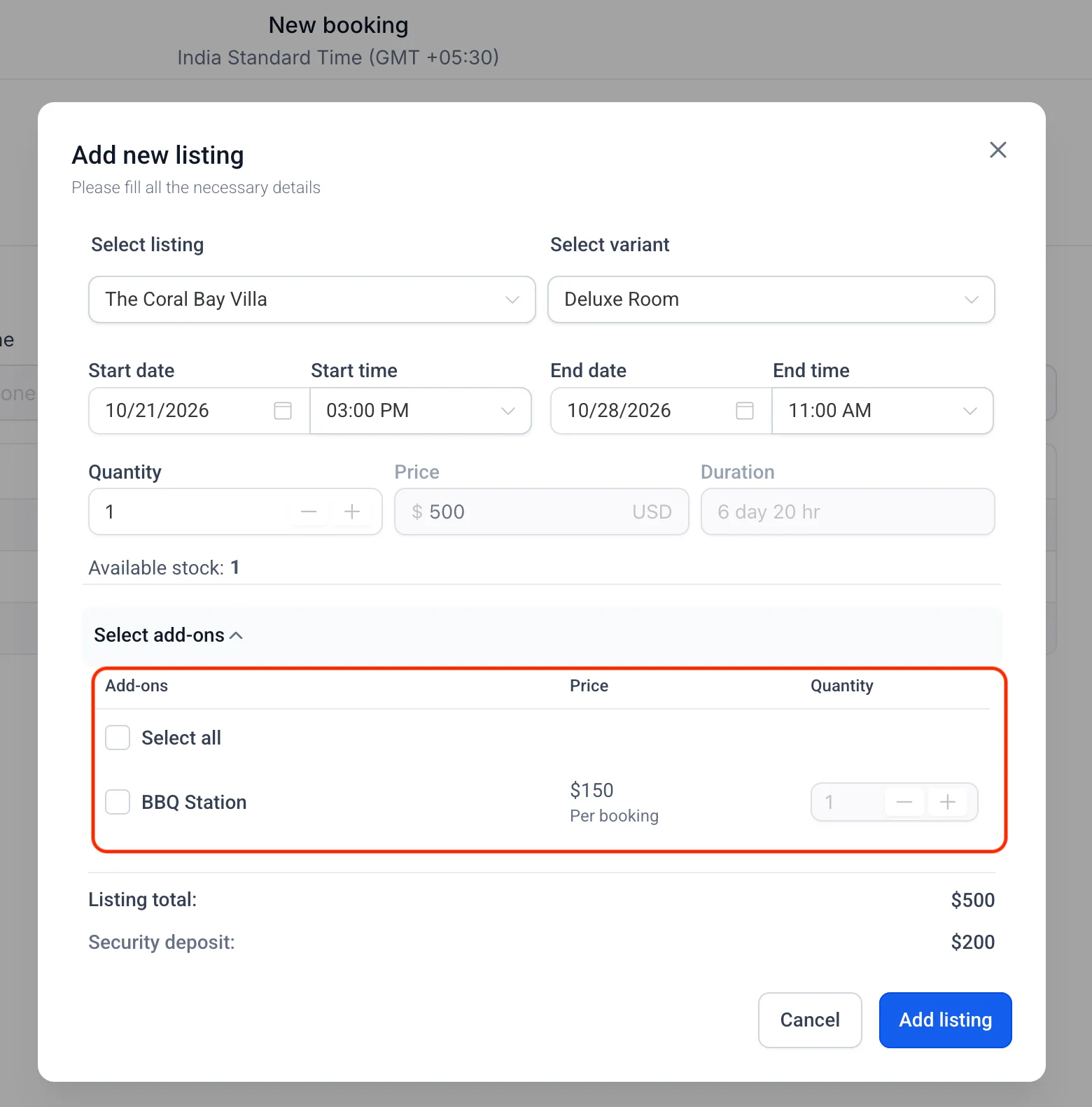
👀 Transparent Customer Experience
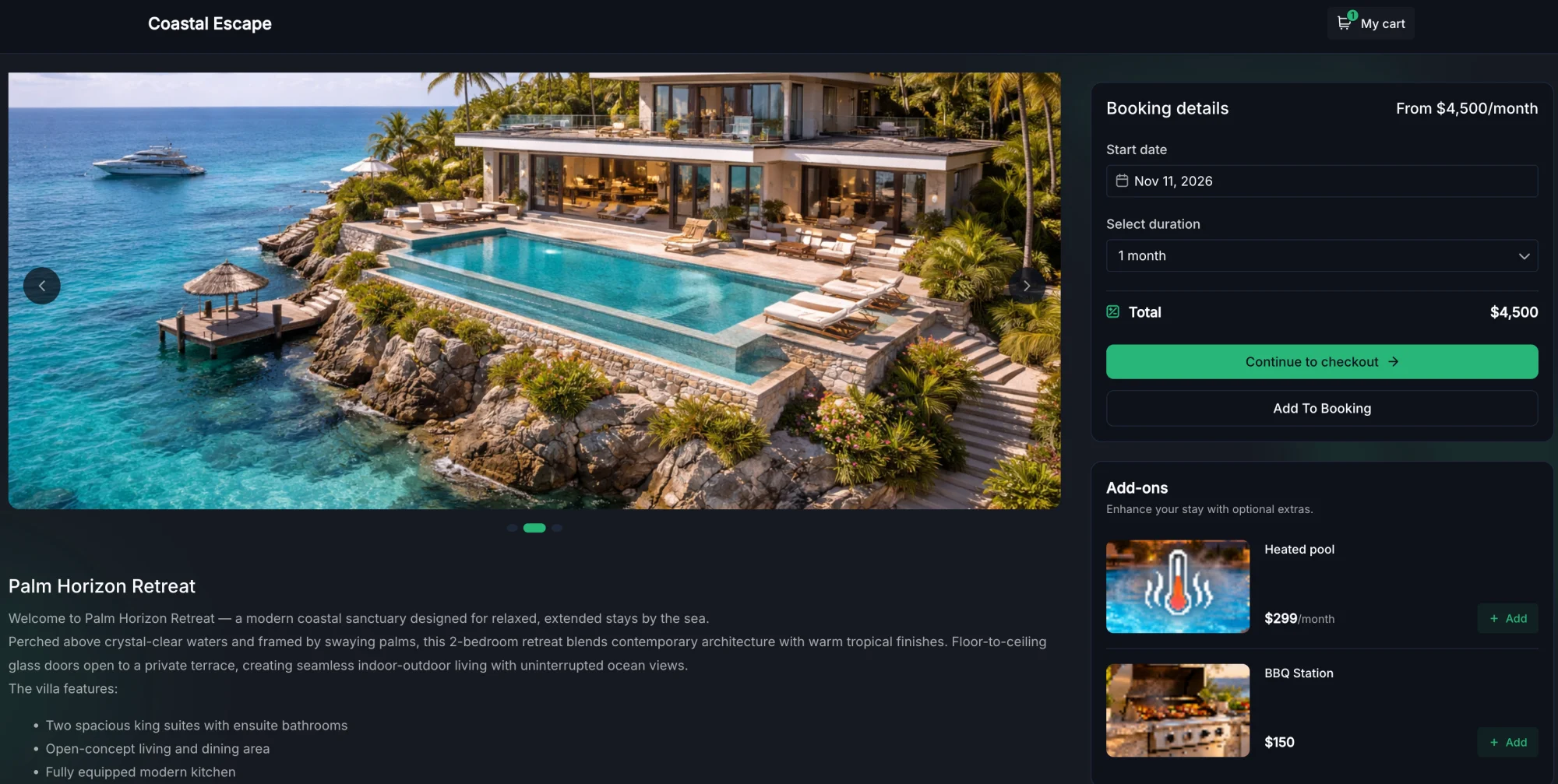
Add-ons aren't hidden in the fine print. Customers see each add-on they chose broken out on the booking page, so they know exactly what they're paying for before they confirm.
💡 Why This Matters
- More choice for customers — Let customers build the booking that fits them, with only the extras they want.
- More revenue per booking — Optional extras add up, without any extra work for your team.
- Clear, transparent pricing — Customers see exactly what they're paying for, which builds trust and reduces disputes.
- Flexible where it counts — Set add-ons globally, then override them for individual listings when you need to.