Product-Level Conditional Logic in Forms & Surveys
Building smarter, more personalized Order Forms just got easier! We're excited to introduce Product-Level Conditional Logic in Forms & Surveys, giving users greater control over how products are displayed and how their Forms respond to customer selections. From setting conditions based on specific products to dynamically showing or hiding individual products and variants, we're making Order Forms more flexible, intelligent, and tailored to every customer's journey!

What's New?
1. Product-Based Conditions — More Control, More Possibilities!
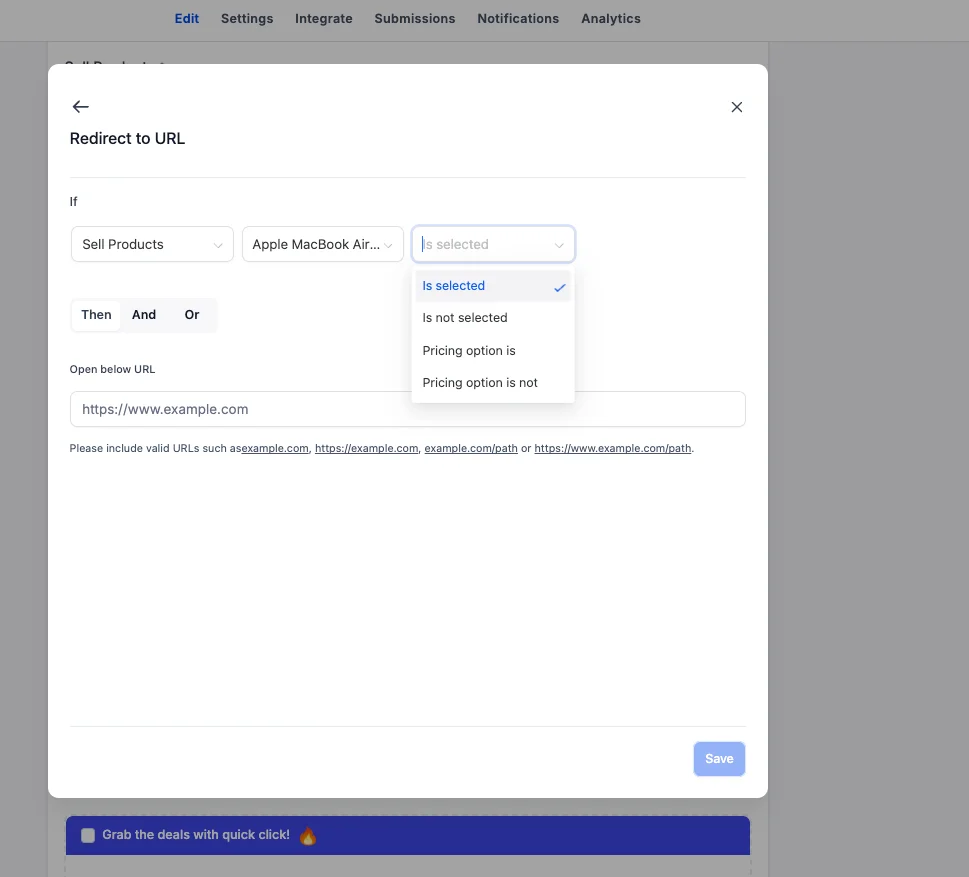
Previously, users couldn't directly use individual products as conditions within their Form or Survey's conditional logic. That's changing! Users can now set IF conditions based on products across all four existing conditional logic types. Here's what's supported:
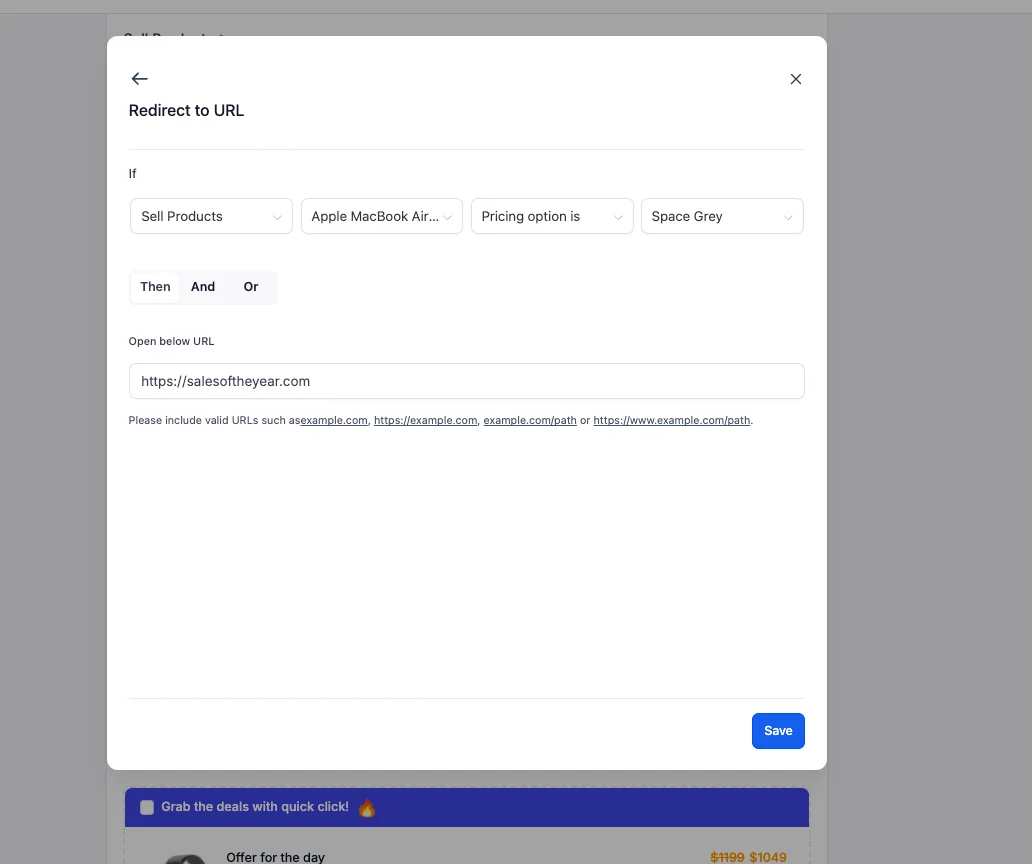
- Redirect URL: Redirect users to a specific URL based on their product selection.
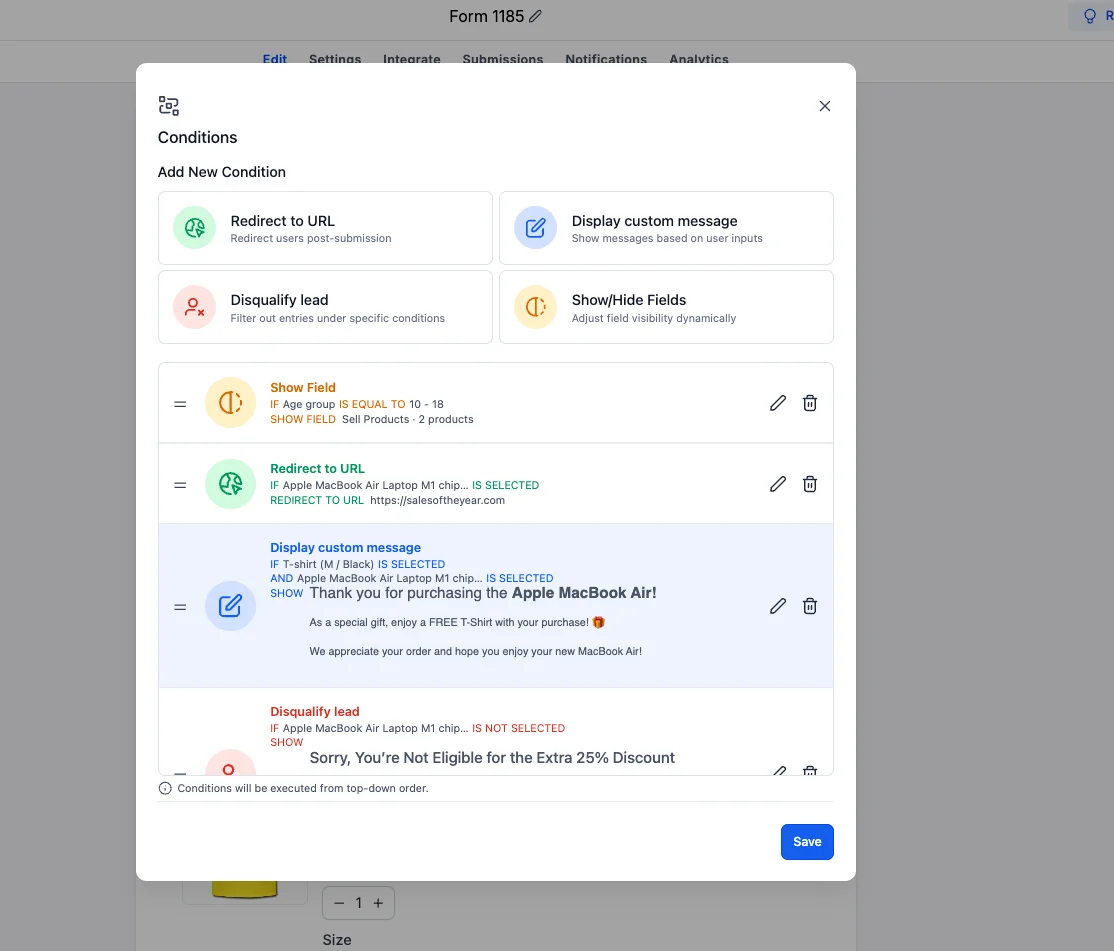
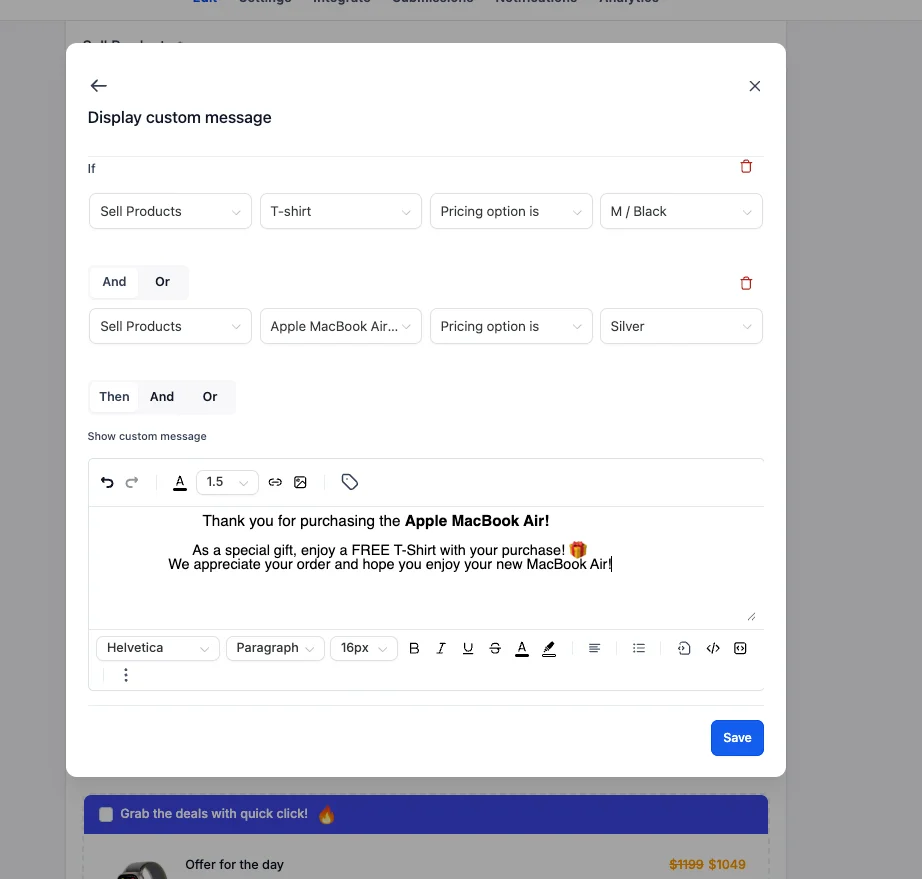
- Display Custom Message: Show personalized messages depending on the product a customer selects.
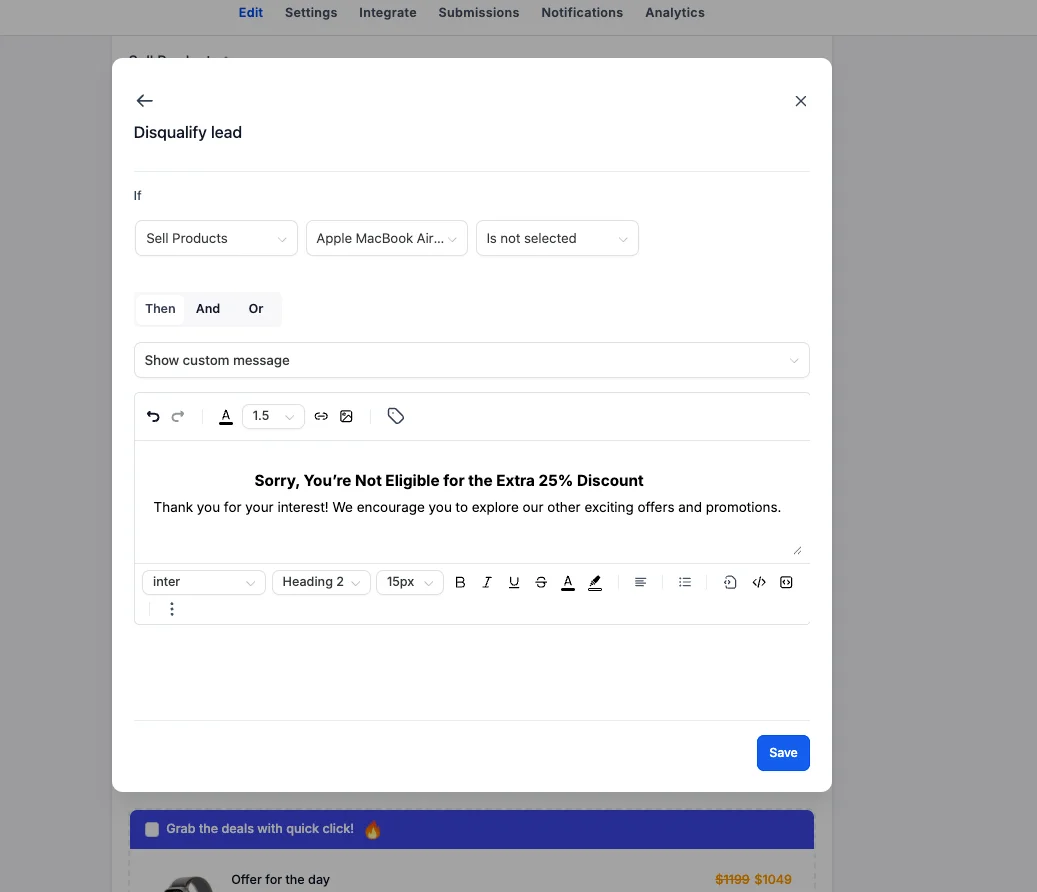
- Disqualify Lead: Disqualify leads based on specific product selections.
- Show/Hide Fields: Dynamically show or hide fields based on the products selected.
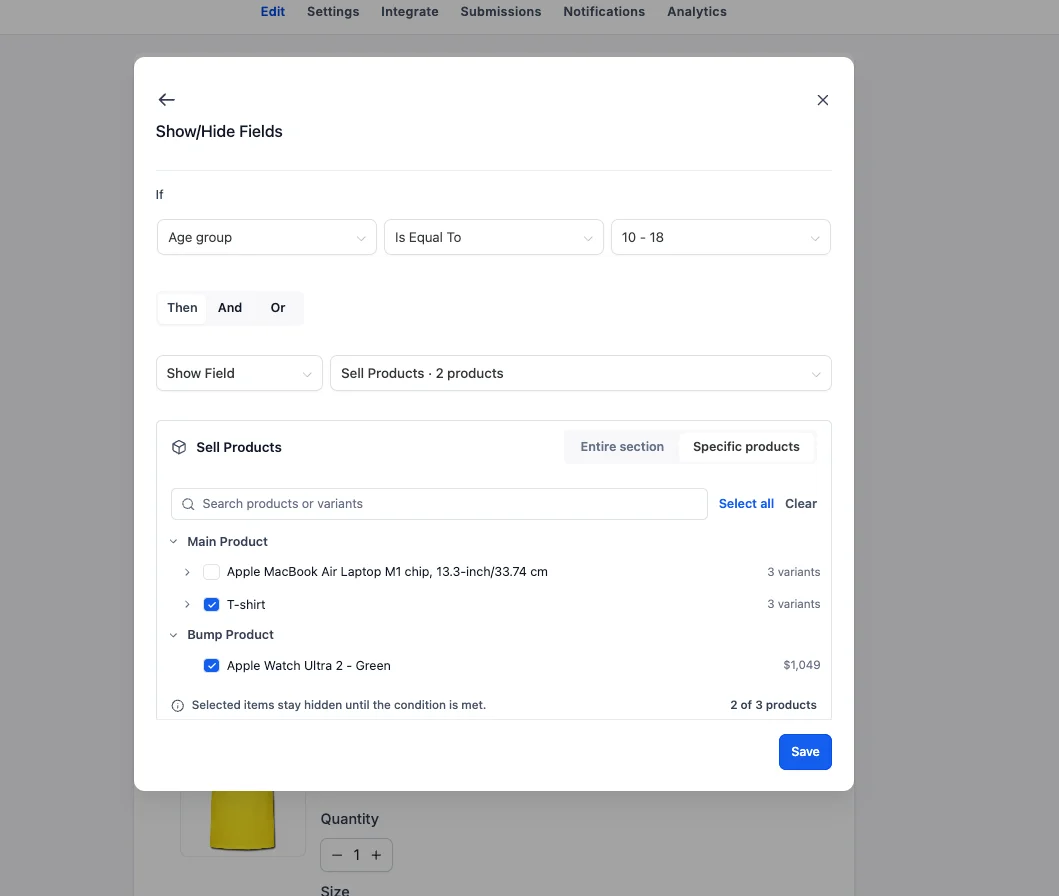
This unlocks more personalized experiences, allowing users to build conditional journeys around the products their customers choose.
2. Show/Hide Individual Products & Variants — Smarter Order Forms!
We're also introducing a major enhancement to the Show/Hide Fields conditional logic type! Previously, users could only show or hide the entire Sell Products element, limiting their ability to personalize individual product visibility. Not anymore! Users can now dynamically show or hide specific products or even individual product variants based on other Form fields. Here's what's new:
- Show/Hide Entire Products: Dynamically control the visibility of individual products within the Sell Products element.
- Show/Hide Specific Variants: Go a step further and control which variants of a product are visible to customers.
- Conditional Product Visibility: Show or hide products and variants based on customers' choices and answers.
- Existing Functionality Retained: Users can still show or hide the entire Sell Products element, just like before.
For example: Imagine you're building an Order Form that offers different products based on a customer's preferences:
- Product Selection: Show specific products based on what the customer selects earlier in the Form.
- Variant Selection: Display only relevant product variants based on the customer's choices.
- Personalized Order Forms: Keep irrelevant products hidden and present customers with options that match their preferences.
Instead of displaying every available product or hiding the entire Sell Products section, users can now create targeted, personalized Order Forms.
How It Works
- Open Your Builder: Navigate to any existing or new Form or Survey.
- Access Conditional Logic: Open the Conditional Logic section within the builder.
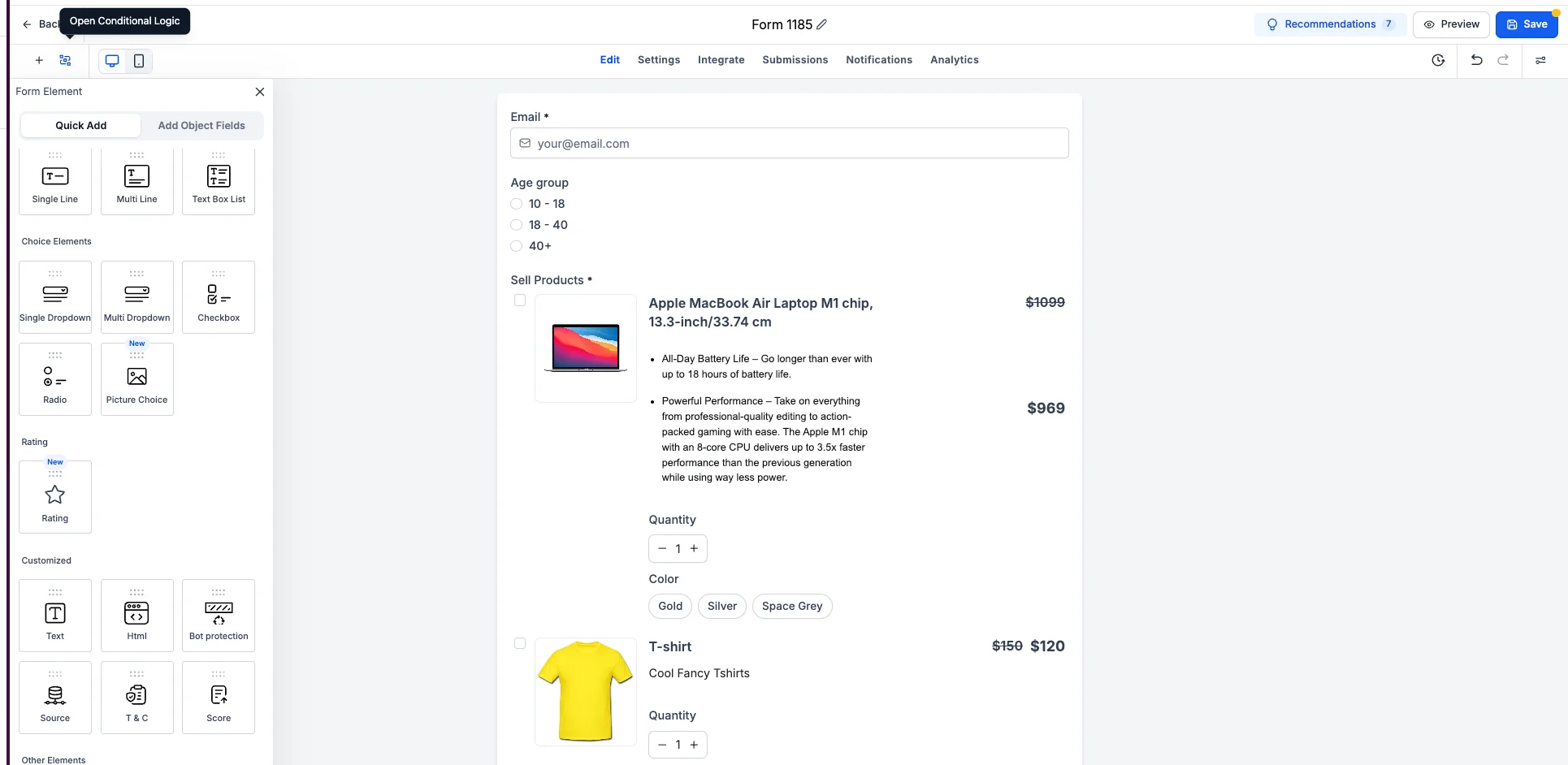
- Set Product-Based Conditions: Choose a product when configuring an IF condition for any of the four conditional logic types.
- Configure Show/Hide Logic: Select the Show/Hide Fields logic type to control product visibility.
- Choose What to Show or Hide: Decide which products or variants to show or hide based on the configured conditions.
- Define Your Conditions: Set specific conditions for each action to create personalized buyer experiences.
Key Highlights
- More Personalization: Create unique journeys tailored to each customer.
- Flexibility and Control: Manage product visibility at the product or variant level.
- Improved User Experience: Only show products that are relevant to the customer.
Notes
- Order Forms: The products and variants must be part of the Sell Products element on the Order Form.
- Product Options: Users can define different actions for each product or variant in the Order Form.
Why This Matters
Whether you're selling one product or a full catalog, Product-Level Conditional Logic gives you a smarter, more dynamic way to connect with customers. Build personalized buyer journeys that boost conversions and keep your Forms and Surveys working harder for you.