💳 Partial Payments for Rentals: Collect a Deposit Now, the Balance Later
🧭 Overview
Big bookings shouldn't mean big upfront payments. With Partial Payments for Rentals, you can now collect a deposit when a booking is made and the remaining balance later — so customers can book with confidence, and you can secure the booking without asking for the full amount on day one.
✨ What's New?
💳 Partial Payments
You can now split a booking's payment into two parts: a deposit collected at booking time, and a remaining balance collected before or at check-in. It's a flexible way to make high-value bookings easier to say yes to.
💰 Pay in Parts
- Lower the barrier to booking — A deposit is easier to commit to than the full amount, so more customers follow through.
- Secure the booking early — A deposit confirms the booking and reduces last-minute cancellations.
- Flexible deposit amounts — Set a flat amount or a percentage of the total, and choose when the balance is due.
🛠️ How to Use It
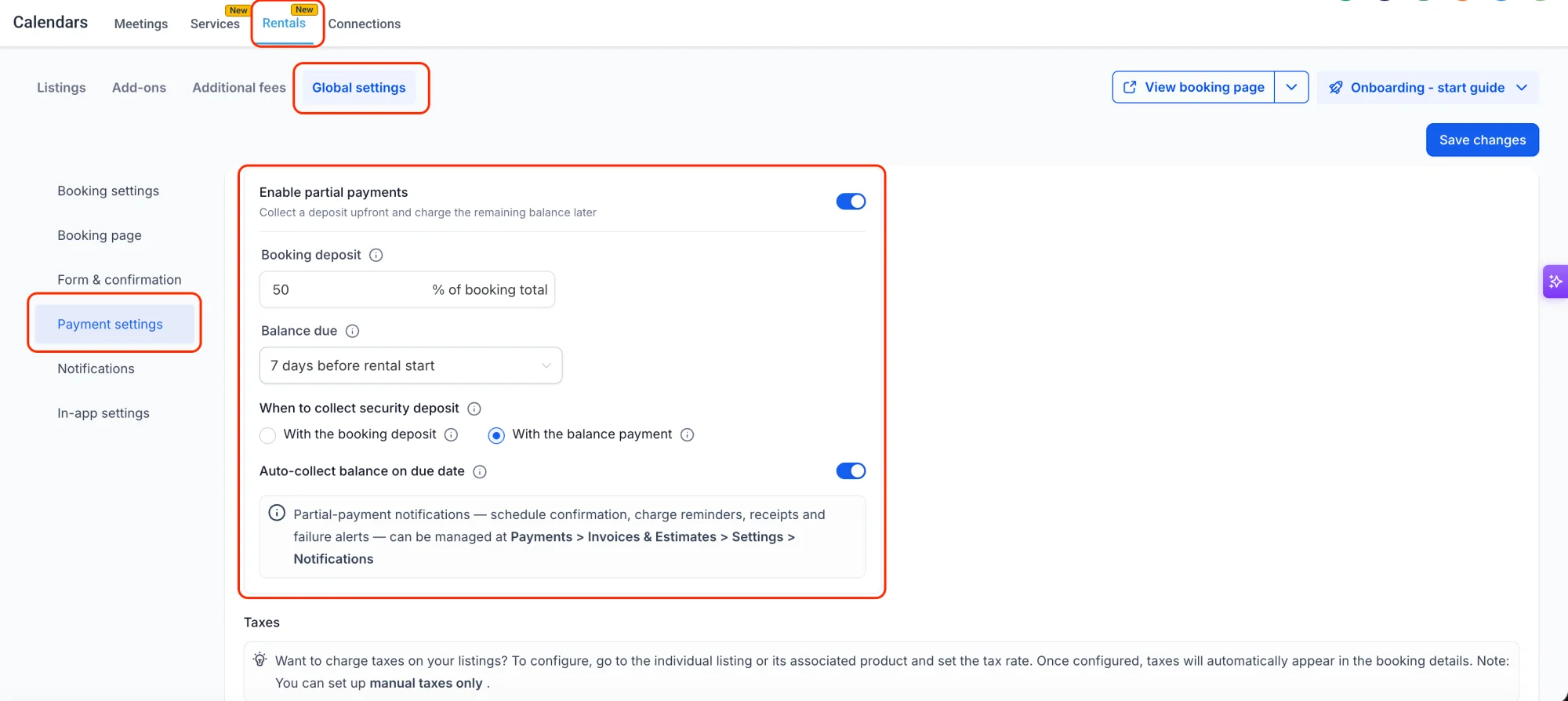
Step 1: Go to Rentals → Payments
Head to the Rentals section and open the payment settings for the listing you want to offer partial payments on.
Step 2: Turn on partial payments
Enable partial payments for the listing, and choose whether the deposit is a flat amount or a percentage of the total booking value.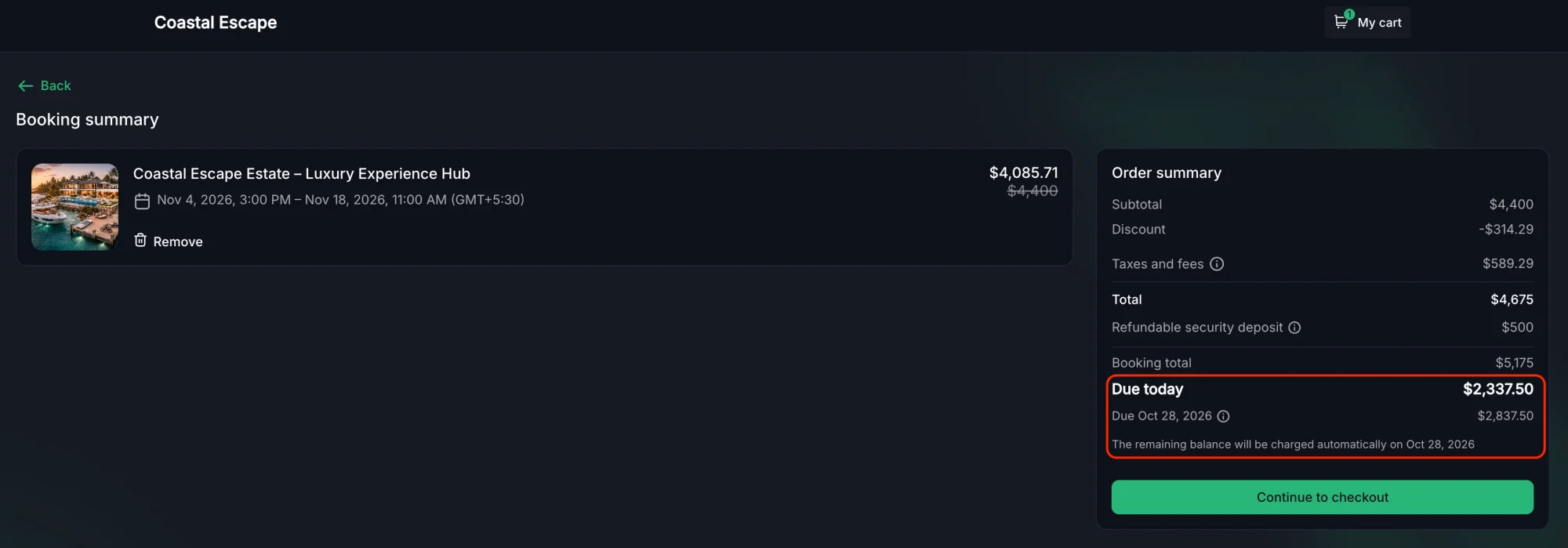
Step 3: Set the deposit amount and due date for the balance
Choose how much is due upfront and when the remaining balance should be collected. Customers see both amounts clearly on the booking page before they confirm.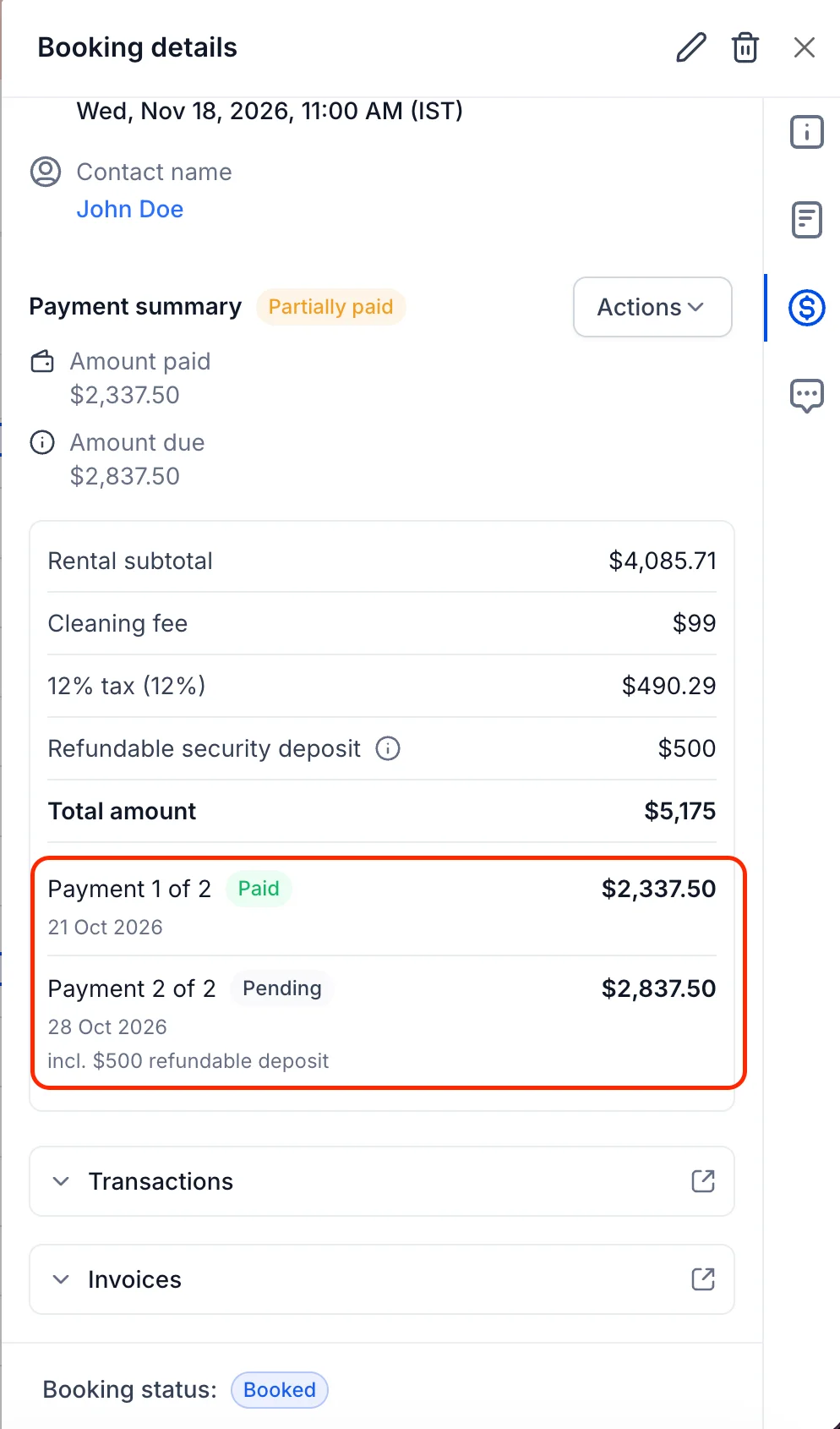
👀 Transparent Breakdown
Customers see the deposit, the remaining balance, and the total — all broken out clearly on the booking page. There's no confusion about what's been paid and what's still due, and no awkward follow-up when the balance is collected.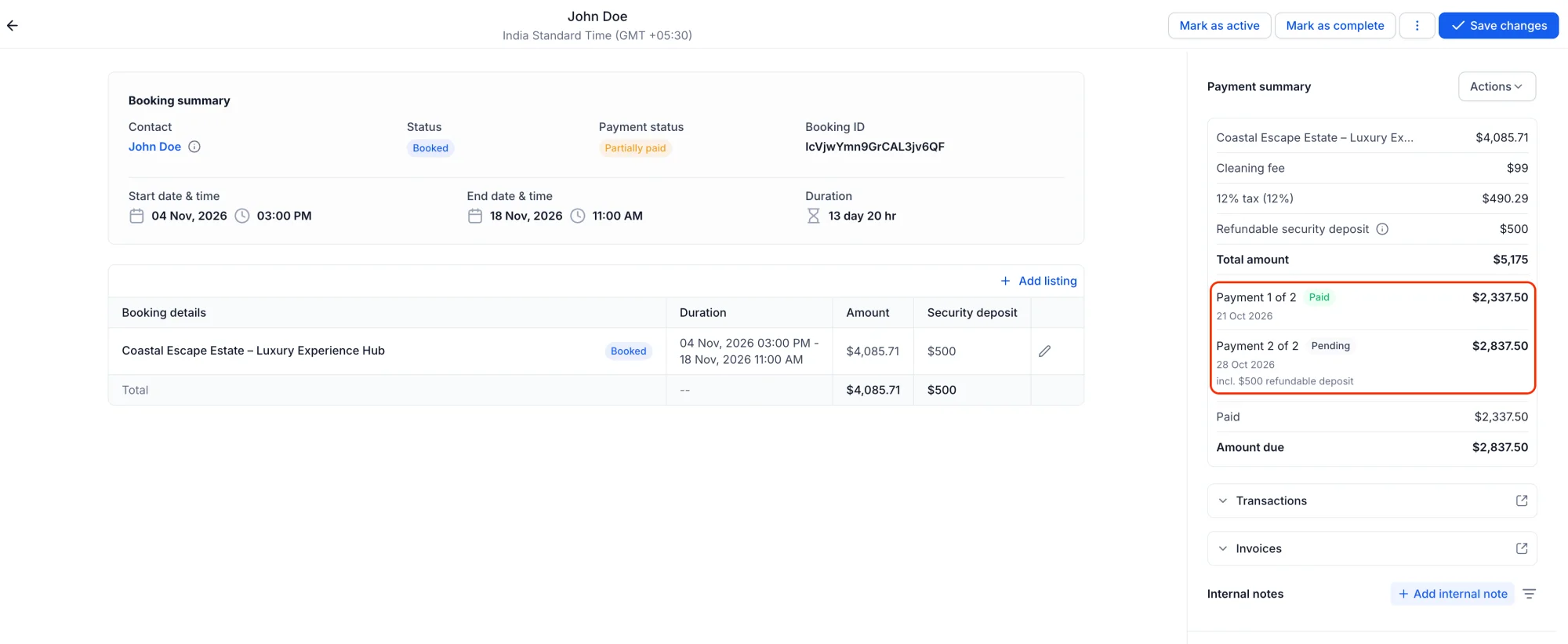
📊 Track Payments Easily
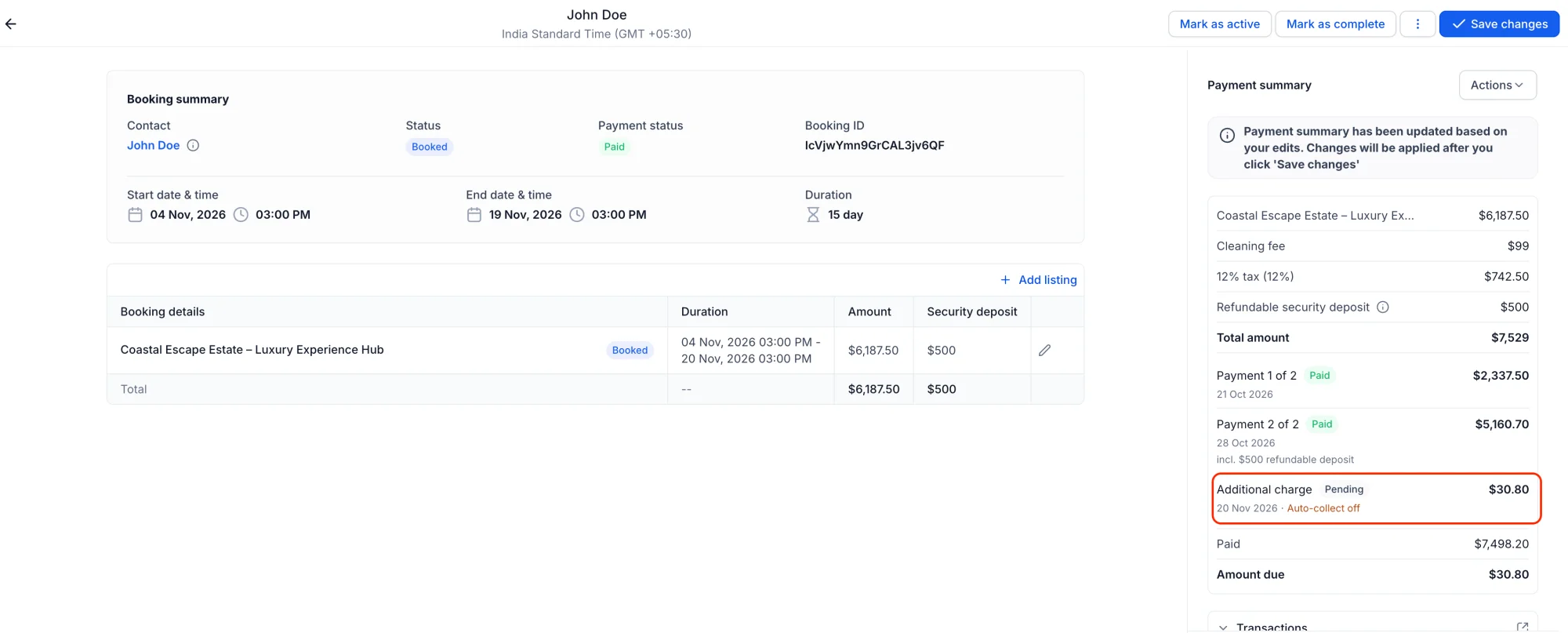
Every booking shows what's been paid and what's still due, so your team always knows where a booking stands. When the balance is collected, the booking is marked as paid in full — no spreadsheets, no chasing, no guesswork.
💡 Why This Matters
- More bookings, fewer barriers — A deposit makes it easy for customers to commit, even for high-value stays.
- Cash flow you can count on — Deposits come in at booking time, and the balance follows on schedule.
- Clear for everyone — Customers and your team both see exactly what's paid and what's due.