New Goal Events: Invoice Paid + Review Request Clicked
What’s new?
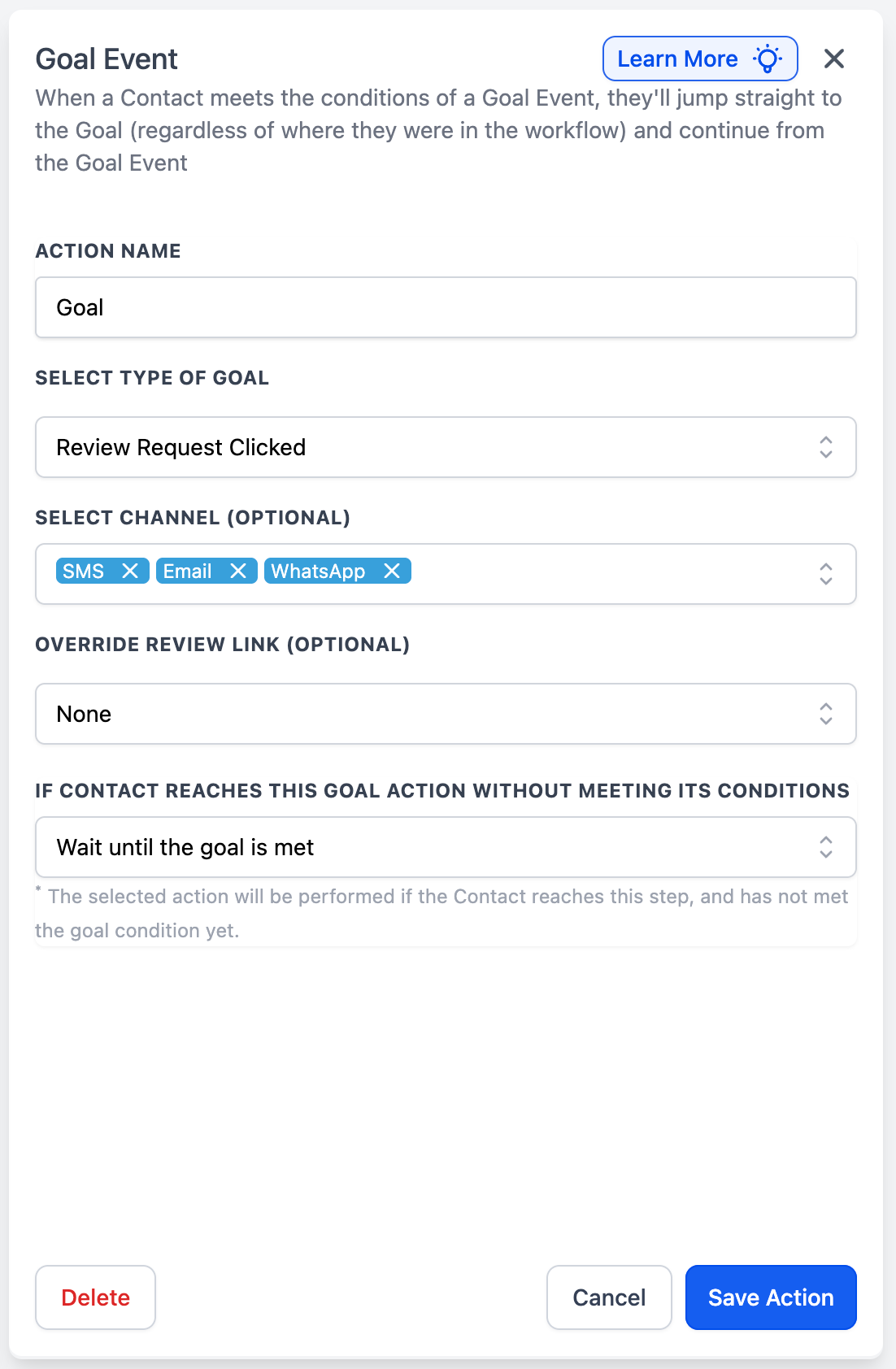
Workflows now support 2 new Goal Event types: Invoice Paid and Review Request Clicked. You can use them to automatically pull a contact forward to a Goal step when an invoice hits the right payment status, or when the contact clicks a review request link (optionally filtered by channel and/or link).
How it works
-
Invoice Paid: The goal completes when the contact has an invoice marked Paid or Partially Paid - either any invoice for that contact, or only the one tied to your selected Send Invoice step (if chosen).
-
Review Request Clicked: The goal completes when the contact clicks a review request link across any channel, or only the selected channel(s) and/or a specific review link (if filtered).
How to use it
- Add a Goal Event step in your workflow.
- Choose Invoice Paid or Review Request Clicked, then set your filters.
- Choose what happens if the contact reaches the Goal step before the event occurs, then Save.
Why we built it
These goals let you move contacts forward based on real outcomes - payment received or review intent shown - without extra branches or manual checks.
Use case examples
- Invoice Paid: After a “Send Invoice” action, the contact pays (status Paid or Partially Paid). The Invoice Paid goal moves them to “Send receipt + next steps.”
- Review Request Clicked: You send a review request via SMS. When the contact clicks the link, the Review Request Clicked goal moves them to “Thanks + referral ask.”
Additional Notes
- If you don’t associate an Invoice Paid goal to a specific invoice action, any qualifying paid invoice for that contact can complete the goal.
- For Review Request Clicked, leaving Channel and Override Review Link empty matches more broadly; adding filters narrows the goal to only those clicks in those channels / Links.