Multiple Pricing Plans in Communities
Community monetization just got a major upgrade. Admins can now create multiple pricing plans with different benefits and access levels - all within a single community. No more choosing between Free or Paid with a single price.
✨ What's New?
📋 Create & Manage Multiple Pricing Plans
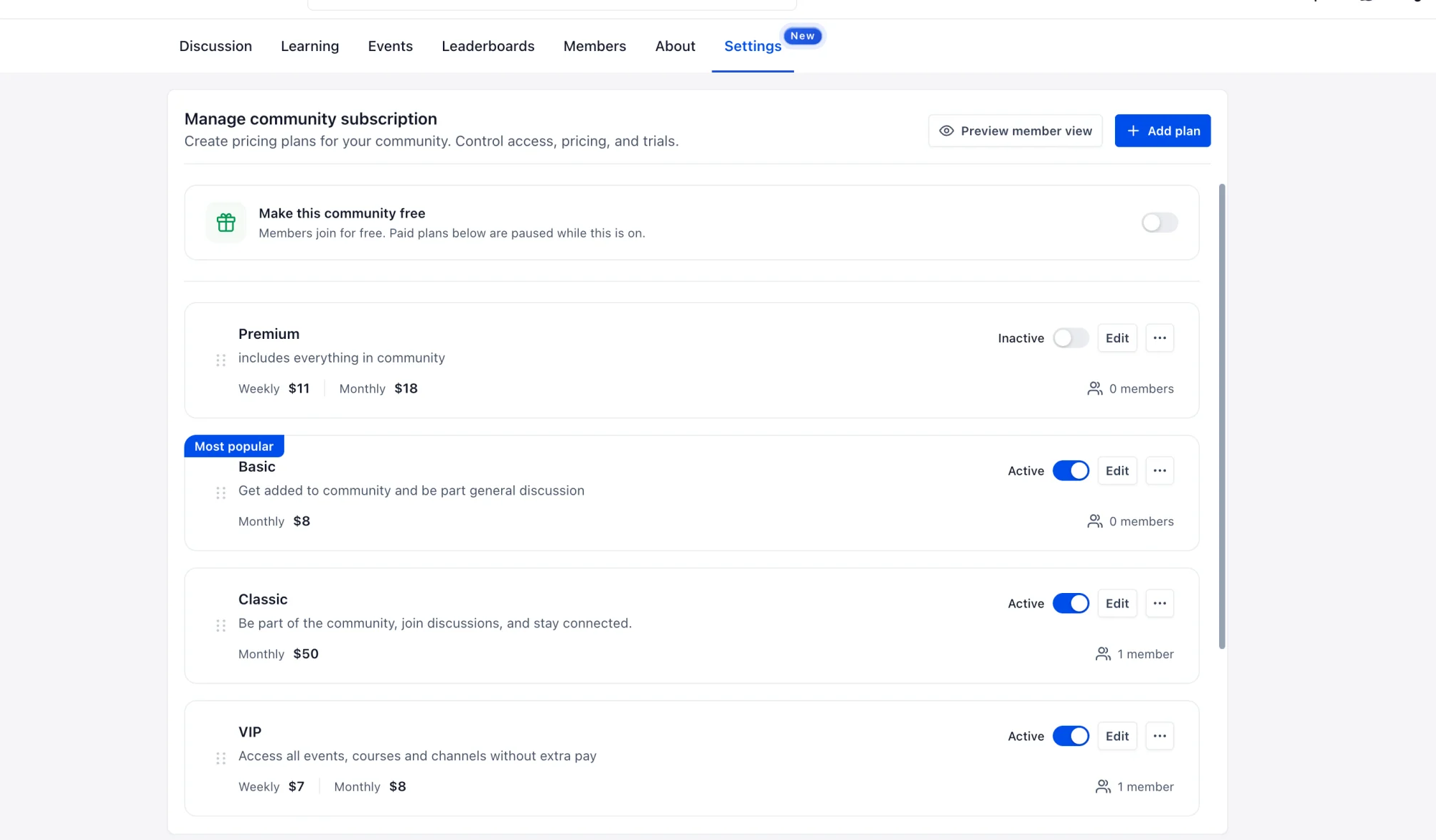
Admins can now create multiple pricing plans from Settings → Subscriptions. Each plan gets its own name, description, pricing, and benefits - making it easy to offer plans like Basic, Pro, and VIP within one community.
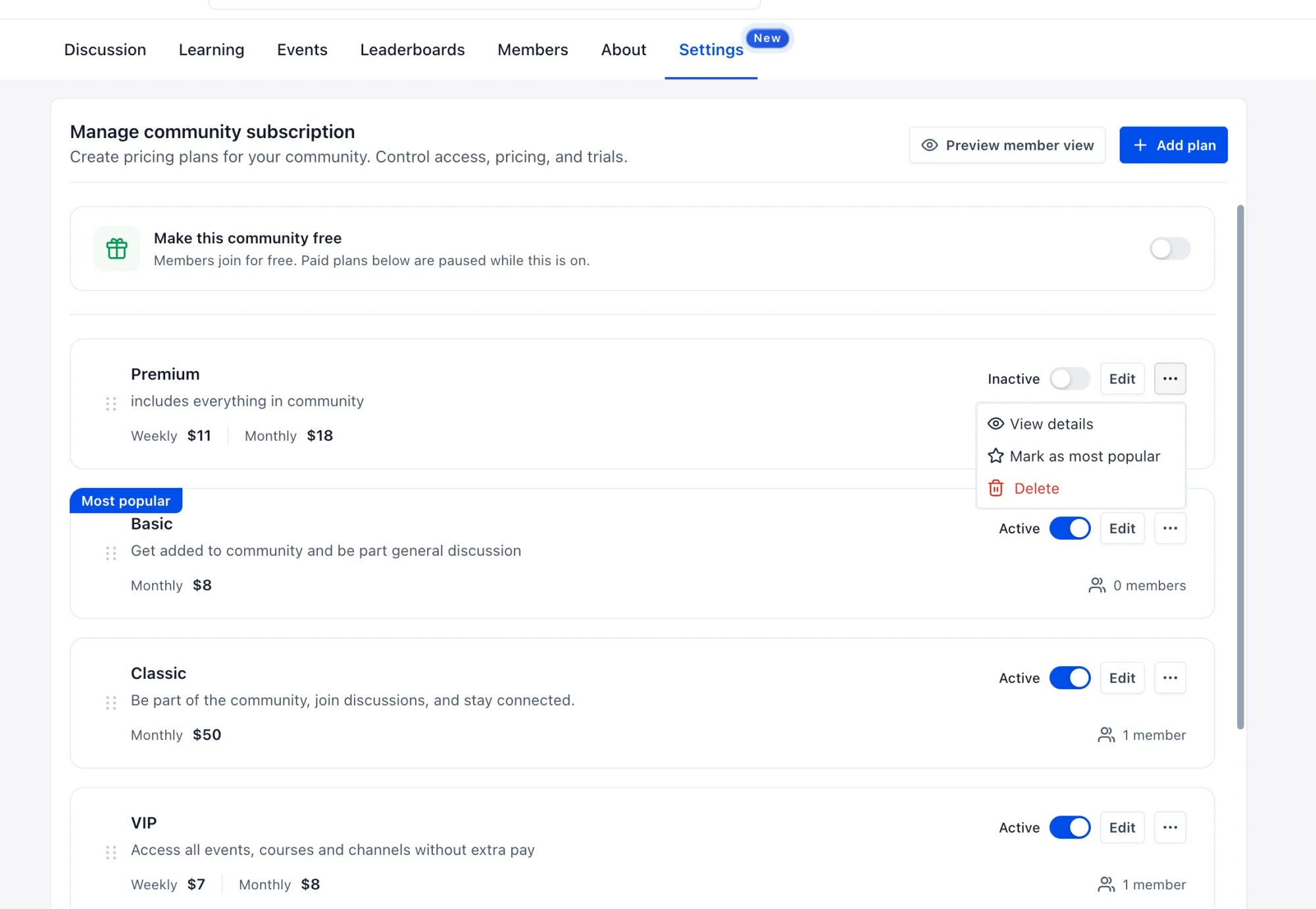
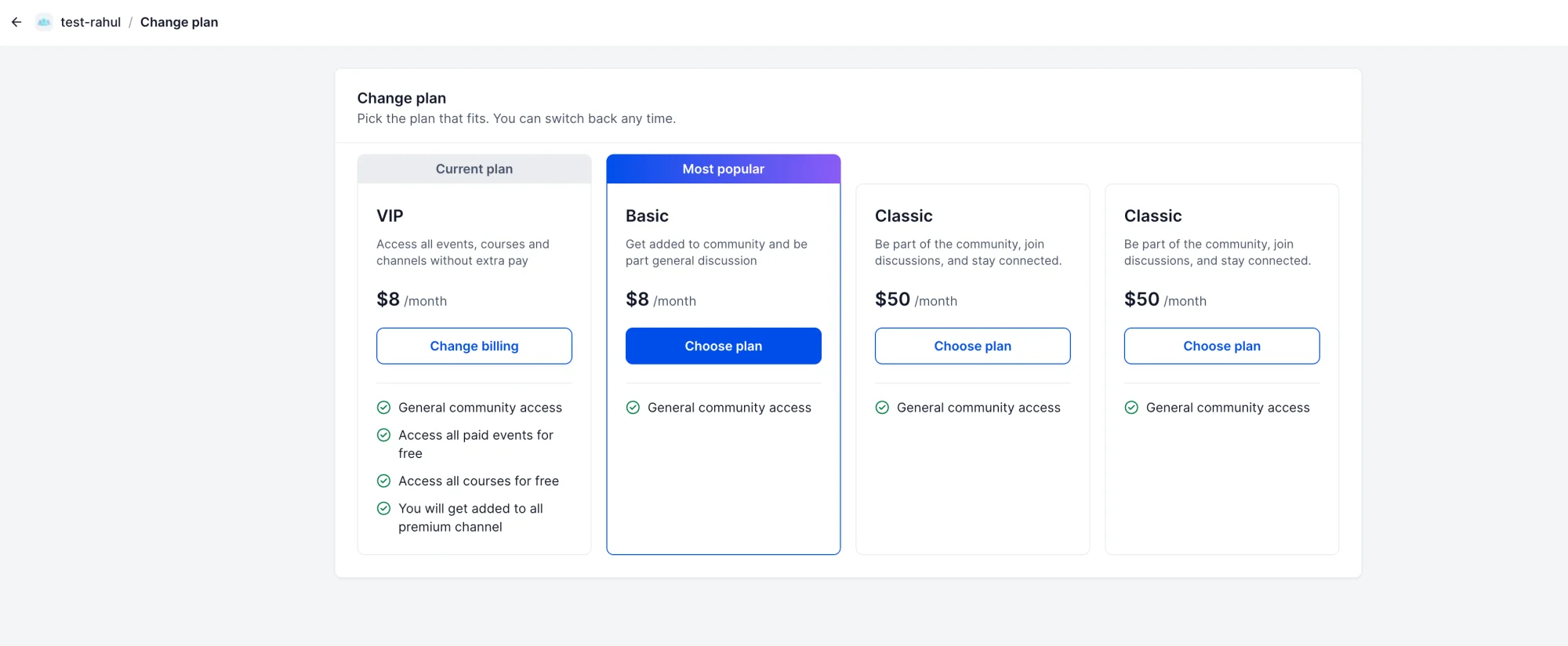
Plans support flexible pricing with weekly, monthly, yearly, or one-time payment options across multiple currencies, with optional free trials. Admins can activate, deactivate, reorder plans, highlight one as Most Popular, and track member counts - all from one screen.
🎁 Bundle Exclusive Content into Plans
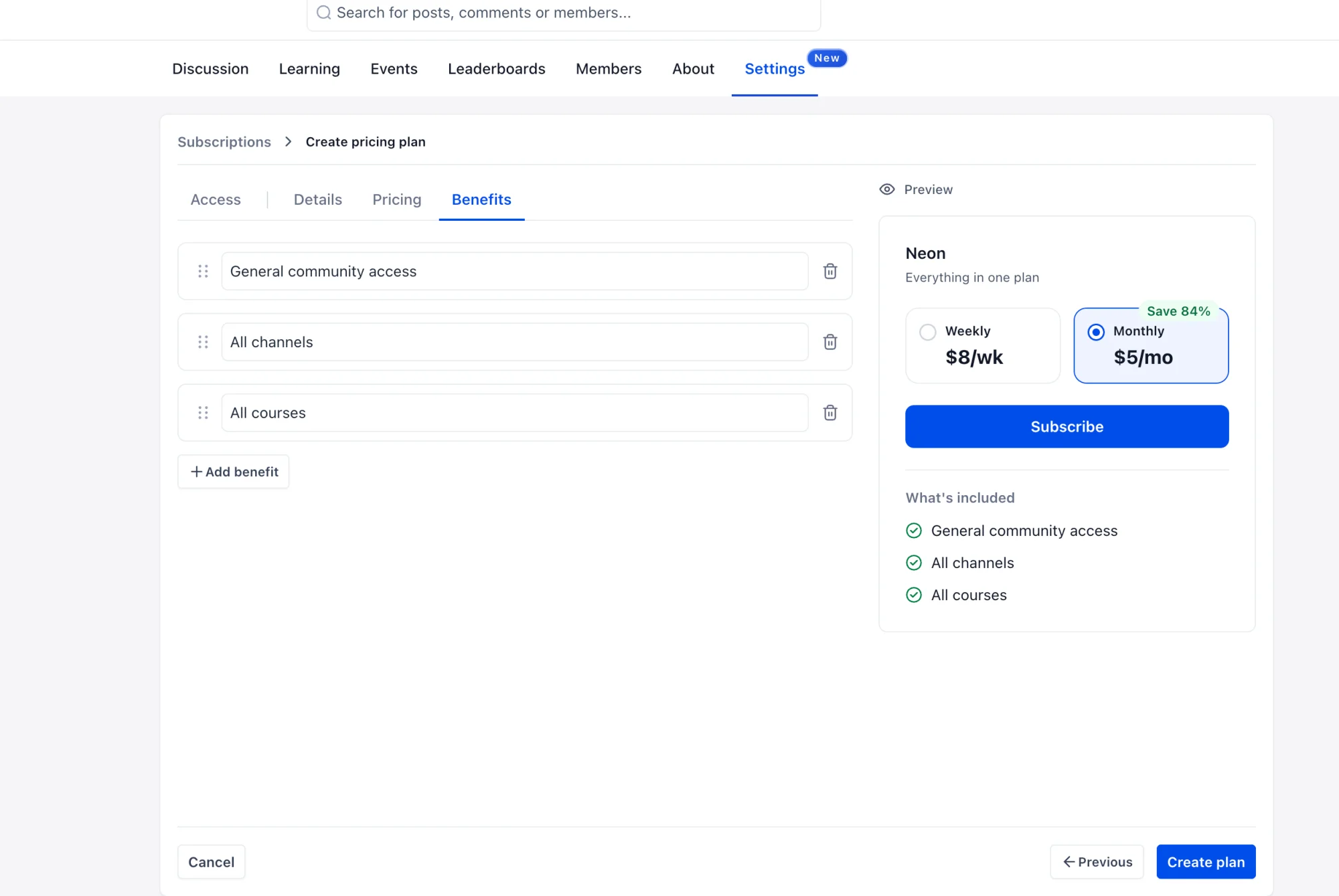
Each plan can bundle access to exclusive content. Admins configure what's included on the Benefits tab during plan creation, with a live preview showing exactly what members will see:
- Private Channels - Grant access to selected private channels through the plan.
- Paid Events - Include paid events without requiring separate purchases.
- Paid & Private Courses - Bundle courses without manual access grants.
For example: Basic gets general community access, Pro adds private channels and premium courses, VIP gets everything including paid events.
🔀 Member Plan Switching
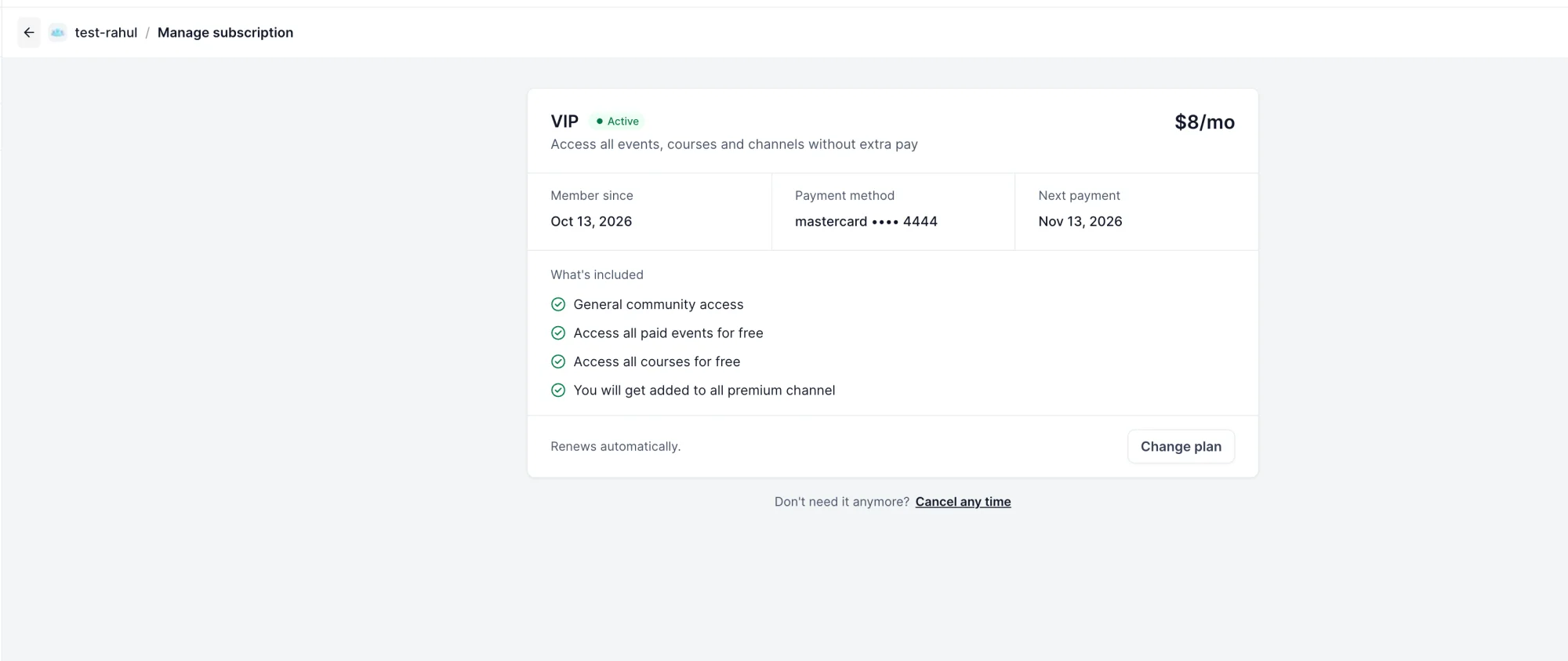
Members can compare all available plans, subscribe, and switch between plans at any time. The current subscription is preserved until the new one is confirmed. Members can also view their active plan details, payment method, and next billing date from the Manage subscription page.
⚙️ How to Configure
- Navigate to Settings → Subscriptions.
- Access - Select private channels, paid events, and paid/private courses to include, or choose Full Access.
- Details - Add the plan name and description.
- Pricing - Configure billing frequency, currency, price, and optional free trial.
- Benefits - Add and organize plan benefits that members will see.
- Publish - Create and activate the plan. Optionally mark it as Most Popular.
💡 Why This Matters
Previously, communities were either Free or Paid with a single membership price - there was no way to offer different levels of access or bundle exclusive content into plans. Admins who wanted differentiated experiences had to create separate groups, splitting their community.
Multiple Pricing Plans let admins monetize a single community with differentiated offerings - members get the flexibility to choose and switch plans, while admins manage everything from one place.
📝 Notes
- Plans support weekly, monthly, yearly, and one-time pricing with multiple currencies.
- Free trials can be configured per plan.
- Members can switch plans at any time - the existing subscription is preserved until the new one is confirmed.
- Admins can reorder plans and highlight one as “Most Popular”.
- Free plan configuration coming soon - allowing admins to define what's included in the free tier alongside paid plans.