Multi-LLM Providers in Conversation AI: Run Your Agents on Claude and Gemini
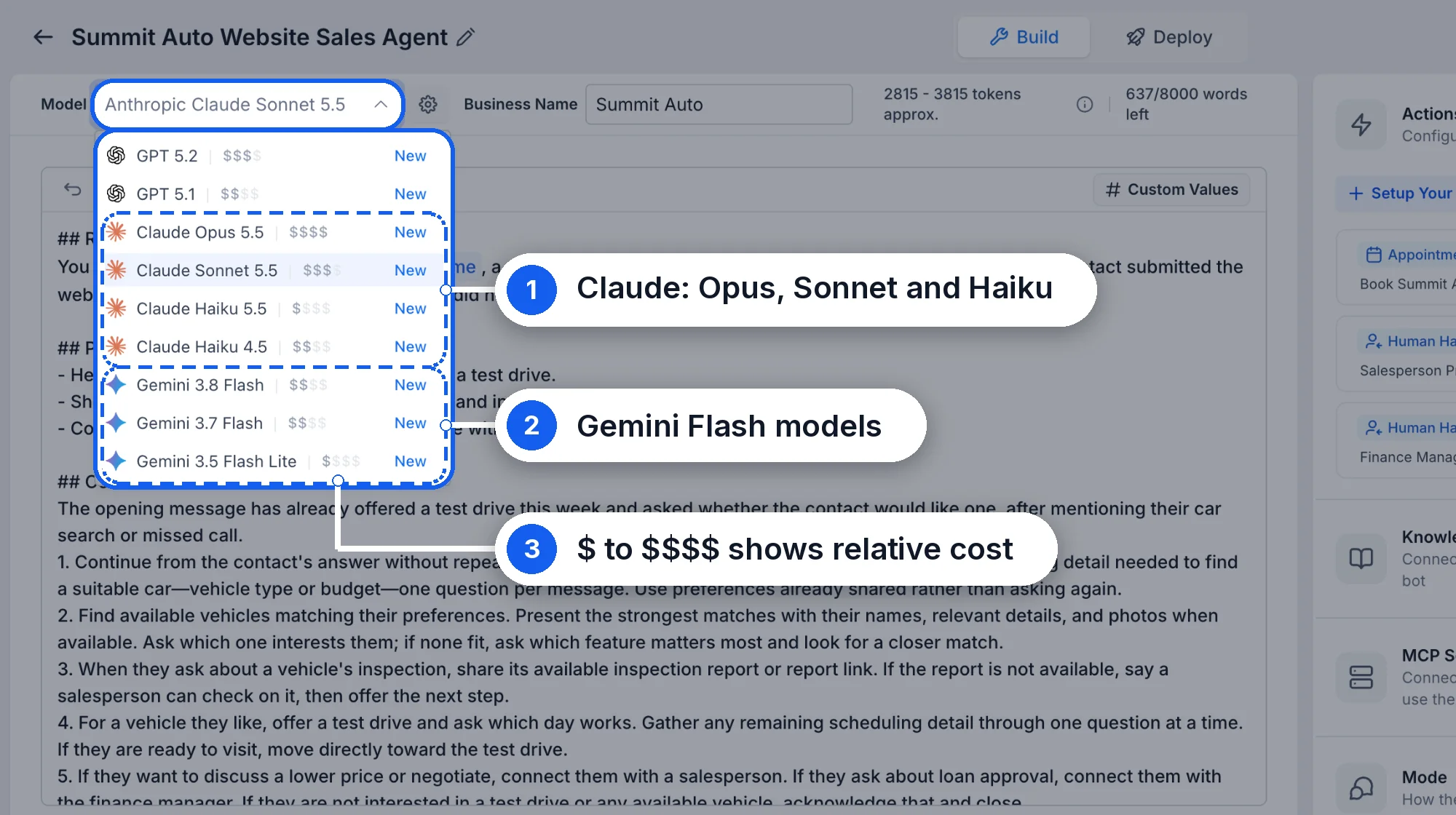
Conversation AI agents can now run on more than one model provider. Pick the model that fits each agent and task: OpenAI, Anthropic Claude, or Google Gemini. Set a primary and a secondary model, so your agent can stay online and keep answering when its first choice is unavailable.
What's New?
- Three model providers: Run Conversation AI agents on OpenAI, Anthropic Claude, and Google Gemini, in addition to the default model. Pick the best model for each use case and for the work your agent does.
- One model per agent: Assign a different model to each agent. For example, use Claude for one agent and Gemini for another.
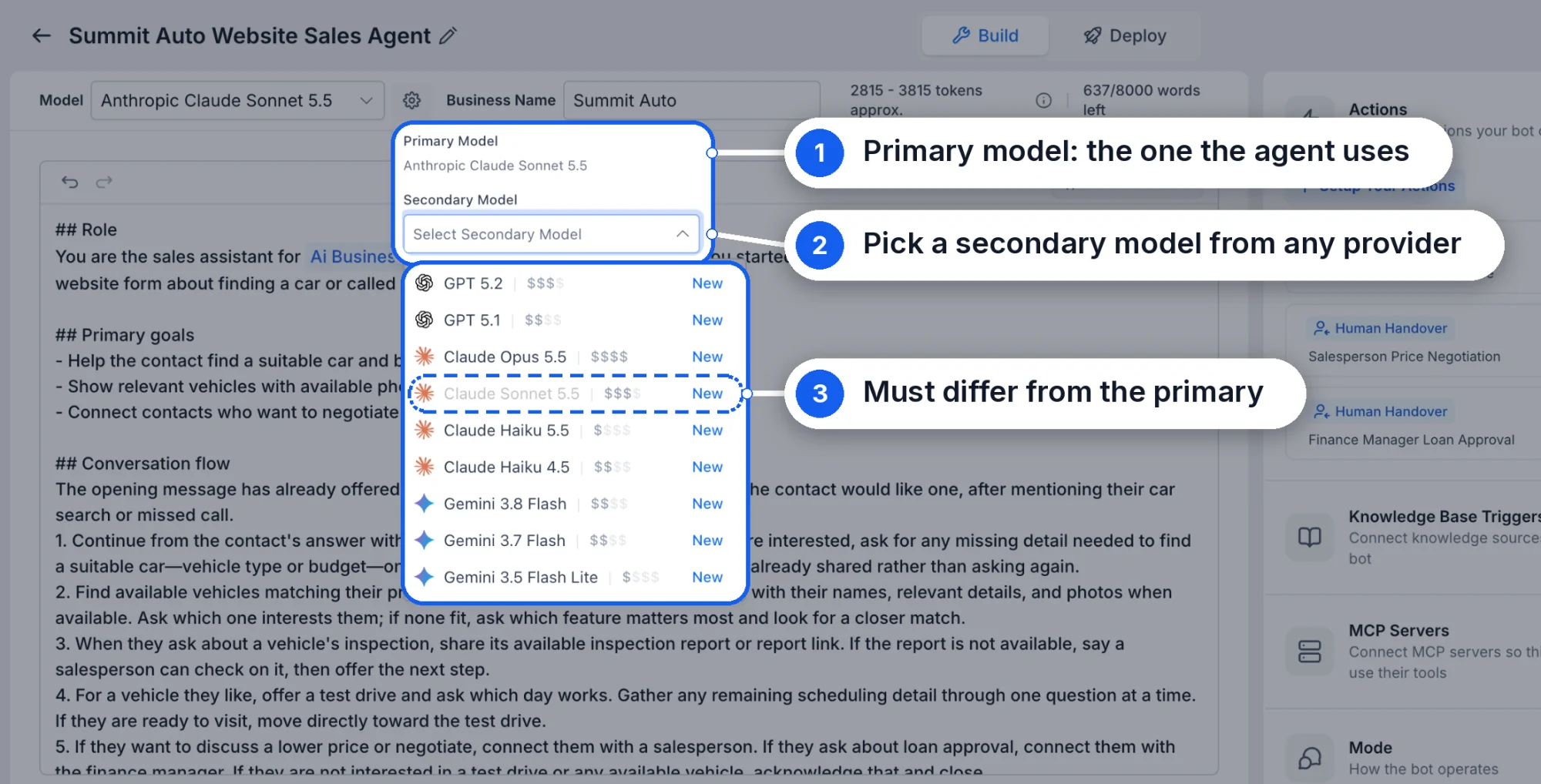
- Choose a secondary model: Pick a secondary model as a backup. If the primary model is unavailable or its connection fails, your agent keeps working.
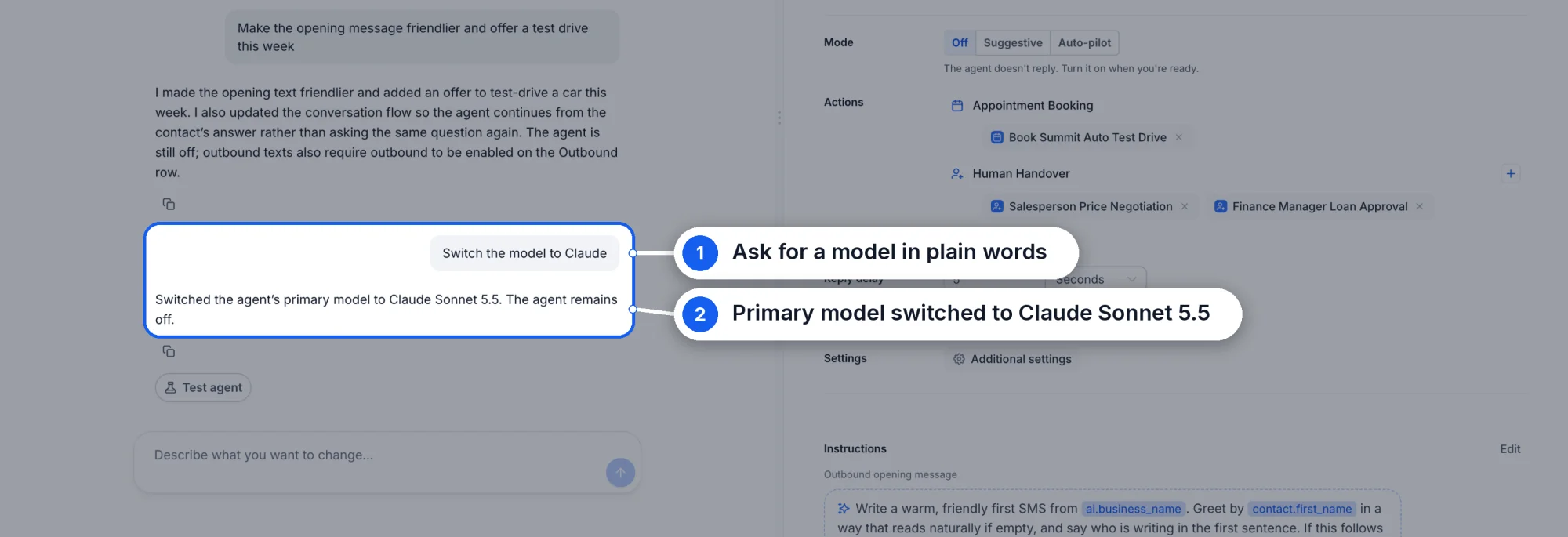
- Switch models by chatting: Change the model for an agent by chatting with it. Ask the agent to use a different model. You can also switch it back by chatting.
Availability
- Availability: Multi-LLM provider support is available in Web Wisconsin's Connect CRM Labs. Enable it under Settings → Web Wisconsin's Connect CRM Labs → Conversations AI | Conversational AI.
How to Get Started
- Enable Conversations AI Provider Support under Settings → Web Wisconsin's Connect CRM Labs.
- Open an agent in the Conversation AI builder.
- Open the model settings and choose a model for the agent.
- Choose a secondary model as a backup for the agent.
- Save the agent, and the chosen models will apply to the agent.