🚀 Introducing User Signup Workflow Trigger for Client Portal
Automating your Client Portal onboarding just got easier! With the new User Signup (Client Portal / Memberships) workflow trigger, you can now automatically initiate workflows whenever a new user signs up through your Client Portal.
From welcome emails to personalized onboarding journeys, engage new members from the moment they register — without any manual effort.
✨ What's New?
- New User Signup Trigger — Automatically initiate workflows whenever a new user successfully registers through the Client Portal.
- Automated Welcome Communications — Send personalized welcome emails and onboarding instructions immediately after signup.
- Streamlined Onboarding — Guide new members through onboarding journeys using automated workflow actions.
- Automated Follow-Ups — Assign tasks to team members and schedule follow-up actions for newly registered users.
- Personalized Engagement — Create tailored experiences that help new members get started and stay engaged.
🎯 Why It Matters
Previously, there was no dedicated workflow trigger for successful Client Portal registrations, making it harder to automate onboarding and follow-ups.
With this new trigger, every new signup can automatically kick off a personalized onboarding experience, helping businesses engage members faster while reducing manual work.
🚀 What You'll Benefit From
- Faster Onboarding — Welcome and guide new members as soon as they register.
- Less Manual Work — Eliminate the need to track new signups and initiate follow-ups manually.
- Better Member Engagement — Deliver timely, relevant communications from day one.
- Flexible Automation — Build onboarding journeys tailored to your business using Connect CRM Workflows.
⚙️ Getting Started
- Navigate to Automation → Workflows.
- Create a new workflow or open an existing one.
- Add the User Signup (Client Portal / Memberships) trigger.
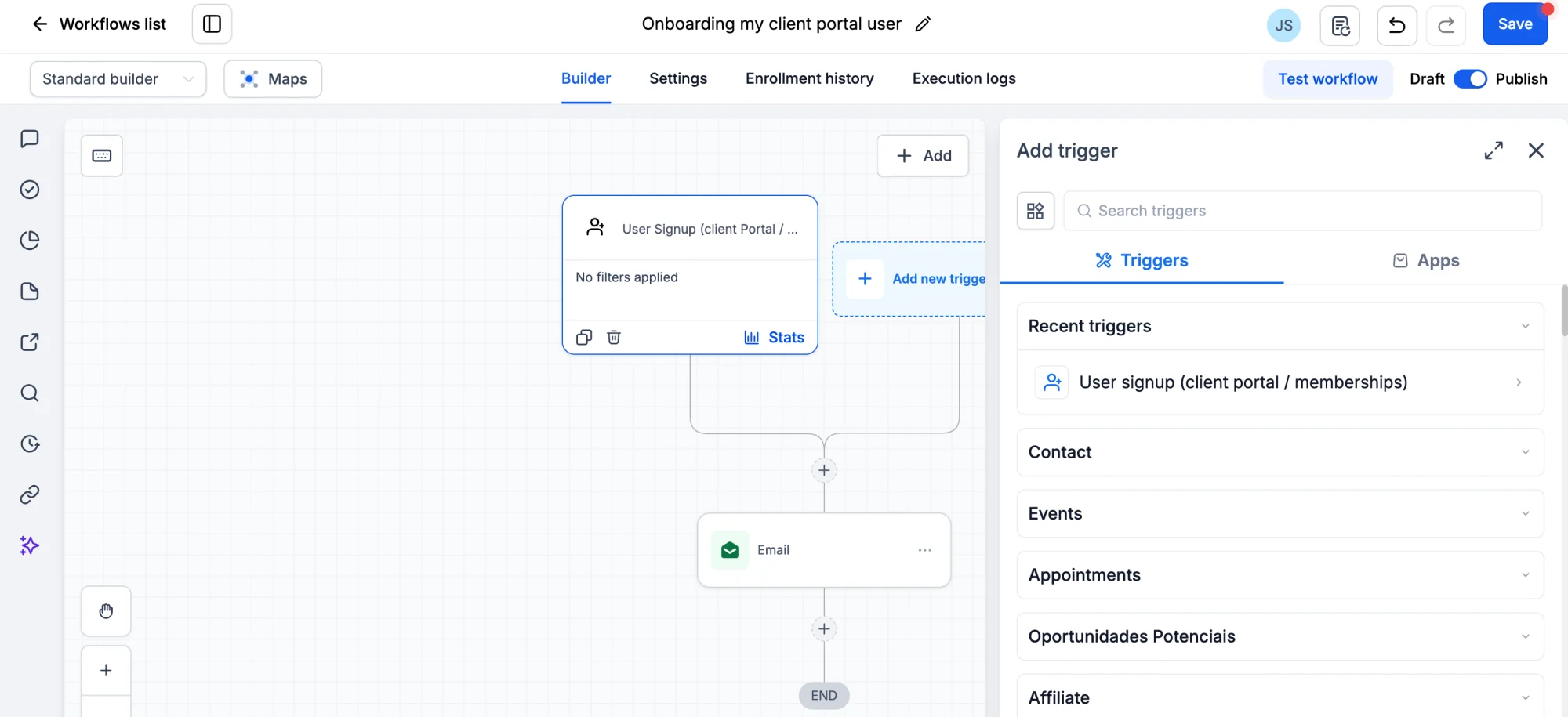
- Configure your desired actions, such as sending welcome emails, assigning tasks, or initiating onboarding sequences.
- Publish your workflow.
That's it! Your workflow will automatically run whenever a new user successfully signs up through your Client Portal.