Introducing Social Intelligence (Limited Beta)
Discover what people are saying about your brand, explore trending conversations, and understand audience sentiment — all within Web Wisconsin's Connect CRM.
With Social Intelligence, you can explore conversations across social platforms, uncover meaningful insights, monitor topics, and stay informed with smart alerts.
Note: Available in Limited Beta to selected users.
What's New
1. Explore Conversations & Insights
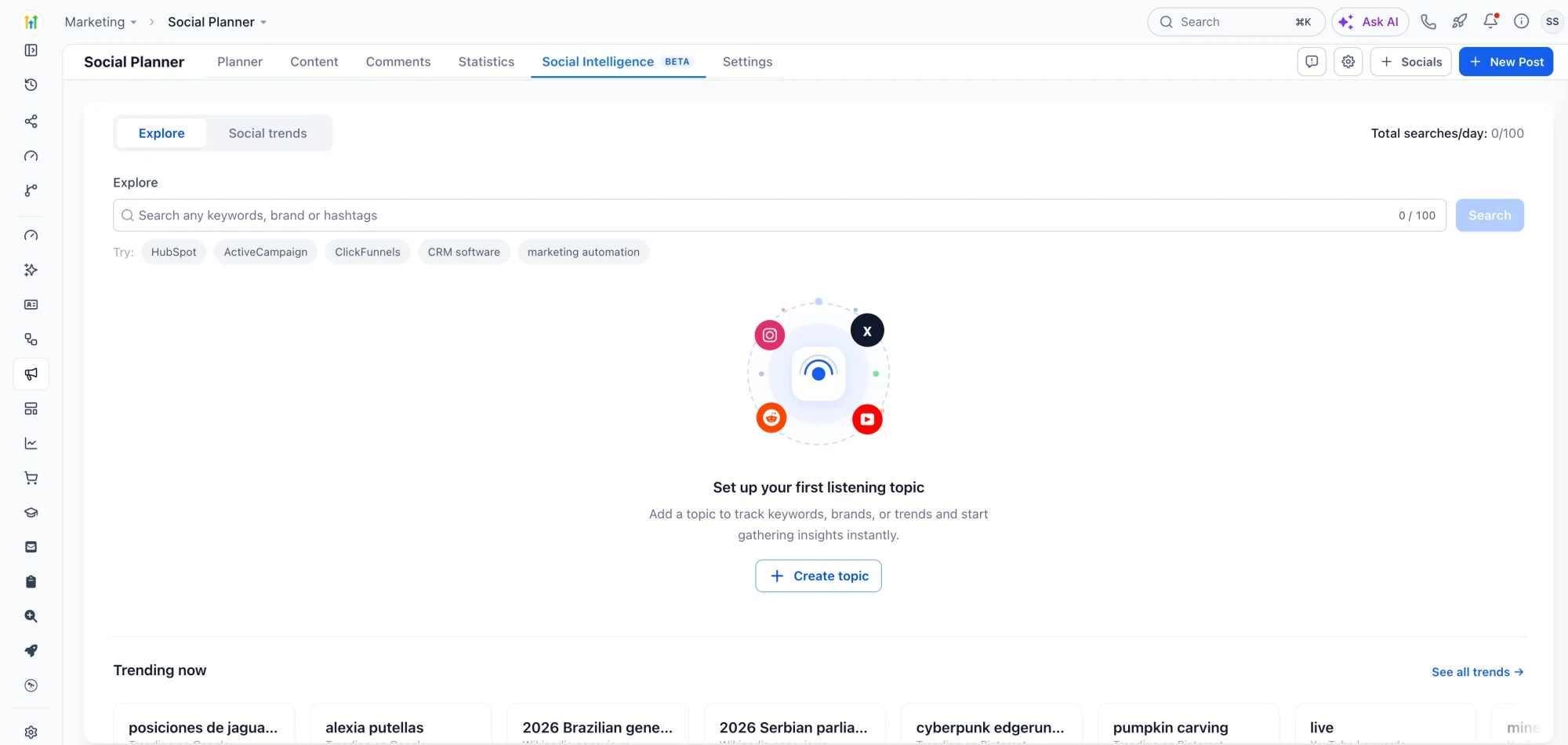
Search for brands, keywords, hashtags, or topics to discover:
- Mention volume and conversation trends.
- Audience sentiment and engagement patterns.
- Where and when conversations are happening.
- Personalized AI search suggestions to get started faster.
2. Save & Monitor Topics
Save searches as topics to unlock deeper insights and monitor conversations over time.
- Explore 7, 15, or 30 days of historical insights.
- Analyze engagement, conversations, posts, and audience information.
- Manage monitored topics with options to pause, resume, rename, or delete.
3. Get Notified with Smart Alerts
Stay informed when important metrics change.
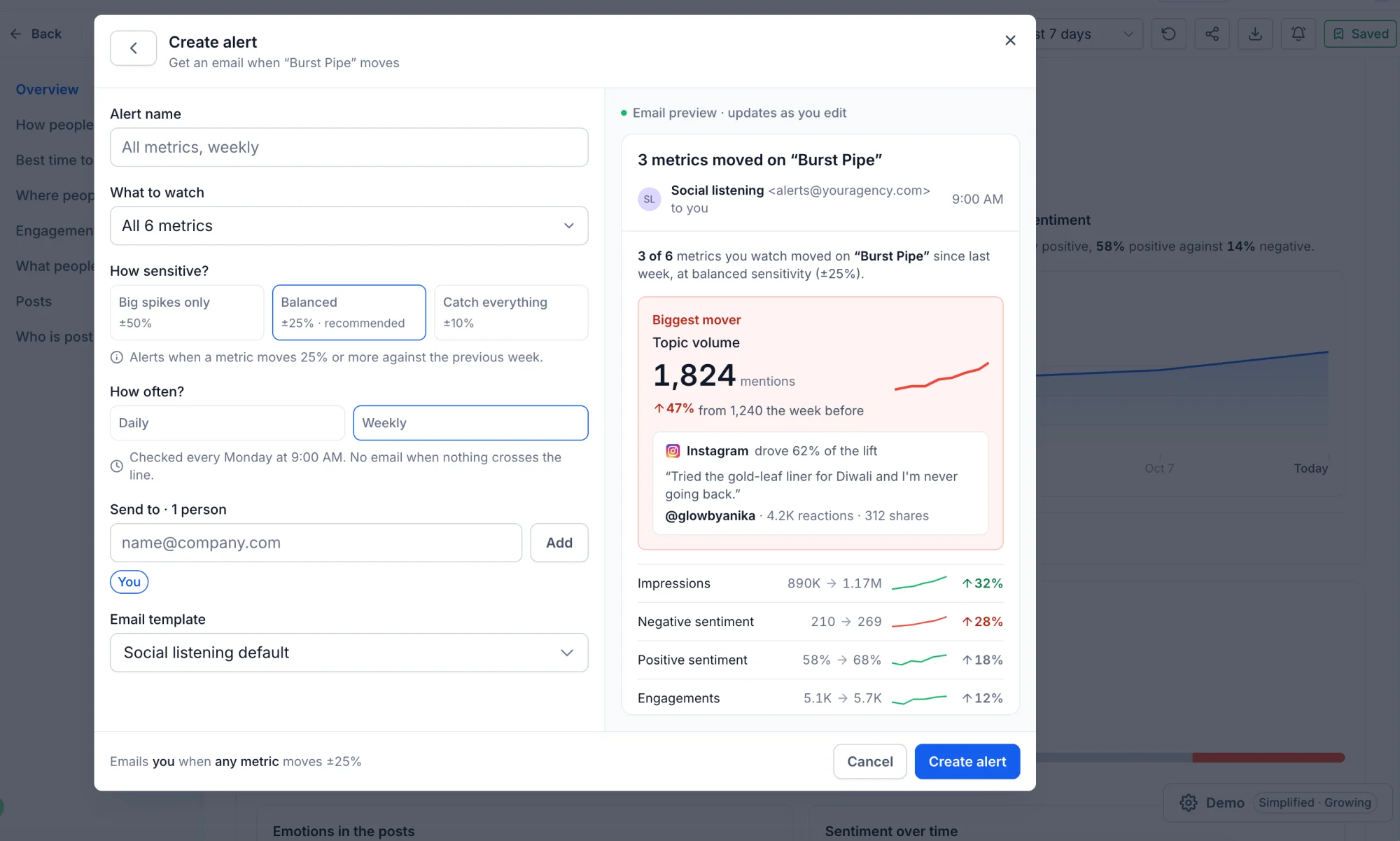
- Monitor mentions, sentiment, engagement, impressions, and share of voice.
- Customize alert sensitivity and recipients.
- Receive daily or weekly email notifications.
4. Discover Social Trends
Explore trending topics and popular conversations through:
- Google Trends: Discover popular search trends.
- Pinterest Keywords: Explore trending interests and keywords.
- Wikipedia Pageviews: Identify topics gaining attention.
The existing Social Trends functionality is now available within Social Intelligence.
How to Use This Feature
- Navigate to Marketing → Social Planner → Social Intelligence.
- Use Explore to search for a brand, keyword, or topic.
- Click Save as topic to unlock detailed insights and ongoing monitoring.
- Create Alerts to receive notifications when important metrics change.
- Switch to Social Trends to explore trending topics.
Why It Matters
- Know your audience: Understand conversations, sentiment, and emerging interests.
- Spot opportunities: Discover trending topics and relevant conversations.
- Stay informed: Monitor important topics and get notified about meaningful changes.
- Save time: Bring social discovery, monitoring, and insights into one workspace.
Notes
- Social Intelligence is available to selected users during Limited Beta.
- Each location gets 100 searches for the entire Beta period.
- Up to 50 topics can be actively monitored per location. Paused topics do not count toward this limit.
- Each topic supports up to 3 alerts.
- Saved topics support 7, 15, and 30-day lookback periods.
- Platform and metric availability may vary depending on the underlying social data source.