🔁 Introducing Routines in Managed Agents – Automate Recurring Tasks!
Your Managed Agents can now work on a schedule and deliver updates directly to your conversations! 🚀
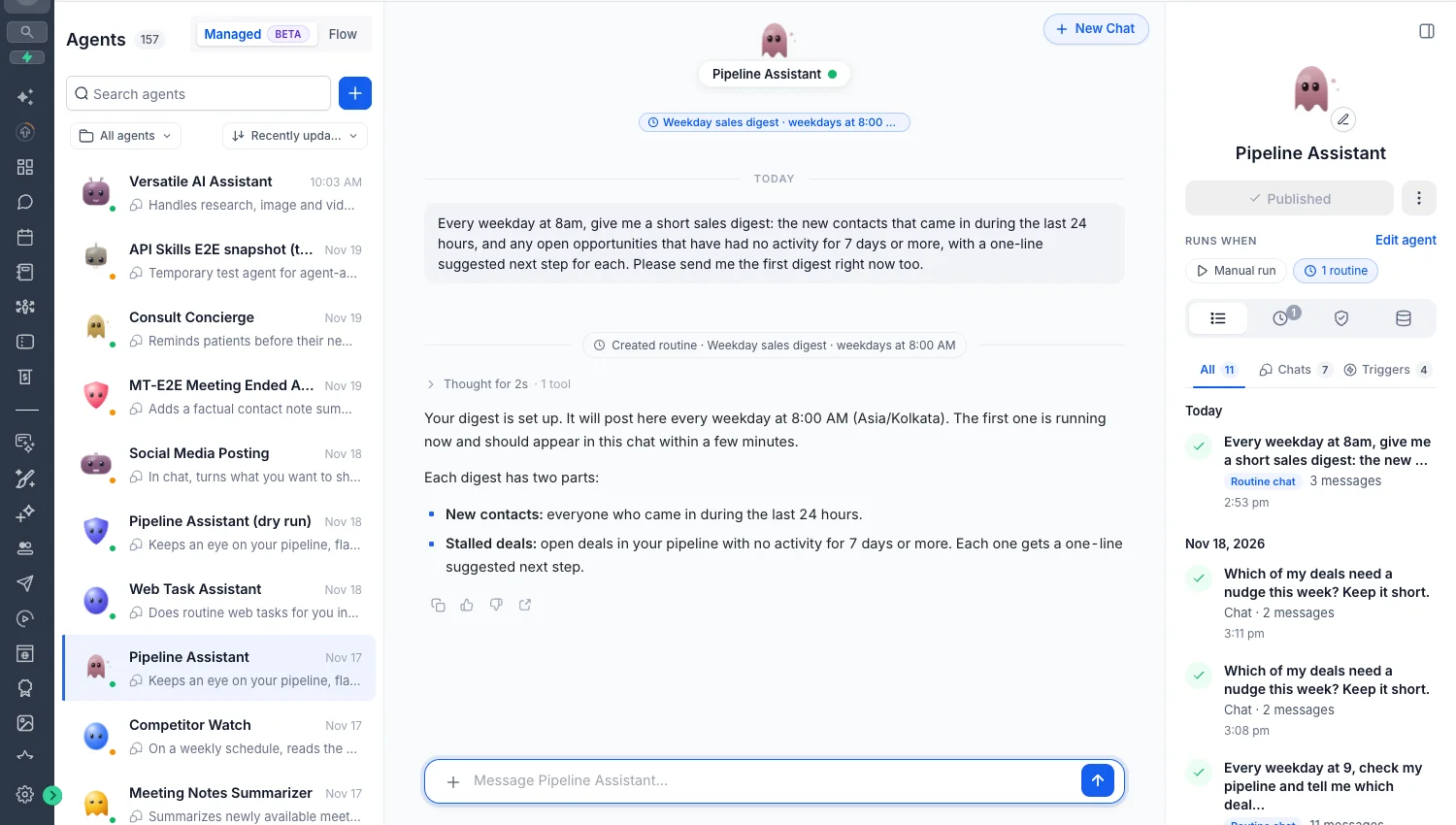
With the new Routines feature, simply tell your Managed Agent what you want done and how often. It will automatically execute the task and share results in the same chat — no manual triggers or repeated prompts needed!
✨ What's New?
⏰ Schedule Tasks Using Natural Language
- Create routines by simply asking, "Every weekday at 8 AM, summarize my new leads and inactive deals."
- Schedule recurring tasks without configuring triggers manually.
- Each routine stays connected to the conversation where it was created.
💬 Updates Directly in Chat
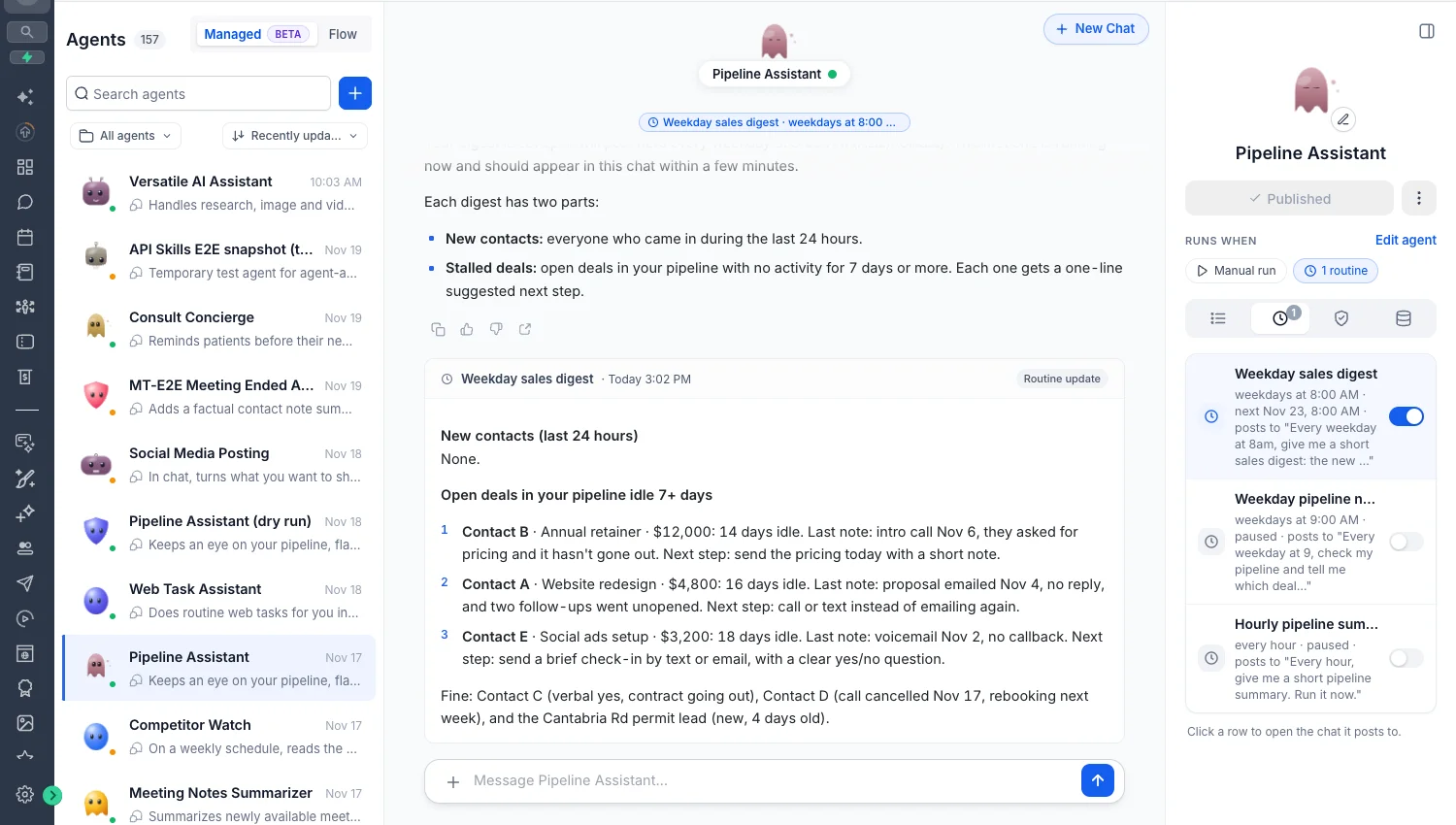
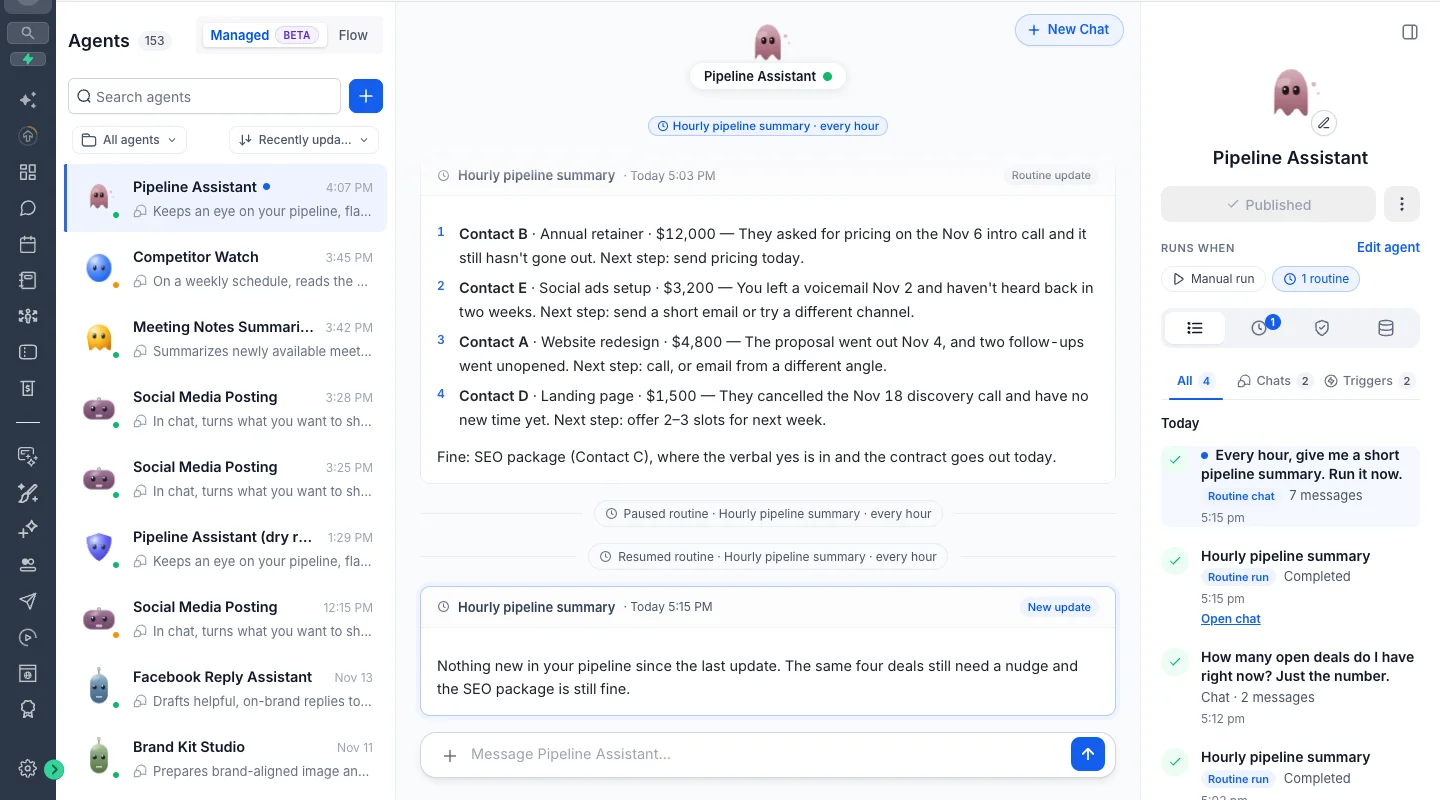
- Automatically receive scheduled updates in the same conversation.
- Continue chatting with your agent about the results.
- Unread indicators help you identify new routine updates.
🖥️ Computer-Powered Routines
- Agents can use Computer to browse websites and complete recurring tasks.
- Approve supported website actions once using Allow for this routine.
- Sensitive actions requiring new permissions pause for approval. Payments always require approval.
⚙️ Easy Routine Management
- View all routines in the dedicated Routines tab.
- Pause, resume, and manage routine permissions.
- Built-in safety controls automatically pause routines after repeated failures.
🛠️ How to Get Started
- Navigate to AI Agents → Agent Studio → Managed Agents.
- Open a published Managed Agent.
- Ask your agent to perform a task on a schedule.
- Approve required Computer permissions during the first run.
- Manage everything from the Routines tab.
🎯 Why It Matters
- Hands-Free Automation: Get recurring reports and updates automatically.
- Everything in One Chat: Keep results and follow-up conversations together.
- Beyond CRM: Automate recurring website tasks using Computer.
- Full Control: Manage schedules, permissions, and execution activity in one place.
📢 Important Notes
- Supports up to 10 active routines per person, per agent.
- Minimum scheduling interval is 1 hour.
- Routines use the agent's published version.
- Each execution follows standard Managed Agents usage billing.
- Email notifications for routine updates are coming soon.
Set It Once. Let Your Agent Handle the Rest! 🔁🚀