Introducing Reseller Agency Trust Center: Manage A2P Registrations Across All Sub-Accounts
Managing A2P 10DLC registrations across multiple sub-accounts just got easier!
With the new Reseller Agency Trust Center, reseller agencies can now monitor, initiate and manage A2P registrations across all their sub-accounts from one centralised dashboard - without switching between locations.
Get complete visibility into registration statuses, identify rejection reasons, and resolve compliance issues faster, all from your Reseller Agency View.
✨ What's New?
📊 1. Centralized A2P Overview Dashboard
Get a complete picture of A2P registration health across your reseller agency.
Registration Status: Track Fully Approved, In Review, and Rejected registrations across all sub-accounts.
Rejection Insights: Identify common Brand and Campaign rejection reasons and quickly locate affected registrations.
Registration Analytics: Compare Chat Widget and Self-Serve registration adoption and approval rates.
Actionable Insights: Navigate directly from dashboard insights to registrations requiring attention.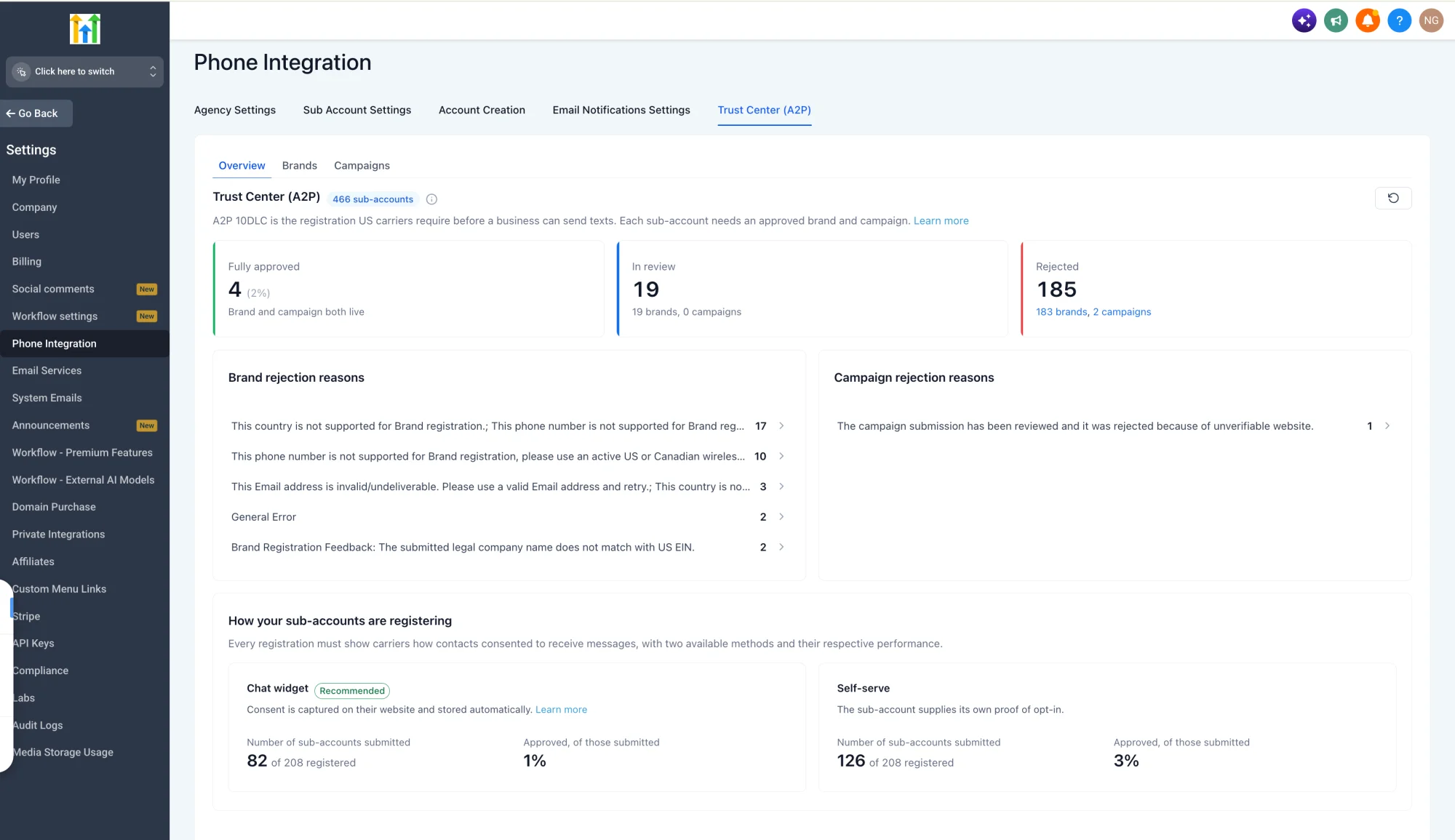
🏢 2. Manage Brand Registrations in One Place
View and manage Brand registrations across your entire reseller agency.
Search and filter Brands by sub-account and registration status.
View Brand details, including registration type, approval status, rejection reasons, and remaining attempts.
Fix and resubmit eligible rejected Brand registrations.
Initiate new Brand registrations directly from the reseller agency dashboard on behalf of your sub-accounts.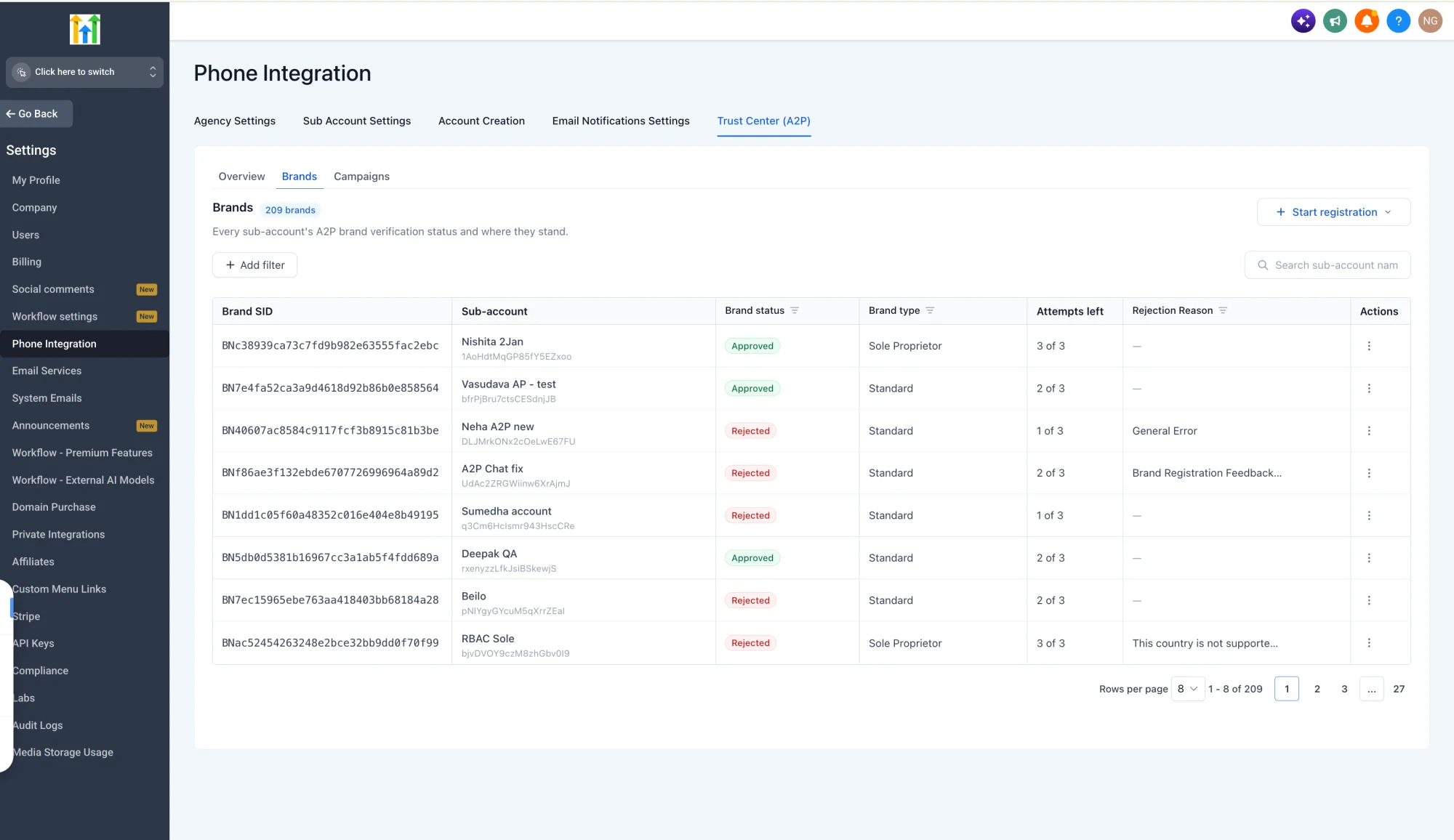
📱 3. Track and Manage Campaign Registrations
Stay on top of Campaign approvals and resolve issues without switching accounts.
View Campaign registrations across all sub-accounts.
Track Campaign status, associated Brands, messaging services, and use cases.
Identify rejection reasons and filter Campaigns requiring attention.
Fix and resubmit eligible rejected Campaigns directly from Reseller Agency View.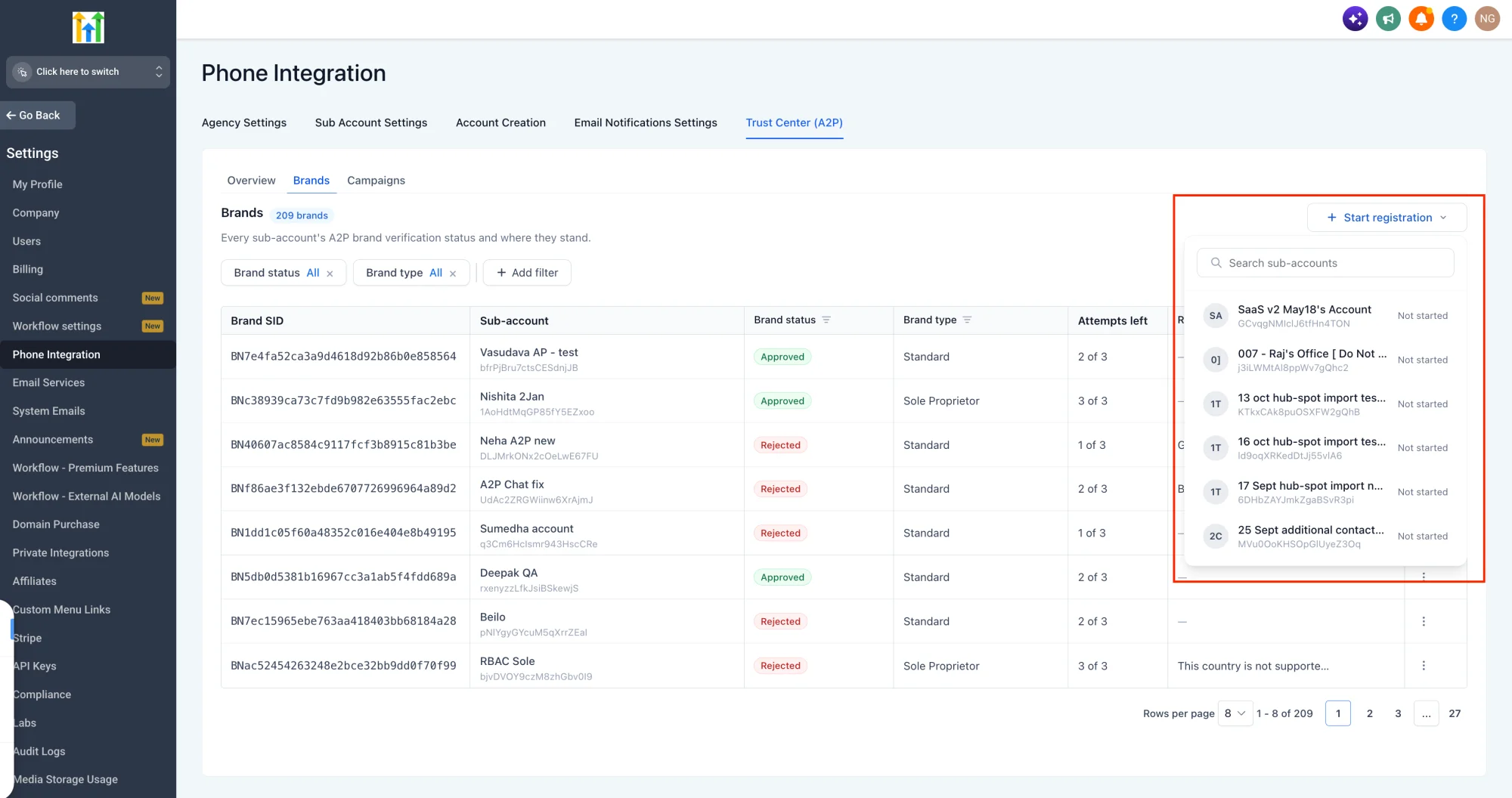
⚙️ How to Get Started
Enable Reseller Agency A2P console via labs in Reseller Agency view
Navigate to Reseller Agency View → Settings → Phone Integration → Trust Center (A2P).
Use the Brands and Campaigns tabs to manage A2P 10DLC registrations across all your sub-accounts.
Fix rejected Brand and Campaign registrations by editing details and resubmitting.
Initiate new Brand registrations on behalf of sub-accounts.
Track registration progress directly from the Reseller Agency Trust Center.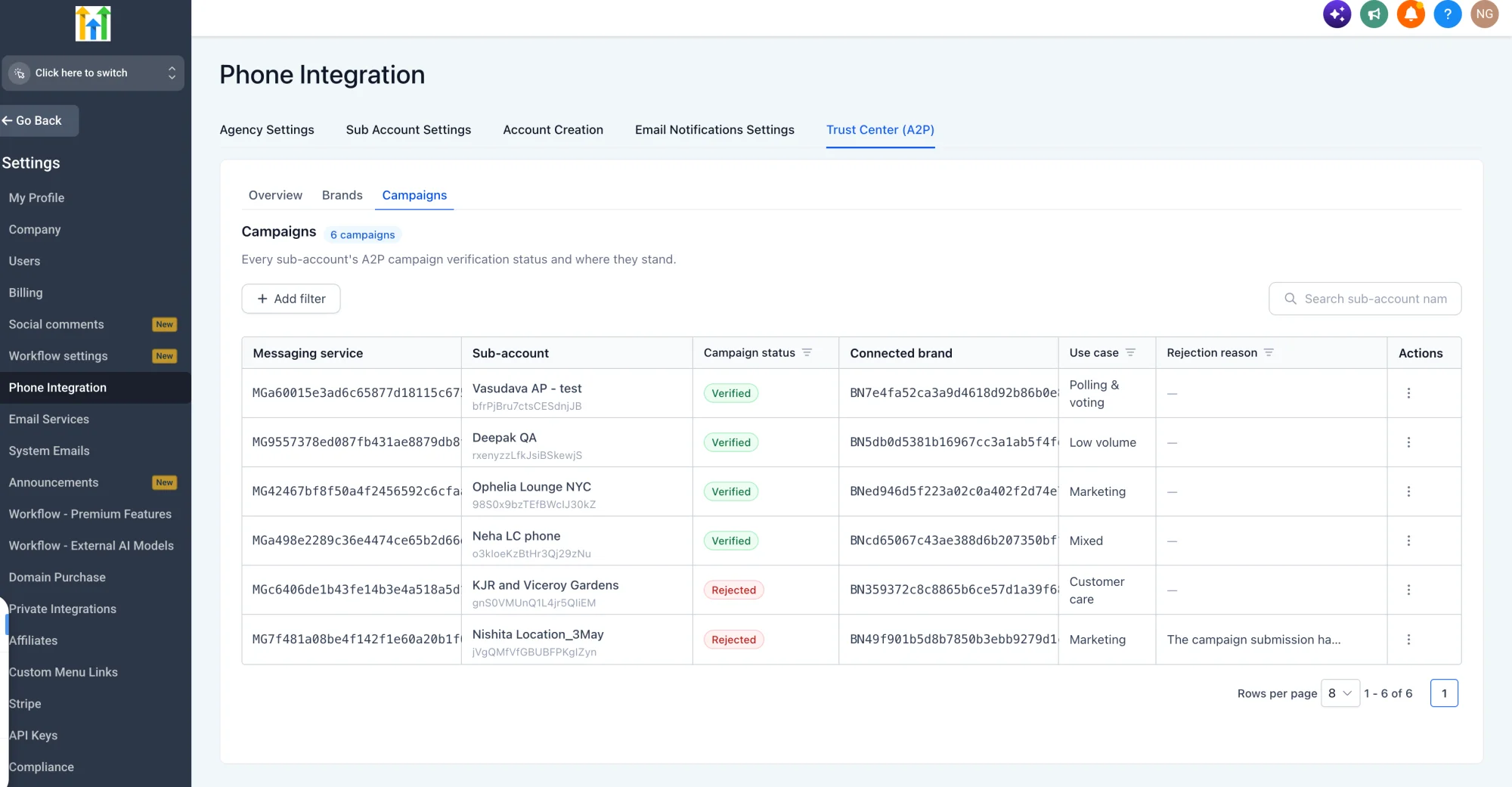
🔒 Availability
Plan: Exclusively available to reseller agencies subscribed to the Founder's plan.
Access: Available only to Reseller Agency Owners and Reseller Agency Admins.
🎯 Why It Matters
The Reseller Agency Trust Center makes A2P compliance simple and centralised for reseller agencies, enabling reseller agencies to:
Monitor A2P compliance across the entire reseller agency from one dashboard.
Take quick action on rejected registrations without visiting each sub-account.
Reduce messaging disruptions by identifying and fixing issues faster.
Improve deliverability and trust by maintaining healthy A2P registrations.
Keep every sub-account A2P-compliant with less manual effort.