🧩 Introducing Custom Objects in Client App Builder — Connect Your Portal Directly to Your CRM!
Your Client Portal can now do more than display content! With Custom Objects in Client App Builder, your portal can collect information directly from members and save it as Custom Object records in your CRM — connected to your Connect CRM.
Simply describe what you want to build, and AI helps you create the data structure, pages, and workflows — all in one place.
✨ What's New?
• AI-Powered Custom Object Creation — Describe what information your members need to submit, and AI designs the complete data structure — including fields, relationships, and access permissions.
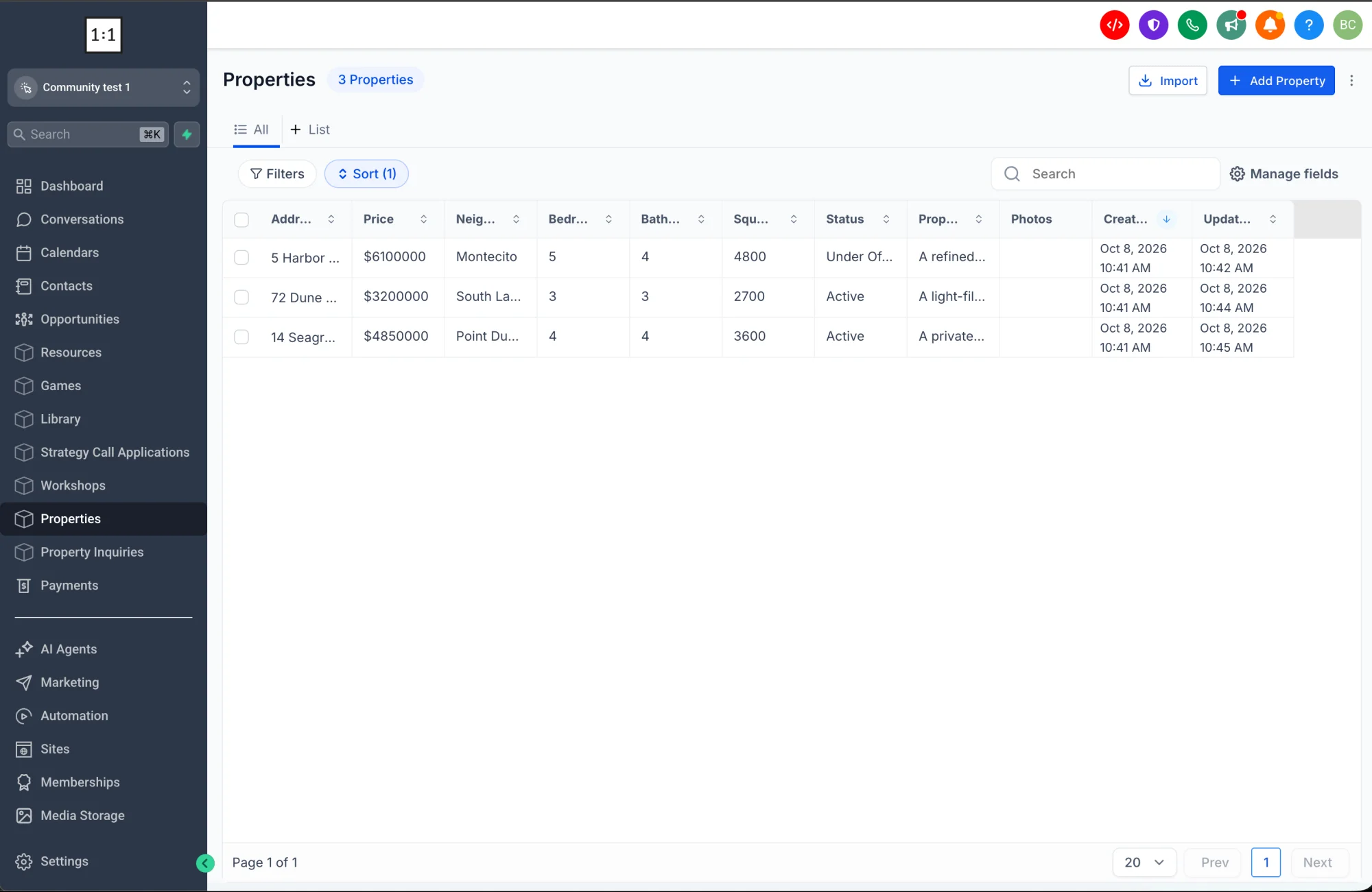
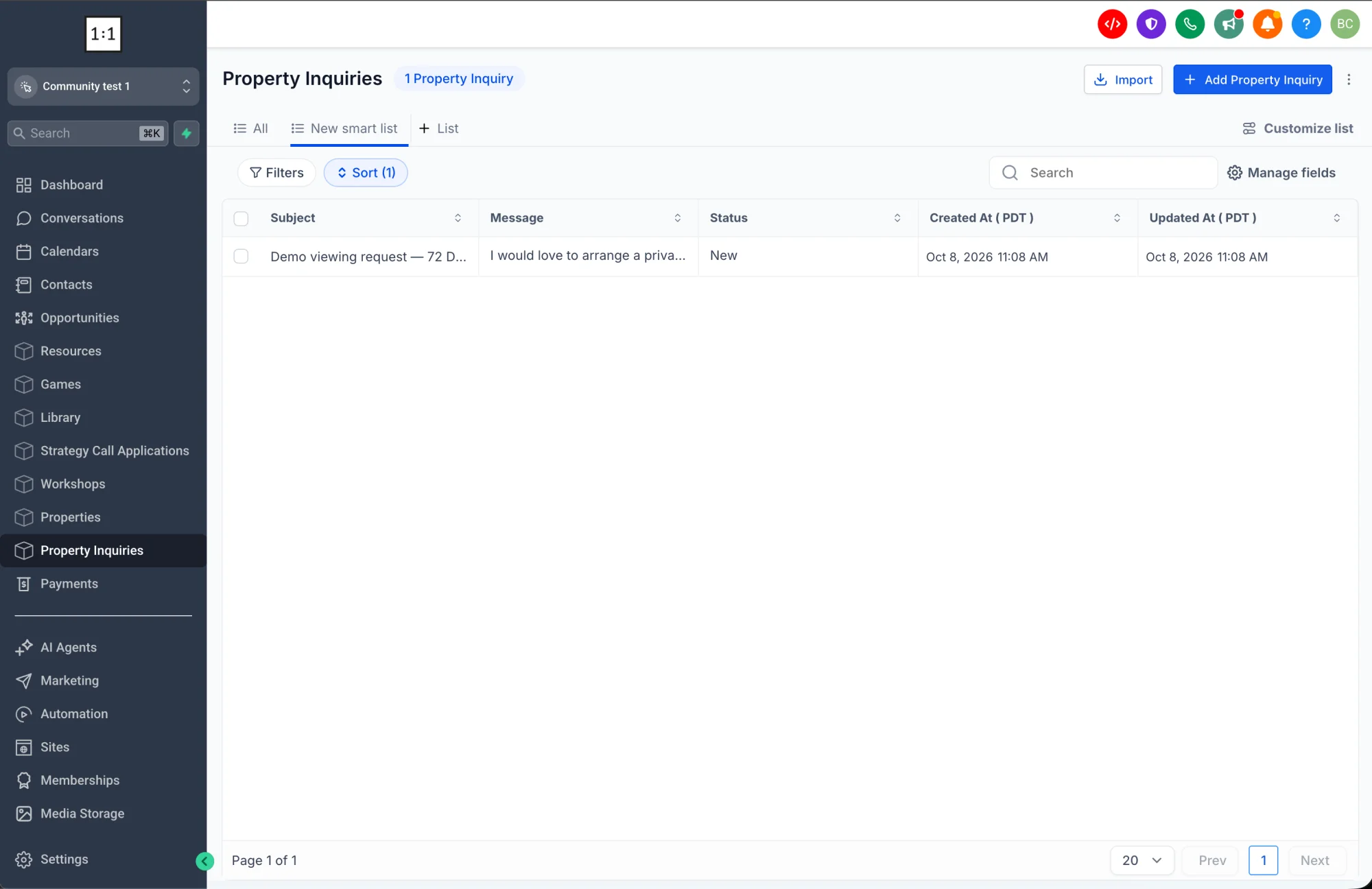
• Direct CRM Integration — Information submitted by members is saved directly as Custom Object records in your CRM. No extra integrations or manual imports are needed.
• Review Before Creating — Preview the proposed data structure, sample records, and access permissions before anything is created.
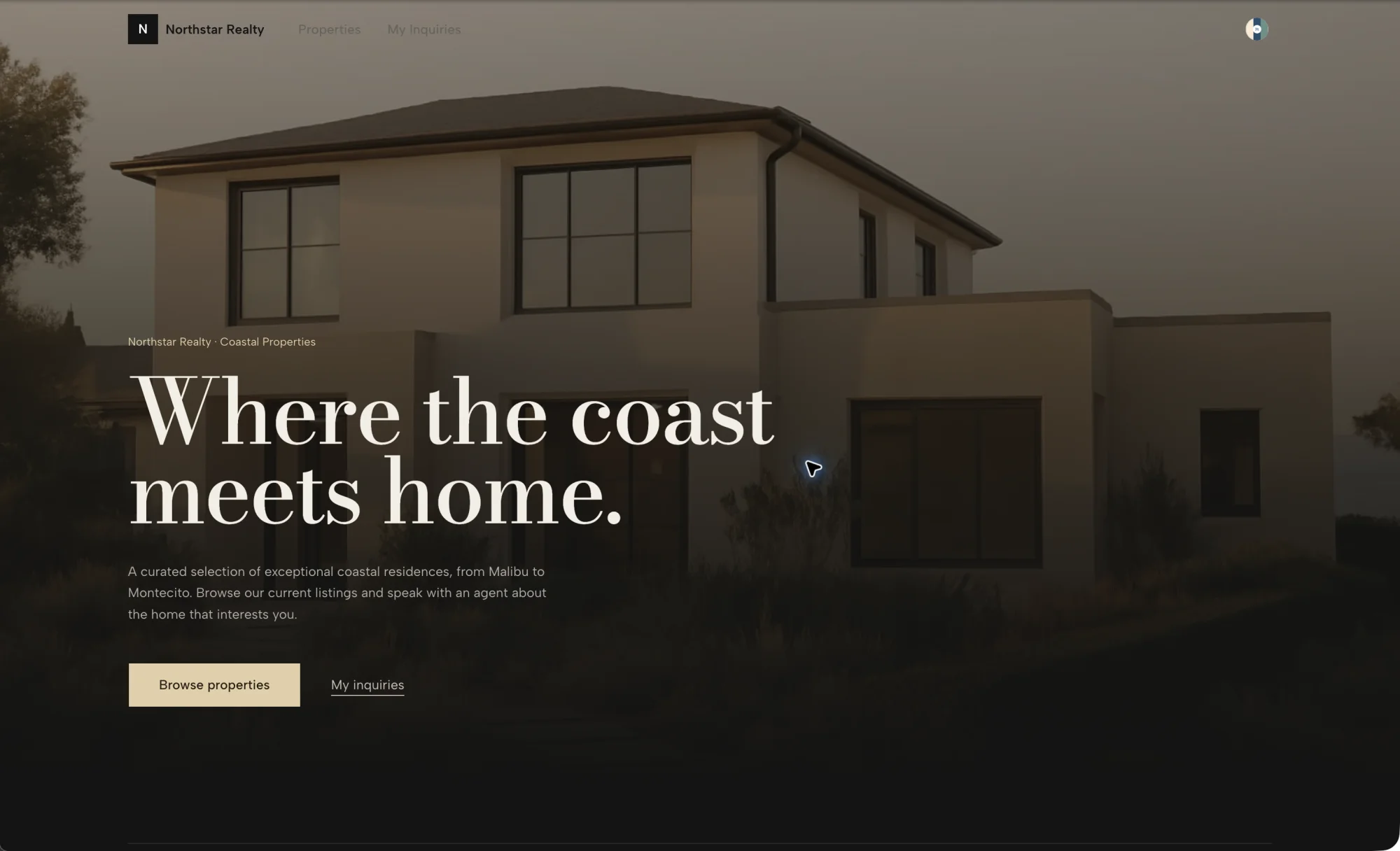
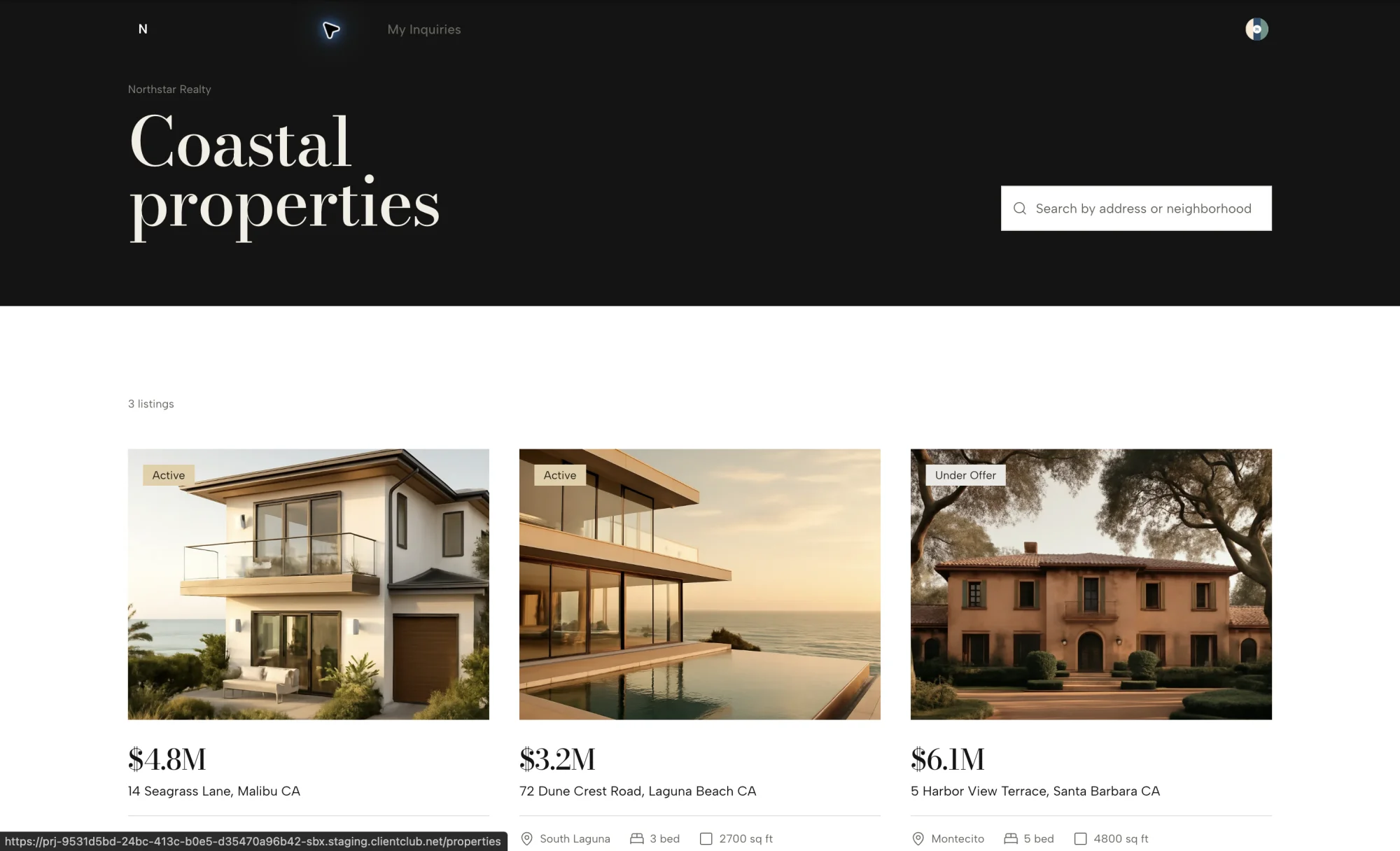
• Interactive Member Experiences — Automatically generate portal pages where members can view and add records.
• Flexible Data Visibility — Configure whether members can access their own records, their company's records, or all records in your workspace.
• Built-In Payment Support — Enable payment actions on records through Web Wisconsin's Connect CRM invoices when a payment provider is connected.
• Smart Object Management — Create up to 3 objects per request, reuse existing objects, and manage your Custom Objects from one place.
🚀 Why It Matters
• Your portal becomes more useful: Your clients get a real tool to work with, not just a place to view information.
• More personalized experiences: Create portals that feel custom-built for each client and their specific needs.
• Faster growth: Launch new features and pages without waiting for developers or integrations.
• Better data management: members can submit information directly through your portal while everything stays organized in Web Wisconsin's Connect CRM.
🔌 How to Get Started
- Navigate to the Client App Builder (in the Sites section of your sub-account).
- Click Build with AI and describe your Custom Object in plain English.
- Review the AI-generated proposal — the object structure, sample data, and access permissions.
- Approve it, and the AI will build your object and its pages. You can access the newly created objects directly from your Connect CRM.
- Edit or refine your objects anytime from the Custom Object Manager — just click the three dots on any object and select Edit.
⚠️ Notes & Details
• Custom Objects are currently limited to 3 per app builder.
• Objects are visible only within the same sub-account, including in the CRM.
• Any field with a formula will not display inside the Custom Object section in Client App Builder.
• Objects are synced to the app's portal, and all records created through the portal are stored directly in your CRM.
• Custom Object limit per sub-account: Up to 15 objects, based on your CRM's limit.
• Existing users in Labs: Your existing objects will be automatically migrated into Client App Builder.