Introducing Breakout Rooms in Meeting Room
Breakout Rooms make it easy to divide a meeting into smaller groups for focused discussions, activities, and collaboration.
What's New:
- Create up to 100 breakout rooms in a single meeting.
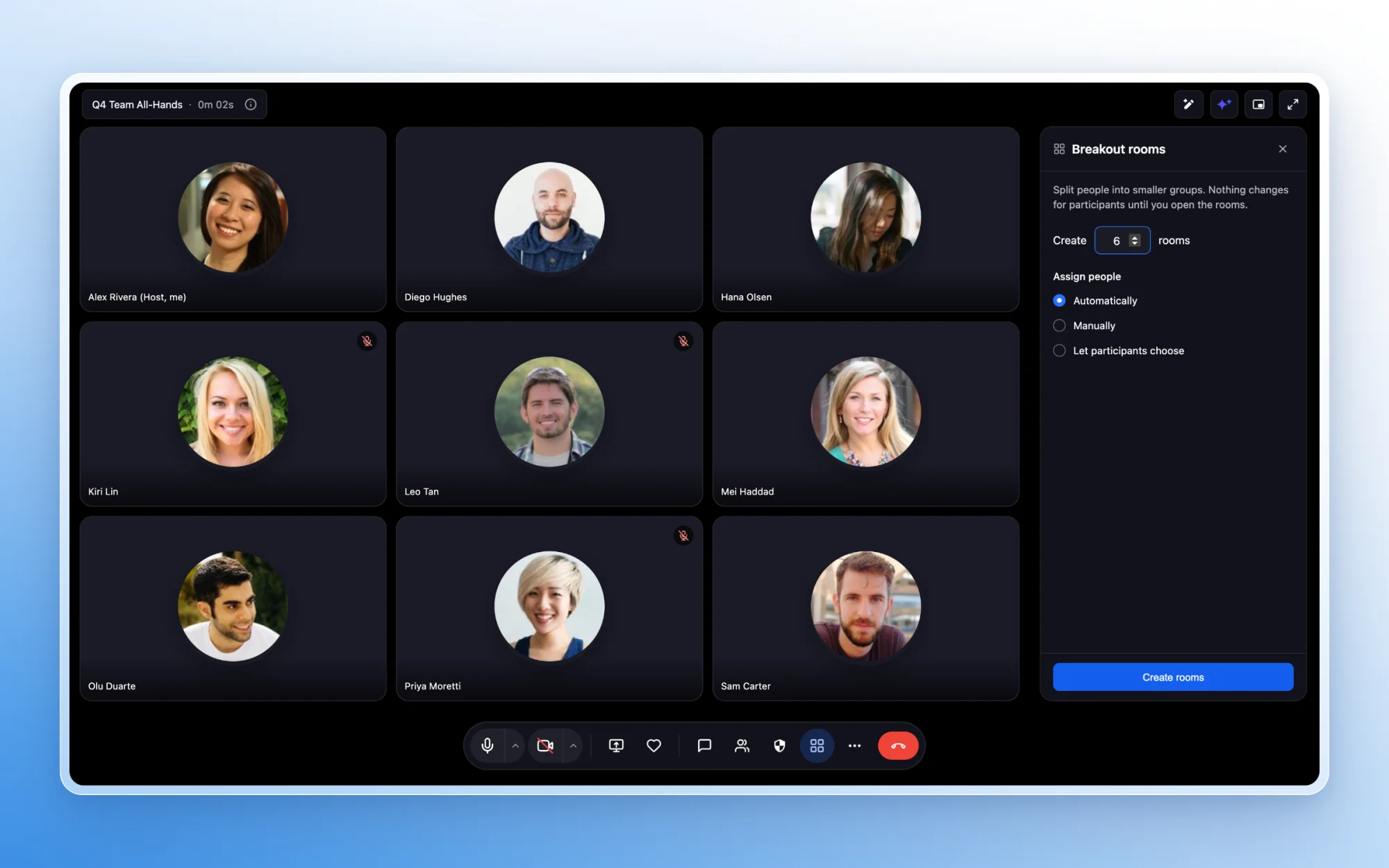
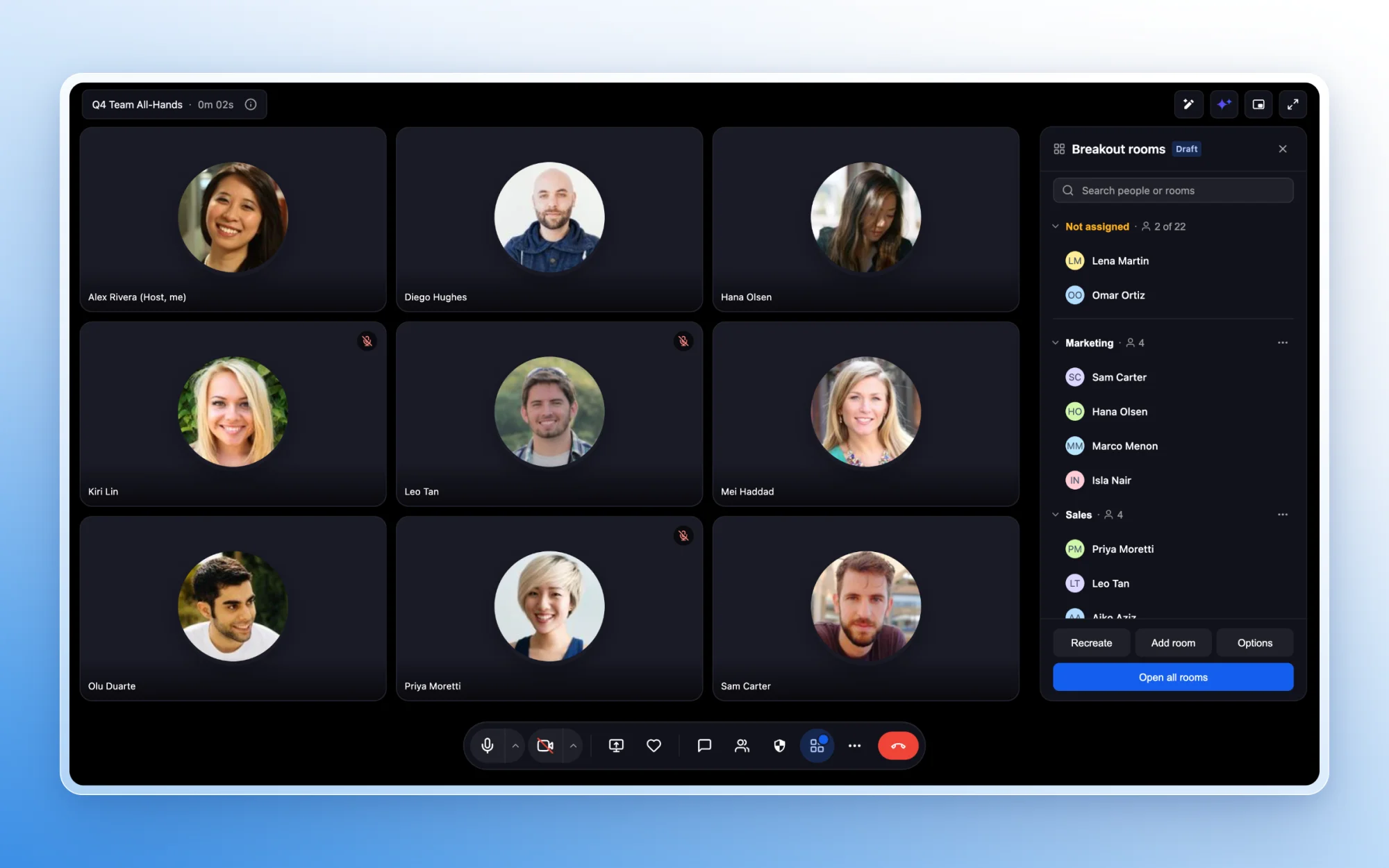
- Assign participants automatically or manually.
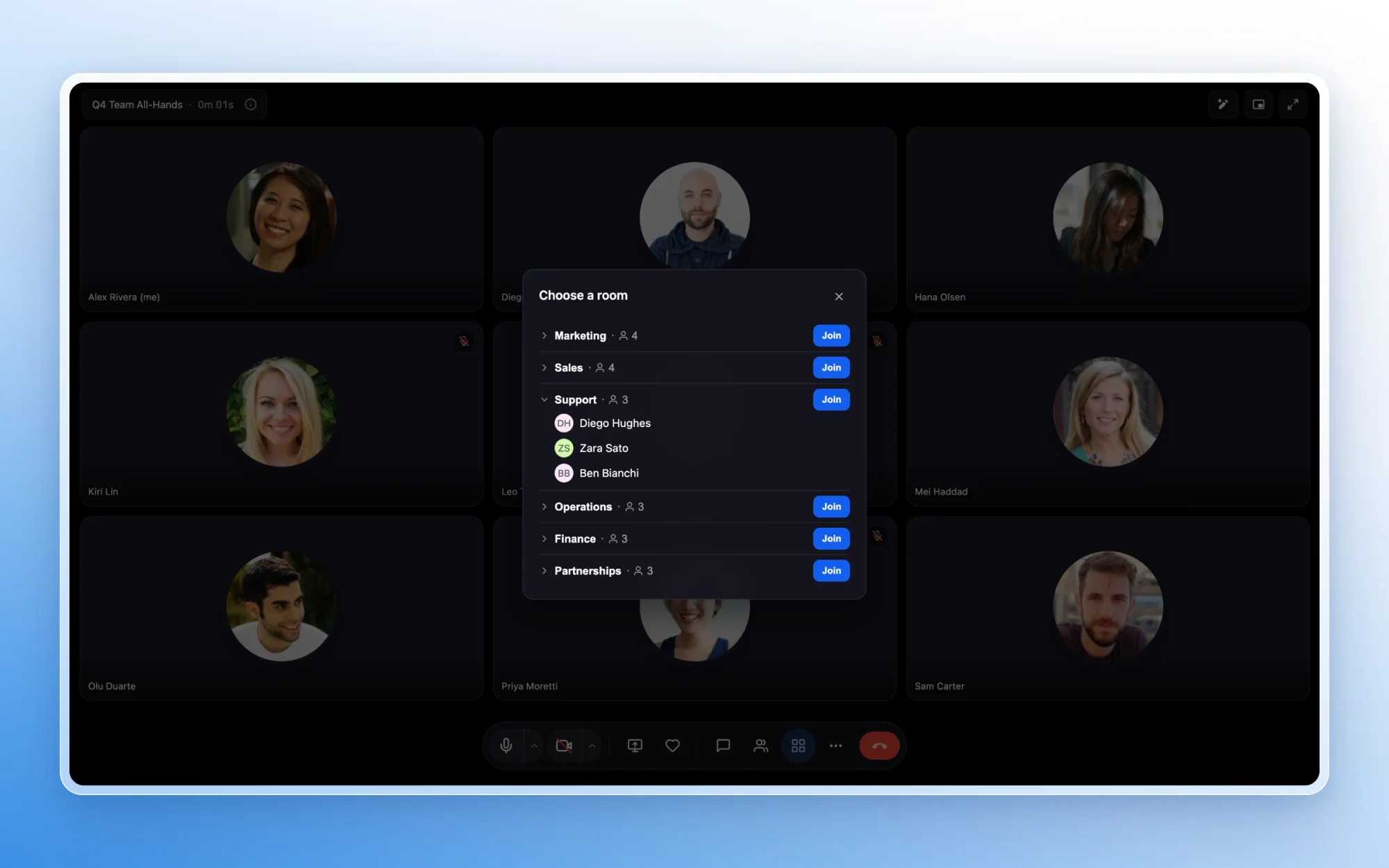
- Allow participants to choose their own rooms.
- Rename rooms and update assignments before the breakout session begins.
Manage Breakout Sessions
Meeting hosts can:
- Move participants between rooms.
- Join any breakout room.
- Broadcast a message to every room at once.
- Set a session timer.
- Extend an active session.
- Automatically return participants to the main meeting when time expires.
Recordings and Transcripts
Recording and live transcription can be controlled separately for each breakout room.
- Start or stop recording in individual rooms.
- Enable or disable live transcription by room.
- Quickly see which rooms are currently being recorded or transcribed.
Participant Experience
Participants can:
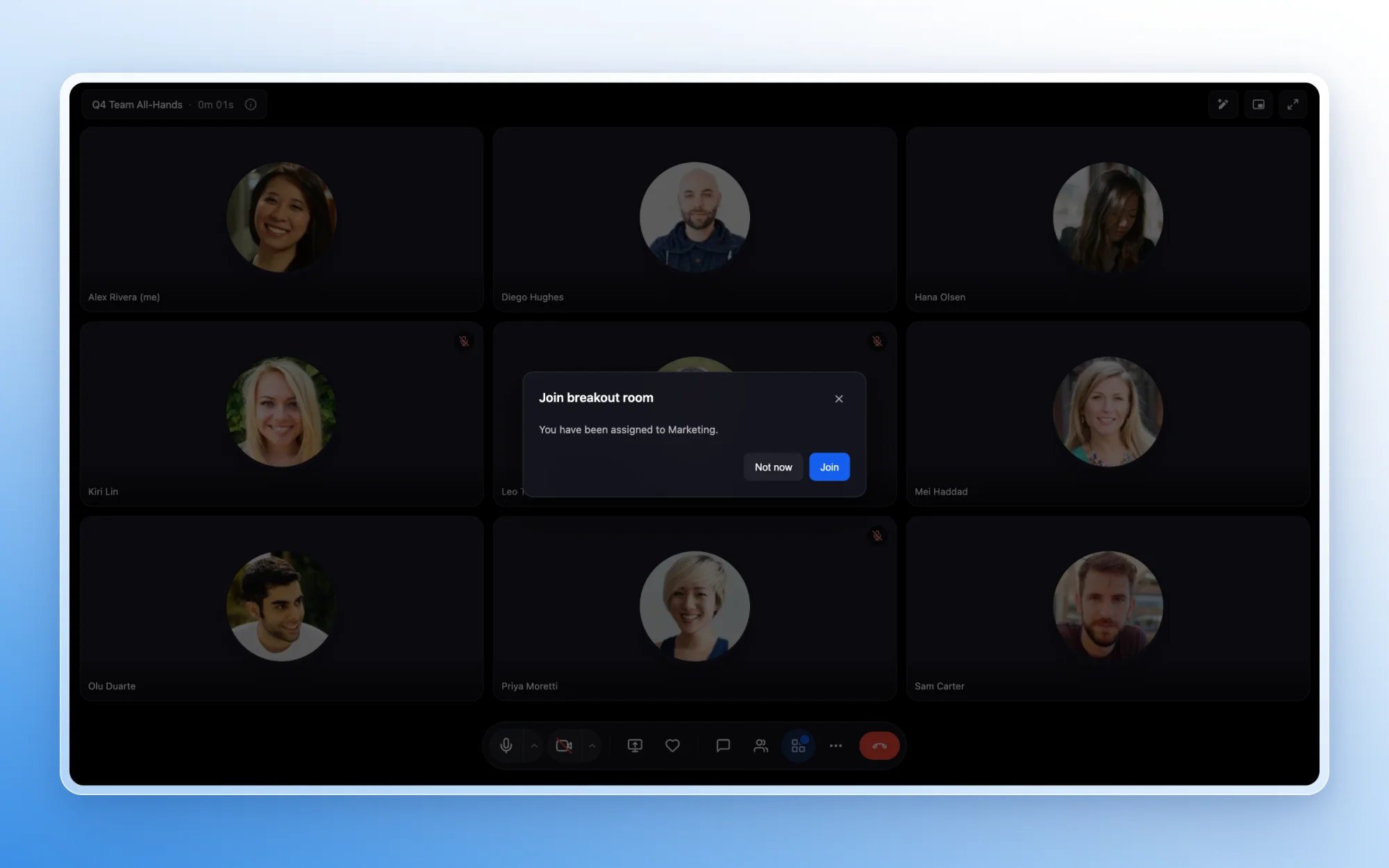
- Join their assigned room with one click or be moved automatically.
- Select or switch rooms when the host allows it.
- Receive countdown reminders before the breakout session ends.
- Return seamlessly to the main meeting.
Built for Collaborative Sessions
Breakout Rooms are ideal for:
- Training sessions and interactive workshops
- Focused brainstorming and team discussions
- Coaching programs and community conversations
- Small-group activities and peer collaboration
Get Started
While hosting a Meeting Room, select Breakout Rooms from the meeting toolbar. Create the rooms, choose how participants are assigned, and start the session when ready.