Google Sheets: Trigger Workflows from New Spreadsheets, Rows, and Worksheets.
Turn new Google Sheets data into action automatically. With this Google Sheets integration, you can use new spreadsheets, rows, and worksheets to start workflows and begin the next step in Web Wisconsin's Connect CRM when new data arrives. Whether it's a new lead, a form response, or a support request, you can capture it the moment it appears, with no manual imports or repeated checks.
👀 What's New?
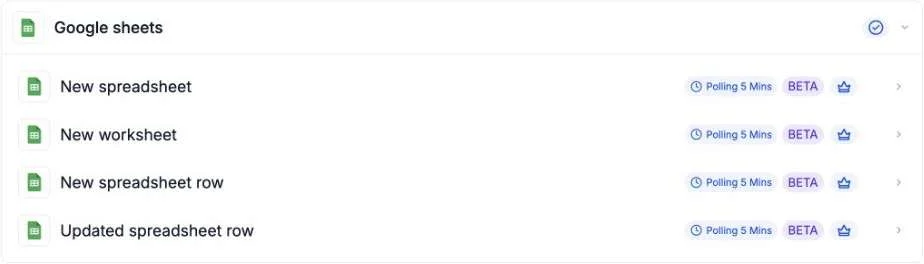
Four new triggers are now available in the Google Sheets integration:
- New spreadsheet: Start a workflow when a new spreadsheet is created.
- New row: Start a workflow when a row is added to a spreadsheet.
- New worksheet: Start a workflow when a new worksheet is added.
- New row in a worksheet: Start a workflow when a row is added to a specific worksheet.
🌟 Why This Matters
- Eliminate manual handoffs: Data moves straight from Google Sheets into your workflows, so nothing gets stuck waiting for someone to copy and paste it.
- Respond faster: Leads, form responses, and support requests trigger follow-up the moment they arrive.
- Build cleaner automations: Start from the exact spreadsheet, worksheet, or row you care about, without extra filtering steps.
🛠️ How It Works
- Add the Google Sheets trigger to a workflow.
- Connect your Google account.
- Choose a spreadsheet, and a worksheet if needed.
- Add your next workflow action, such as creating a contact, sending a message, or updating a record.
📝 Additional Notes
- The new triggers support Google Sheets only; other spreadsheet apps are not supported.
- To use them, add the Google Sheets trigger to a workflow, connect your Google account, and select the spreadsheet and worksheet you want to use.
🔜 What's Coming Next
Support is coming for row updated, row deleted, and cell updated triggers. More use cases and workflow examples are also planned.