🛠️ Field Services Is Now in Private Beta: Requests, Jobs, Scheduling and Dispatch in One Place
🧭 Overview
We're excited to introduce Field Services — now live in Private Beta! 🎉
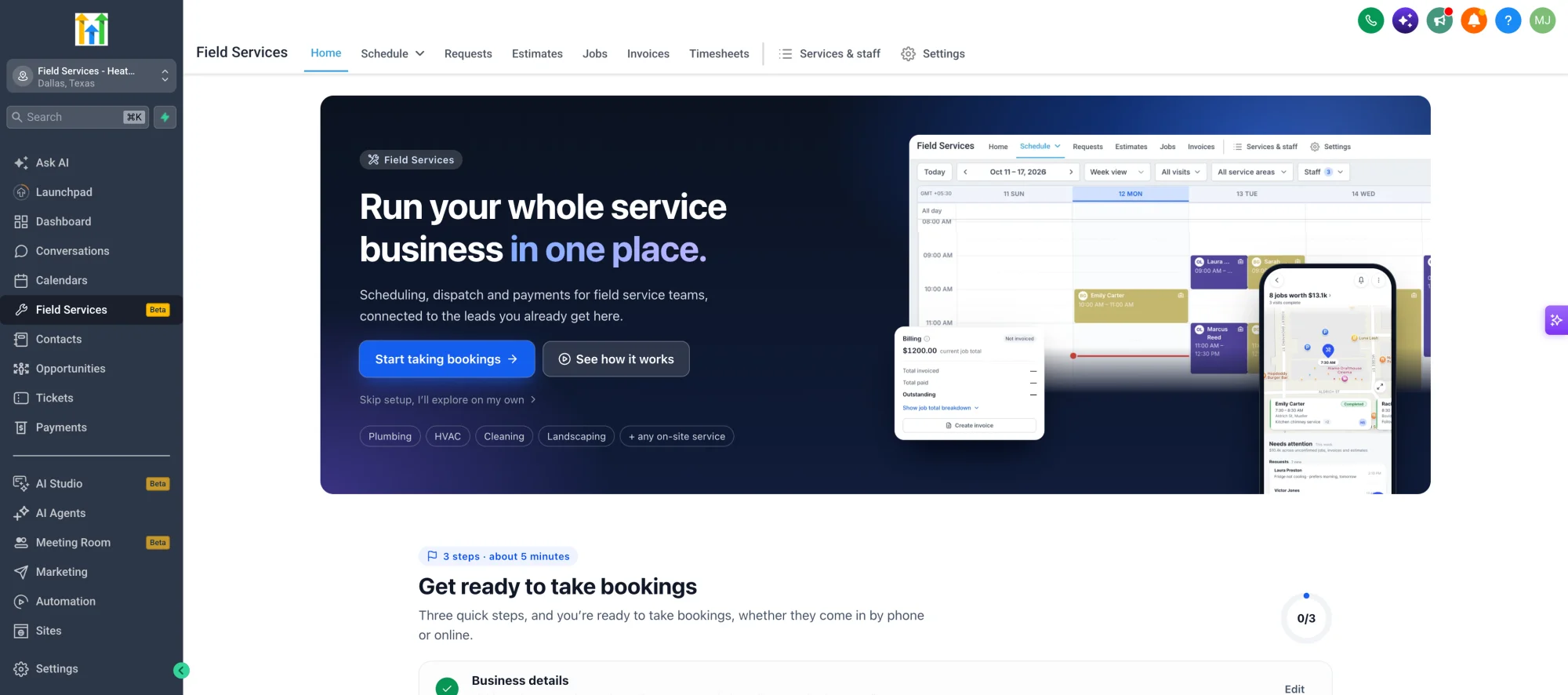
Field Services is a brand-new industry module, purpose-built for businesses that do their work at the customer's location. Unlike regular appointment scheduling, Field Services is built around requests, jobs and visits. It covers the whole workflow — from the customer's first request to the estimate, scheduling, dispatch, work done on site, invoicing and payment — all in one place.
Whether your day starts in the office or on the road, your office team, dispatchers, owners and field staff will all see the same picture of the day — and your customers can follow along too.
Field Services is currently in Private Beta. To join, register your interest by filling out this form.
🚀 What's New?
✅ Home: Your Business at a Glance
- Get started with a welcome page for new accounts with a quick setup checklist, a walkthrough of how work flows from request to invoice, and install links for the mobile app.
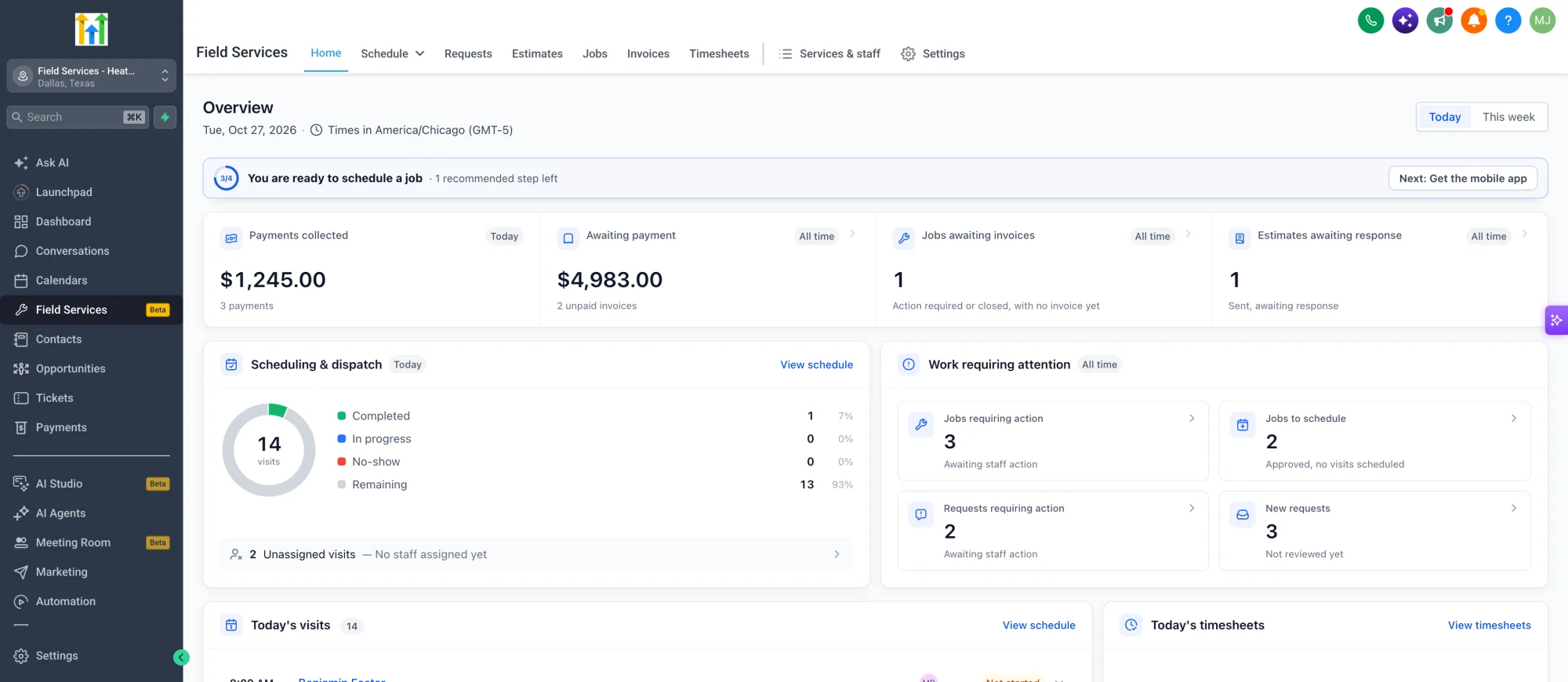
- Once you are set up, the home offers you a daily overview that tells you where to look first:
- Money overview: payments collected, invoices awaiting payment, jobs awaiting invoices and estimates awaiting response
- Scheduling and dispatch: visits by status and unassigned visits that need a technician
- Work requiring attention: new requests, jobs that need action, and approved jobs that still need to be scheduled
- Today's visits with assigned staff and status
✅ Requests and Estimates: Capture and Quote
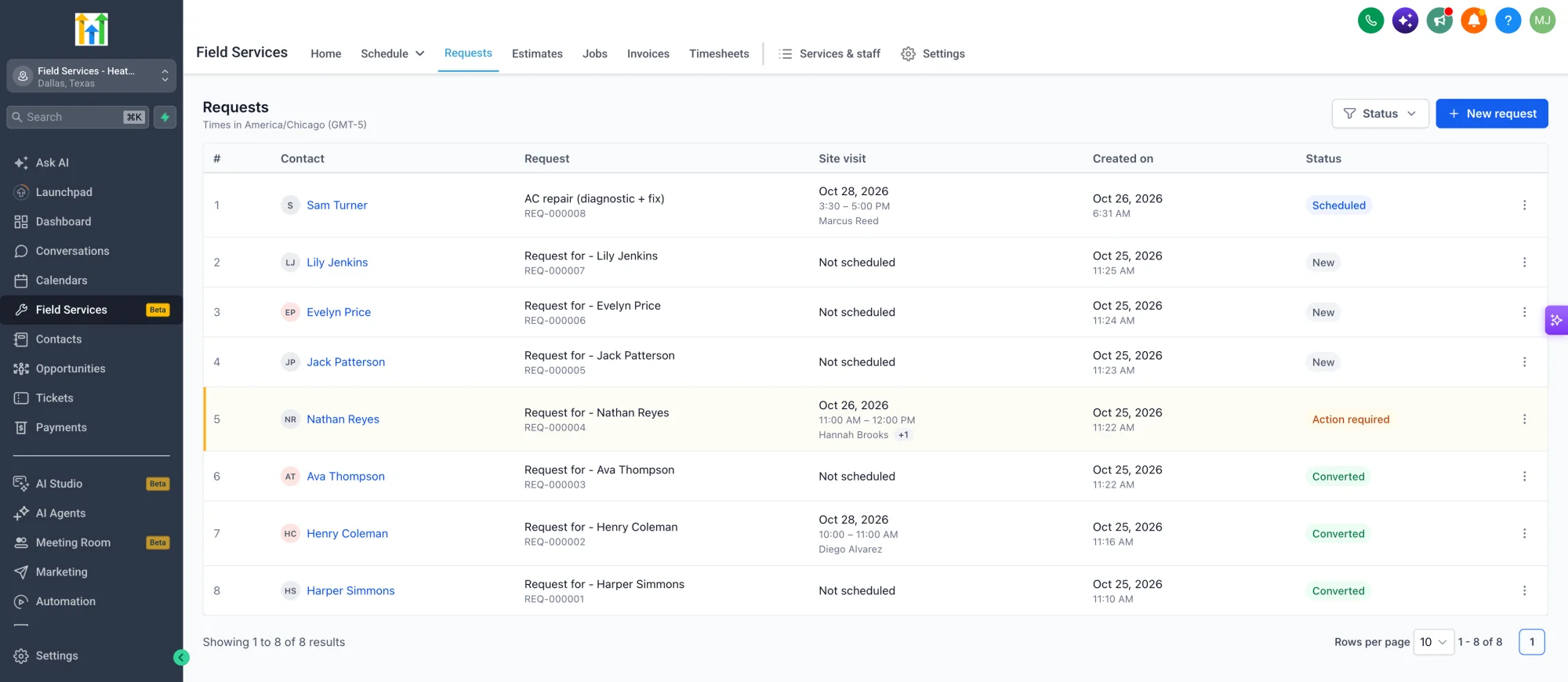
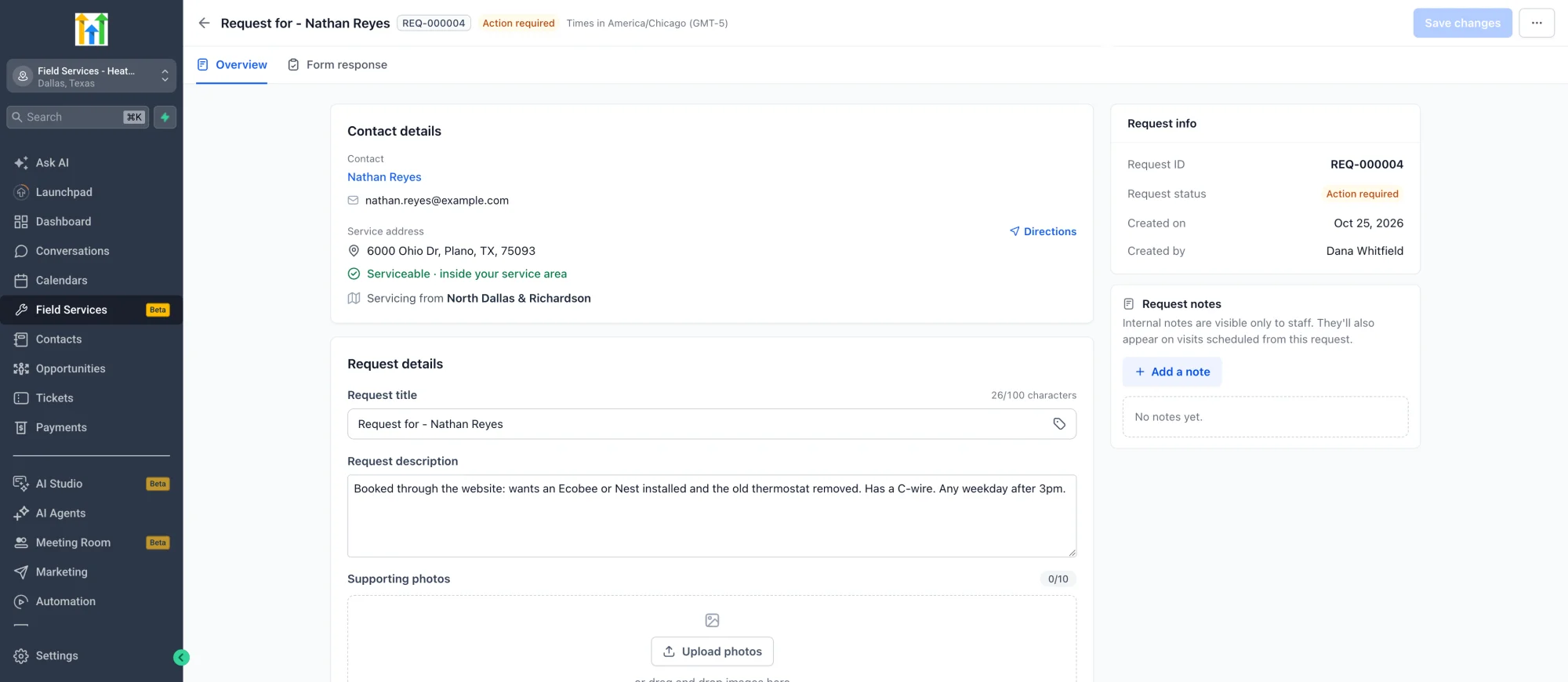
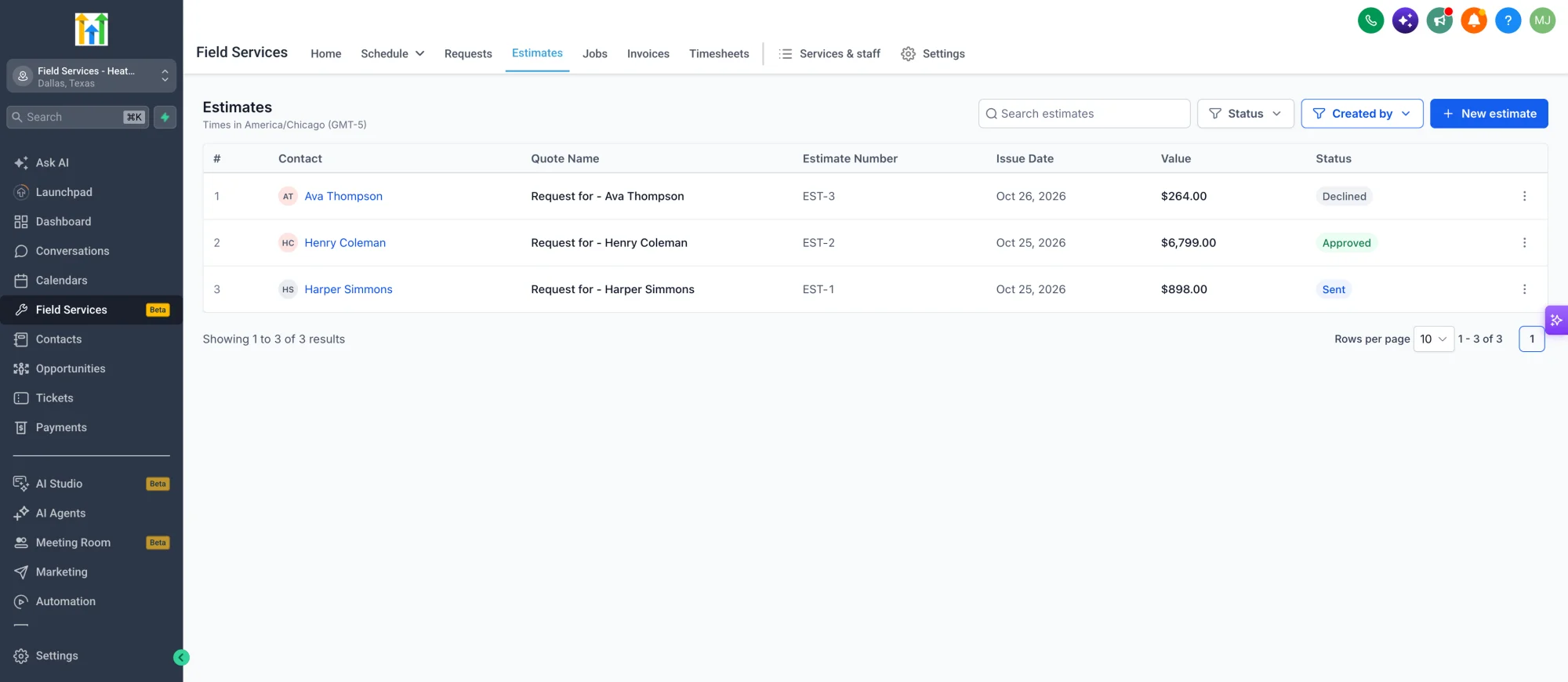
- Customers can send requests from your booking page, or your team can create them in the app, with contact, address, service and description details.
- Optionally schedule a site visit and give the customer a quote before you start the work.
- Convert a request to an estimate or a job in one click, send the estimate to the customer, and turn an approved estimate into a job.
✅ Jobs: Everything About the Work in One Place
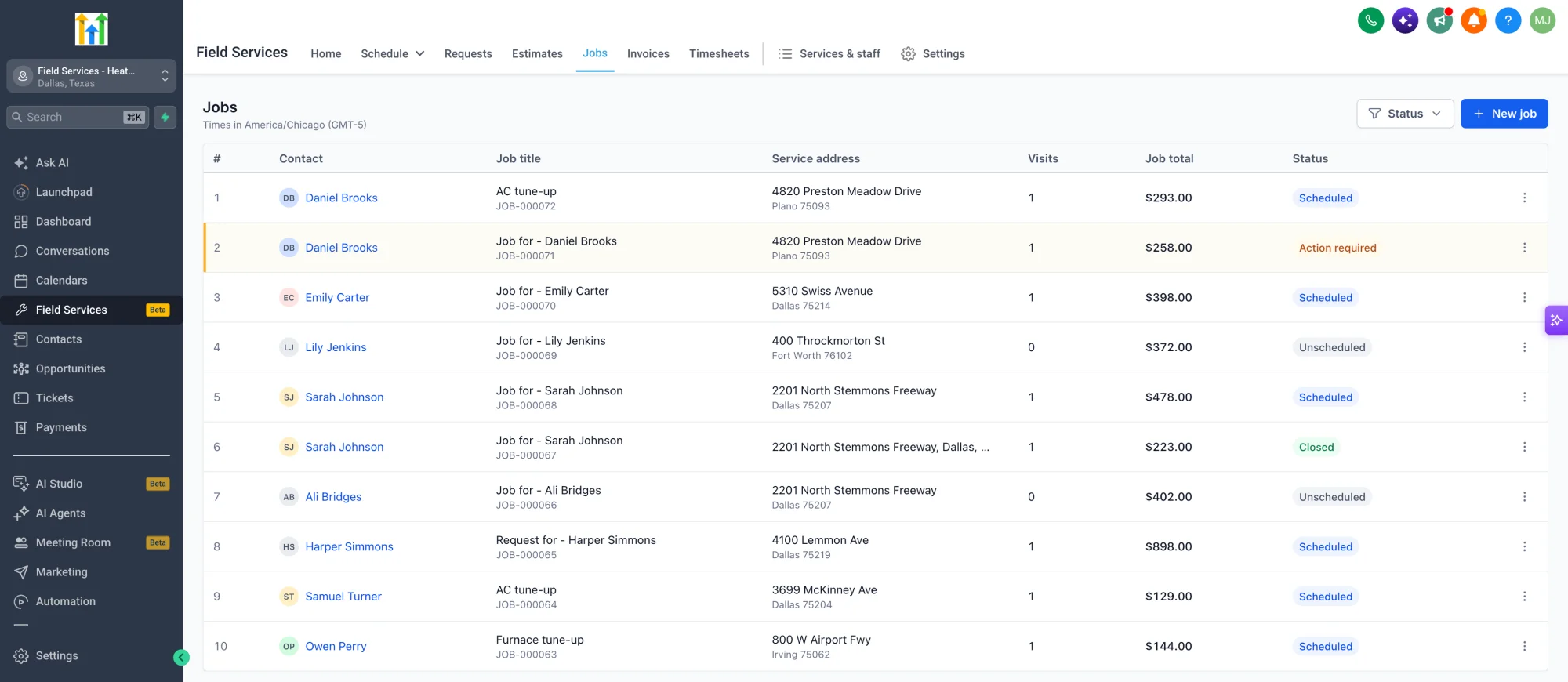
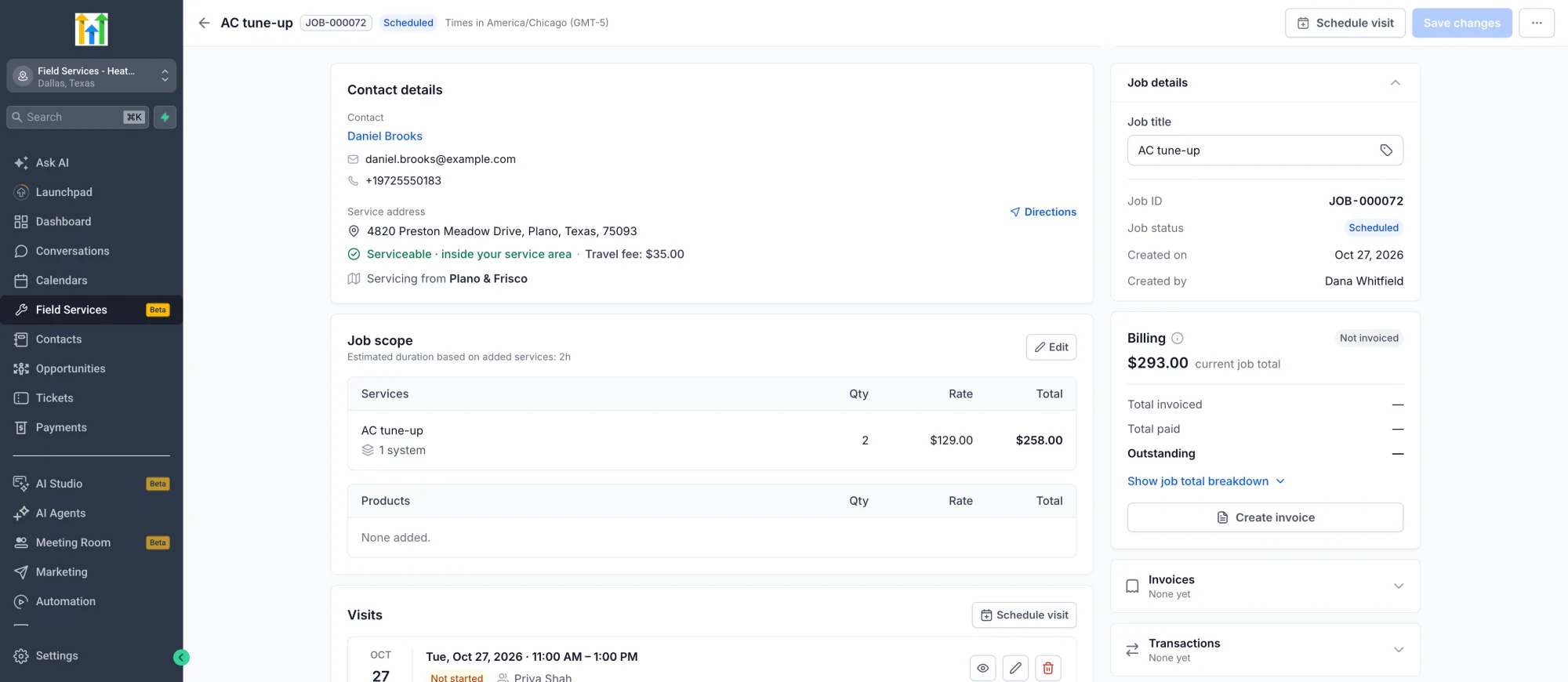
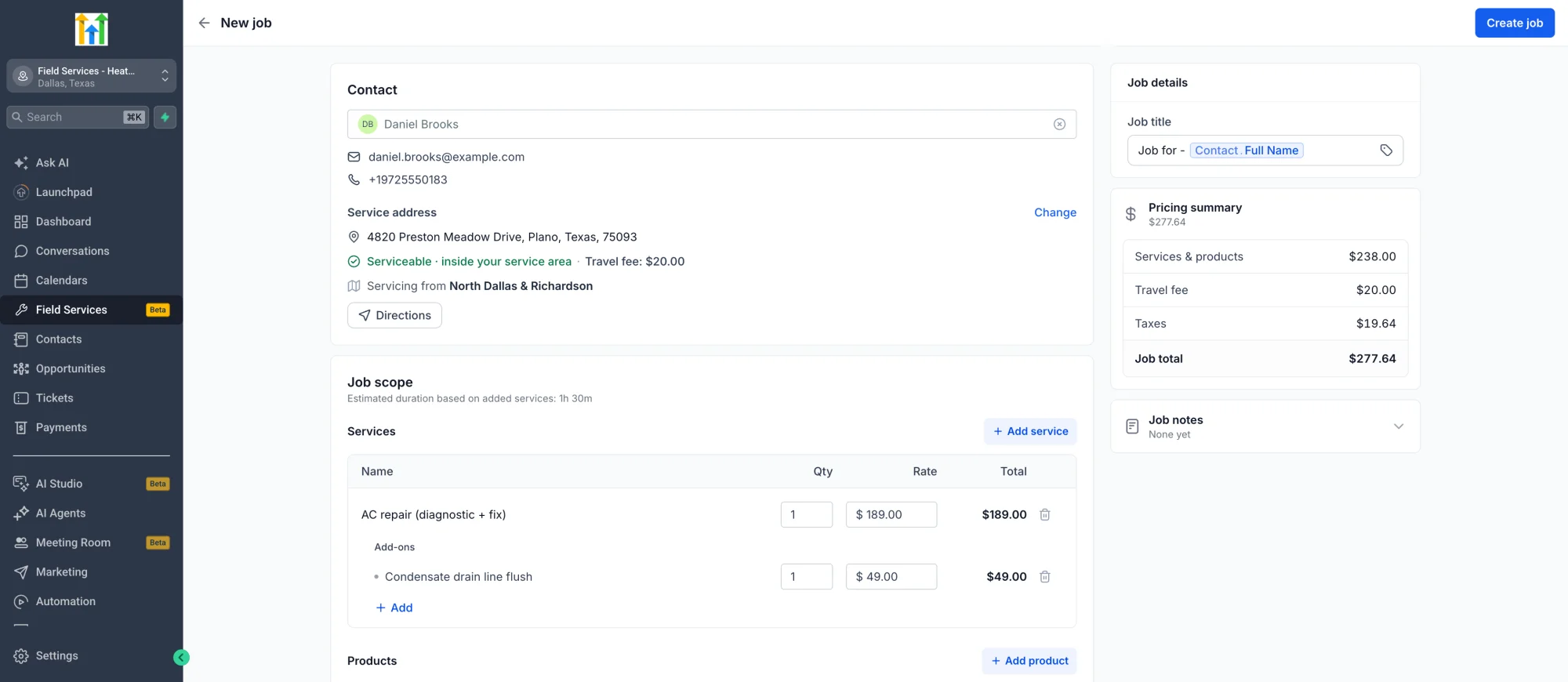
- A job brings together everything about the work for one customer and one service: the contact, the property, the schedule and the billing.
- Services and products, pricing, checklists, notes, invoices and payments, all in one place.
- Automatic job status driven by visits and billing, from Unscheduled to Scheduled, In progress and Closed.
- A Billing card showing what is invoiced, paid and outstanding.
✅ Smart Scheduling
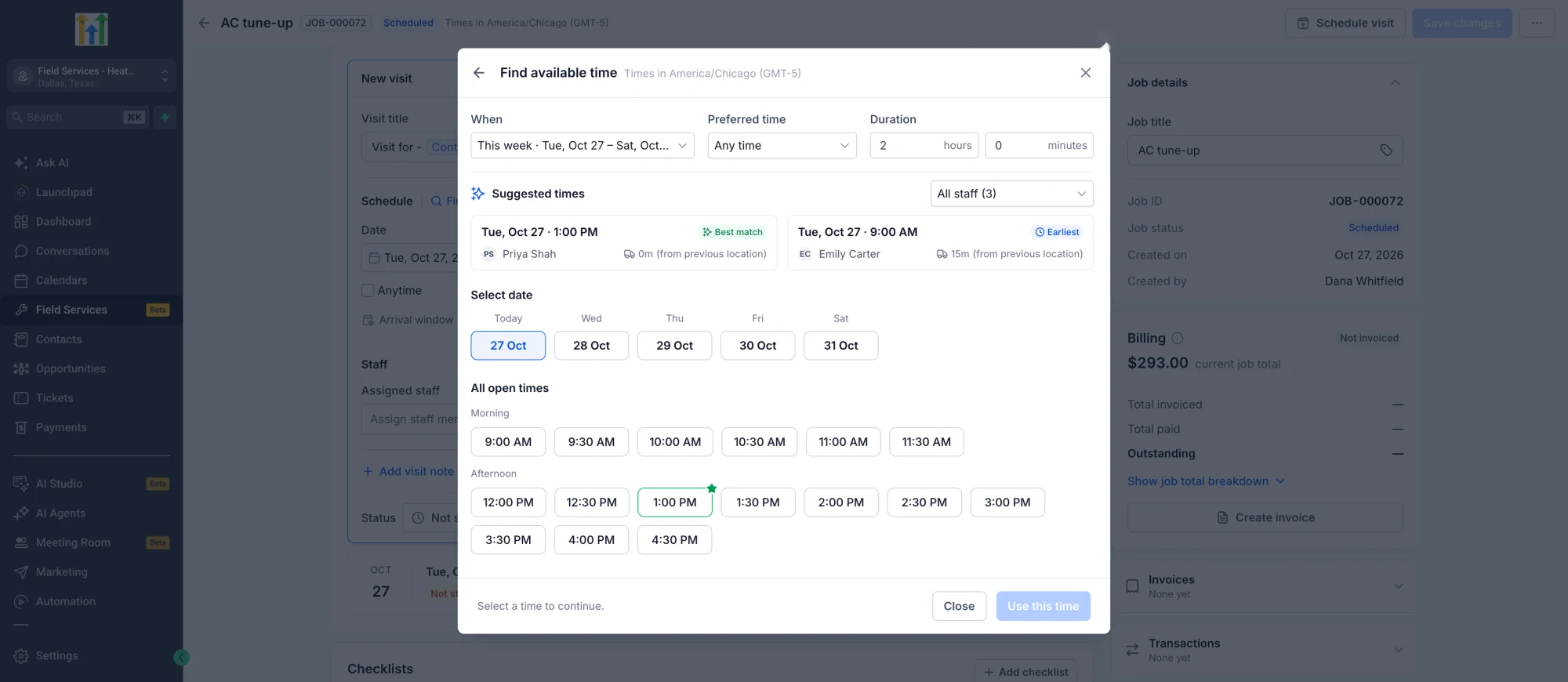
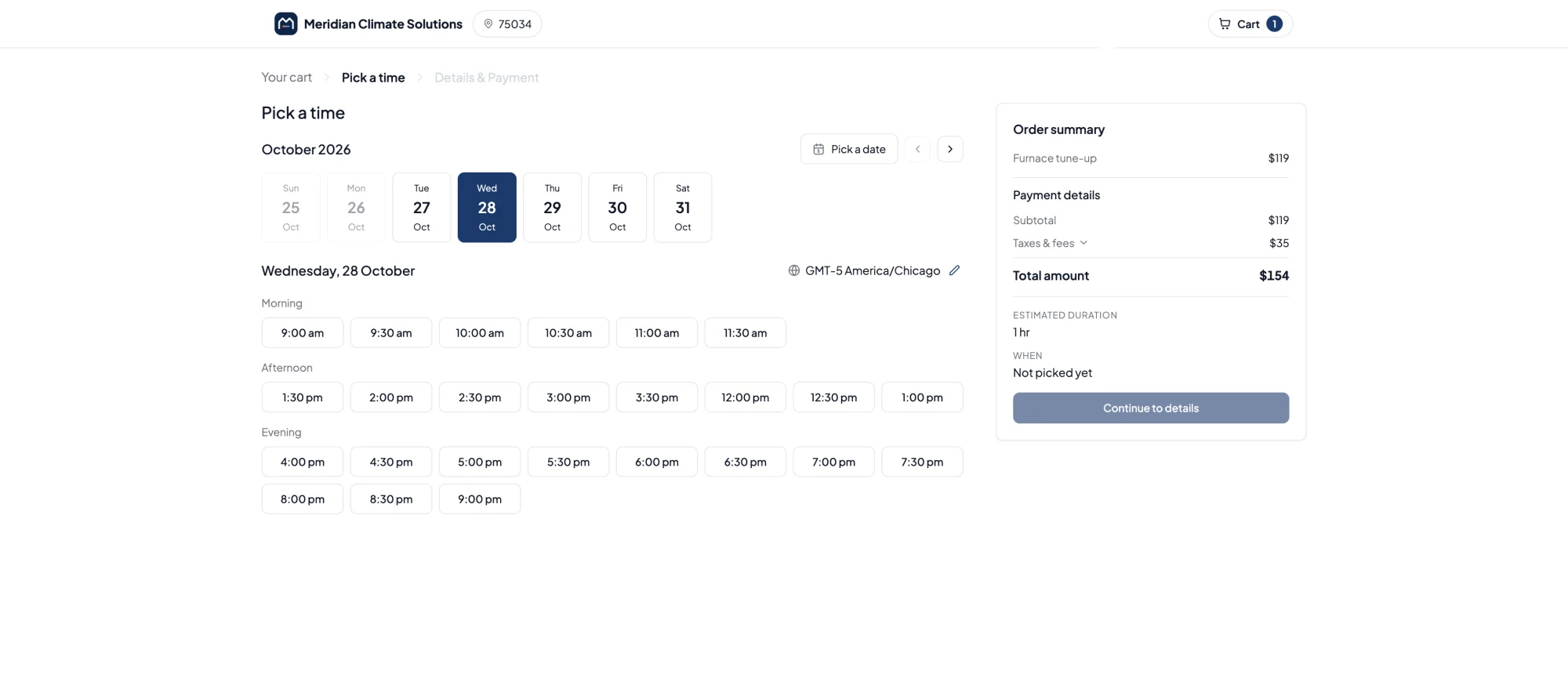
- Find availability suggests the best times based on staff working hours, services, service areas, existing bookings and travel time.
- Choose how far ahead a customer can book, set buffer and travel time, and decide what happens when there are no suitable times.
✅ Schedule: List, Calendar and Map
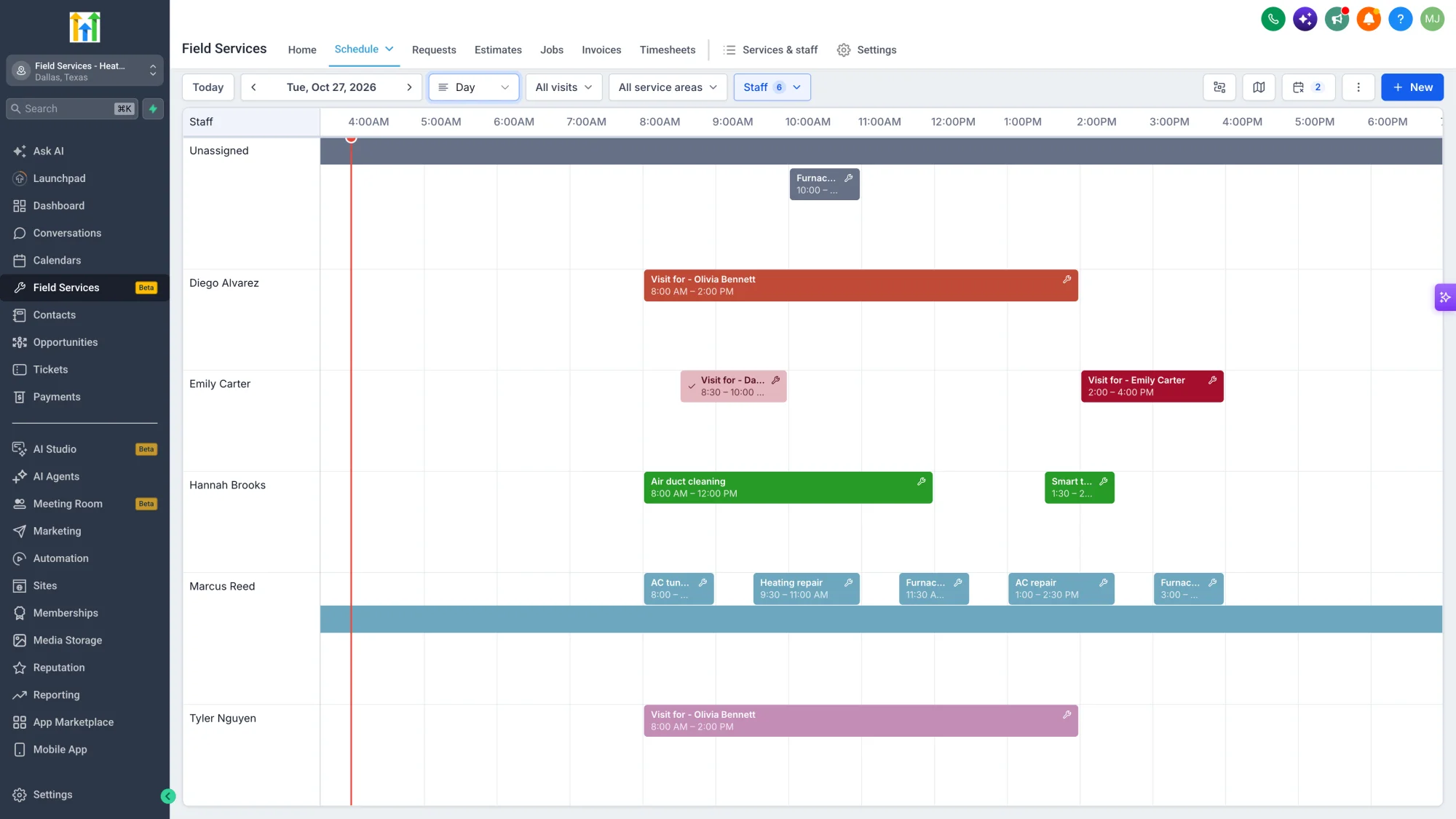
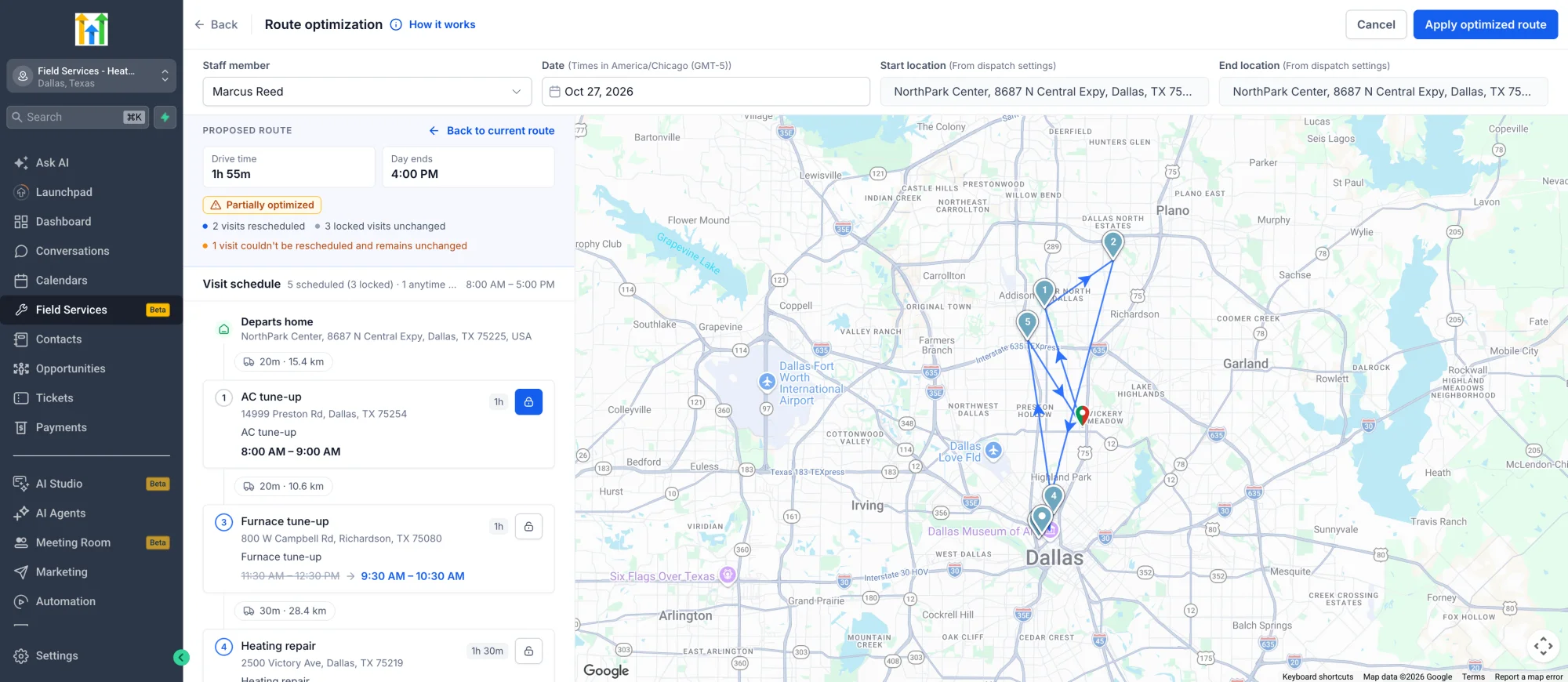
- Use day, week, or month views to see the full picture, and switch to map view to see where your team is.
- Quickly create or change a visit by dragging and dropping it, and reschedule several visits in one go.
- Spot jobs that still need a visit, block off time, and export the schedule to PDF or CSV.
✅ Route Optimization
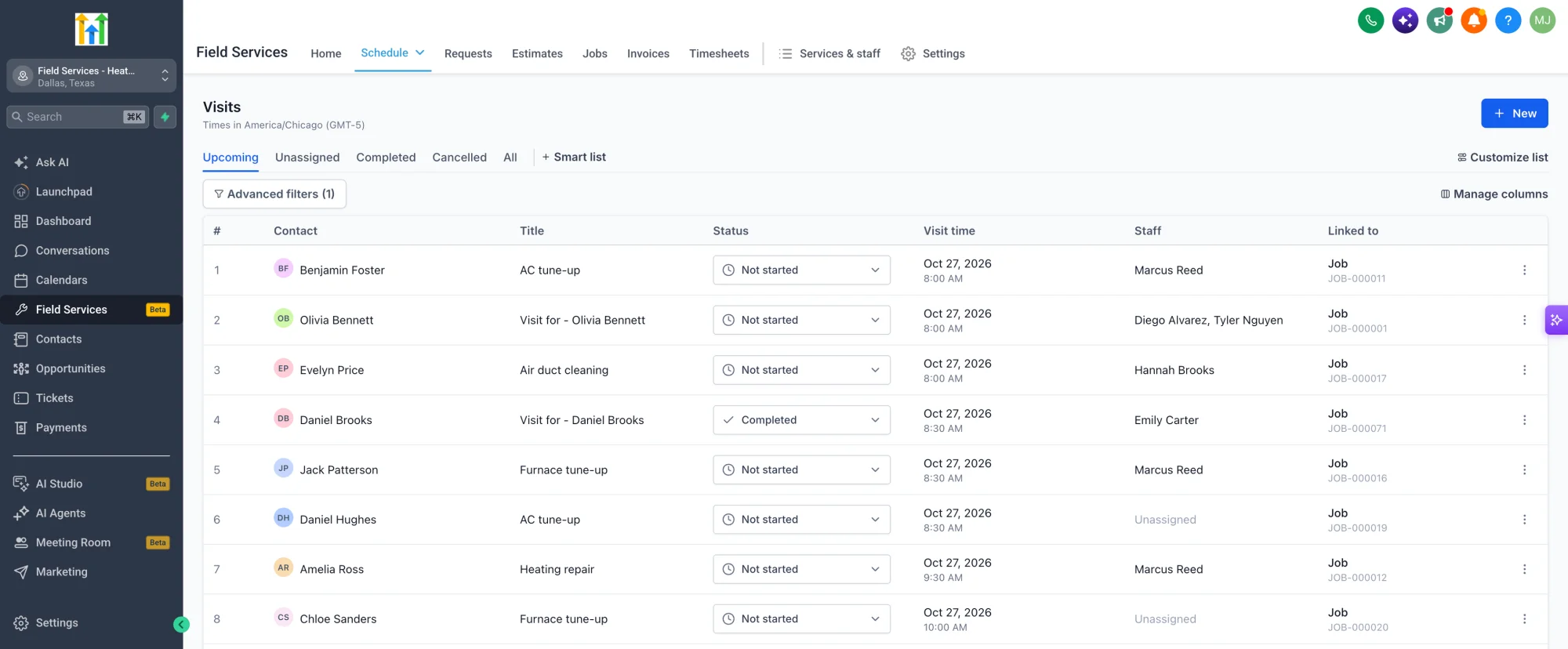
- Run the optimizer to get the best order for the day's visits and the shortest travel time.
- Review a proposed route with drive time saved before anything changes, and apply it only when you are happy with it.
- See how much time and distance you saved after optimization.
- Review, adjust and share the route with your field team.
✅ Staff, Service Areas and Travel
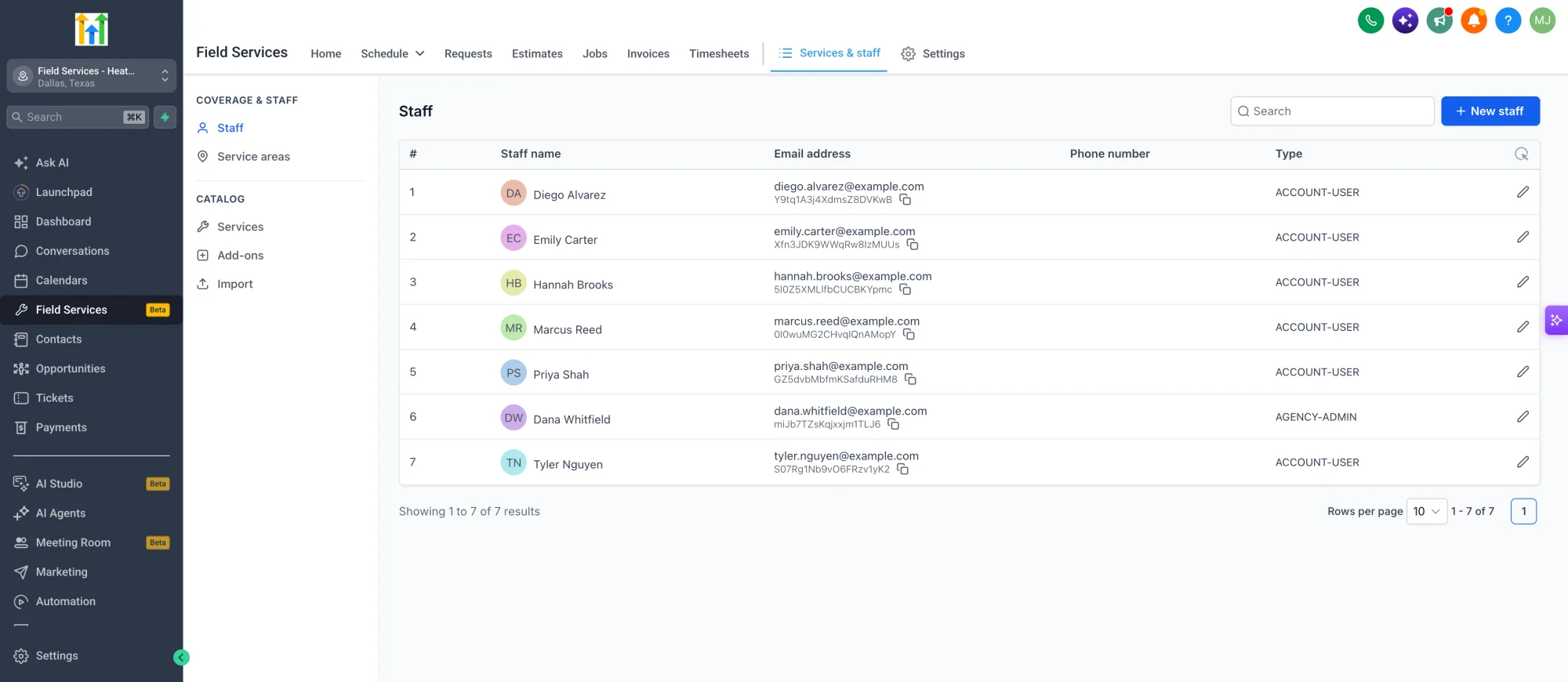
- Set up staff with working hours, assigned services, eligible service areas and daily, weekly or monthly capacity limits.
- Assign jobs based on location, skills, and availability, and send updates by text, email, or push when an assignment changes.
- See jobs on personal calendars and keep travel and admin time separate.
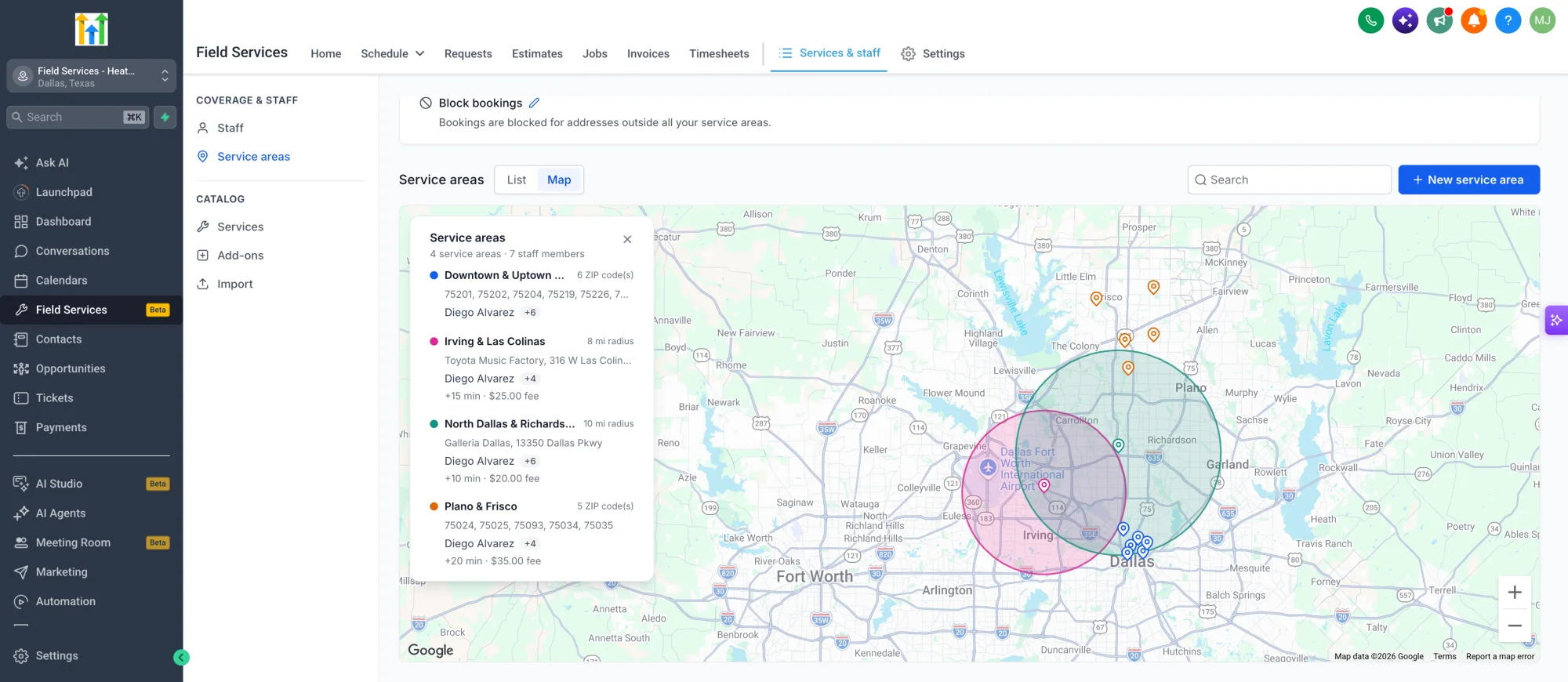
- Draw service boundaries on the map and set your team's home base and default speed.
- Decide what happens to customers outside your coverage: block the booking or allow it with review.
- Set a travel fee and extra travel time for service areas.
✅ Services, Add-ons and Import
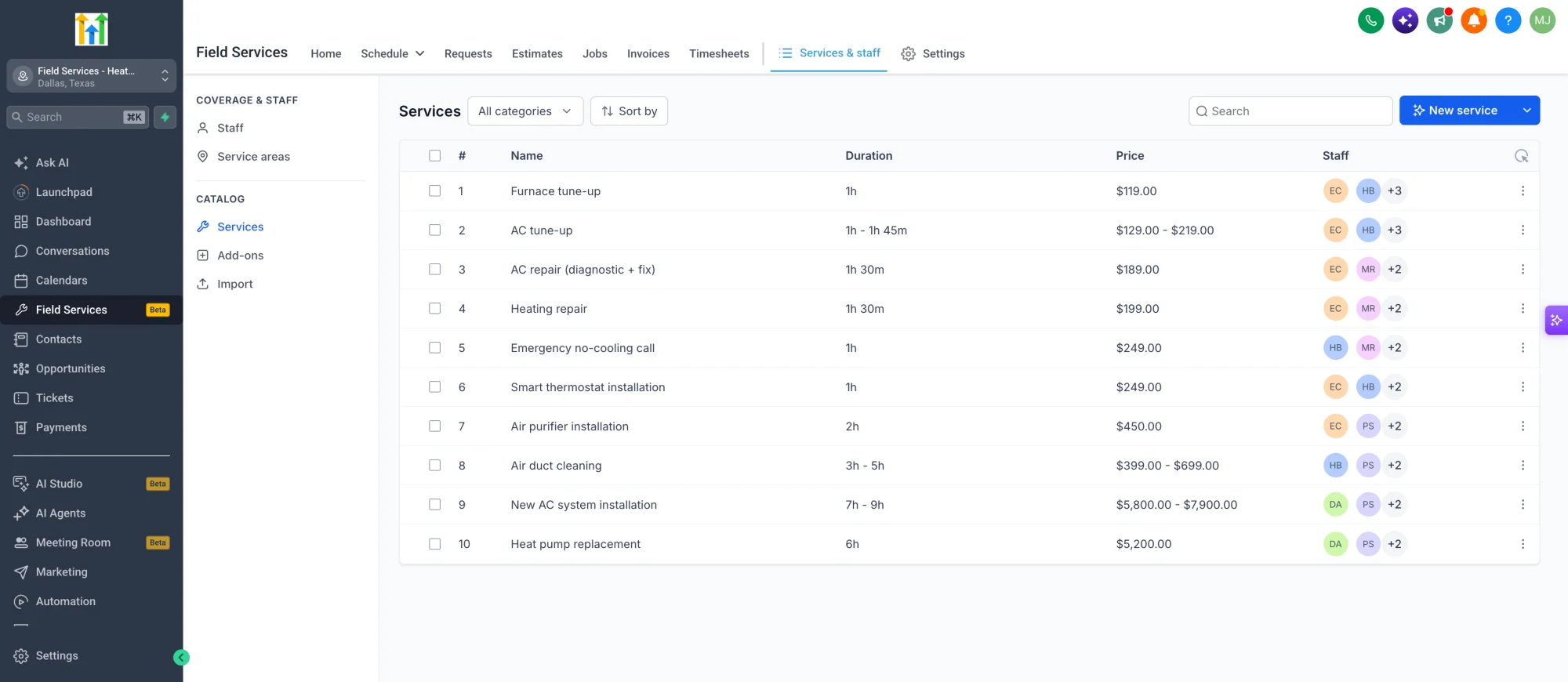
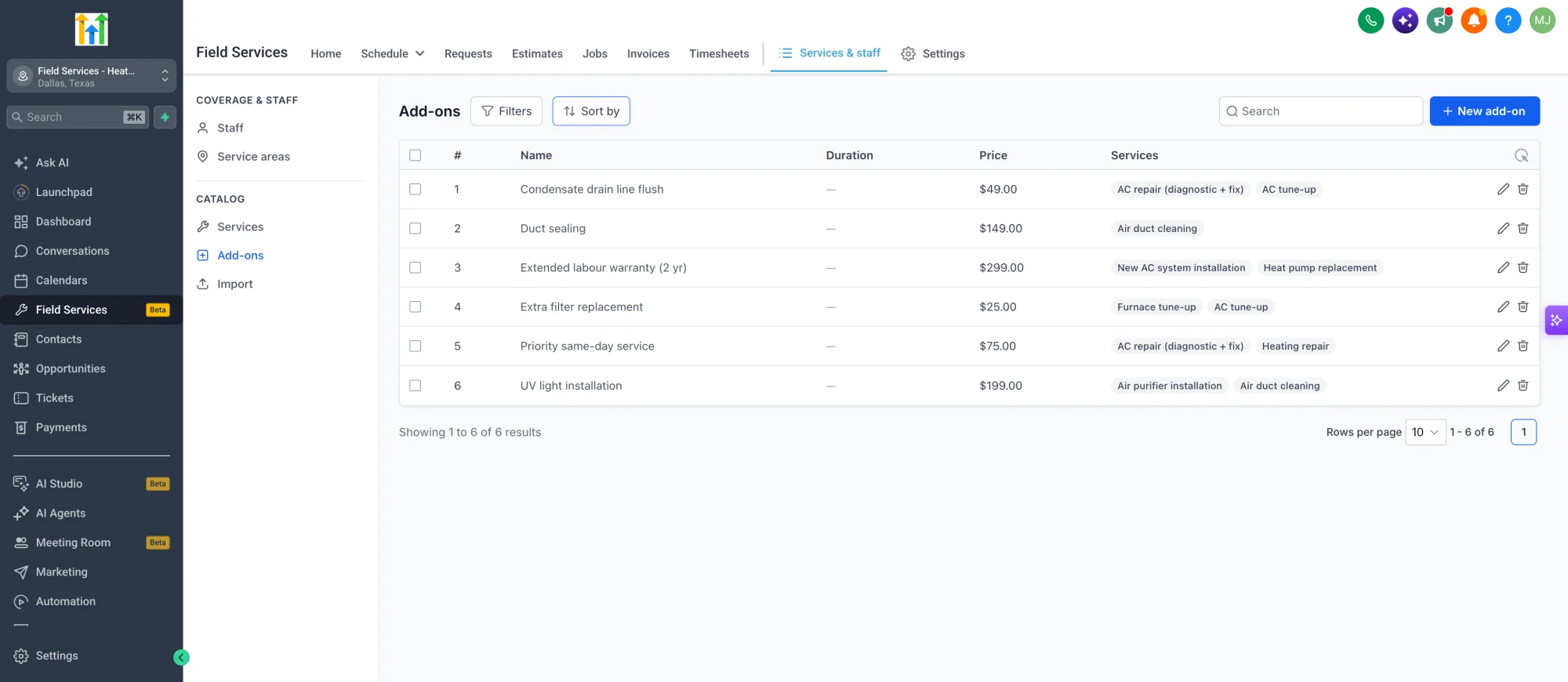
- Build a catalog of services with variants, add-ons, pricing, duration and tax rules.
- Add pricing, duration, tax and deposit rules, and offer optional add-ons at checkout.
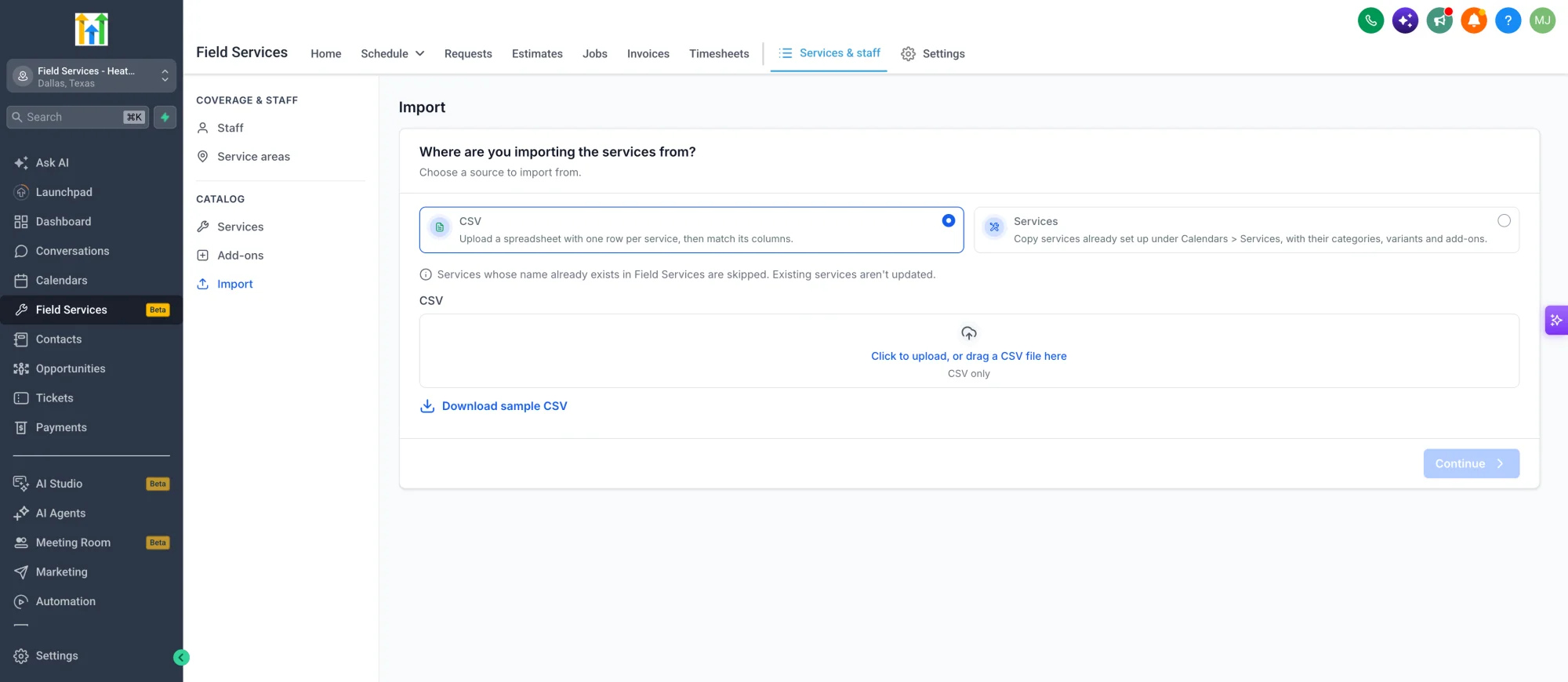
- Bring services over in bulk from a CSV file or copy them from your existing services.
✅ Invoicing and Getting Paid
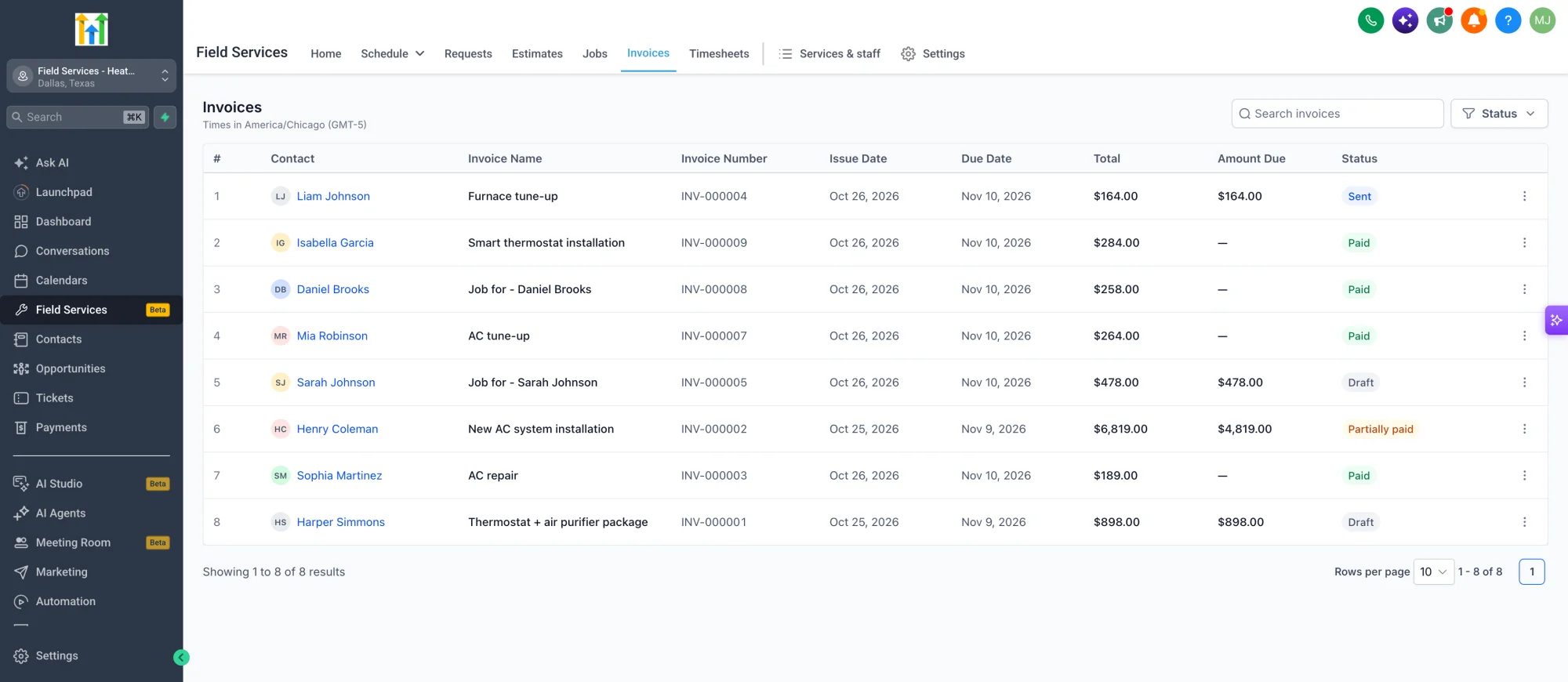
- Send an invoice for a job or a visit, track its status, and collect payment online.
- Split a payment into a deposit and a balance, add discounts, and set payment terms.
- Track invoiced, paid and outstanding amounts across a job, and collect online payments once a payment method is connected.
✅ Checklists, Notes, Statuses and Timesheets
- Reusable checklists that apply to every job or selected services, plus job and visit notes.
- Custom visit status labels, such as On my way and Checked in.
- Attach photos, videos and notes, with before and after photos for jobs.
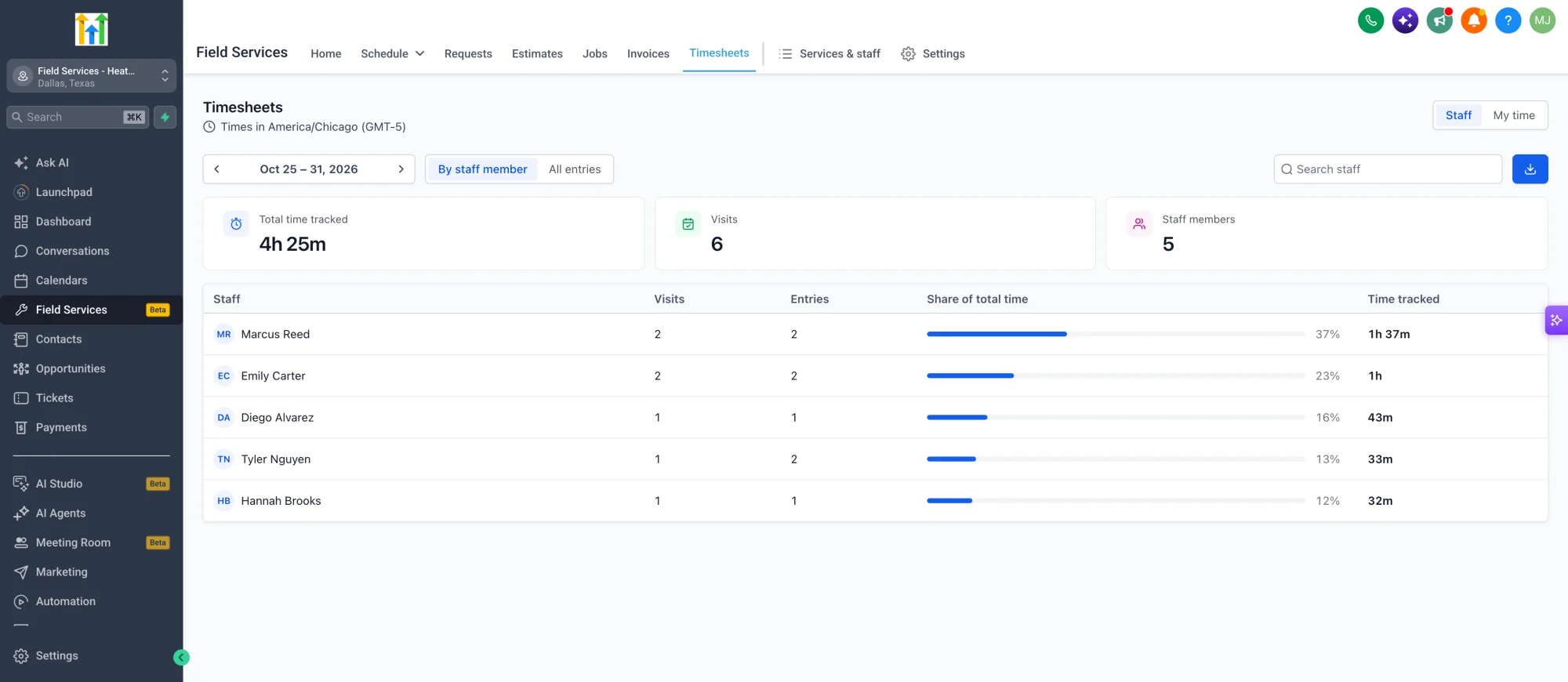
- Timesheets, with a timer on every visit and manual entries when needed.
✅ Notifications
- Keep customers, assigned staff and dispatchers informed over email, SMS and WhatsApp at key moments, such as when a visit is scheduled, rescheduled or completed.
- Customize the message for each notification.
✅ Online Booking Page for Your Customers
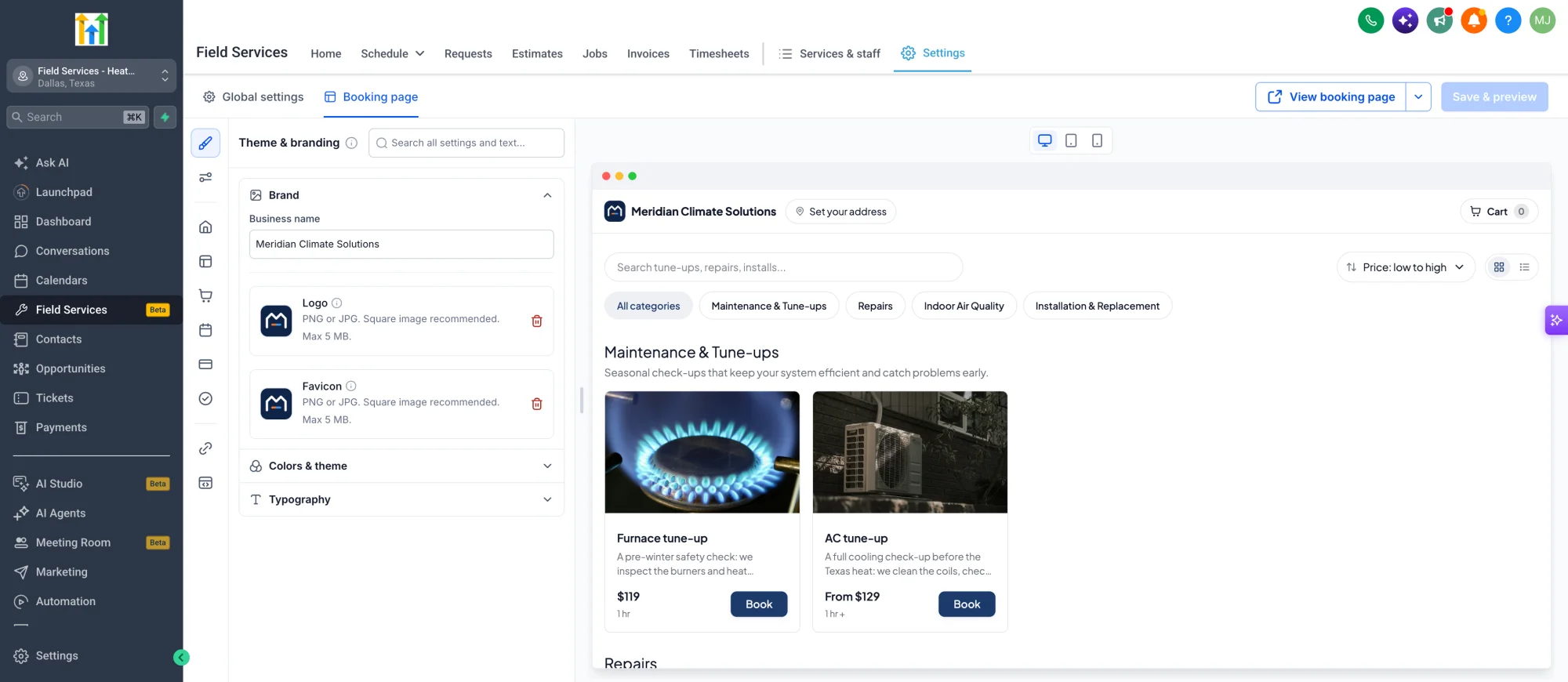
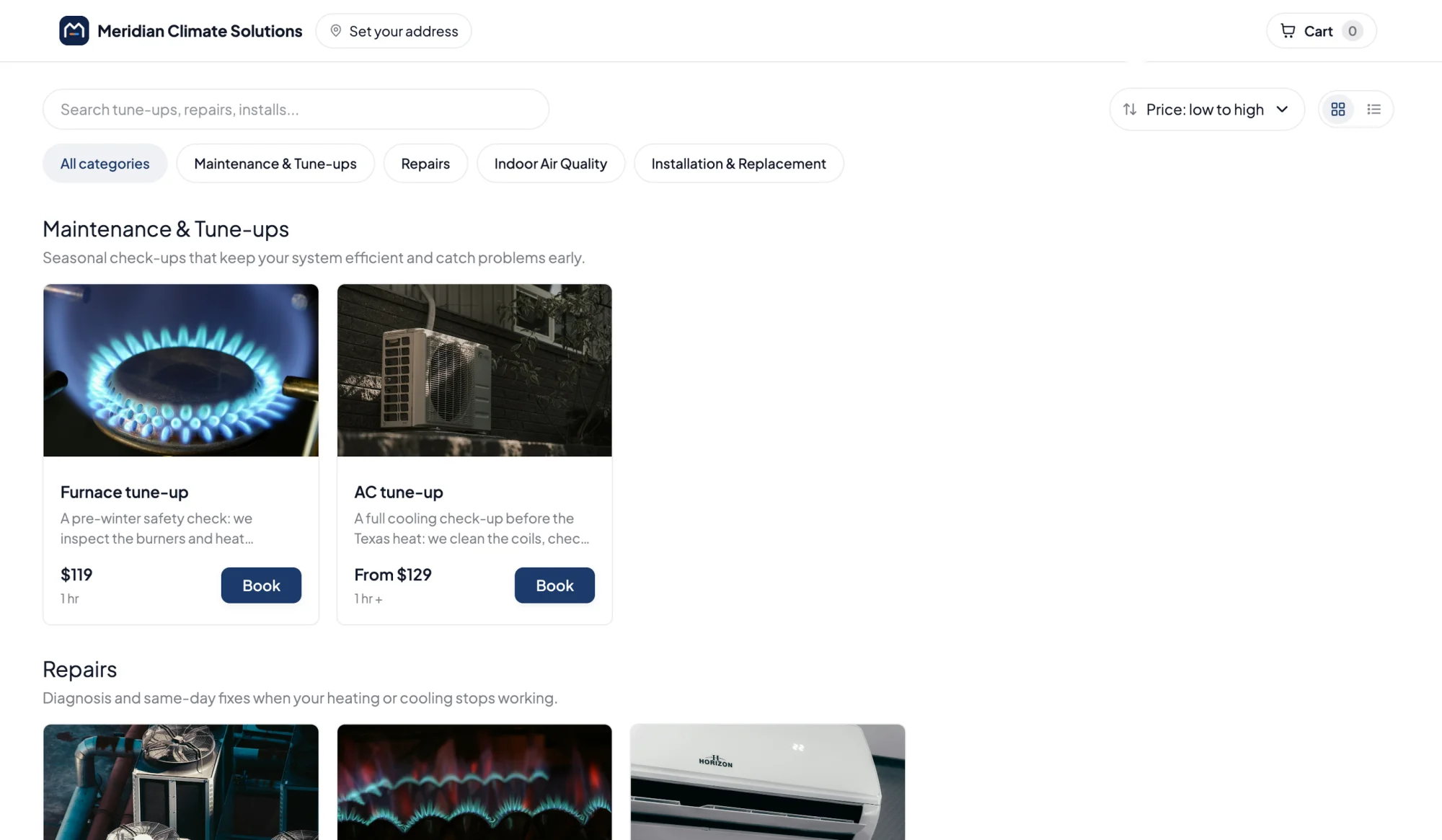
- A branded page where customers browse services, check their address against your service areas, pick a time and book or send a request.
- Choose instant booking or booking requests, and let customers send a request when no times are open.
- Match the page to your brand with the booking page editor, with a live preview on desktop, tablet and mobile.
- Share the page or a direct link for each service.
✅ AI Receptionist and Google Organic Booking
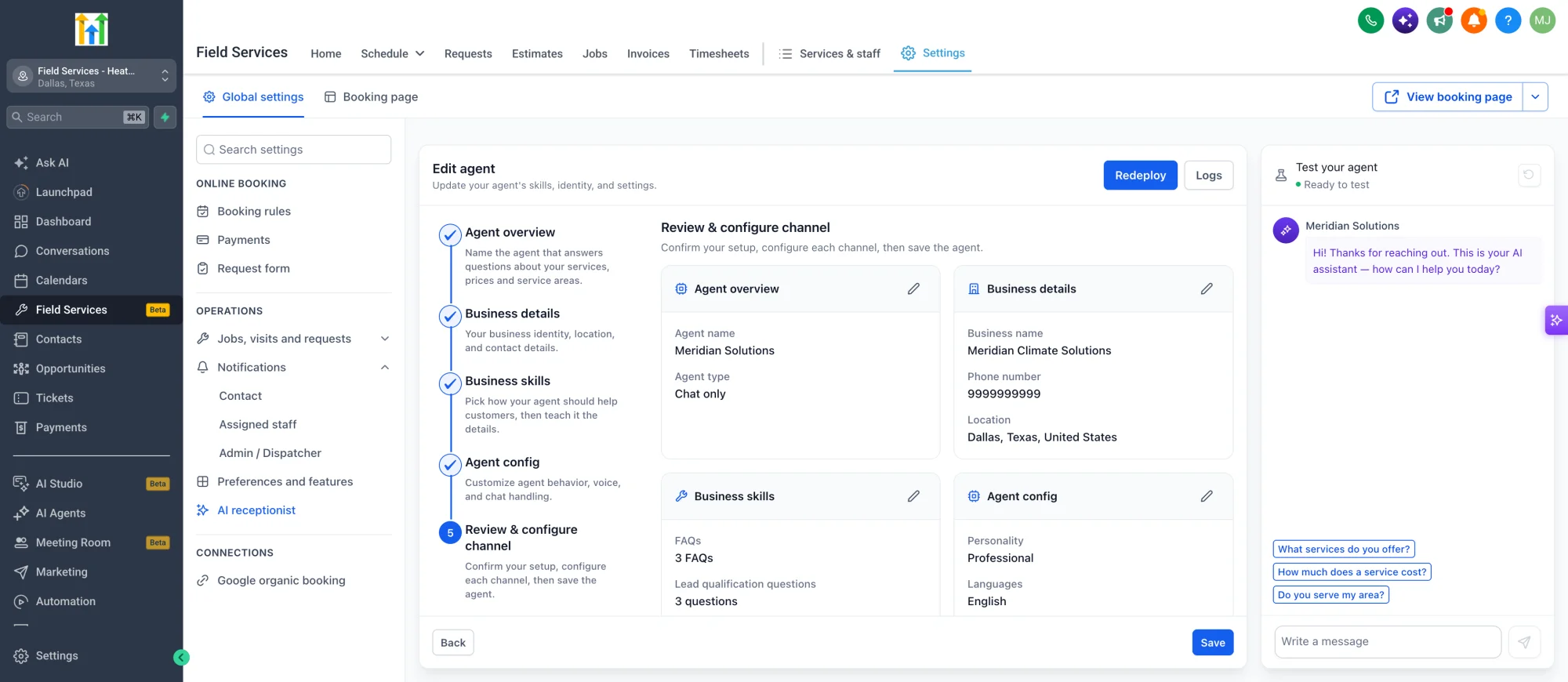
- An AI receptionist answers customer questions about your services, prices and service areas, and takes bookings for you around the clock.
- Google organic booking lets customers find and book you straight from your Google Business Profile.
✅ Mobile App for the Field
- Your crew can manage requests and jobs, schedule and reschedule visits, update statuses, and use checklists, notes, photos and payments on the go.
- Field staff can use the mobile app to view and update their schedule, capture job info on-site, and handle payments.
- Admins and dispatchers can monitor the team, while customers can view and manage bookings, track job progress, and make payments.
⚙️ How to Get Started
- Field Services is currently in Private Beta. To join, register your interest by filling out this form.
- Start by turning on Field Services in the Feature Store, then add the Feature Store items for Requests, Schedule and more.
- Start on the welcome page, or go to Field Services > Services & staff to set up your Service areas, Staff and Services.
- Go to Field Services > Settings to choose how customers book, set up payments and turn on the Notifications you want.
- When you're ready, add Field Services to your sidebar so your whole team can find it fast.
🎯 Why This Matters
- See every job and visit clearly — who it is for, where it is, and when it happens.
- Cut travel and admin time with smart scheduling, route optimization and automated follow-ups.
- Keep customers and staff informed automatically, and give owners, dispatchers and technicians the same view of the day.
- Expand from lead generation into running the work itself, for trades like HVAC, plumbing, electrical, cleaning, landscaping and more.