Facebook text Posts with Backgrounds: Now in Social Planner
We didn’t just add text posts, we brought Facebook’s native background post experience directly into Social Planner. ✨
You can now create, schedule, and publish colorful Facebook text posts without switching to Facebook manually.
🚀 What’s new
- Native Facebook Background Posts: Create Facebook-style text-only posts with colorful native backgrounds directly inside Social Planner.
- Supports instant publishing and scheduling
- Fully integrated into the existing post composer
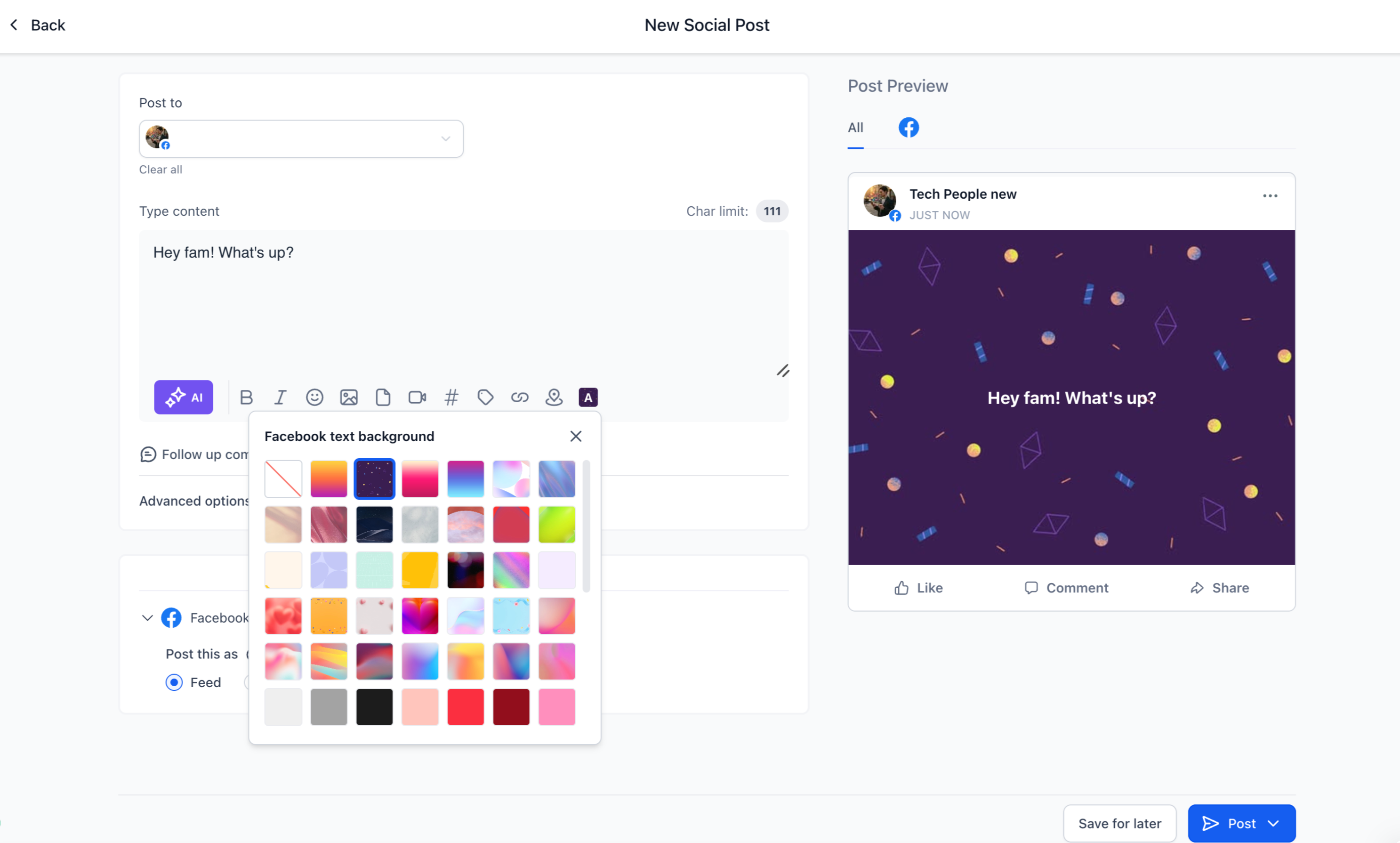
- Background Picker Inside Composer: When Facebook is selected, a new Text Background option appears.
Users can:
- Browse multiple background presets
- Select backgrounds instantly
- Preview styles live while editing
- Real-Time Facebook-Style Preview: The composer now mirrors Facebook’s native appearance for background posts.
- Live background updates
- Automatic font resizing based on text length
- Better visibility into the final published post
- Smart Validation & Auto Handling
The system automatically manages background compatibility:
- Backgrounds work only for text-only Facebook posts
- Adding media disables background selection automatically
- Editing a scheduled post with media removes the selected background
👷 How to use this feature
- Go to Marketing → Social Planner
- Select Facebook as your platform while creating a post
- Click Text Background
- Choose a background preset
- Add caption of your choice
- Publish or schedule your post
💡 Why it matters
- Create more engaging Facebook posts quickly
- Increase visibility in crowded social feeds
- Reduce dependency on native Facebook posting
- Speed up content creation workflows for teams and agencies
📝 Notes
- Backgrounds are supported only for text-only Facebook posts
- Adding images/videos disables the background option