Facebook integration: Marketplace migration and multiple facebook account support
🧭 Overview
We're excited to introduce Multiple Facebook Account Support, making it easier for businesses and reseller agencies to manage multiple Facebook accounts and Pages within a single sub-account! 🎉
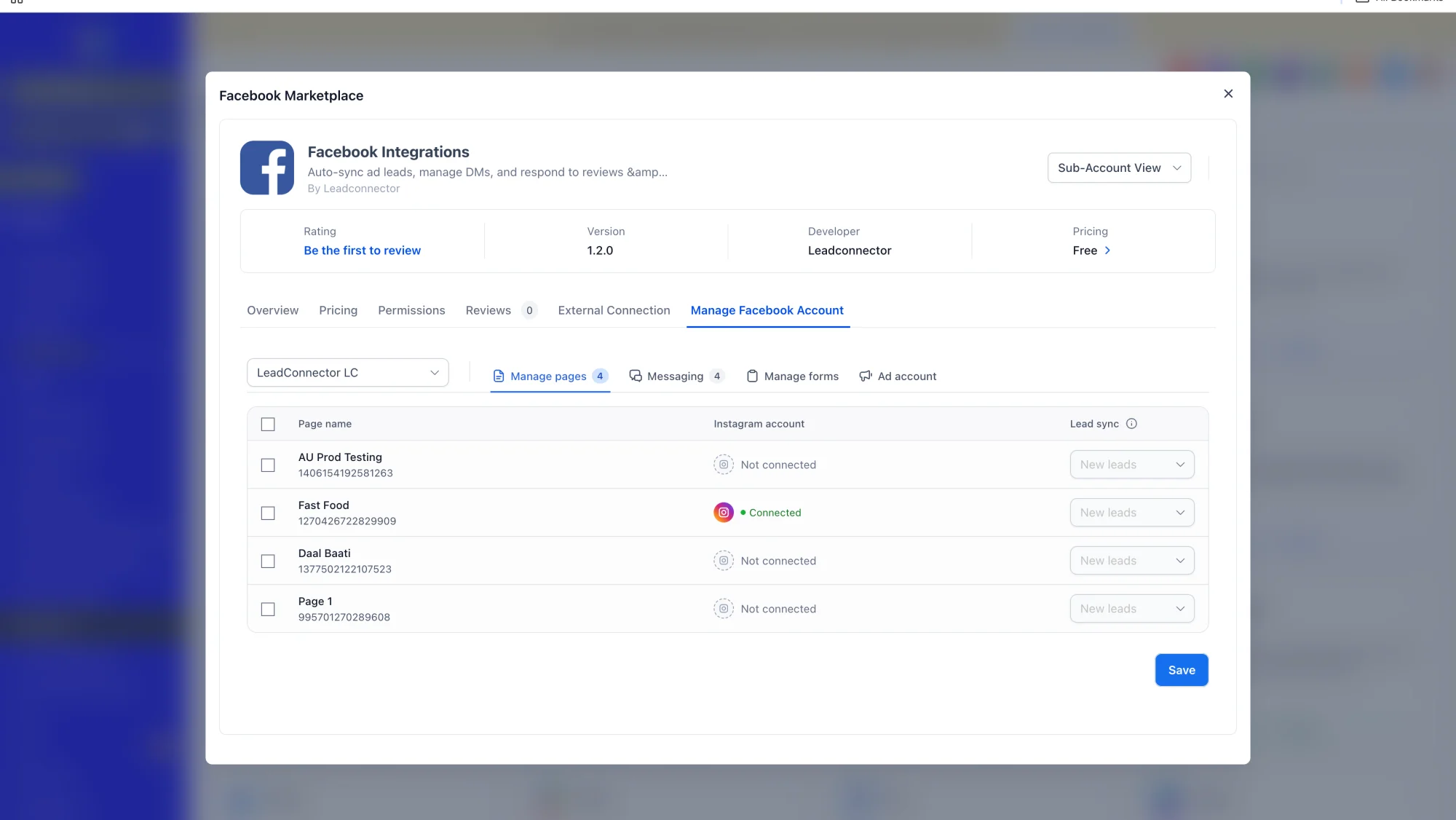
With this enhancement, users can now connect multiple Facebook accounts, each with multiple Facebook Pages, without having to disconnect existing integrations or repeatedly switch between accounts.
The Facebook integration has also been migrated to the Marketplace architecture, providing a more unified integration management experience, improved stability, and enhanced security through secure token storage using the Marketplace keychain.
🚀 What's New?
✅ Multiple Facebook Account Connections
• Connect multiple Facebook accounts to the same sub-account, with the flexibility to connect multiple Facebook Pages under each account.
• Manage all your connected Facebook accounts and Pages without disconnecting existing integrations or switching between accounts.
✅ Messaging Across Multiple Pages
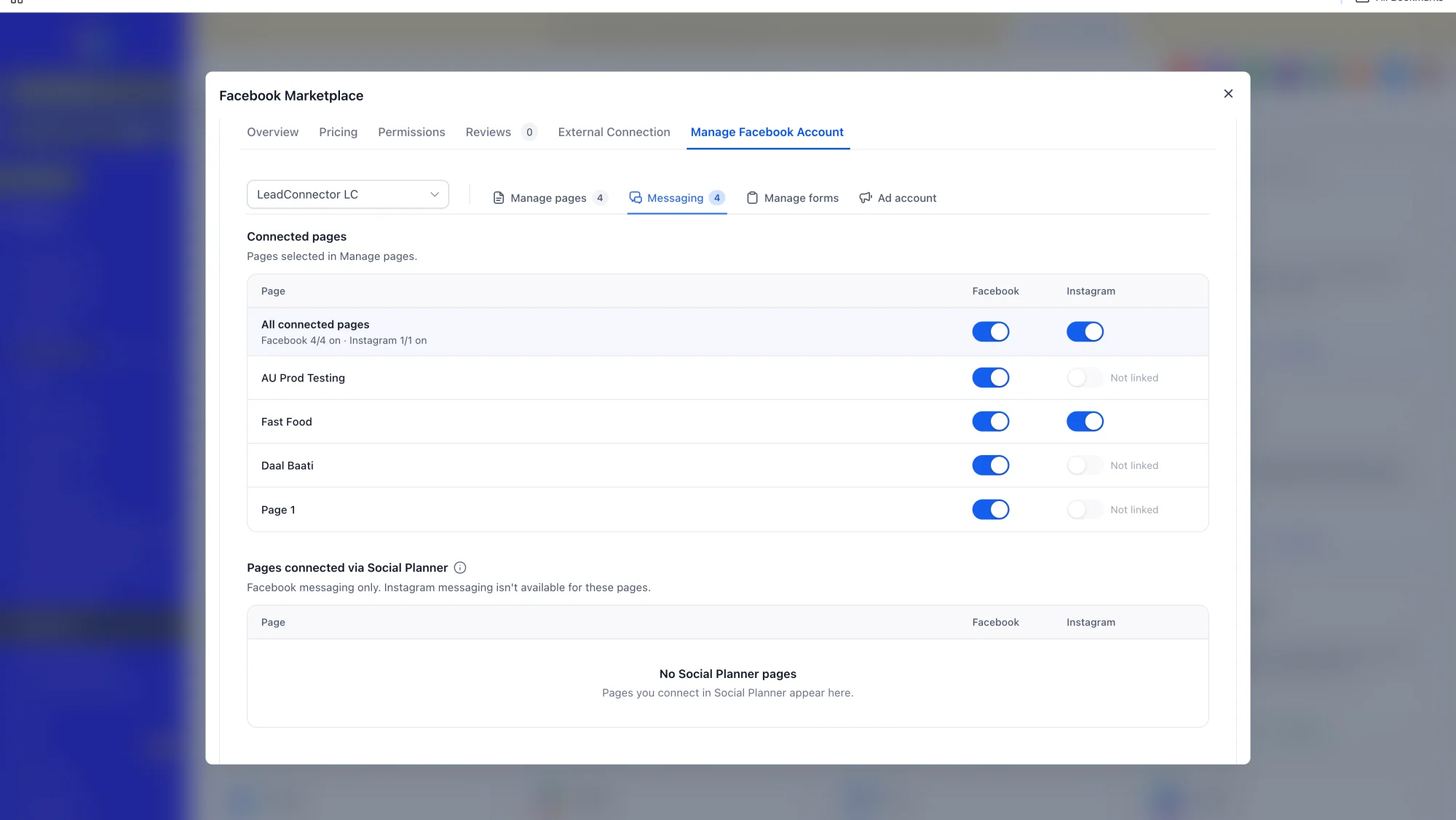
• Sync and manage messages across connected Facebook Pages, including Pages belonging to different Facebook accounts.
• Keep your conversations organized while managing multiple social media identities.
✅ Lead Sync Across Connected Pages
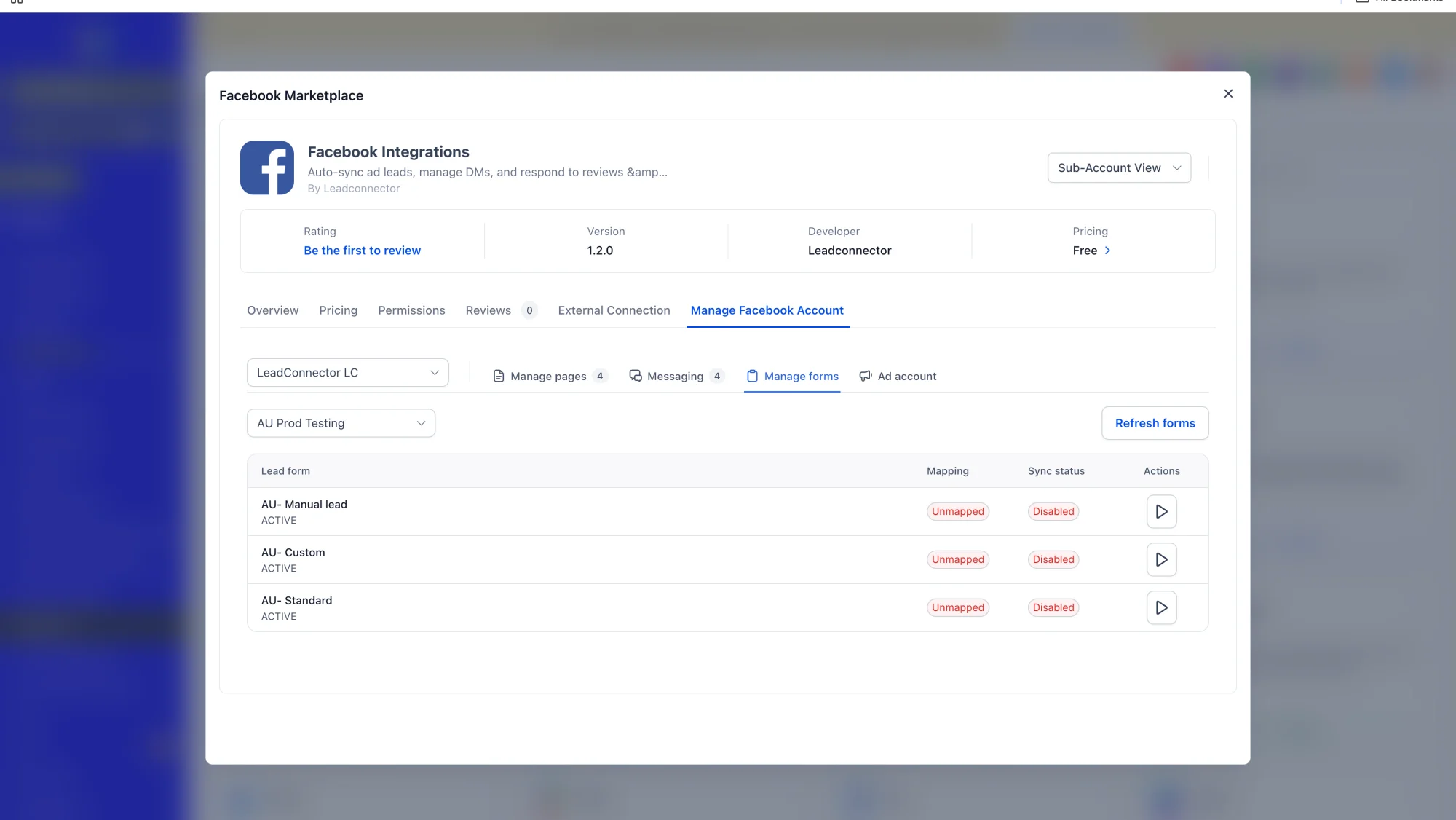
• Sync leads from multiple connected Facebook Pages, allowing businesses and reseller agencies to manage incoming leads from different Facebook accounts within the same sub-account.
✅ Automations Across Multiple Facebook Pages
• Run supported automations across multiple connected Facebook Pages without needing separate integration setups for each Facebook account.
✅ Marketplace Migration
The Facebook integration is now available through the Marketplace architecture which improves:
• integration stability.
• security through Marketplace keychain for secure token storage and maintenance.
• connection and authorization experience.
📝 How to Get Started
- Navigate to Settings > Integrations.
- Click the "Connect" button next to Facebook or visit the Marketplace (or App Marketplace) to find the Facebook app.
- Connect your Facebook account by signing in and granting the necessary permissions.
- To connect multiple accounts, repeat the same process for each Facebook account you want to connect.
- Once connected, go to Settings > Integrations to manage your Facebook accounts and Pages.
- Under the Facebook integration settings, connect Facebook Pages under each connected account.
- Once connected, start using your Facebook accounts and Pages across supported workflows, including Lead Sync, Messaging, and Automations.
💡 Why This Matters
✅ Centralized Facebook Management
Manage multiple Facebook accounts and Pages from one sub-account, eliminating the need to disconnect or switch accounts.
✅ Consistent Messaging and Leads
Ensure your messages and leads remain organized across all connected Facebook Pages and accounts.
✅ Scale Your Operations
Give reseller agencies and businesses greater flexibility to manage multiple Facebook accounts and Pages.
✅ Improved Stability and Security
Benefit from the Marketplace architecture, including stable integrations and secure token storage through the Marketplace keychain.
📚 Good to Know
✅ Existing Integrations Remain Compatible
Existing Facebook integrations remain compatible with this release, so you can continue to use your current setup without interruption.
✅ Multiple Accounts in One Sub-Account
You can now connect multiple Facebook accounts and their Pages under the same sub-account.
✅ Centralized Lead Management
Leads synced from connected Facebook Pages are now available in one place for streamlined management.
✅ Marketplace Architecture
The Facebook integration is now part of the Marketplace architecture for improved stability and security.
✅ Account-Specific Actions
Actions are performed on the selected Facebook account and its Pages, ensuring the correct context for each integration.
🔮 What's Next
This release marks a significant step forward for Facebook integration, with multiple Facebook account support and a move to Marketplace architecture. Our team will continue enhancing the integration based on your feedback. Stay tuned for updates!
Preview: