Explore Workflow Enrollment and Execution Activity Across Contacts, Tasks and Opportunities
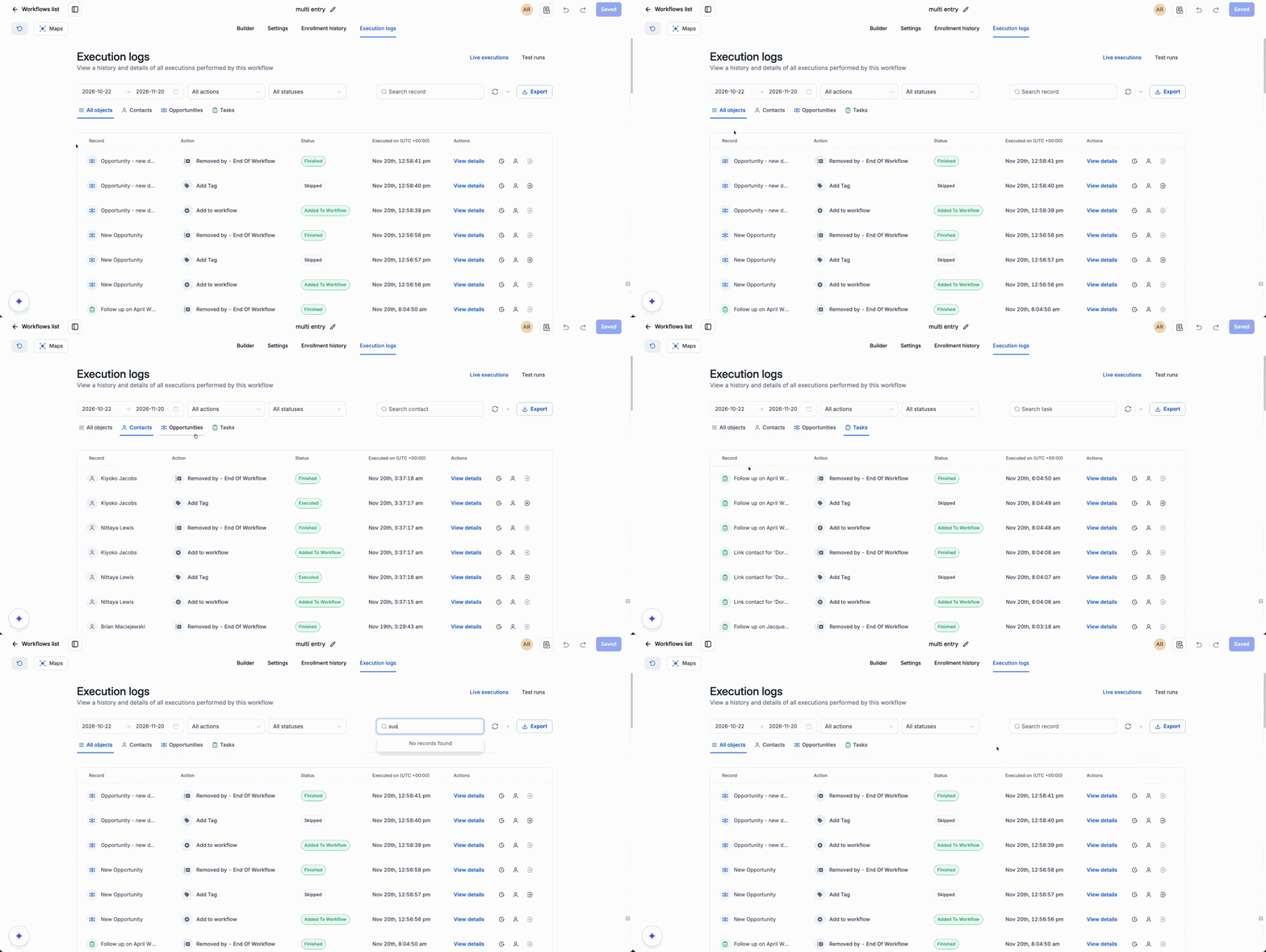
Opportunities and tasks can now enroll in workflows without needing an associated contact. Enrollment history and Execution logs make that activity visible alongside contact activity, so you can filter by object and search for the record you want to investigate.
What's new?
- See activity across objects: Select All objects for a combined view, or choose Contacts, Opportunities, or Tasks to focus on one type.
- Find a specific record: Search for a record to review its workflow activity. The search field adapts to the selected object.
- Know what you're looking at: The record column identifies the type of record alongside its name, giving you context for each execution.
Why we built it
With opportunities and tasks able to enroll independently, workflow activity needs to be traceable to the record itself, even when there is no contact attached. You can now find an opportunity or task directly and review its enrollment and execution activity without relying on a contact's history.
This gives you visibility into automations that run beyond contacts and makes it easier to investigate what happened to a specific deal or task.
How to use it
- Go to Automations > Workflows and open a workflow.
- Select Enrollment history or Execution logs.
- Choose an object type or select All objects. Search for a record and use the other available filters to investigate its activity.
Ways to use it
- Investigate an opportunity: Select Opportunities and search for a deal to see its workflow activity.
- Check a task: Select Tasks and search for a task to review the actions recorded for it.
- Review the full picture: Select All objects to browse activity across record types, then narrow the view when you find the record you want to examine.