Every call recording, not just one - Mobile
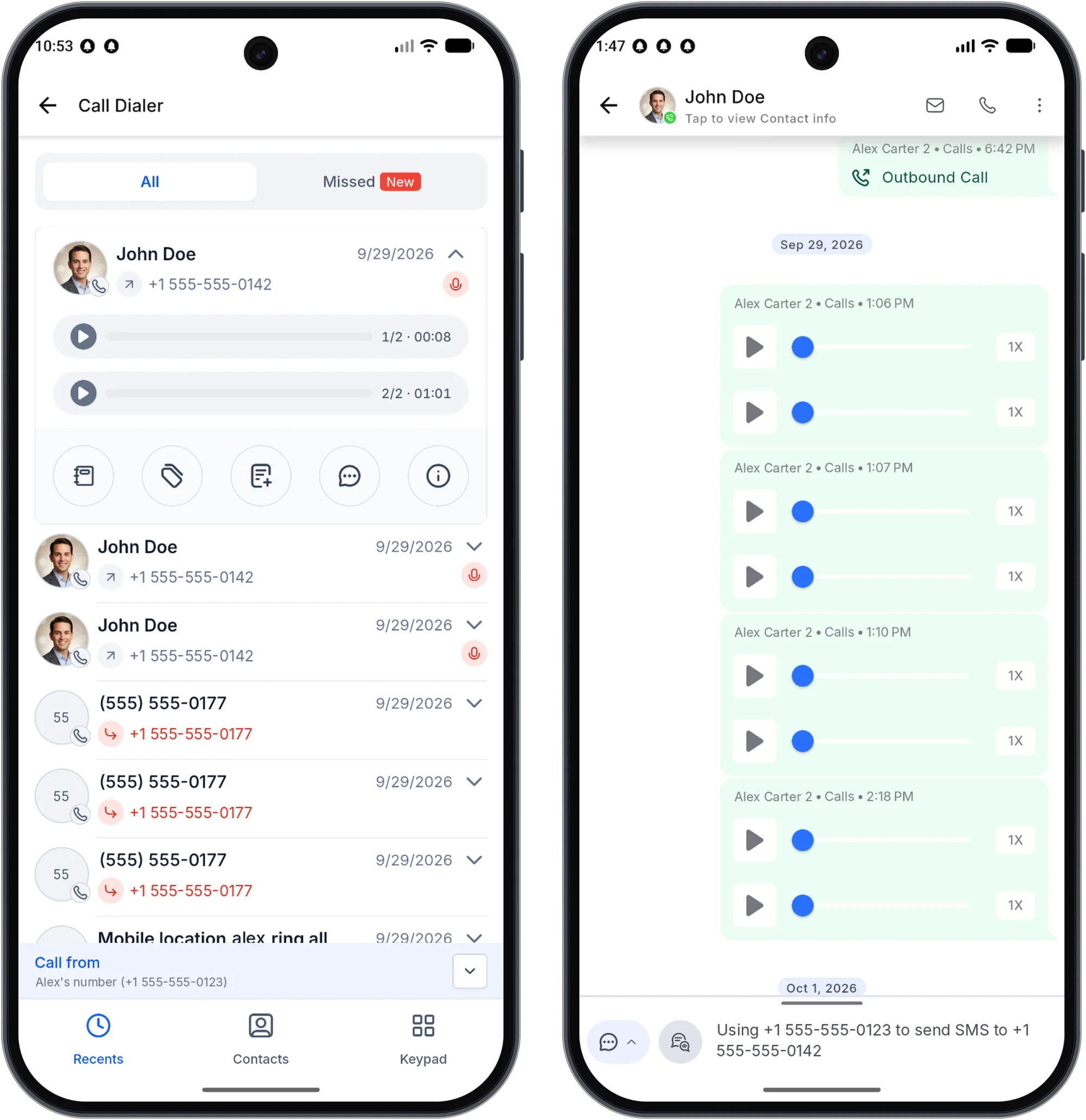
Mobile now shows every recording on a call, not just the first one. Each recording plays on its own and has its own transcript - so transferred or multi-leg calls aren't missing the part that mattered most.
How to use this?
- Open Recents, a contact's Call Details, or a call in Conversations.
- Find a call that has more than one recording.
- Play each recording (look for the 1/2, 2/2 labels) and read its transcript in Conversations.
Availability
• Version: 4.27.x+
• Platforms: Web Wisconsin's Connect CRM, LeadConnector, White-Label (self-serve)
• Devices: iOS and Android
Good to know
• Single-recording calls look the same as before.
• A transcript appears only when the backend has one for that recording.