Email Domain Warm-Up is here for LC Email (Beta)
Warm up your dedicated sending domains right inside LC Email. No third-party warm-up tool, no SMTP connection, and no separate app required. Domain Warm-Up helps build your sending reputation before your first real campaign, so your emails reach inboxes instead of spam.
What's new
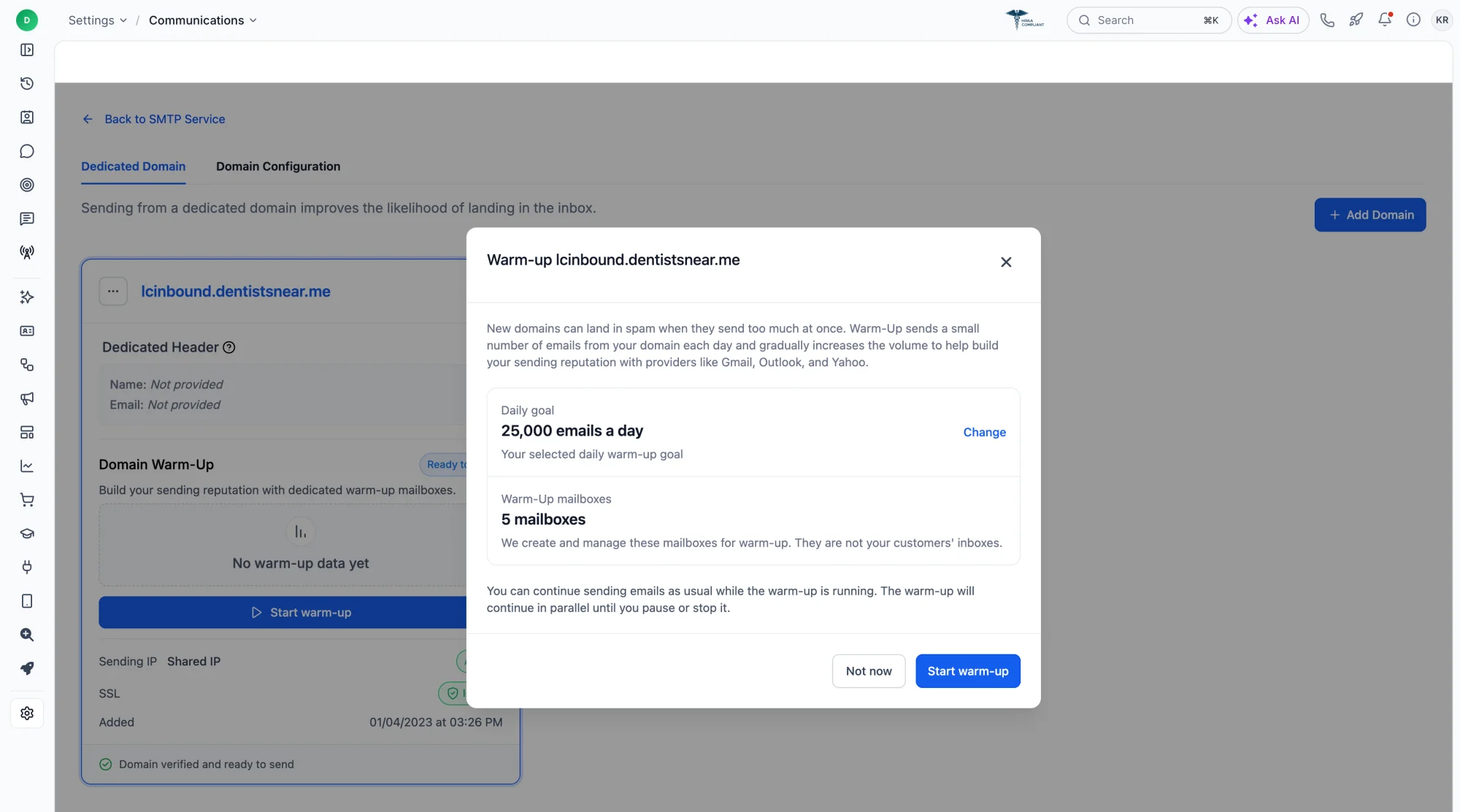
- Automated warm-up: We create warm-up mailboxes on your domain and gradually ramp daily volume toward your chosen goal. Each mailbox sends and receives real-looking messages.
- Real engagement signals: Warm-up sends natural, threaded conversations and replies. Emails are marked as important, opened, replied to, and removed from spam, building trust with mailbox providers.
- Reseller Agency and sub-account domains: Both are supported.
- No impact on your contacts: Warm-up mailboxes are managed by the platform, so your contacts never receive warm-up emails or replies.
Domain health reporting
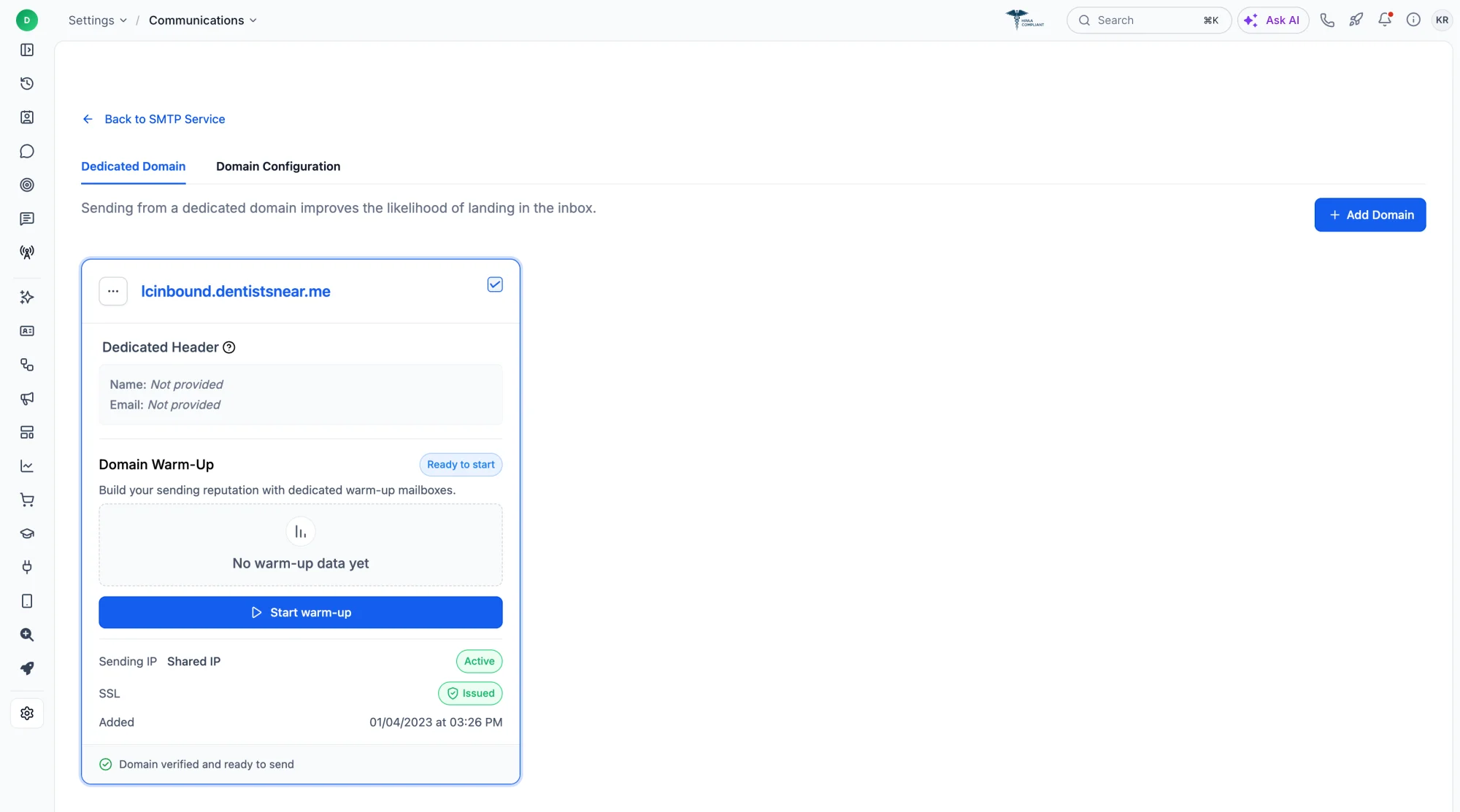
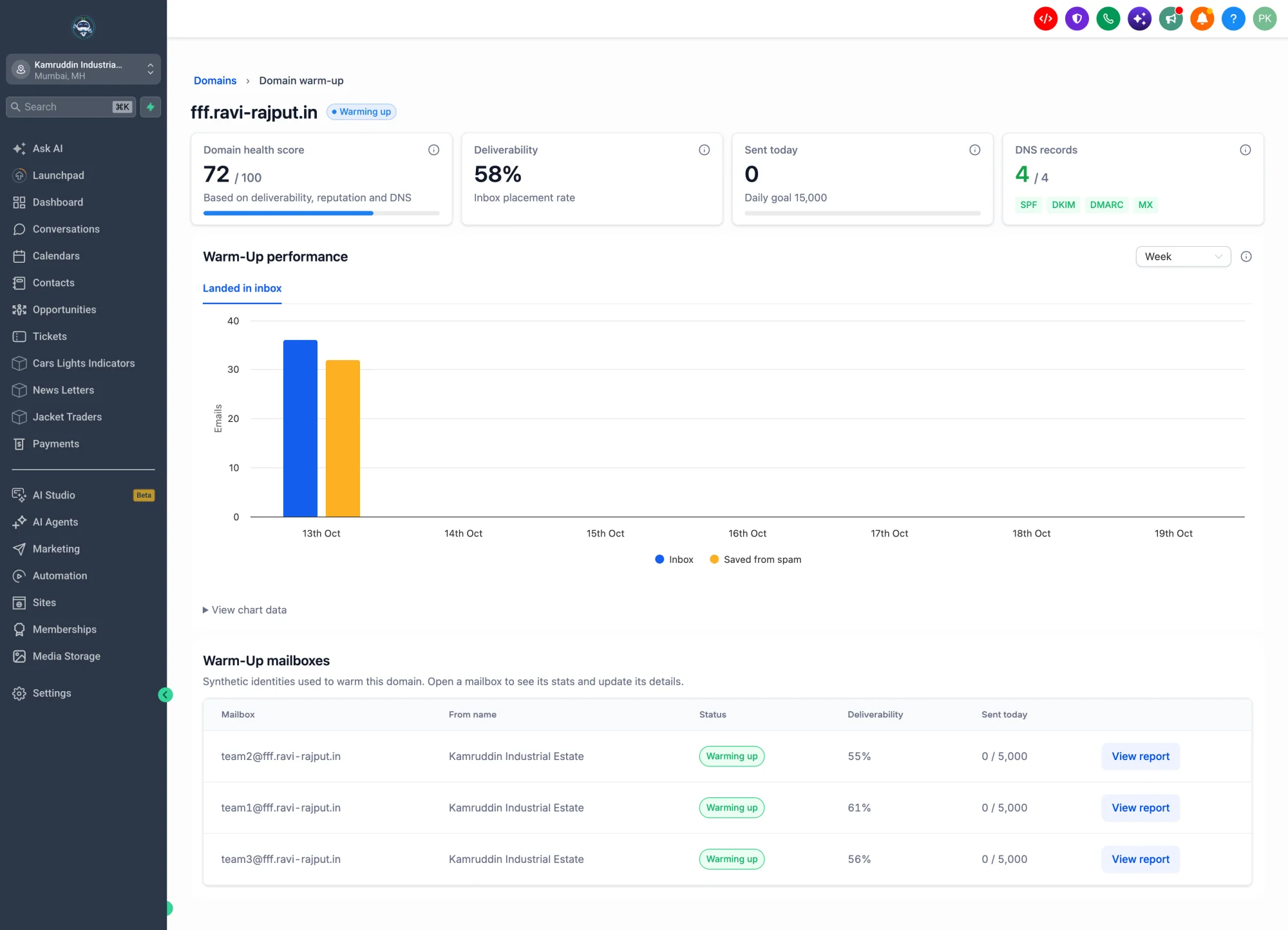
Each domain card shows a health score (0–100), deliverability, and emails sent today against your goal. It also displays the sending IP, whether the IP is shared or dedicated, SSL status, and the number of warm-up mailboxes active on the domain.
How to get started
- Make sure your dedicated domain is verified and has an issued SSL certificate.
- Request beta access here: Email Domain Warm-Up beta form
- Once approved, go to Settings → Email Services → Dedicated Domain and IP and click Start warm-up.
- Choose a daily goal (for example, 10K or 25K per day). This is a ceiling, not a guaranteed volume.
Good to know
- Results take a day or two to appear, so seeing 0% or 0 sent right after you start is expected.
- You can pause or stop warm-up anytime from the ⋯ menu on the domain card. Stopping early slows down reputation building.
- When warm-up is on, the previous daily sending limit ramp is removed for that domain.
- If any DNS records show red in your report, fix those first. They lower your health score and deliverability.
- Warm-up is free during the beta.
Coming soon
- Recommended warm-up goals
- Warm-up using your own email templates, so warm-up traffic looks like your real sends
- More warm-up mailbox settings
Learn more: Email Domain Warm-Up help article