Define Roles for Contacts in Companies with Association Labels
Know who does what at each Company. Use labels such as Employee, Billing contact, or Decision maker to describe a Contact's role, keep responsibilities current, and reach the relevant people.
What's New?
- Roles that match your business: Create Company and Contact association labels in object settings.
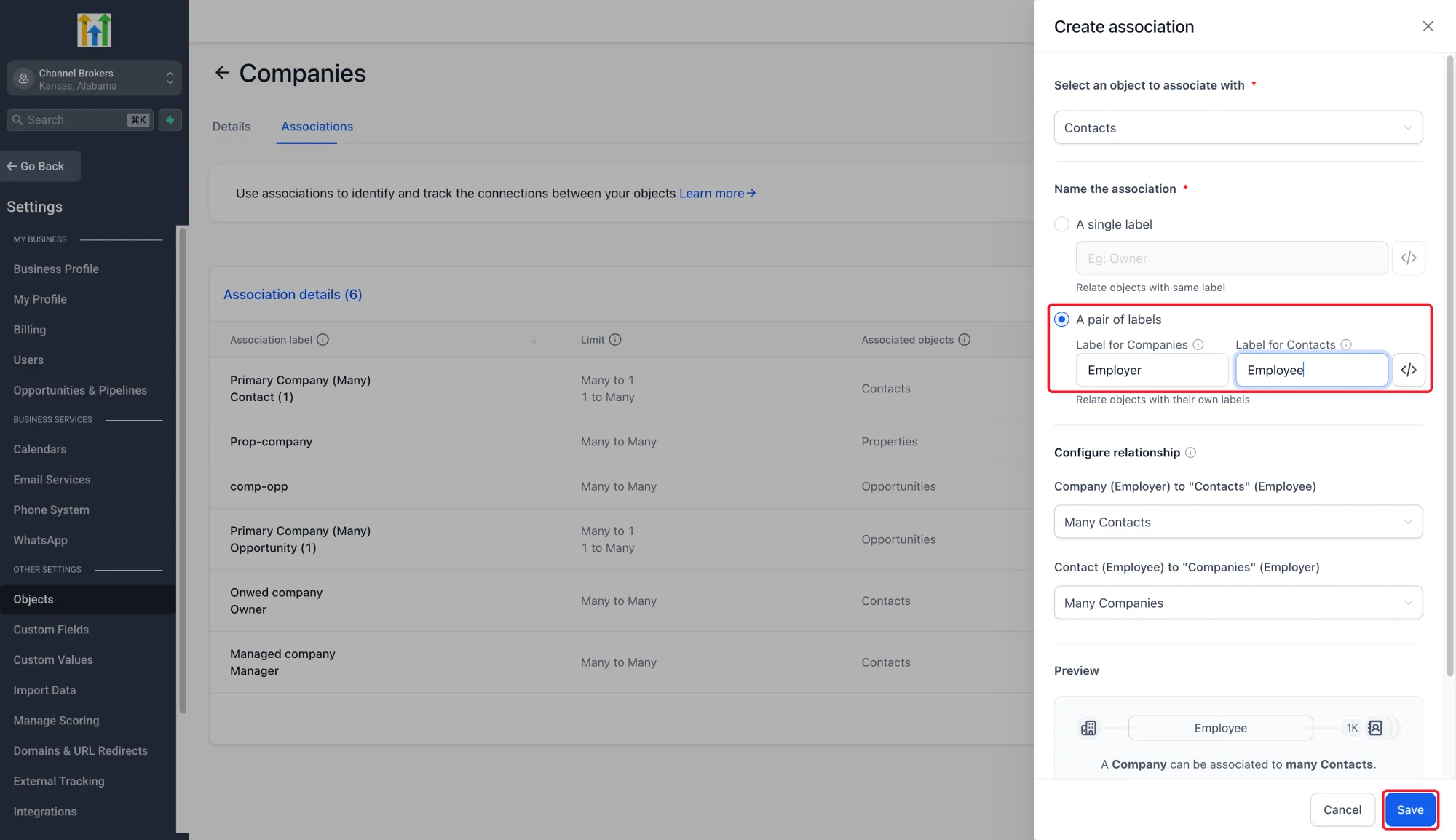
- Single or paired labels: Use one name on both sides or names such as Employer and Employee. Configure relationship limits in each direction.
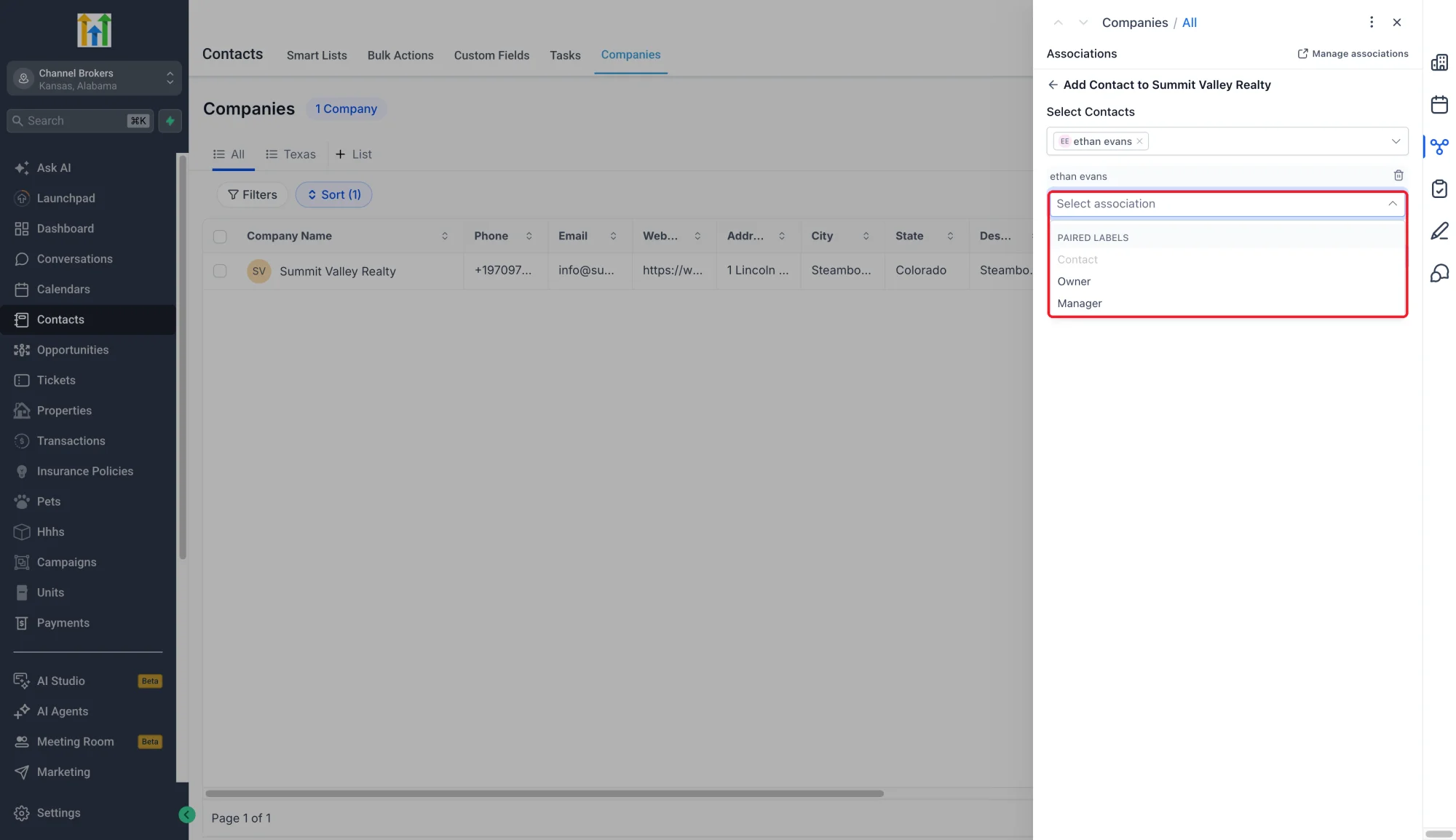
- Labels on record relationships: Choose a role when linking records and edit custom labels on existing links.
- Multiple roles for one person: The same Contact and Company can be linked under more than one label.
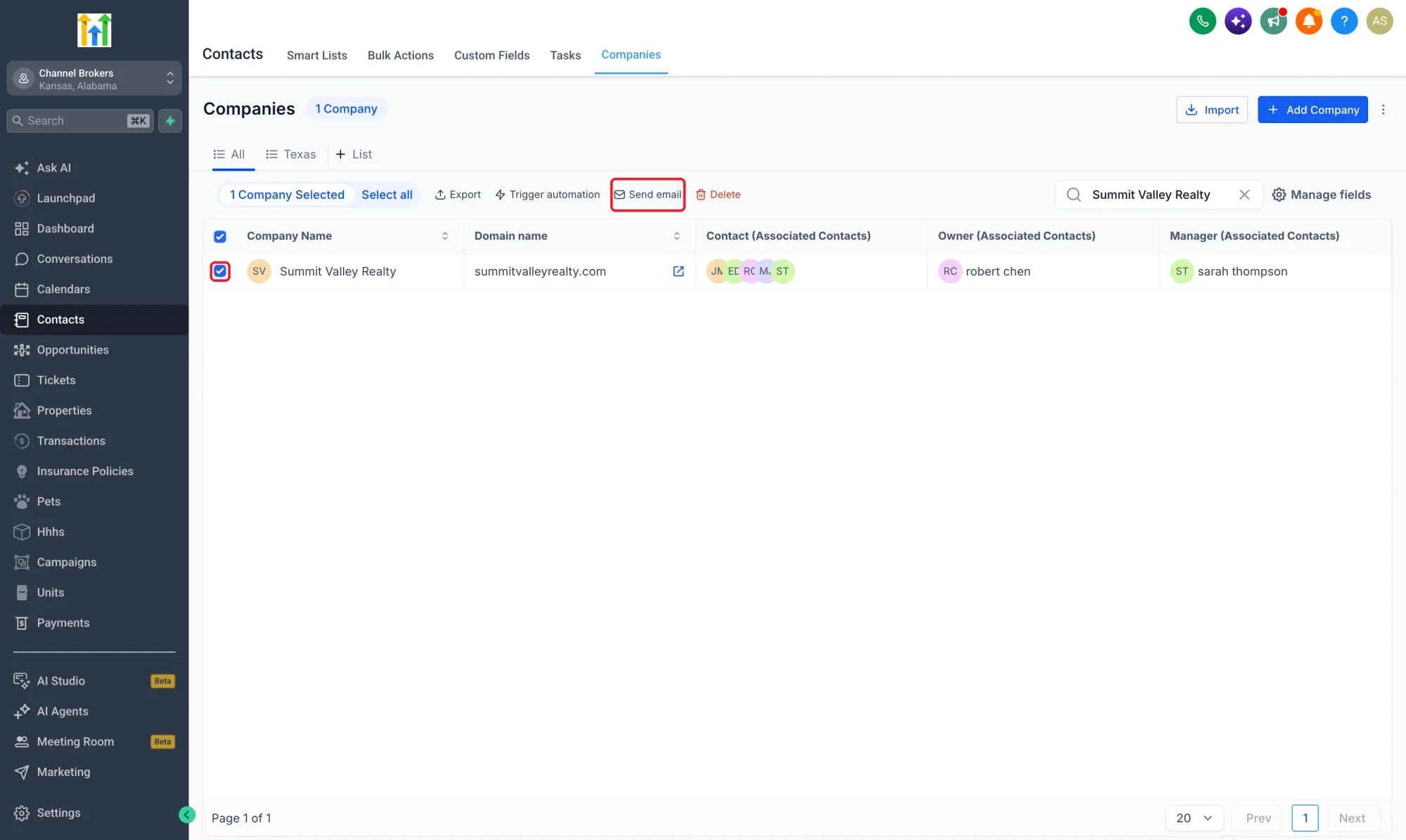
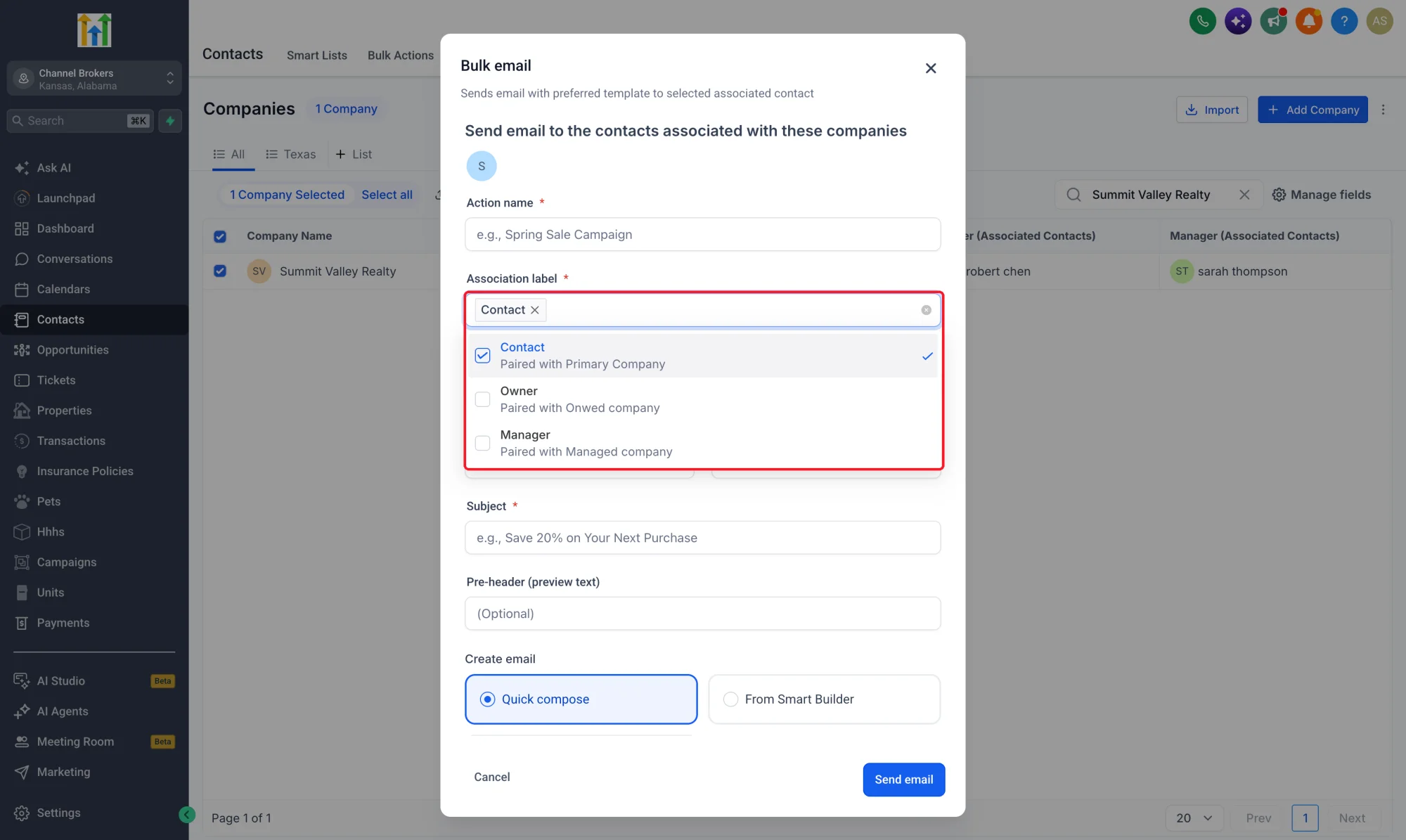
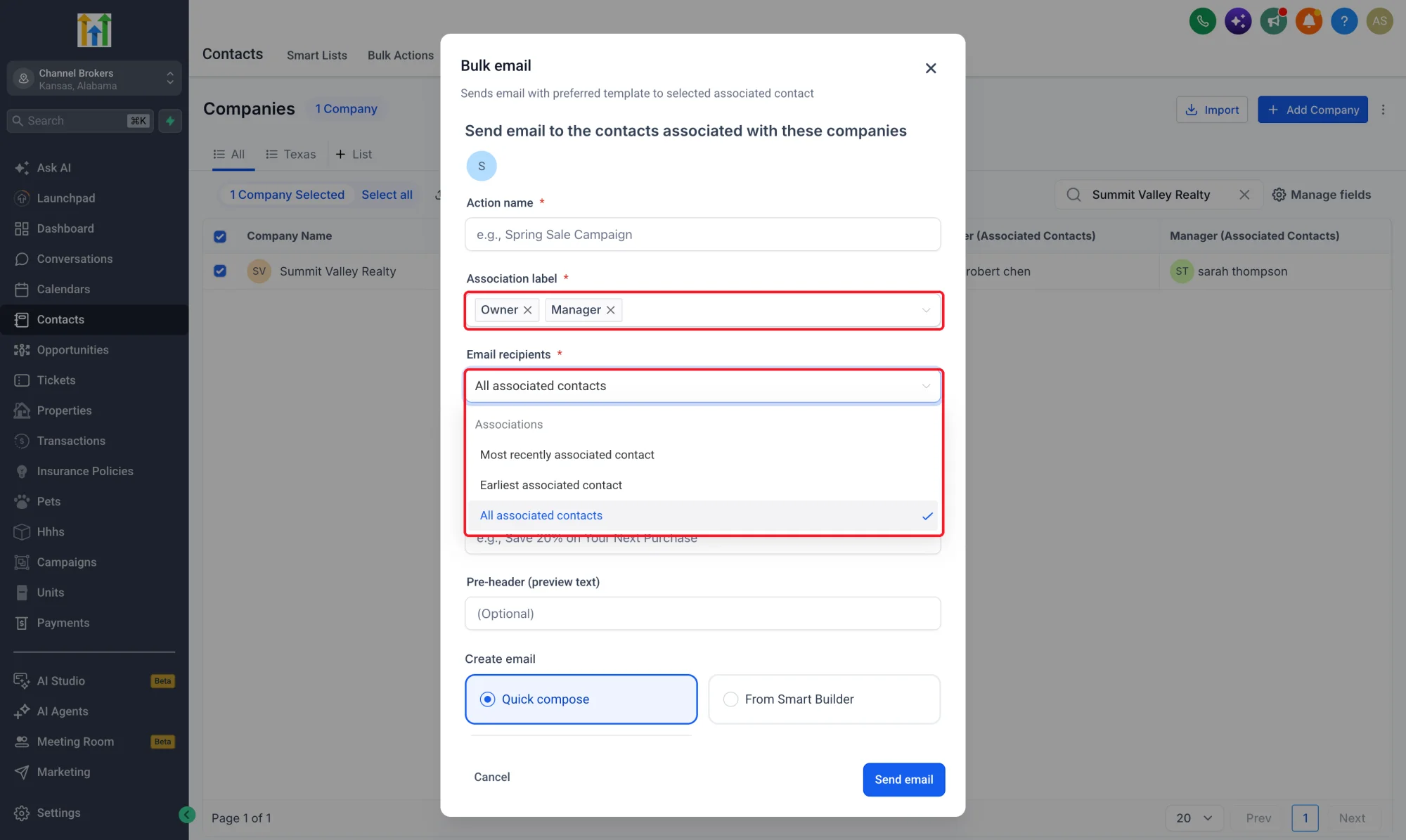
- Email by role: Choose association labels when emailing from Companies. Contacts matching several selected labels are deduplicated.
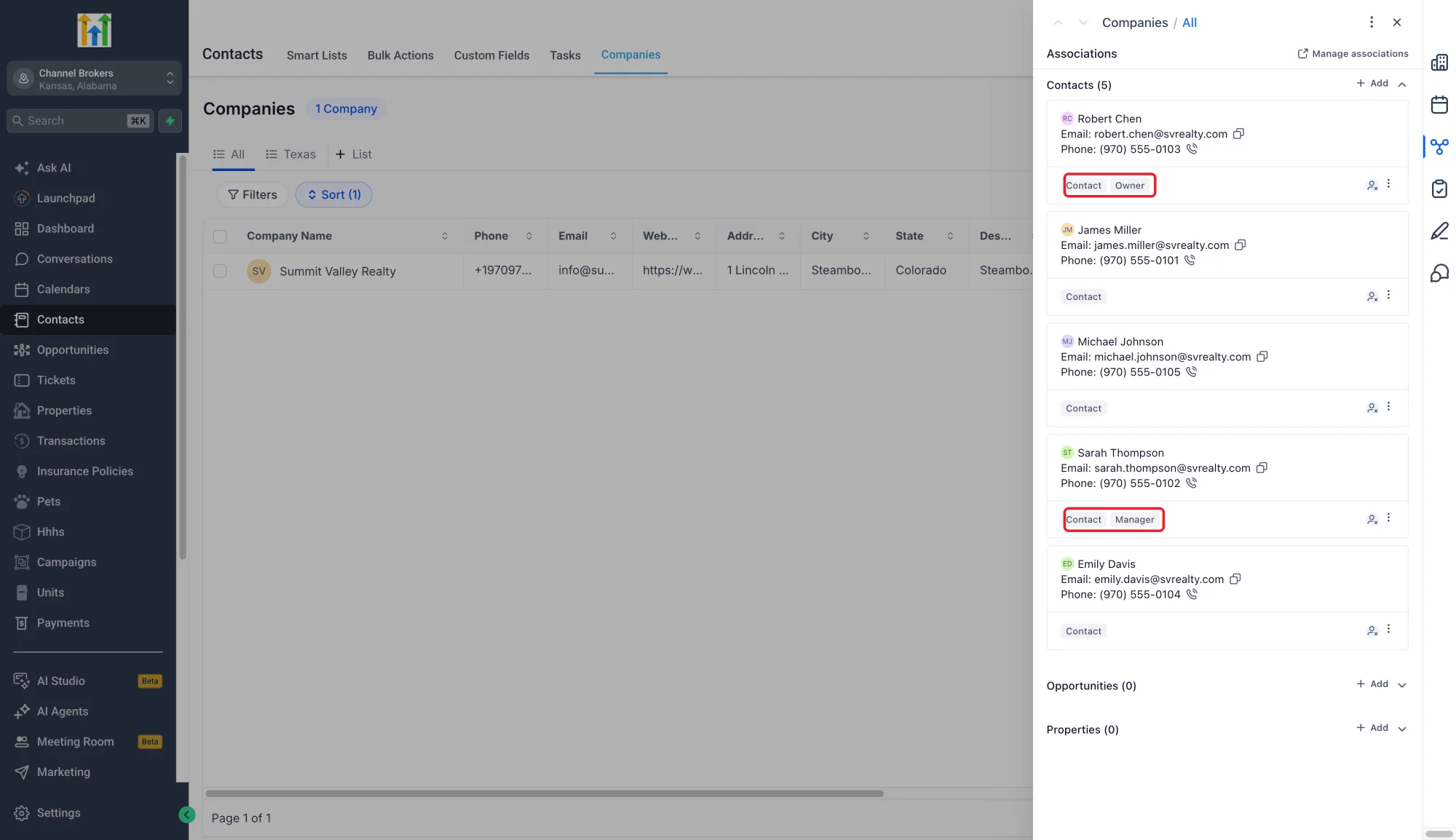
Why This Matters
- Find the right stakeholder: Identify billing contacts and decision makers before reaching out.
- Make communication relevant: Send an account update to Billing contacts or a review invitation to Decision makers.
- Keep responsibilities clear: Update the relationship label when a person's role changes.
How to Use
- Enable Association Labels and Multiple Companies for Contacts in Web Wisconsin's Connect CRM Labs.
- Go to Settings > Objects > Companies or Contacts > Associations.
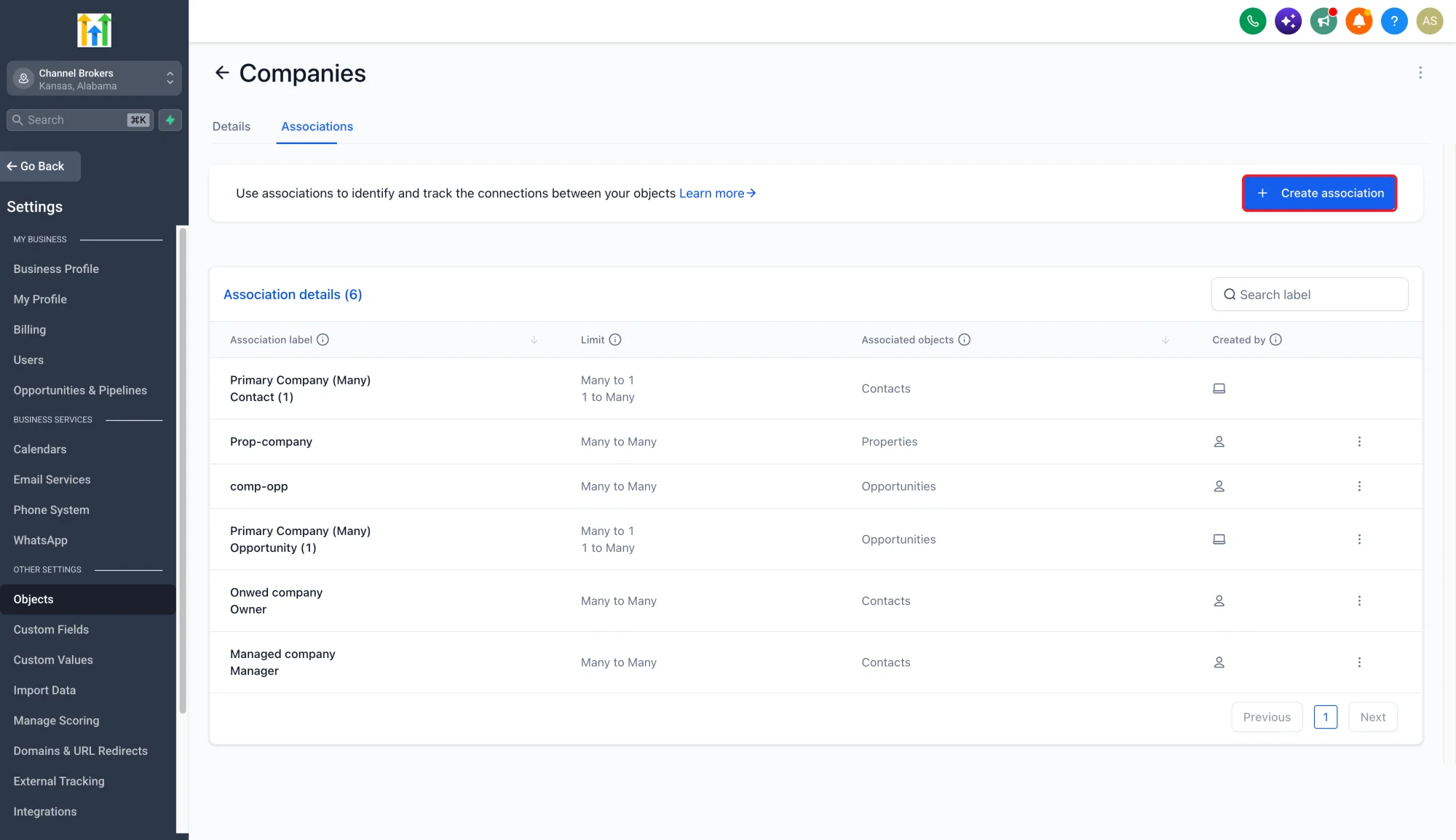
- Create a single or paired relationship label and configure its limits.
- Open a record's Associations, select the records and label, then save.
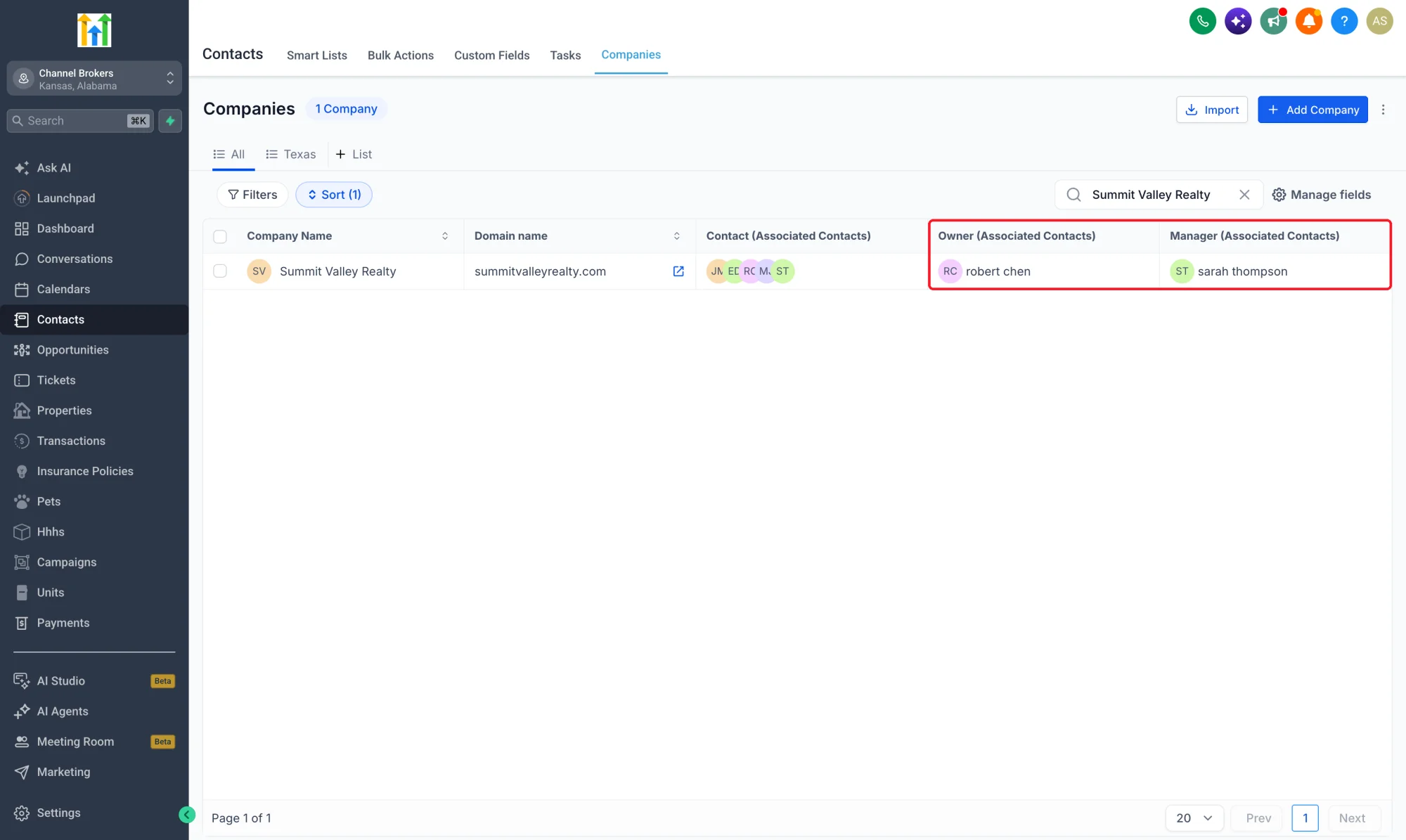
- Use the relevant labels when reviewing Company list columns or selecting an email audience.
Pro Tips
- Keep Primary Company separate: Custom labels describe additional roles alongside the system primary relationship.
- Name both directions: Employer for Companies and Employee for Contacts makes each record's view clear.
- Check email recipients: Custom labels support all, most recently associated, or earliest associated Contacts when sending email.