Custom levels & point sources in Communities
Communities just got more rewarding. Two new Gamification controls give you more flexibility to shape how members earn points and level up, so you can build a progression system that actually fits your community.
Custom Levels
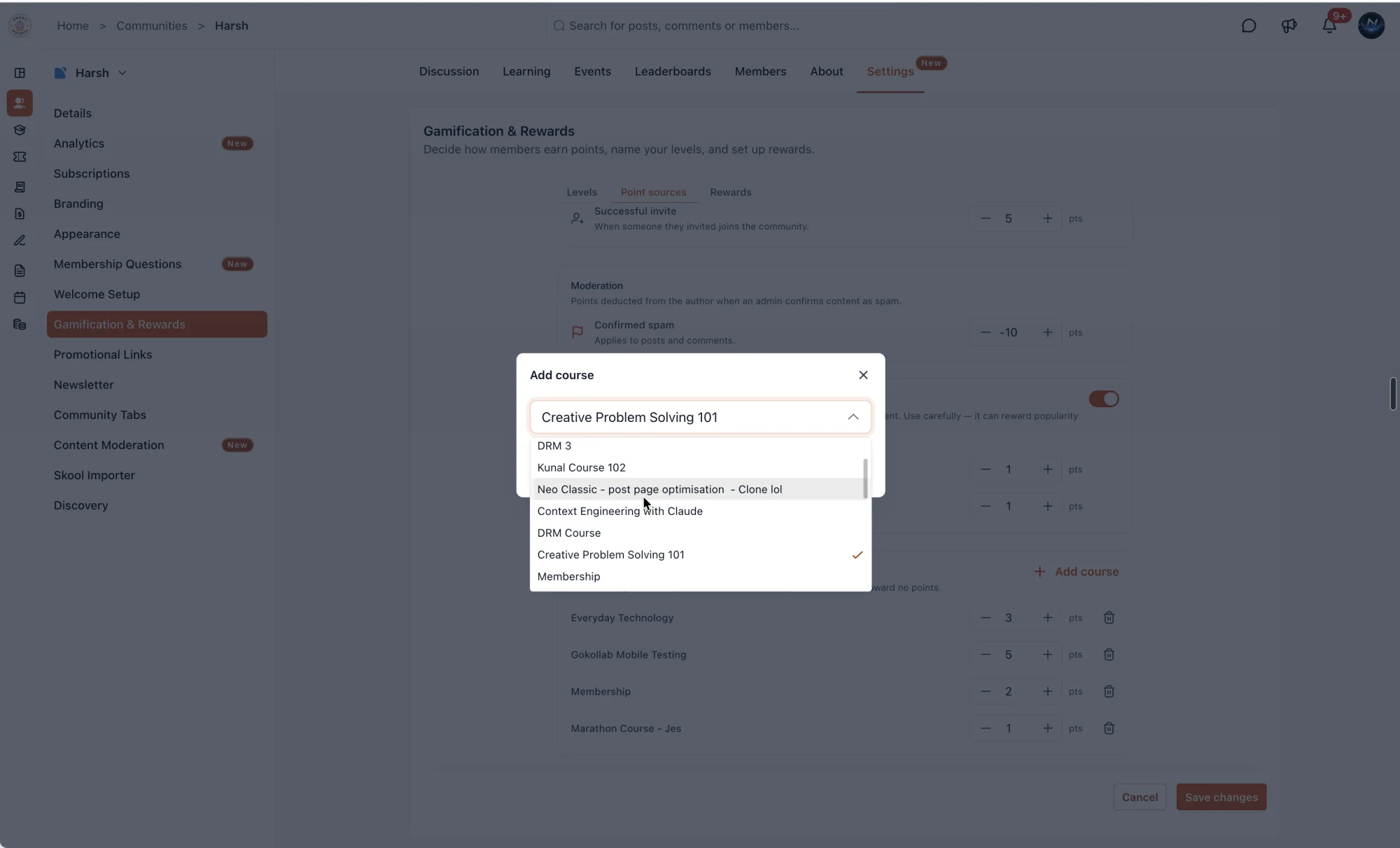
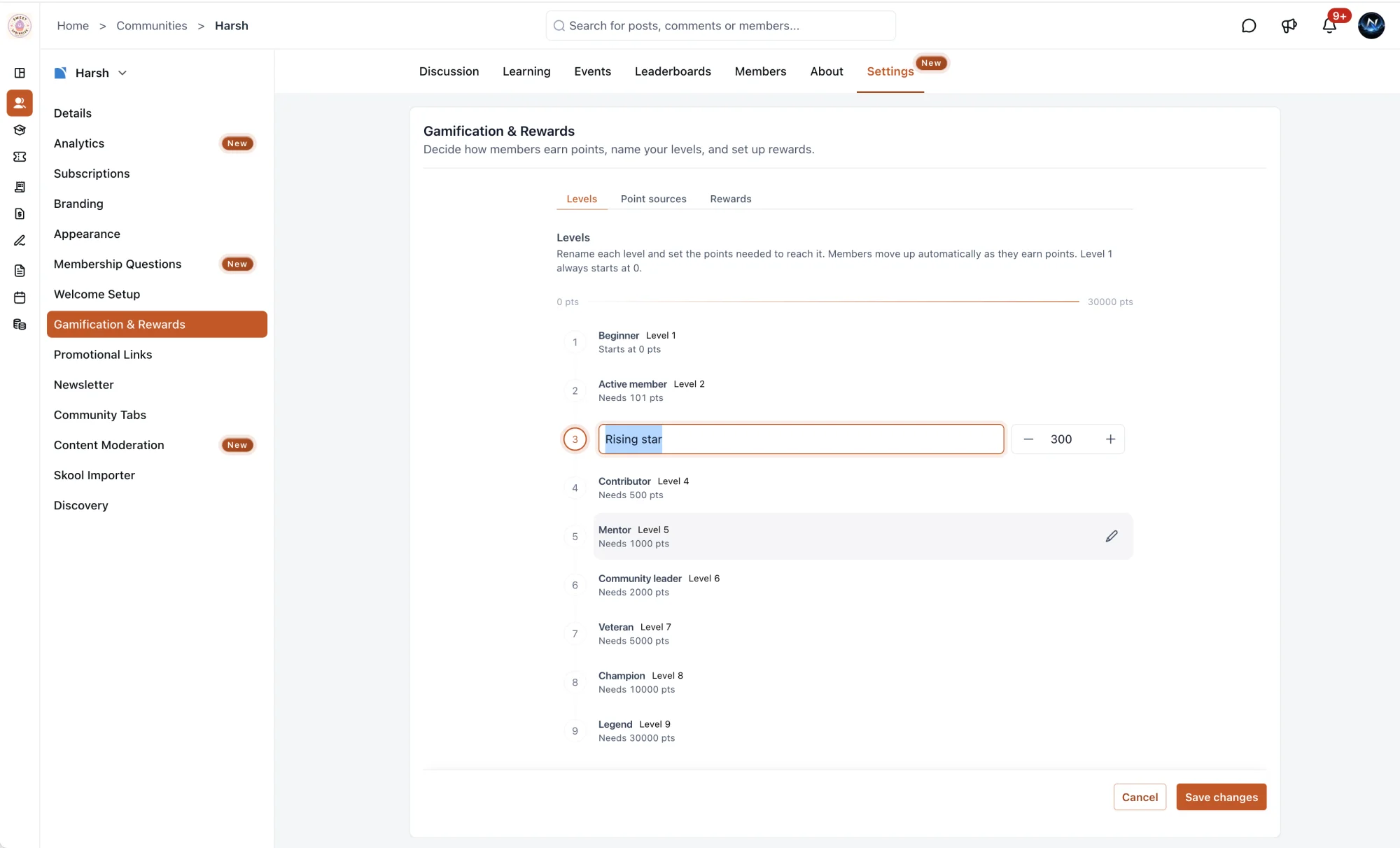
For the first time, you're not limited to the default levels. Give each level a name that feels like your community, set the points needed to reach it, and choose the icon that represents it. Members can now progress through a system that feels built for them, not just generic: Beginner to Intermediate to Advanced to Expert to Master to Legend, or whatever your community calls its top members.
Point Sources
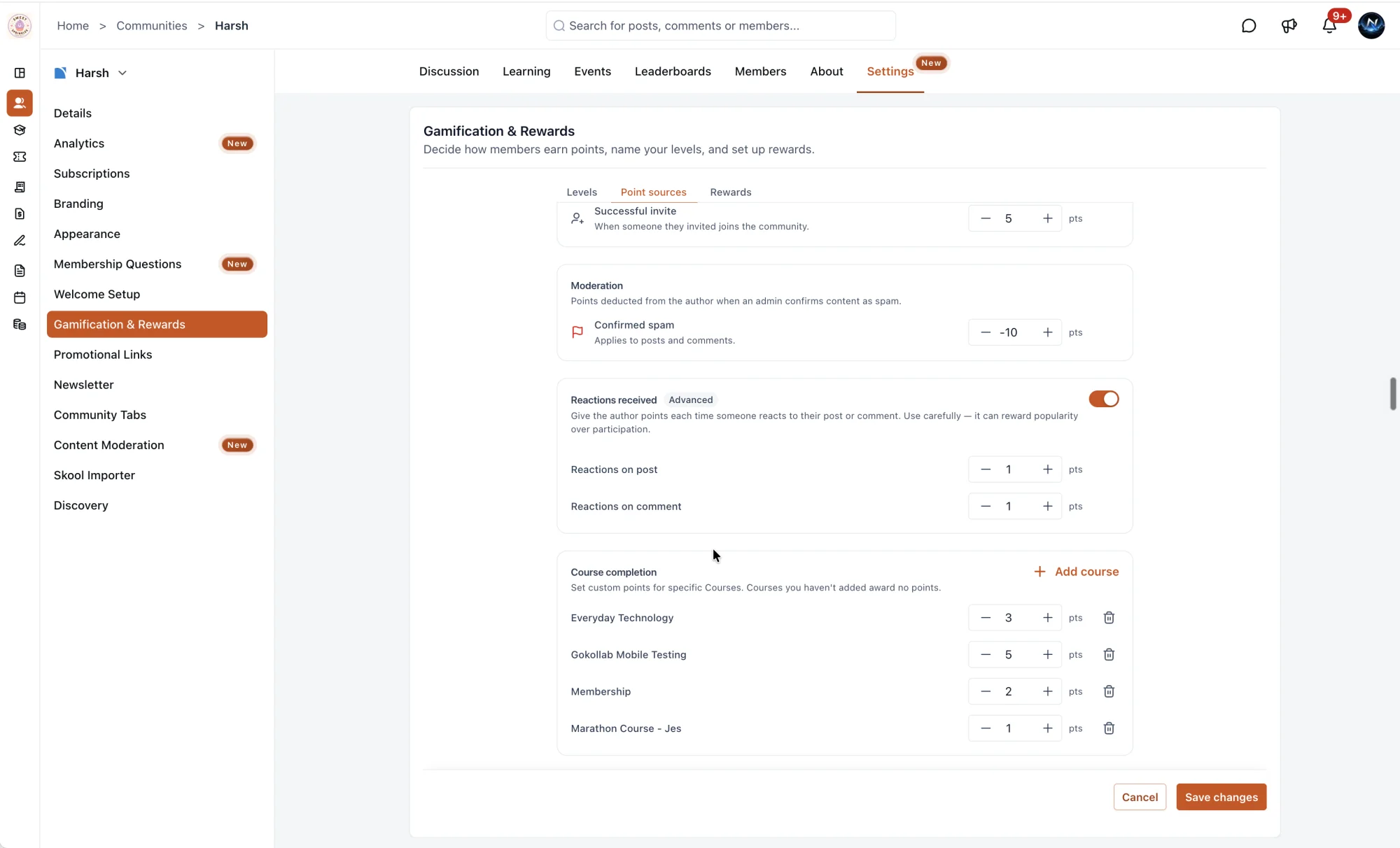
Your points system now reflects what you value most in your community. Set the points for every action and reward the behavior you want to see more of.
Courses
- 10 points for finishing a lesson
- 25 points for completing a course
- 50 points for completing a module
Posts
- 2 points for creating a post
- 1 point for getting a like on your post
- 2 points for a post with an attachment
- 3 points for receiving a comment
- 1 point for commenting on a post
Comments
- 3 points for receiving a like on your comment
- 1 point for liking a comment
- 1 point for a comment with an attachment
Members
- 10 points for an invite accepted
- 20 points for inviting a new member
Groups
- 5 points for joining a group
- 2 points for posting in a group
Set any value to 0 to turn that action off entirely.

Why This Matters
Every community has its own culture. A fitness community wants to reward consistency, a learning community wants to reward completion, a networking community wants to reward introductions. Now the points and levels can reflect that. When members see their progress tied to what your community actually values, they're more likely to keep showing up, contributing, and climbing.
How to Get Started
Go to the Community Settings, open the Gamification & Rewards tab and update your levels and point sources. Changes apply immediately.