📊 Course Video Analytics — with AI Powered Insights!
Understanding how learners engage with your videos just got easier! With Course Video Analytics, you can now track video performance, identify where learners drop off, and get AI-powered recommendations through Course AI to improve your content and drive better engagement.
✨ What's New?
Video Analytics Dashboard — Track views, watch time, average engagement, and finish rates across all your course videos, with comparisons to previous periods.
Detailed Video Insights — Dive into individual videos to understand unique viewers, rewatch rates, completion funnels, and audience retention.
Audience Retention Heatmaps — Identify exactly where learners drop off, skip ahead, or rewatch specific moments in your videos.
AI-Powered Insights with Course AI — Get actionable recommendations highlighting engagement patterns, drop-off points, and opportunities to improve your videos, backed by performance data.
Audience Breakdown — Understand viewing patterns across devices, countries, and regions.
Analytics Within the Lesson Editor — View key video performance metrics from the last 30 days directly while editing your lessons.
Flexible Filters & Exports — Filter analytics by course and date range, search for specific videos, and export performance data for further analysis.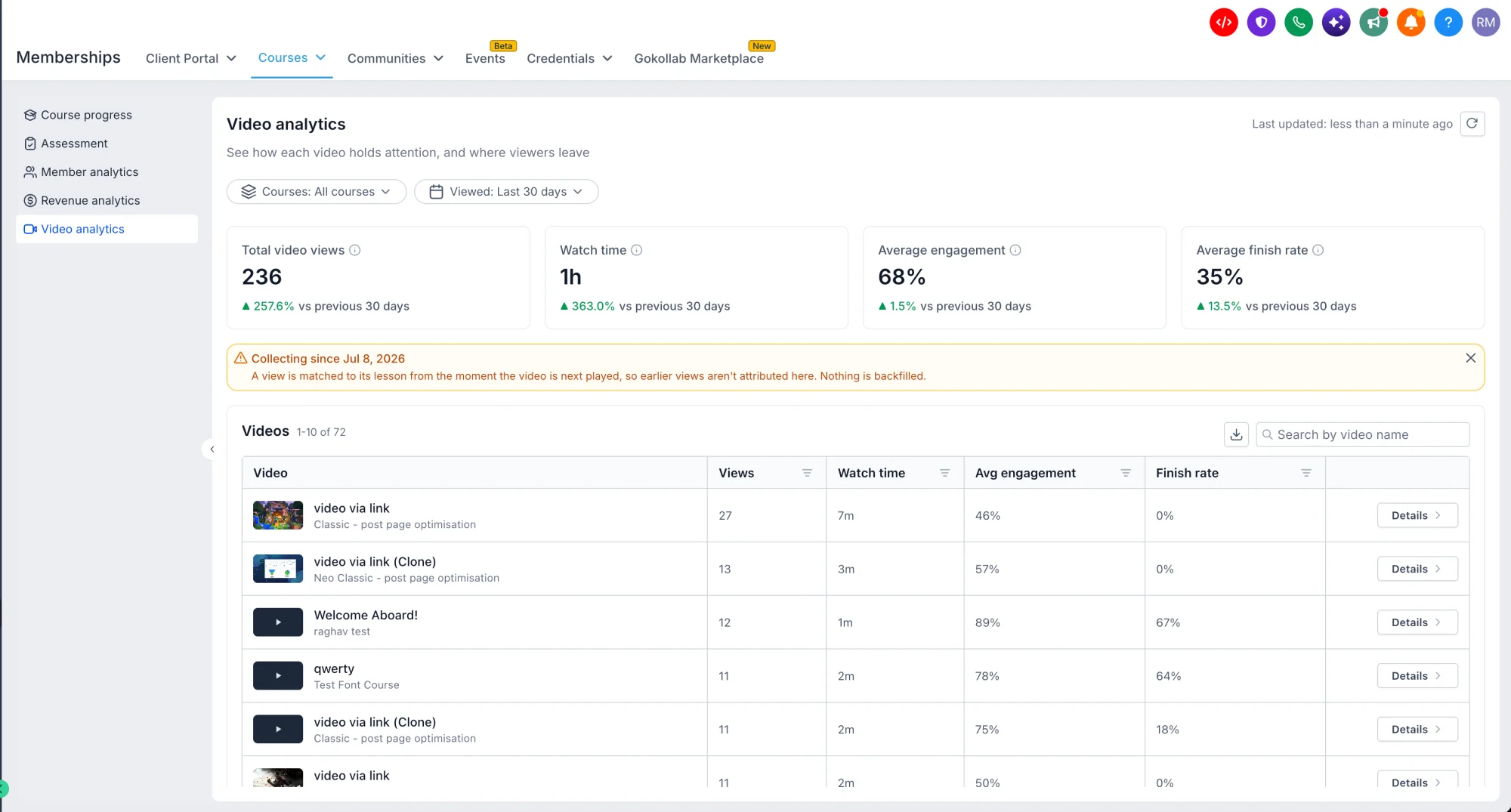
🎯 Why It Matters
Previously, creators had limited visibility into how learners actually engaged with their video lessons.
With Course Video Analytics, you can go beyond knowing whether a learner watched a video to understanding how they watched it, where they lost interest, and what kept them engaged.
Combined with Course AI, these insights help you make informed decisions to improve your lessons, increase engagement, and create more effective learning experiences.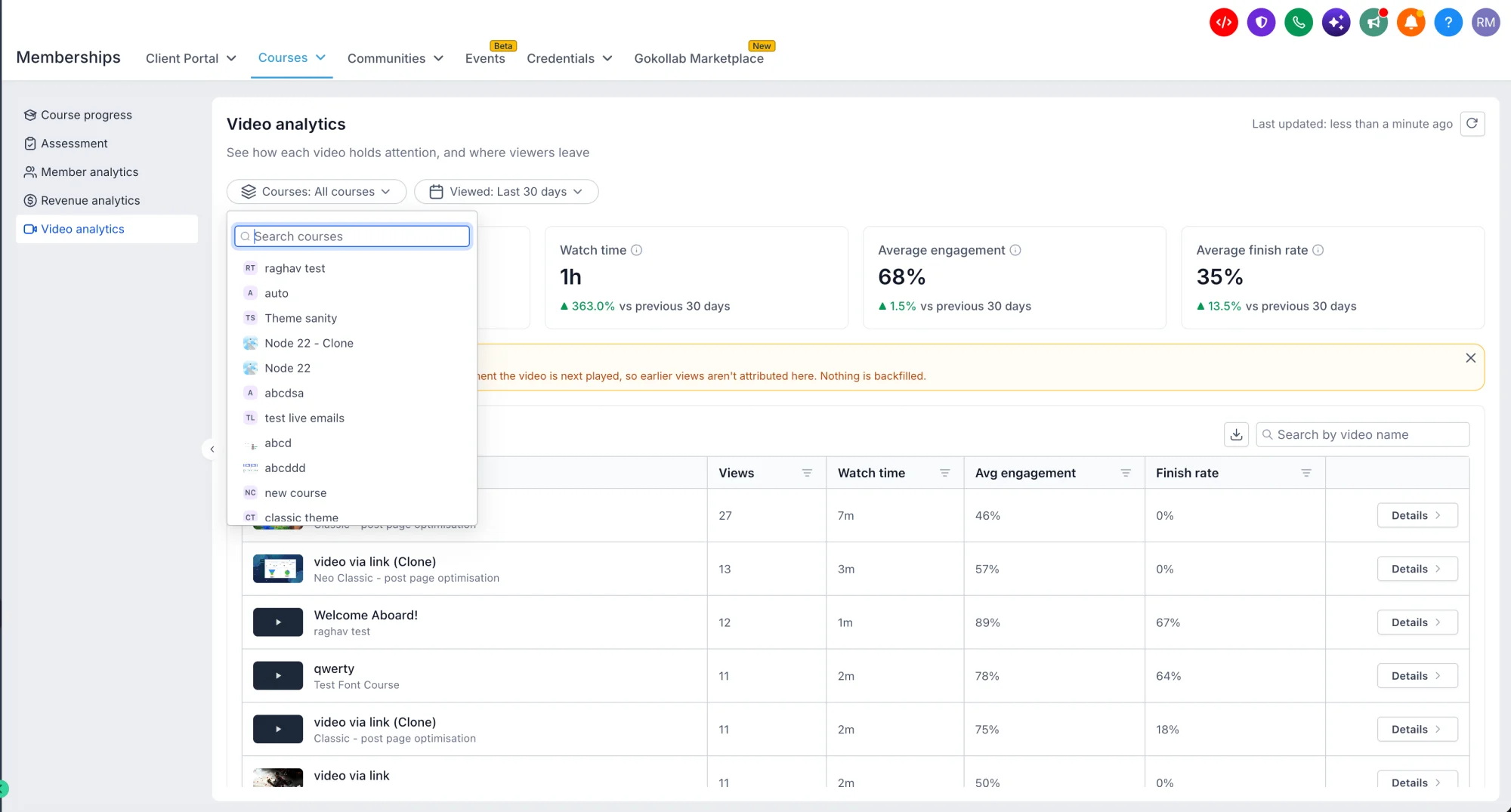
🚀 What You'll Benefit From
Identify Drop-Offs — Pinpoint moments where learners lose interest and optimize your content accordingly.
Improve Video Engagement — Understand which lessons perform best and which need attention.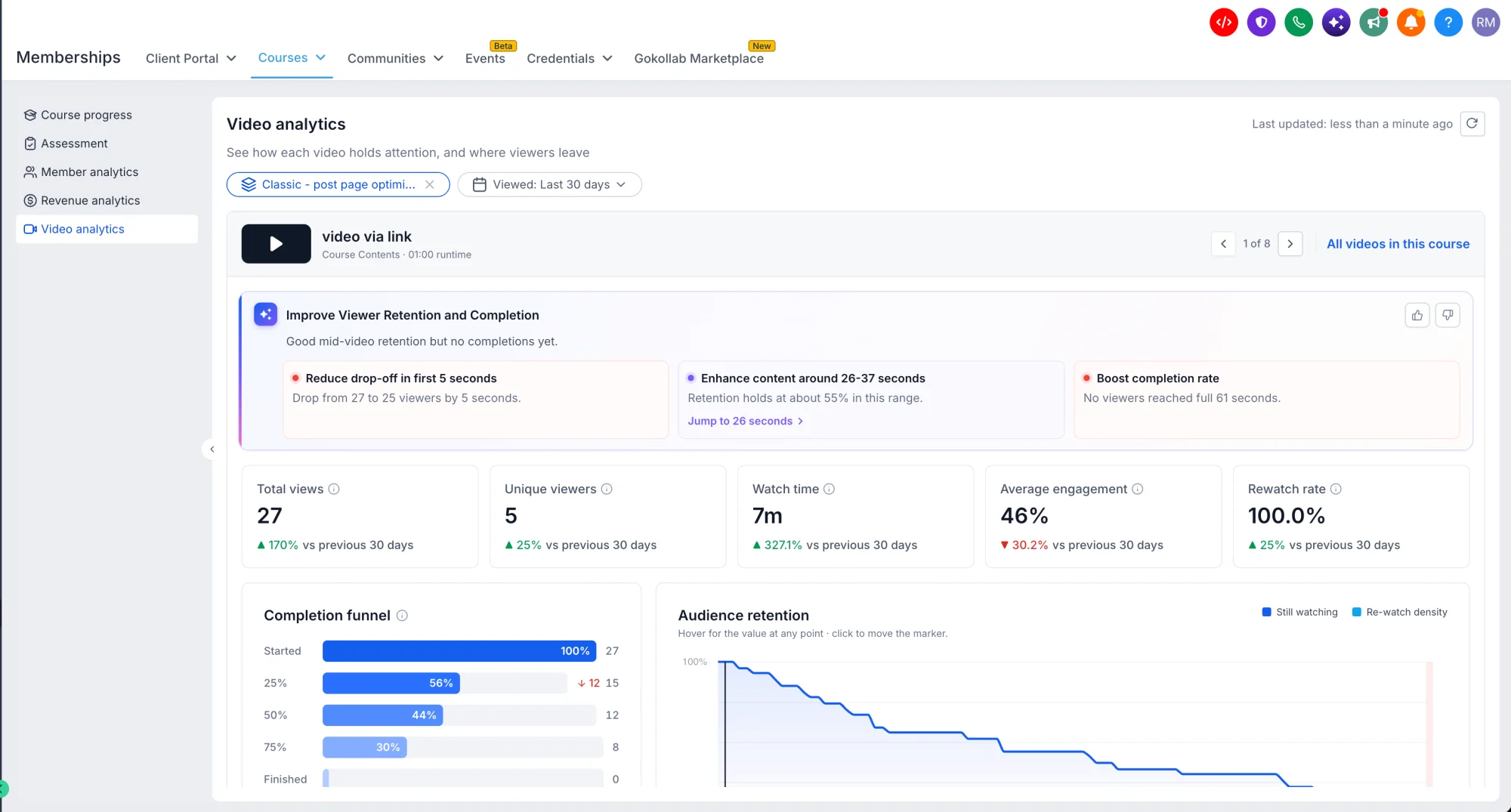
Make Data-Driven Improvements — Use detailed metrics to optimize your course content.
Understand Your Audience — See viewing patterns across devices, countries, and regions to better tailor your courses.
Save Time — Access AI-powered insights that summarize key takeaways and suggest improvements without manual analysis.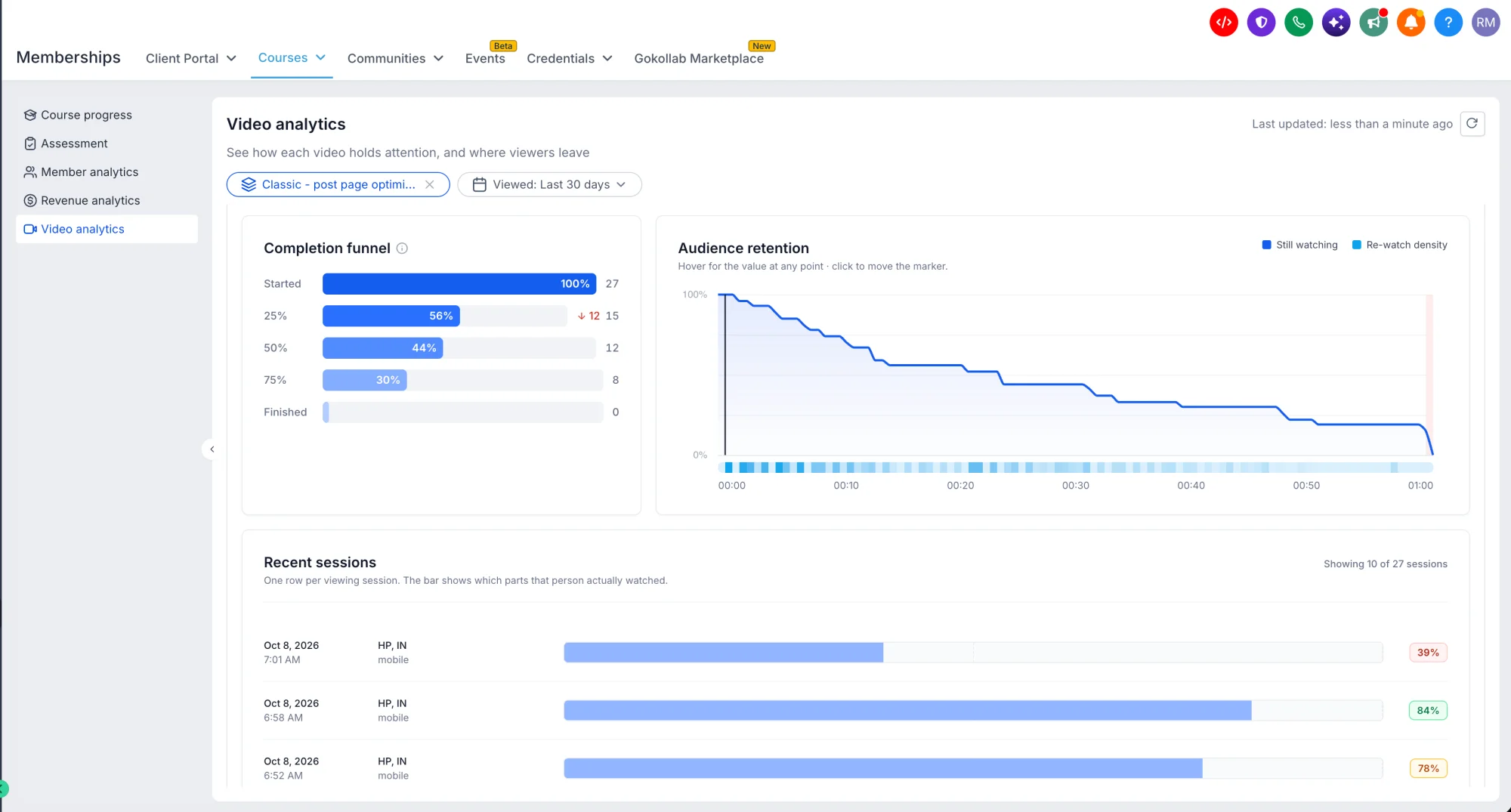
⚙️ Getting Started
Navigate to Labs in your sub-account and turn on "Course Analytics."
Go to Memberships → Products → Courses and open the Analytics tab to see your video performance.
Explore video performance, engagement, and audience retention.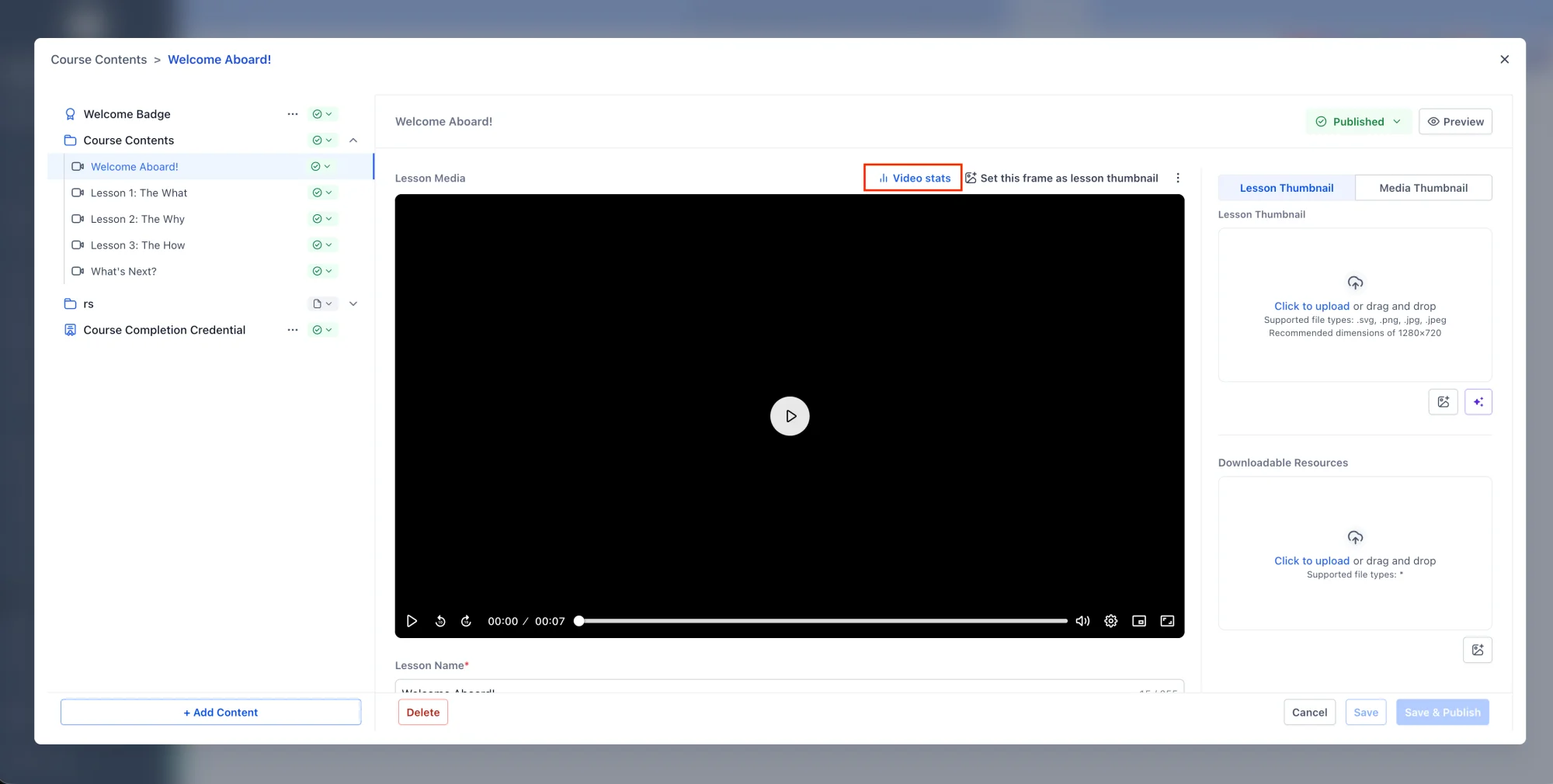 Use retention heatmaps to spot drop-off moments and rewatch peaks.
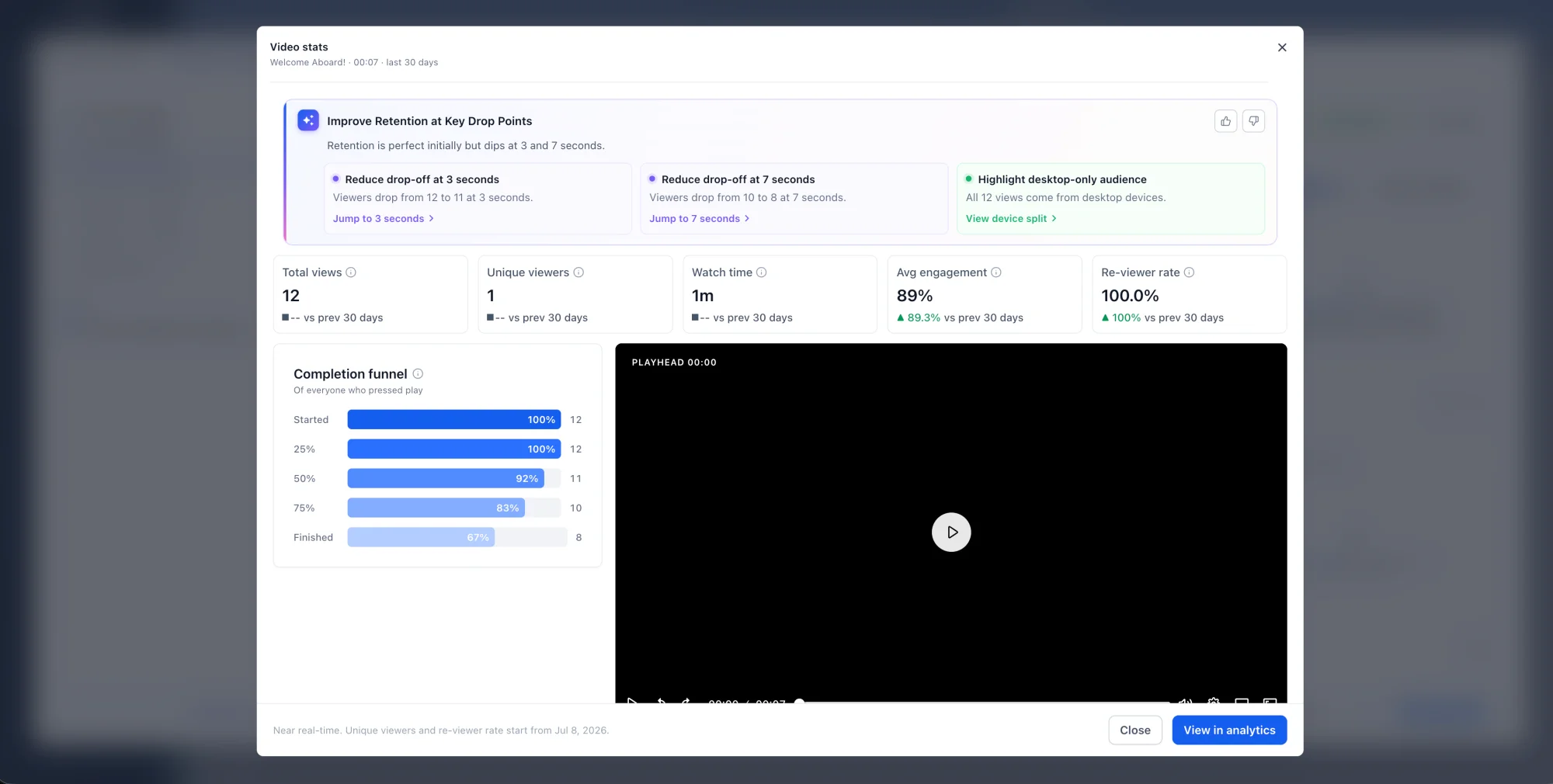
To access AI-powered insights, ensure you've enabled Course AI within the Course settings and join the Course AI Beta.
Availability: Course Video Analytics is available to all users with access to Courses, and AI-Powered Insights require Course AI.
Note: This feature is currently in beta and will be rolled out to all users in phases.