Blogs: Comments on Blog Posts
Turn every blog post into a two-way conversation. Readers can now leave comments directly on your blog posts, and you can reply, approve, and moderate them — all from inside Web Wisconsin's Connect CRM.
Comments on Every Post
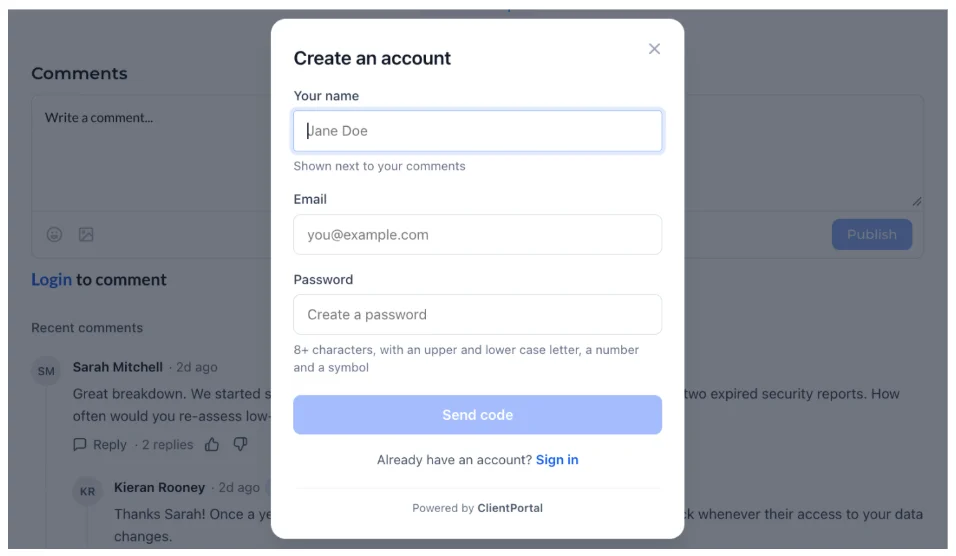
- Comment directly on published blog posts, and reply to keep the conversation going.
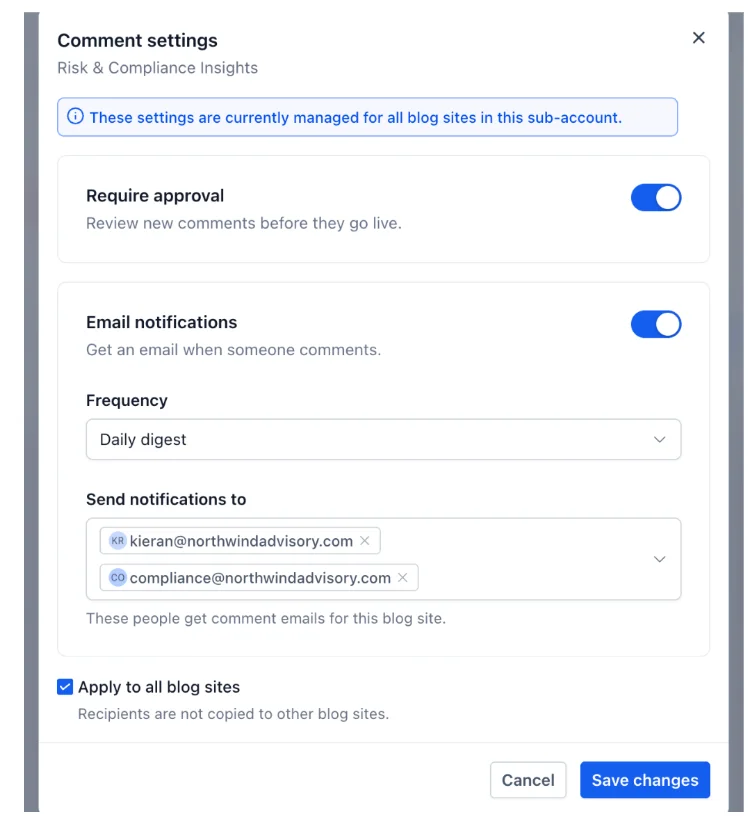
- Nested replies that keep every thread organized, so questions and answers stay easy to follow.
- Comment counts on each blog post and in the blog list, so popular posts stand out at a glance.
- Comment avatars for every commenter, adding a personal touch to each conversation.
Moderation That Keeps You in Control
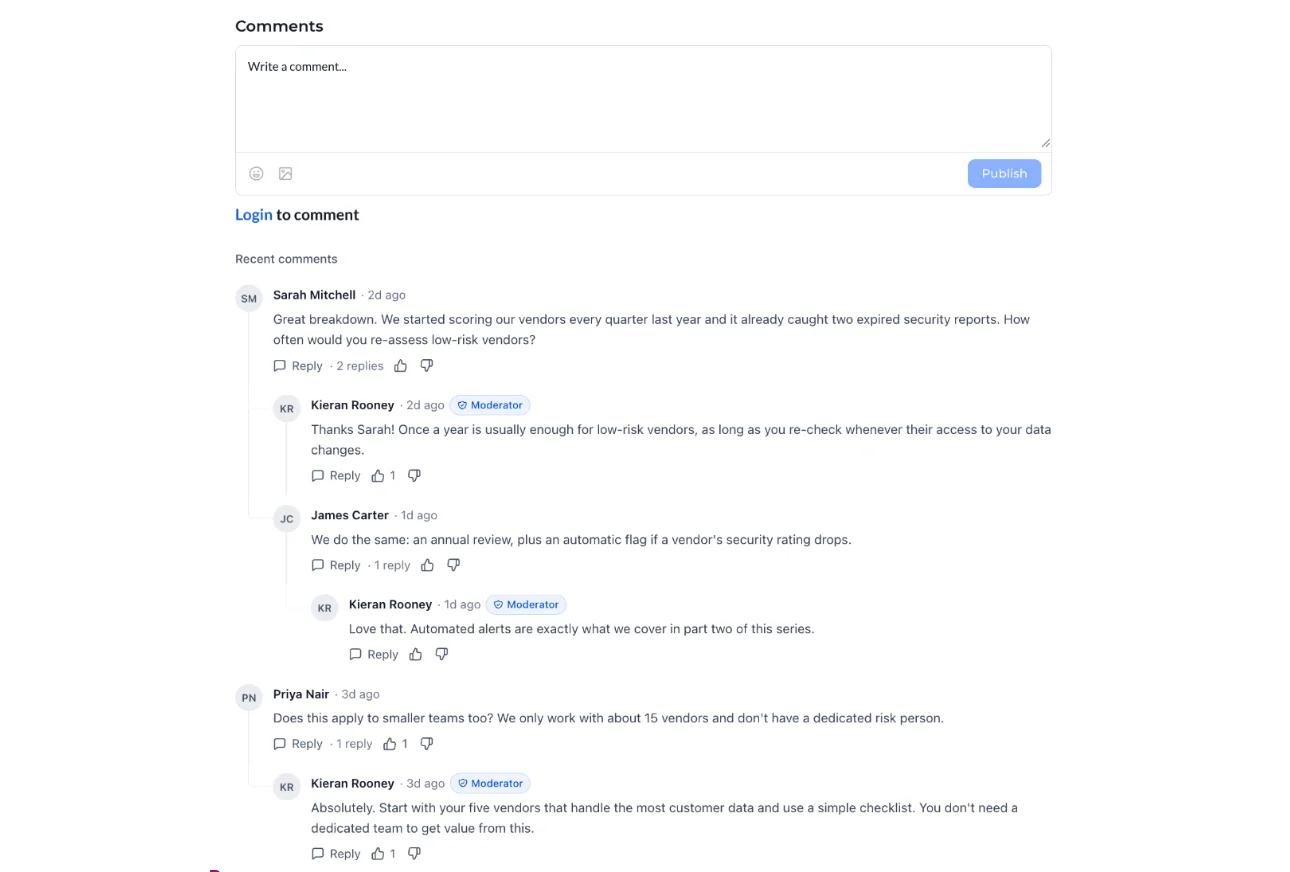
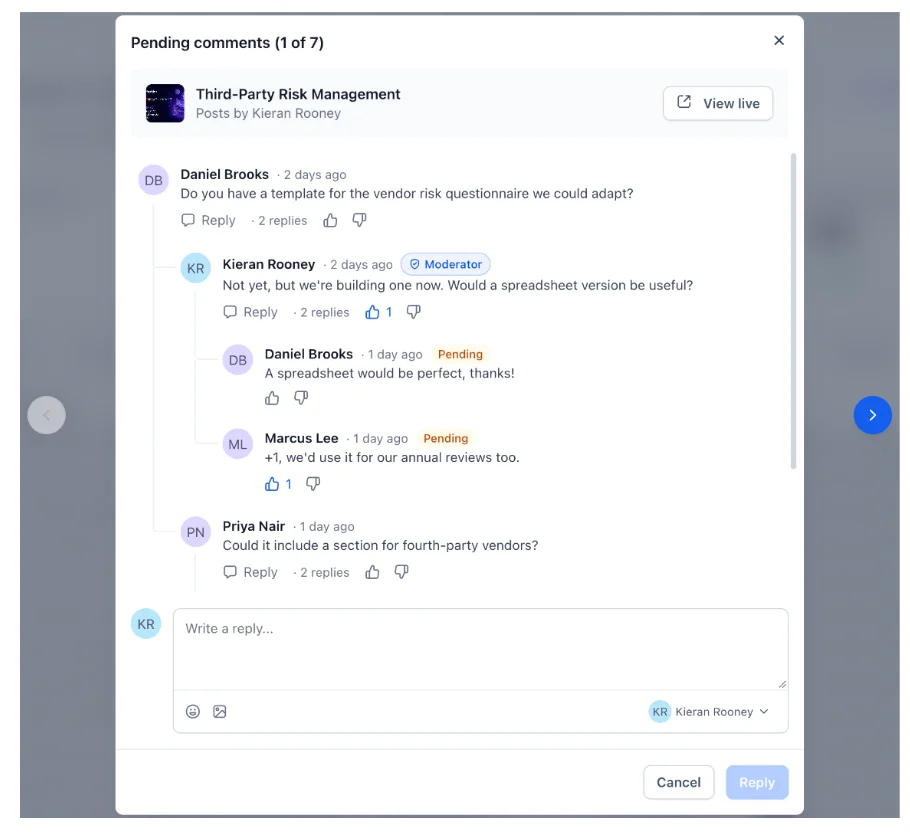
Every comment is moderated before it appears publicly.
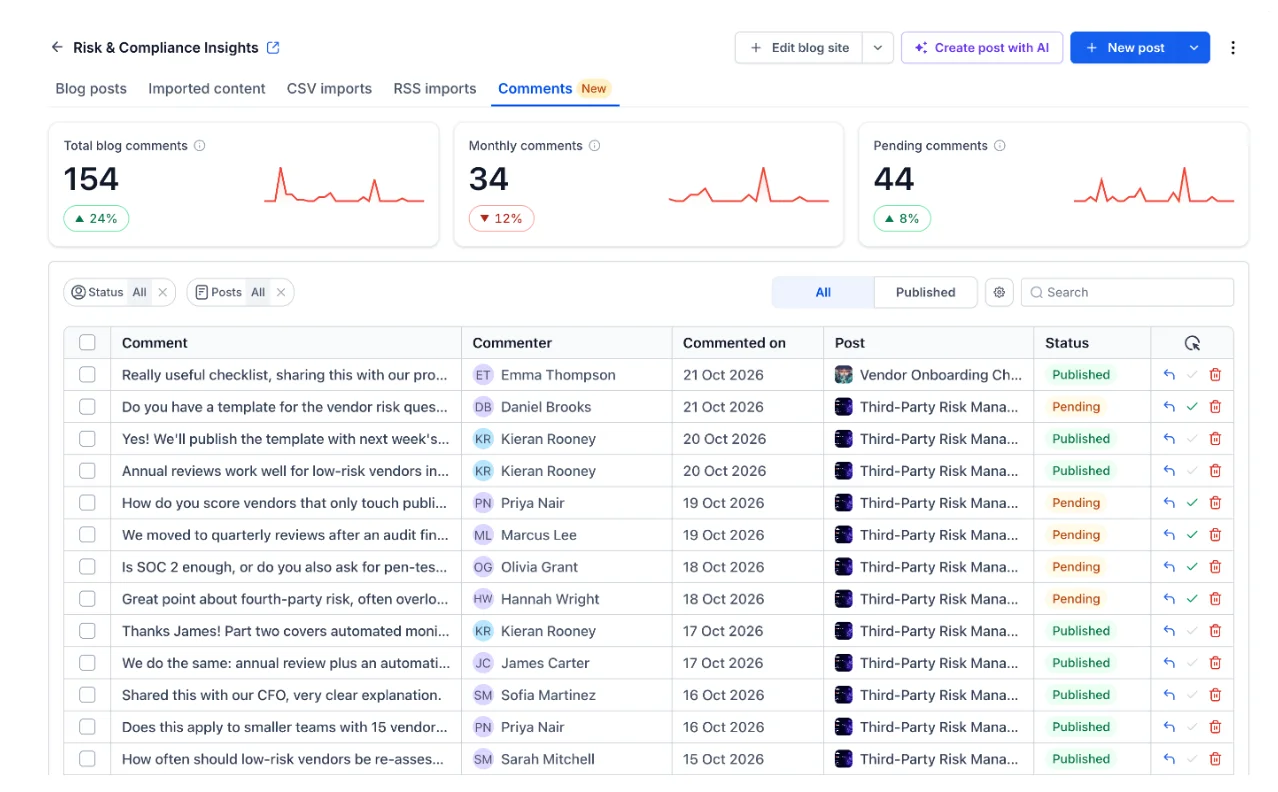
- Approve comments that are ready to publish, or delete the ones that don't belong.
- Approve, delete, or reply from one place — no switching between tools or tabs.
- Stay in control of the conversation on every post, with nothing going live until you approve it.
A Complete Conversation on Every Post
Comments keep the full discussion in one place.
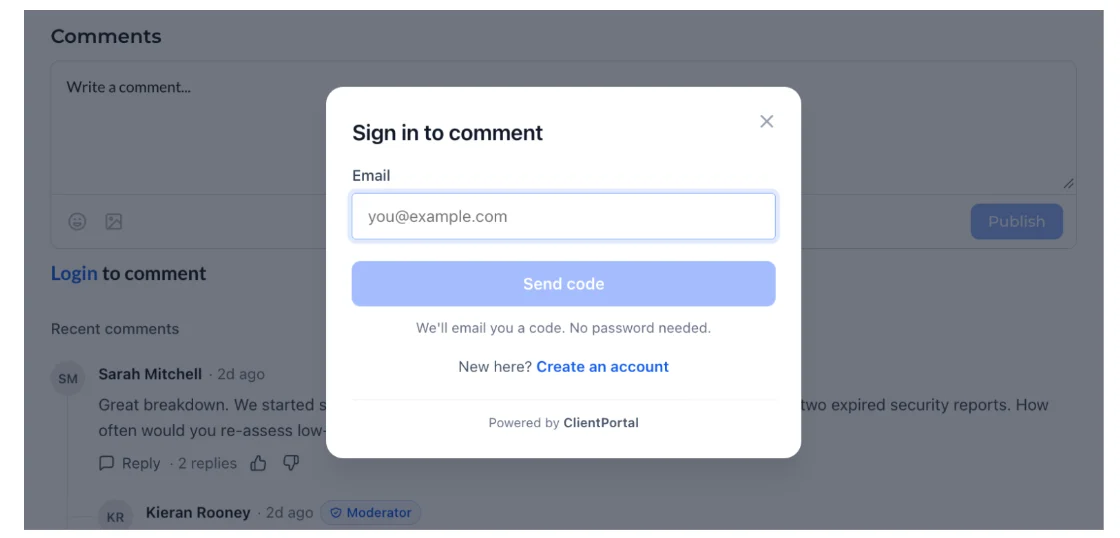
- See every comment and reply on the post, with avatars and timestamps.
- Reply directly from the post, so the discussion never leaves your blog.
- Keep the conversation open and visible to every reader.
Comments Work Everywhere You Publish
- Comments work on every published blog post, so readers can respond wherever they are reading.
- Comment counts and moderation stay in sync across your blog, whether readers comment from the post or the blog list.
- A consistent experience across your blog, so readers always know how to join the conversation.
Comment Visibility
Choose who can see the conversation on every post.
- Make comments visible to everyone, or keep them private until you approve them.
- Public comments are visible to every reader, so the discussion stays open and transparent.
- Private comments stay hidden from readers until you approve them, giving you full control over what goes live.
Moderate Conversations Without Leaving the Post
- Moderate comments from the blog post itself, and approve, delete, or reply from the same place you publish.
- Keep your posts and their conversations together, so nothing gets lost between tools.