🚀 Ask AI Mobile - Contacts AI: Know where you stand with a contact in one tap
Ask AI now opens from any contact's detail screen with a summary of that relationship already on screen. Get ready for your next meeting, get a recap, or dictate a note without leaving the contact.
🤔 The Challenge
You usually open a contact in the middle of a call or chat. To find out where things stand, you dig through conversations, appointments, opportunities and tasks, one tab at a time. Notes often don't get logged because typing them on a phone is slow. And Ask AI couldn't help, because it didn't know which contact you were looking at.
✨ Our Solution
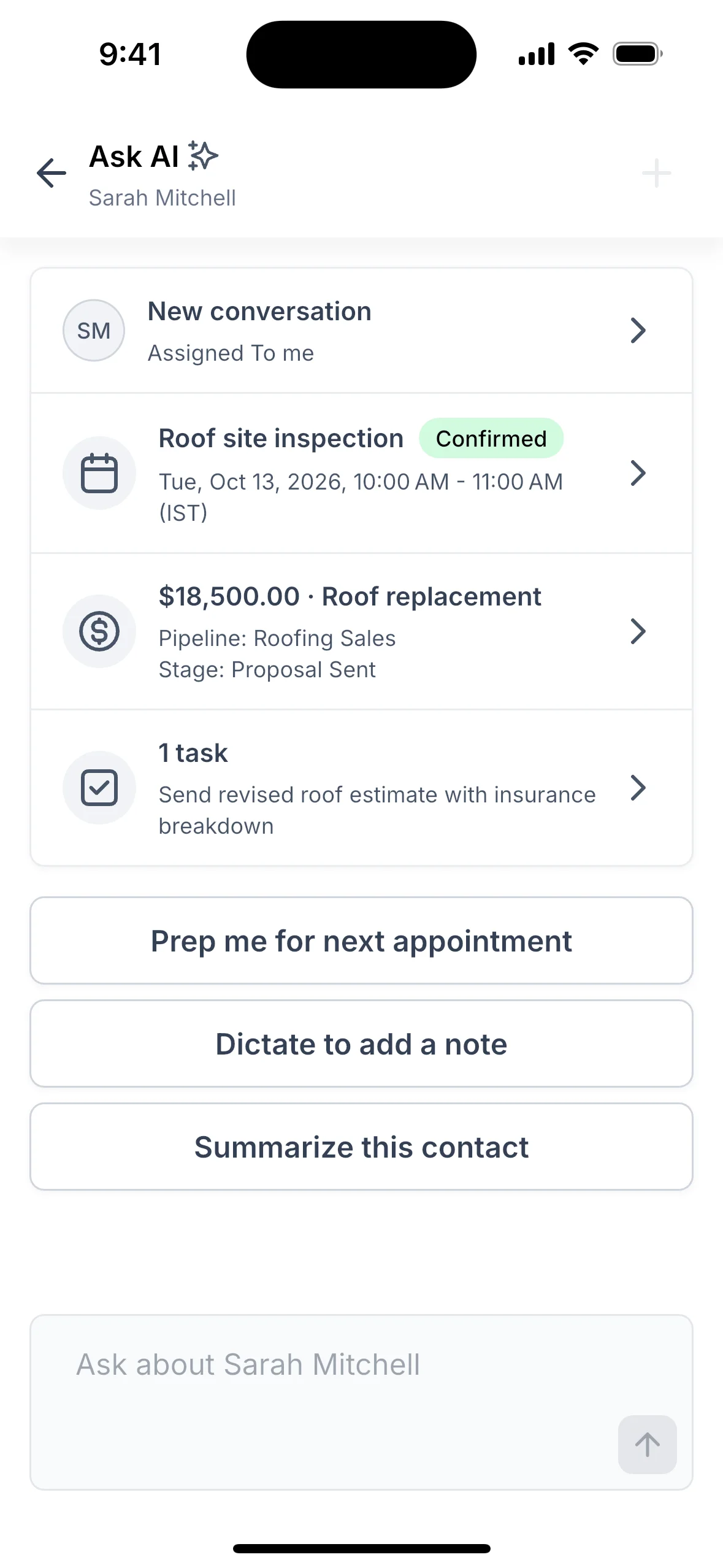
Tap the new Ask AI icon at the top of any contact. You get a summary card of that contact. The card is built from your real data, not written by AI:
- Last message: the channel and how long ago it was sent
- Next appointment: with its status, including your own custom statuses, plus "+N more" when others are coming up
- Biggest open deal: its pipeline and stage, and how many days since it last moved
- Open tasks: with a badge for overdue ones
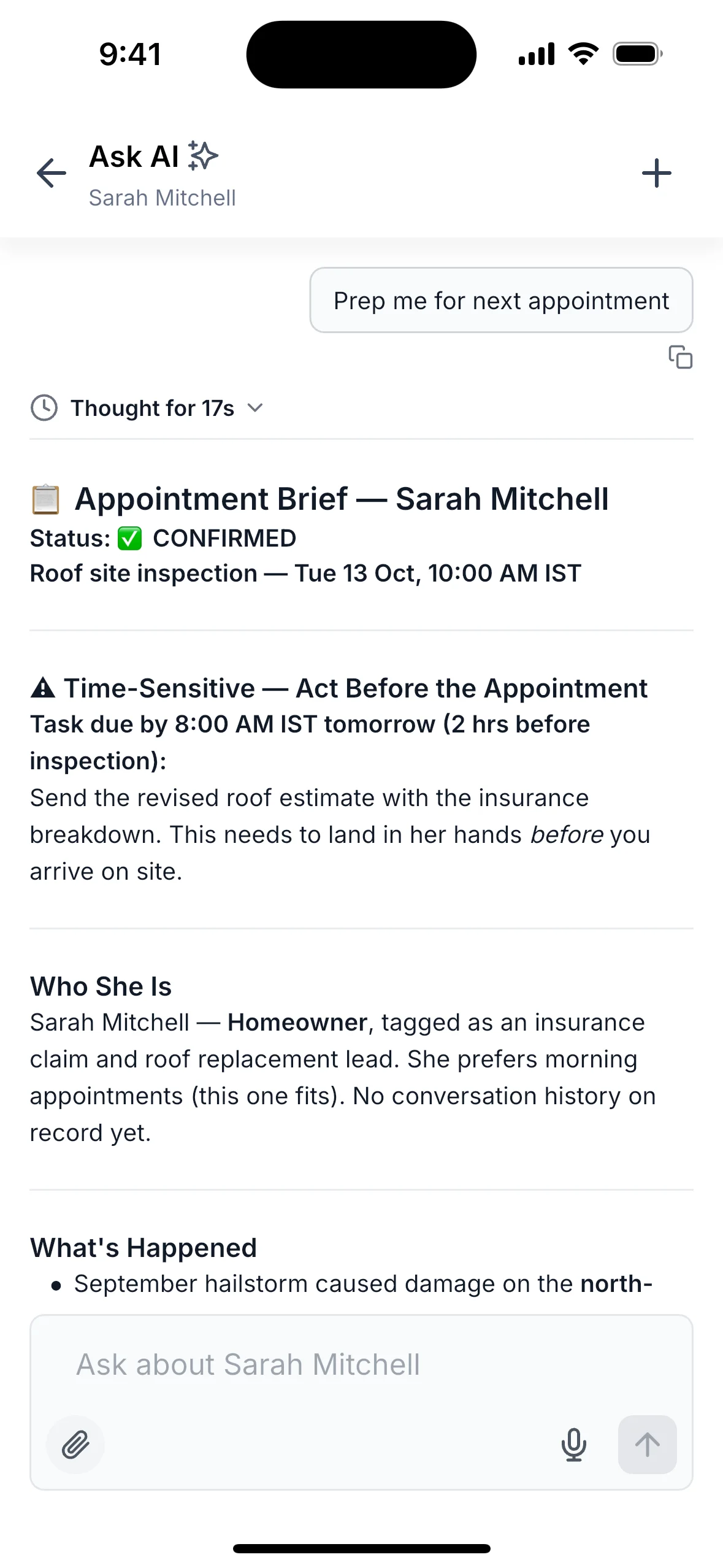
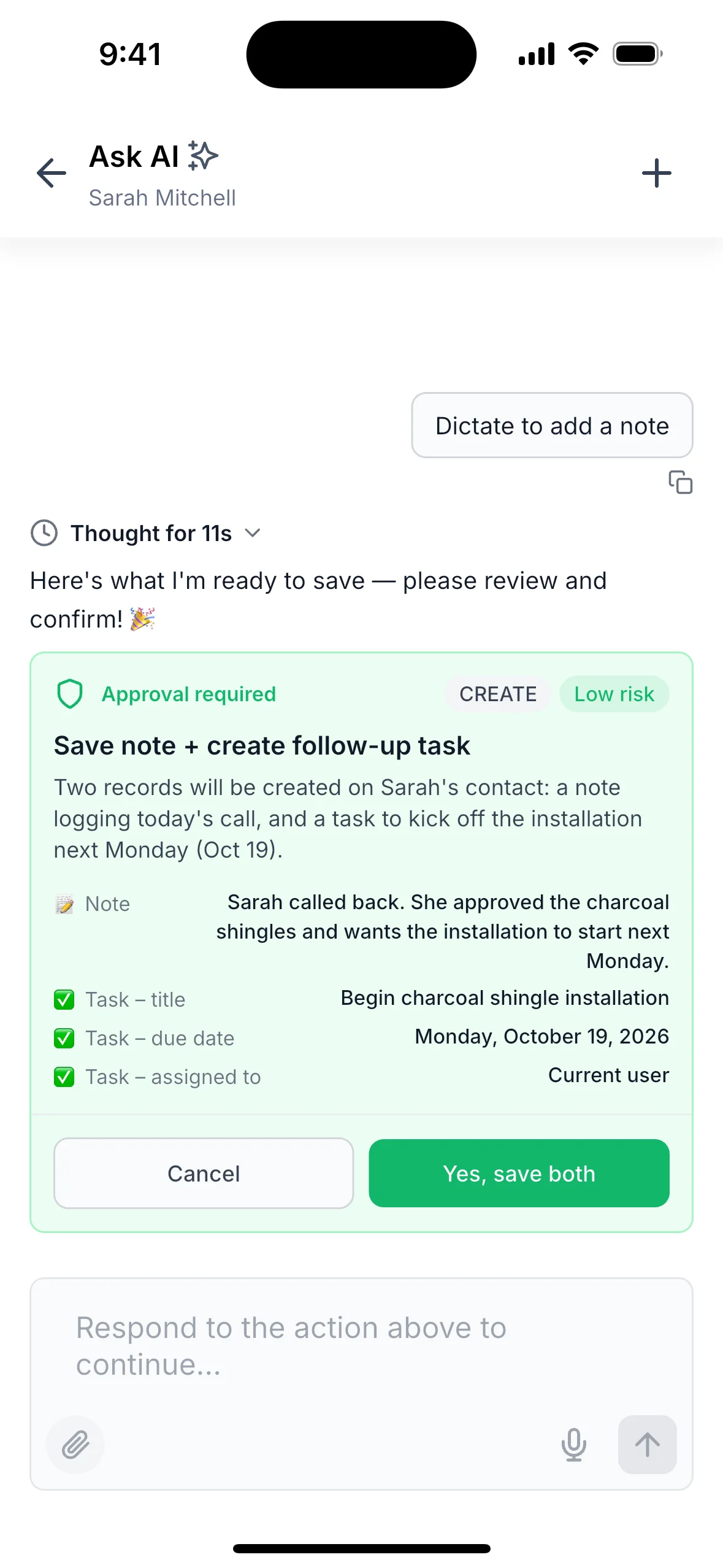
Tap any row to open that record in its usual screen. Below the card are three buttons: Prep me for next appointment, Summarize this contact and Dictate to add a note. When you dictate, Ask AI turns your words into a proposed note, and a task if needed. Nothing is saved until you approve it.
🏆 How This Supercharges Your Business
- Save time: see messages, appointments, deals and tasks in one view instead of five tabs.
- Walk in prepared: get a short briefing before your next appointment.
- Never lose a note: speak it on the way out of a meeting and approve it in one tap.
- Always current answers: Ask AI reads the contact's latest records each time, so it keeps up with changes made during the chat.
- Stay in control: AI only runs when you ask, nothing is saved without your approval, and Ask AI gets only the contact's record ID.
🛠️ How to Get Started
- Navigate: Open any contact from Contacts, Conversations or search.
- Activate: Tap the Ask AI icon in the top bar to see the contact's summary card.
- Enjoy: Tap a button such as Prep me, Summarize or Dictate, or type your own question about the contact.
🔮 What's Next?
This release adds a way for any part of the app to open Ask AI about one of its own records. Contacts is the first to use it, and more screens will follow.
📦 Roll-out & Availability
- Release Date: October 2026
- Available Version: v4.27.0 and later
- Status: Public
| App | Status |
|---|---|
| Web Wisconsin | ✅ |
💡 Good to Know
- Works on iOS and Android, for users who have Ask AI access; no separate permission for this feature.
- The card only shows conversations, appointments, deals, deal values and tasks the user has permission to see.
- If your account calls contacts something else, like "patient", the app uses that name.
- "Prep me" appears when there is an appointment in the next 7 days; "Summarize" is offered for every contact.
- Offline, the card shows what's already on your phone; if nothing has loaded, it shows "Couldn't load details"; pull down to try again once back online.
- If a contact was deleted, or you no longer have access to it, Ask AI says so instead of showing a summary.
- Each time you open Ask AI from a contact, a fresh chat starts; after your first message, tap + in the top bar to start over on the same contact.
- Voice mode isn't available in a contact chat yet; use "Dictate to add a note" instead.
- Deal amounts in AI answers show as plain numbers, with no currency symbol.