Ad Manager Enhancement - Google Ads Policy Exemption Requests
👀 What's New?
We've enhanced Connect CRM Ad Manager to allow users to request policy exemptions for eligible Google Ads policy violations directly from the campaign builder.
Previously, users encountering these violations were blocked from publishing their campaigns. Now, they can request an exemption and retry publishing without leaving Connect CRM Ad Manager.
👷 How It Works:
-
Policy Violation Detection: When Google flags a policy violation during publishing, Ad Manager identifies whether the violation is eligible for an exemption.
-
Request Exemption: An actionable Request Exemption option appears alongside eligible policy errors in the campaign's error section.
-
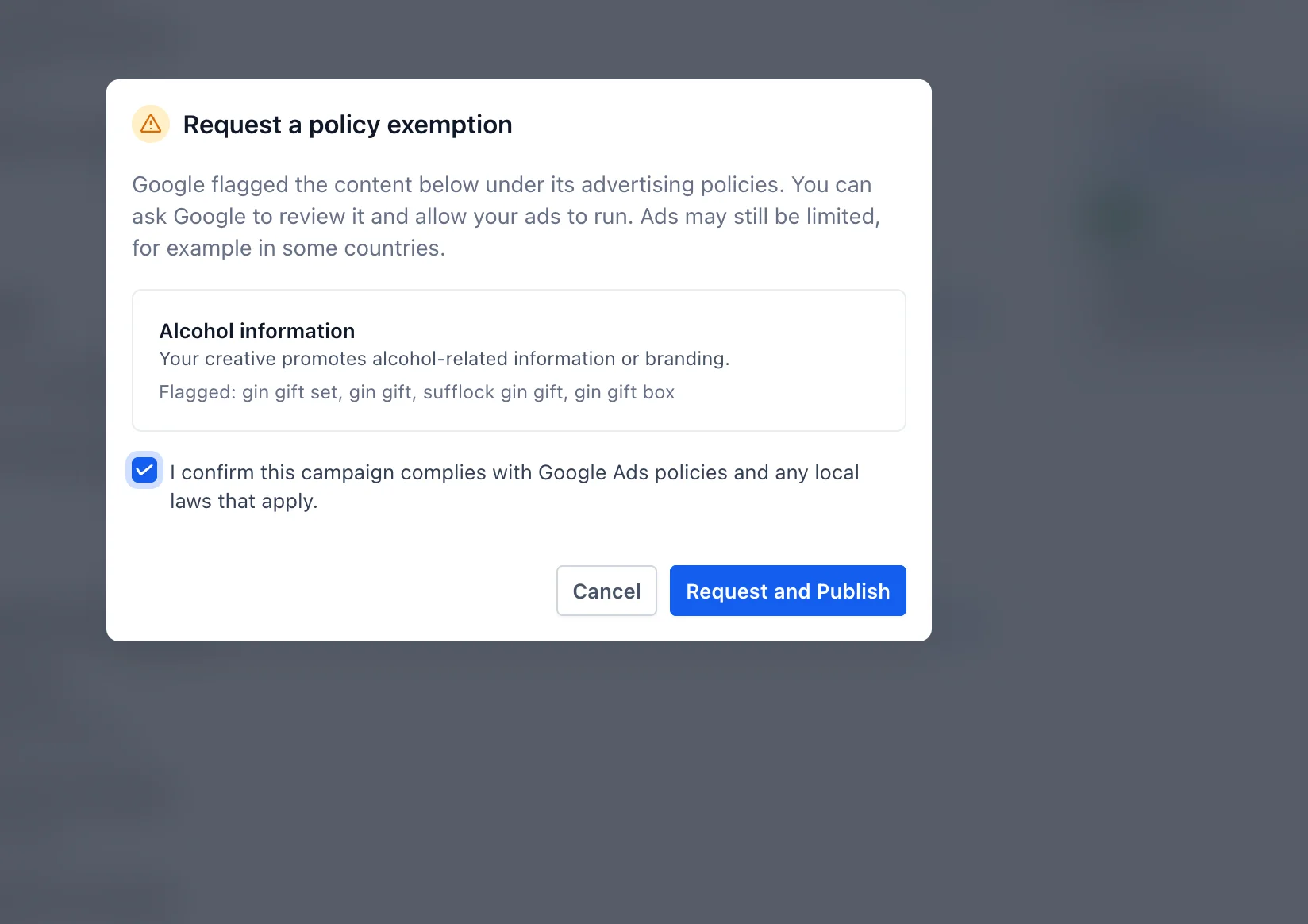
Review & Confirm: Clicking the 'Request Exemption' option opens a modal displaying the policy violation details and a confirmation checkbox to acknowledge Google's advertising policies.
-
Request and Publish: Once confirmed, users can click Request and Publish to submit the exemption request and automatically retry publishing their campaign.
-
Publishing Status: The campaign follows the usual publishing process, with the exemption applied to the eligible policy violation.
🌟 Why It Matters:
• Fewer Publishing Blockers: Resolve eligible Google Ads policy violations without leaving Ad Manager.
• Simplified Experience: Request exemptions and retry publishing through a single action.
• Greater Transparency: Understand the specific policy violation and available resolution before proceeding.
📝 Notes:
• Available for Google Ads campaigns when Google identifies a policy violation as eligible for exemption.
• The exemption option appears only for eligible policy violations, not unrelated publishing errors.
• Requesting an exemption does not resolve other validation or publishing errors in the campaign.
• Campaign publishing remains subject to Google's advertising policies and standard review process.