A/B Test Action: Compare Workflow Paths and Route Contacts to the Winner
You can now compare two workflow paths side by side and let results decide the winner. The new A/B Test action splits contacts between two paths, measures which one performs better, and routes future contacts to the winning path automatically.
👀 What's New?
The A/B Test action is now available in workflows. Add it to a workflow to test two different paths, such as two messages, two offers, or two follow-up sequences.
- Test two paths: Split contacts between path A and path B and compare them fairly.
- Measure performance: See which path gets more opens, clicks, or conversions.
- Route to the winner: Send future contacts to the winning path automatically.
🛠️ How It Works
- Add the A/B Test action to a workflow.
- Build path A and path B, such as two different messages or follow-up sequences.
- Choose how long to run the test, or how many contacts to include before a winner is chosen.
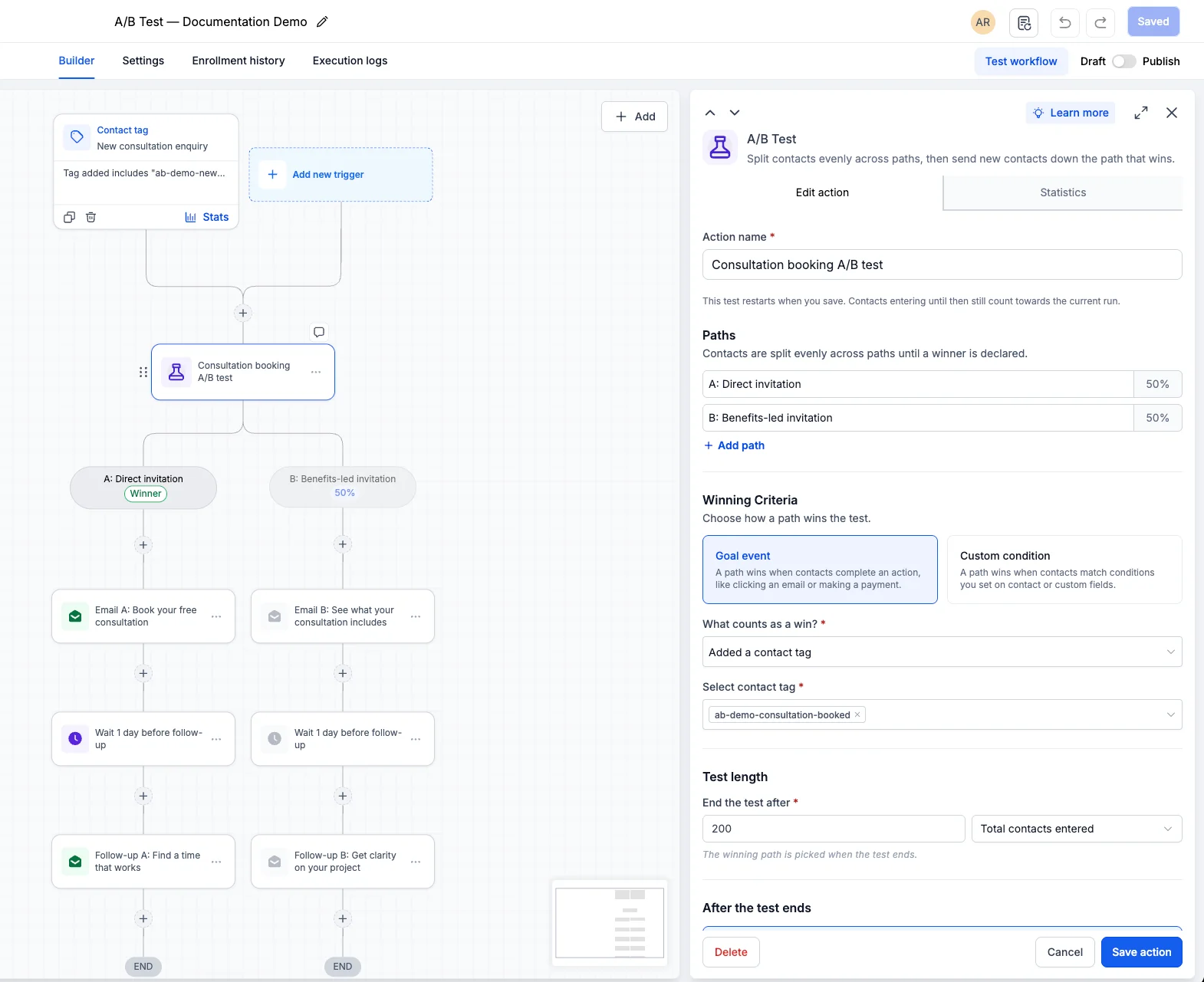
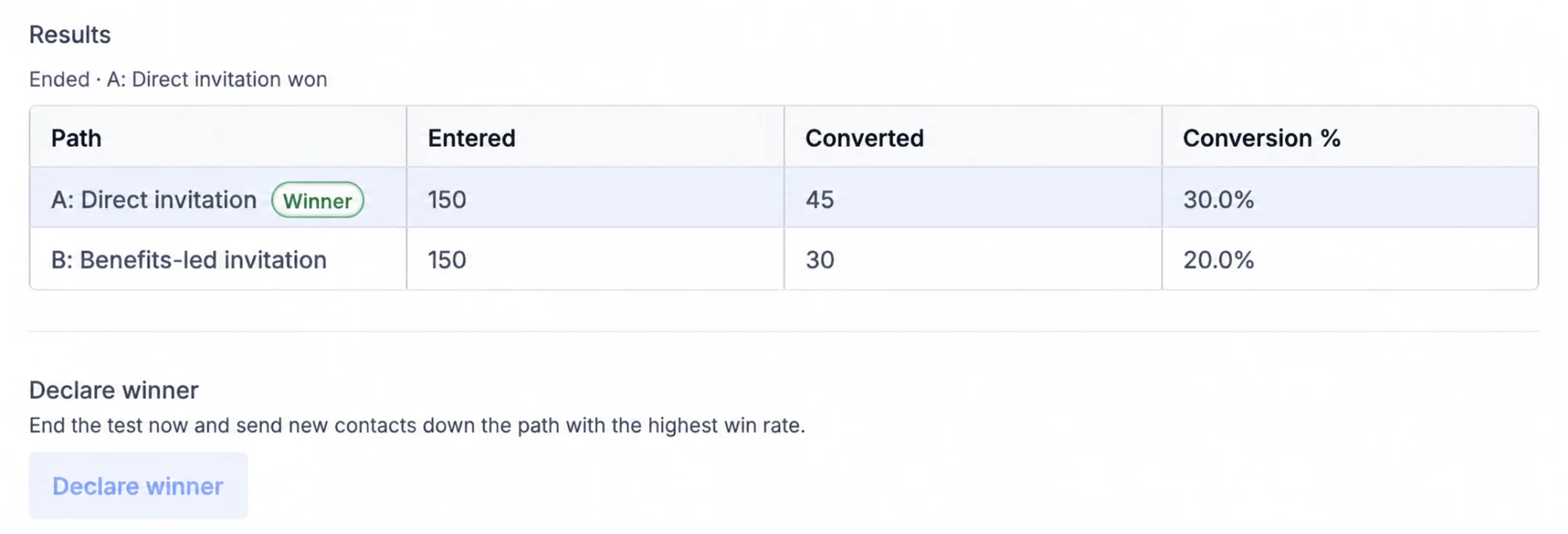
- Review performance: See how each path performed, including opens, clicks, and conversions, then choose the winner or let the workflow route contacts automatically.
🌟 Why This Matters
- Stop guessing: Let real results show which message, offer, or follow-up works best.
- Improve over time: Every test gives you evidence for the next workflow you build.
- Send better messages: More contacts get the path that performs best for them.
📝 Additional Notes
- The A/B Test action works with any workflow actions in path A and path B.
- You can stop a test at any time and choose the winning path manually.
- Test results are shown in the workflow's performance view.